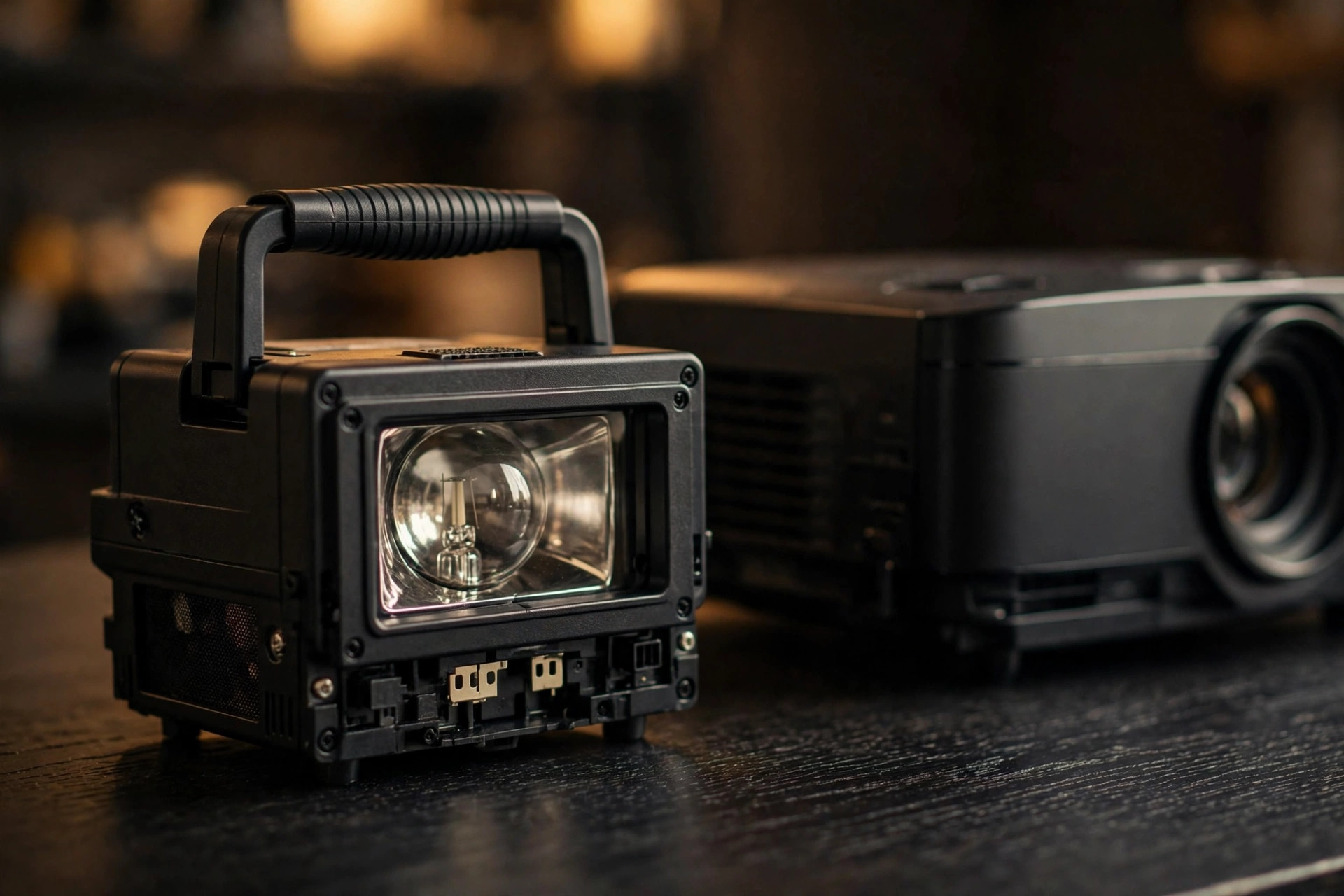
How Long Do Projector Bulbs Last 2026 – LED Projector Lamp Life Guide
A projector bulb does not die the way a light bulb does. It does not suddenly go dark one evening. Instead, it fades — slowly, quietly, over hundreds of hours — until one day you realize the image looks dimmer, flatter, and less colorful than it used to. That slow fade catches a lot of owners off guard, because there is no single moment when the bulb “breaks.”
So how long does a projector bulb actually last? The honest answer is: it depends on what kind of light source your projector uses, how you run it, and how well you treat it.
A traditional lamp-based projector might give you 3,000 to 6,000 hours. A laser projector can last 20,000 to 30,000 hours. An LED projector sits somewhere in between, usually 20,000 hours or more. Those numbers sound straightforward, but the real-world story is more useful than the spec sheet.
In this guide, we will break down lamp life for every type of projector, explain what actually shortens or extends it, show you the warning signs of a dying lamp, and help you decide whether to replace the lamp or replace the whole projector.
Lamp vs Laser vs LED: Lifespan Comparison
There are three main light sources in modern projectors. Each has a very different lifespan and a very different replacement story.
| Light Source | Typical Lifespan | Replacement Cost | Best For |
|---|---|---|---|
| UHP Lamp (traditional) | 3,000–6,000 hours (normal mode); up to 10,000–15,000 hours (eco mode) | Replacement lamps typically cost $50–$300 | Budget buyers who want maximum brightness per dollar and do not mind periodic lamp changes |
| Laser (laser phosphor) | 20,000–30,000 hours | Not user-replaceable; the laser module is built in | Heavy daily use, bright rooms, and anyone who wants years of maintenance-free operation |
| LED | 20,000–30,000 hours | Not user-replaceable; the LED module is built in | Portable and bedroom projectors where compact size, quiet operation, and long life matter more than peak brightness |
To put those numbers in perspective: if you watch your projector for 3 hours a day, a 4,000-hour lamp lasts about 3.5 years. A 20,000-hour laser lasts about 18 years at the same usage. That gap is the single biggest practical difference between lamp and laser projectors in 2026.
It is worth noting that “lifespan” does not mean the light source stops working at that hour count. Manufacturers rate lamp life to the point where brightness drops to about 50% of its original output — the “half-life.” The projector still works after that, but the image is noticeably dimmer. Many owners replace lamps well before the rated hours because the picture has already faded enough to bother them.
What the Hour Ratings Actually Mean
When you see a spec like “6,000 hours in normal mode, 15,000 hours in eco mode,” those two numbers describe the same lamp running at different power levels. Eco mode dims the lamp, which reduces heat and stress, and that stretches the lifespan dramatically.
Your projector tracks lamp hours with a built-in hour counter. You can usually find it in the settings menu under something like “Lamp Hours,” “Usage Time,” or “Light Source Hours.” Checking it is the fastest way to know where your lamp stands. If you bought a used projector, always check the hour counter before assuming the lamp is fresh — a high count means a replacement is coming soon.
One important detail: when you replace a lamp, you must reset the lamp timer in the settings. If you do not, the projector will keep warning you about an old lamp and may shut down early, thinking the lamp is overdue. The reset procedure is usually in the manual and takes less than a minute.
How Long Do Projector Bulbs Last in 2026
What Affects Bulb Life
Two projectors with the same rated lamp life can last very different amounts of time depending on how they are used. These are the factors that matter most.
Brightness Mode: Normal vs ECO
Heat and Ventilation
Heat is the number one enemy of projector lamps. A lamp running in a poorly ventilated space — stuffed in a cabinet, pushed against a wall, or with blocked air vents — will age much faster than one with good airflow. Keep at least a few inches of clearance around the intake and exhaust vents, and never drape anything over the projector while it is running. If your projector lives in a hush box or enclosure, make sure the enclosure has its own ventilation.
Power Cycling: On/Off Habits
Every time a lamp fires up, it takes a thermal shock. Frequent short sessions — turning the projector on for 20 minutes, off, then on again — are harder on the lamp than one long session. If you are going to use the projector again within an hour or so, it is gentler on the lamp to leave it running than to power-cycle it repeatedly. That said, do not leave it on all day for no reason; the hours still add up.
Cool-Down Time
Altitude and Dust
High altitude (thin air) reduces cooling efficiency, so some projectors have a “high altitude mode” that runs the fan faster. If you live above about 5,000 feet, enable it. Dust is another silent killer — a clogged air filter or dusty interior forces the lamp to run hotter. A quick filter cleaning every few months makes a real difference. See our guide on how to clean a projector lens for safe cleaning steps that also apply to keeping the vents and filter dust-free.
Signs Your Lamp Is Dying
A dying lamp rarely announces itself with a single dramatic failure. Watch for these gradual warning signs:
- Dimmer image. The most common sign. You have to close the blinds more than before, or the picture looks washed out even in a dark room.
- Color shift. Colors look yellowish, faded, or “off.” Whites may look dingy. This happens because the lamp’s color output degrades unevenly as it ages.
- Flickering or pulsing. A lamp near the end of its life may flicker, pulse, or show uneven brightness. (Note: flickering can also be caused by a loose cable or eco-mode interaction, so rule those out first.)
- Longer warm-up time. The projector takes noticeably longer to reach full brightness after you turn it on.
- Lamp warning message. Most projectors display a “replace lamp” warning when the hour counter approaches the rated life. Do not ignore it — the lamp is telling you it is near its limit.
- Projector shuts off. In extreme cases, an aged lamp can cause the projector to shut down mid-session as a safety measure.
If you see one or two of these signs and your hour counter is near or past the rated life, the lamp is almost certainly the culprit. If your hour counter is low (under 1,000 hours) and you see these symptoms, the problem may be something else — a dirty lens, a failing filter, or a settings issue — so troubleshoot before buying a replacement.
How to Extend Lamp Life
You cannot make a lamp last forever, but you can get significantly more hours out of it with a few habits:
- Use eco mode whenever possible. The brightness drop is modest; the lifespan gain is large.
- Keep the projector cool. Clear vents, clean filters, and good room airflow.
- Avoid unnecessary power cycles. Group your viewing into longer sessions rather than many short ones.
- Let it cool down properly. Never unplug during the fan cool-down cycle.
- Clean the filter regularly. A clogged filter is one of the most common and most preventable causes of early lamp failure.
- Use the right brightness for the room. Running at full power in a pitch-black room wastes lamp life for no visible benefit.
- Keep the projector stationary while hot. Moving a projector with a hot lamp can damage the filament. Let it cool before relocating it.
Following these habits can easily add 30–50% to your lamp’s usable life. For a lamp rated at 4,000 hours, that is an extra 1,200–2,000 hours — roughly one to two more years of typical use.
Replacement Cost and Process
Replacing a lamp is one of the simplest projector maintenance tasks, and it is far cheaper than replacing the projector.
Cost. Genuine replacement lamps typically cost $50–$300 depending on the projector model. Budget projectors tend to have cheaper lamps; high-end home theater models cost more. Third-party or “compatible” lamps are often cheaper, but quality varies widely — some are dimmer, noisier, or fail early. For most owners, a genuine (OEM) lamp from the manufacturer or an authorized dealer is worth the premium.
Process. Most projectors make lamp replacement a user-serviceable job:
- Turn off the projector and let it cool completely (at least 30–60 minutes).
- Unplug the power cord.
- Open the lamp cover (usually a panel on the bottom or side, held by one or two screws).
- Unscrew the old lamp module and slide it out by its handle.
- Slide in the new lamp module, screw it in, and close the cover.
- Reset the lamp timer in the settings menu.
The whole job usually takes 10–15 minutes. Your projector’s manual will have model-specific instructions and safety warnings — follow them. Never touch the bare glass of a new lamp with your fingers; skin oils can create hot spots that shorten its life.
Laser and LED projectors do not have user-replaceable light sources. When the laser or LED module eventually degrades (after 20,000+ hours), the projector itself is effectively at end of life for most owners. In practice, very few people reach that point — 20,000 hours is roughly 18 years of 3-hours-a-day use, and most owners upgrade long before then.
When to Replace the Lamp vs Buy a New Projector
This is the question every projector owner eventually faces. Here is a simple decision framework:
Replace the lamp when: The projector is otherwise working well, the image quality (apart from brightness) is still good, the lamp cost is less than about a third of a comparable new projector, and you are happy with the projector’s resolution and features. A $150 lamp that gives a good projector another 3–4 years is excellent value.
Consider a new projector when: The lamp cost approaches the price of a new projector with better specs, the projector is very old (1080p or lower when you want 4K), it lacks features you now need (HDR, low input lag, smart OS, short throw), or it has other problems beyond the lamp (color wheel noise, failing fan, dead pixels). In 2026, the market has shifted heavily toward laser and LED models with long maintenance-free lifespans — if you are replacing a lamp for the second or third time, the total cost of ownership math may favor upgrading to a laser model instead.
Total cost of ownership comparison. A lamp projector might cost less upfront, but add up two or three lamp replacements over 8–10 years and the gap narrows. A laser projector costs more initially but has no lamp replacement cost for 20,000+ hours. For heavy daily users (5+ hours a day), laser usually wins on total cost. For occasional weekend movie watchers, a lamp projector with one or two replacements over its life is still the economical choice.
Frequently Asked Questions
Can I use my projector with a dying lamp, or will it damage the projector?
You can use it, but it is not ideal. A very old lamp can shatter inside the projector in rare cases, which can scatter glass fragments and require professional cleaning. If your projector is showing a lamp warning, replace the lamp soon rather than pushing it for months. The risk is low, but the cleanup is annoying and potentially expensive.
Do projector lamps lose brightness gradually, or all at once?
Gradually. Most lamps lose 20–30% of their brightness in the first half of their rated life, then fade faster toward the end. That is why a 2,000-hour-old lamp often looks noticeably dimmer than a new one even though it is only halfway through its rated hours. The “rated life” is the point where brightness drops to about 50%, not the point where the lamp stops working.
Is it worth buying a cheap third-party lamp?
It depends on your risk tolerance. Cheap third-party lamps can work fine, but they are inconsistent — some are nearly as good as OEM, others are dimmer, flicker, or fail within a few hundred hours. If you rely on your projector daily, an OEM lamp is the safer bet. If it is a secondary or occasional-use projector and you want to save money, a well-reviewed third-party lamp from a reputable seller is a reasonable gamble.
How do I check my projector’s lamp hours?
Go to your projector’s settings or info menu and look for “Lamp Hours,” “Lamp Time,” “Usage,” or “Light Source Hours.” The exact location varies by brand — check your manual if you cannot find it. Some projectors also display the lamp hours briefly on startup. If you bought a used projector, checking the hour counter should be one of the first things you do.
The Bottom Line
A projector bulb lasts anywhere from 3,000 hours (lamp, normal mode) to 30,000 hours (laser or LED). The number on the spec sheet is a starting point, not a guarantee — your habits matter more. Use eco mode, keep the projector cool and clean, avoid unnecessary power cycles, and let it cool down properly, and you will get far more life out of every lamp.
When the lamp does fade, replacement is straightforward and affordable for lamp projectors. And if you are shopping for a new projector and hate the idea of lamp replacements altogether, laser and LED models have effectively solved that problem — at the cost of a higher upfront price. Either way, understanding lamp life helps you make smarter buying and maintenance decisions, and keeps your projector looking its best for years. For bright rooms, see the best daylight projector. See our guide on how many lumens you need for a projector.