Best Budget Laser Projector for Living Room — Top 5 Reviews
Finding the best budget laser projector for living room use is a different job from picking a projector for a dedicated theater room. A living room is not dark.
There is daylight from the windows, lamps in the evening, and a screen that shares the wall with the television stand. The projector has to hold up a bright, watchable picture with the curtains open, then settle down to a quiet, cinematic picture after dark, all without turning the room into a tangle of extra boxes and cables.
That is where the budget angle in this roundup comes from. Value here is not a race to the lowest sticker figure.
It is what the projector gives you for the living room: enough brightness for some daylight, streaming built in so there is no extra stick to buy, a quiet fan that does not compete with dialogue, and a laser that runs for years with no lamp to replace.
Every projector here is a 4K laser model, and four of the five run Google TV with licensed Netflix built in, so the projector is the whole entertainment setup, not just the display.
Brightness figures in this guide are quoted with their units, because laser projectors are rated in different units and the numbers cannot be compared head-to-head.
Where a maker states no unit, the figure is given as plain lumens. The brightest pick here, the XGIMI HORIZON 30 Ultra Max, is rated at 6,000 ISO lumens, while the compact Dangbei Mars Pro 2 is rated at 2,450 ISO lumens.
The Buyer’s Guide below explains why ISO, CVIA, and plain lumens are measured differently, and why a bigger number in a different unit is not a brighter projector.
Best Budget Laser Projector for Living Room – Quick Comparison
| Projector | Brightness | Throw Ratio | Buy |
|---|---|---|---|
| Dangbei Mars Pro 2 | 2,450 ISO lumens | 1.27 | Buy from Amazon |
| XGIMI HORIZON 30 Ultra Max | 6,000 ISO lumens | 1.2–1.5 | Buy from Amazon |
| Optoma UHZ58LV | 3,000 lumens | 1.4–2.24 | Buy from Amazon |
| Valerion VisionMaster Pro 2 | 3,000 ISO lumens | 0.9–1.5 | Buy from Amazon |
| JMGO N1S Ultra 4K | 2,800 ISO lumens | 1.2 | Buy from Amazon |
Best Budget Laser Projector for Living Room 2026 – Reviews
1. Dangbei Mars Pro 2 — Compact Smart Pick with Licensed Netflix
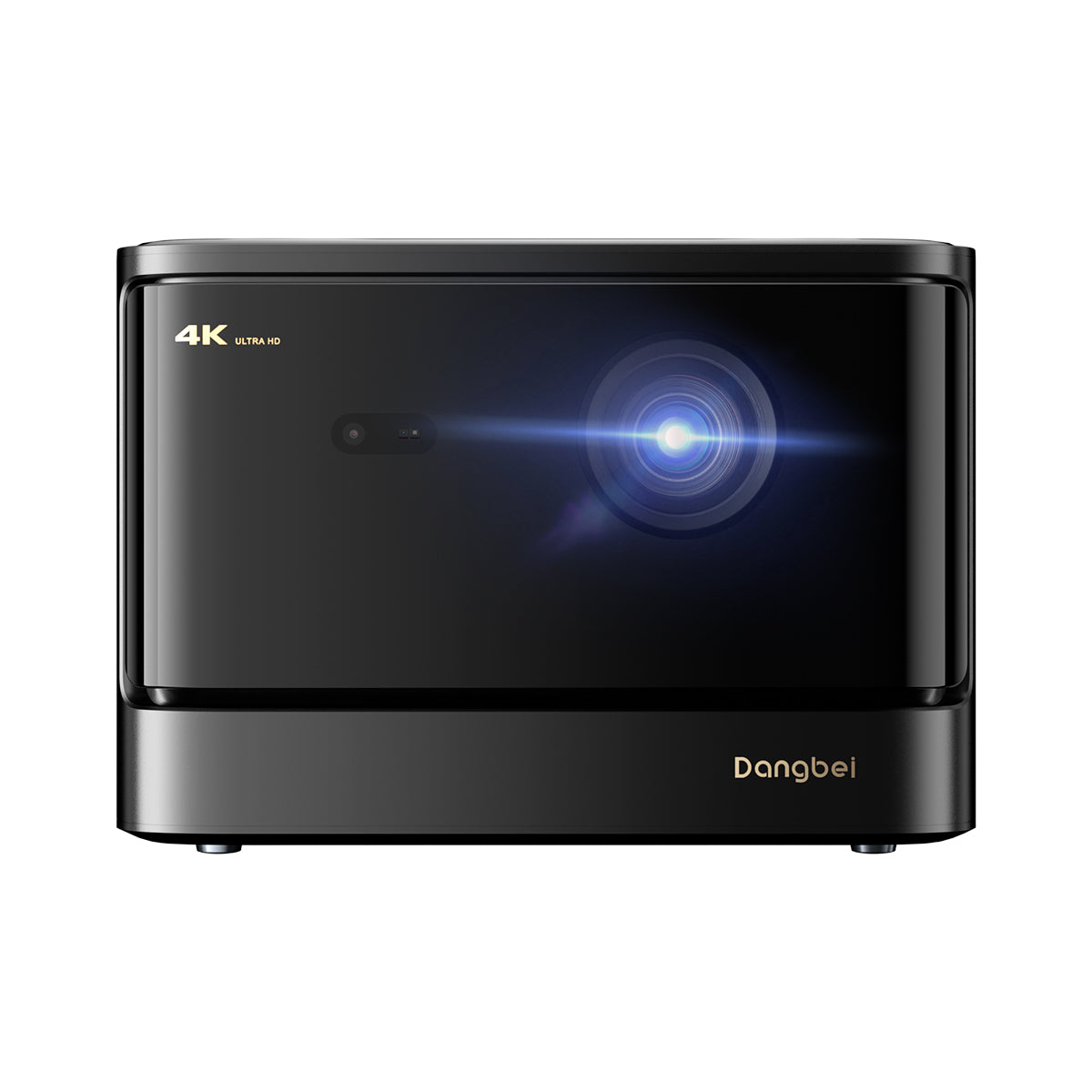
The Dangbei Mars Pro 2 is the compact smart pick in this roundup, and the one to buy when the living room has no space for a big chassis or a separate streaming box.
It runs Google TV with licensed native Netflix and Chromecast built in, so it switches on straight into the apps the household already uses. At 8.8 lbs, it sits on a side table or a shelf without dominating the room.
Brightness is rated at 2,450 ISO lumens from an ALPD laser rated for 30,000 hours, which suits an evening living room, though it is the least bright pick here and the one most dependent on closed curtains for daytime sport.
The picture is 4K UHD at 3840 by 2160 via pixel shifting from a 0.47-inch UHD DMD, so it is not native 4K, and HDR covers HDR10+, HDR10, and HLG, with no Dolby Vision.
Placement is simple rather than flexible. The throw ratio is a fixed 1.27:1, with an image from 60 to 200 inches and a recommended range of 80 to 120 inches, and there is no optical zoom, only digital zoom from 100 percent down to 50 percent, and no lens shift.
Auto keystone corrects plus or minus 30 degrees horizontally and vertically, so the projector can sit slightly off-centre. Two 12W speakers cover a small living room, with Dolby Digital, Dolby Digital Plus, and DTS:X support, and the fan is rated under 24 dB in Standard mode, the quietest rated figure here.
One limit to state plainly: the ports are labelled HDMI 2.1 and eARC, but the projector has no FRL, so eARC is the only HDMI 2.1 feature present in practice. It takes 4K at 60 Hz at most and 1080p at 240 Hz, with MEMC and a Game Mode, and Dangbei publishes no input-lag figure, so none is quoted here.
Key Specifications
- Resolution: 4K UHD, 3840×2160 via pixel shifting, 0.47-inch UHD DMD
- Brightness: 2,450 ISO lumens (ISO 21118, high-power mode)
- Light source: ALPD laser, 30,000 hours
- Throw and zoom: 1.27:1 fixed throw, 60 to 200 inches (80 to 120 inches recommended); digital zoom only, 100 to 50 percent, no optical zoom
- Lens shift: None; auto keystone plus or minus 30 degrees horizontal and vertical
- HDR: HDR10+, HDR10, HLG; no Dolby Vision
- Gaming: HDMI 2.1 x1 plus HDMI eARC x1, no FRL, 4K at 60 Hz maximum, 1080p at 240 Hz, MEMC, Game Mode; no published input-lag figure
- Noise: Under 24 dB, Standard mode at 25 degrees Celsius and 1 metre
- Smart platform: Google TV, licensed native Netflix, Chromecast built-in; 2GB RAM, 32GB storage; Wi-Fi 6, Bluetooth 5.2
- Size: 9.29 × 7.93 × 6.43 inches, 8.8 lbs
✓ Pros
- Google TV with licensed native Netflix built in, no streamer needed
- Quietest-rated fan here at under 24 dB in Standard mode
- Compact 8.8 lb chassis that fits a side table or shelf
- 30,000-hour laser, no lamp to replace
✗ Cons
- No Dolby Vision support
- No optical zoom and no lens shift
- HDMI 2.1 label but no FRL, so 4K at 60 Hz maximum
- No published input-lag figure
When NOT to choose this one: skip it if you need Dolby Vision, or if your living room needs a zoom lens or lens shift to place the picture.
2. XGIMI HORIZON 30 Ultra Max — Brightest and Most Capable Pick Here
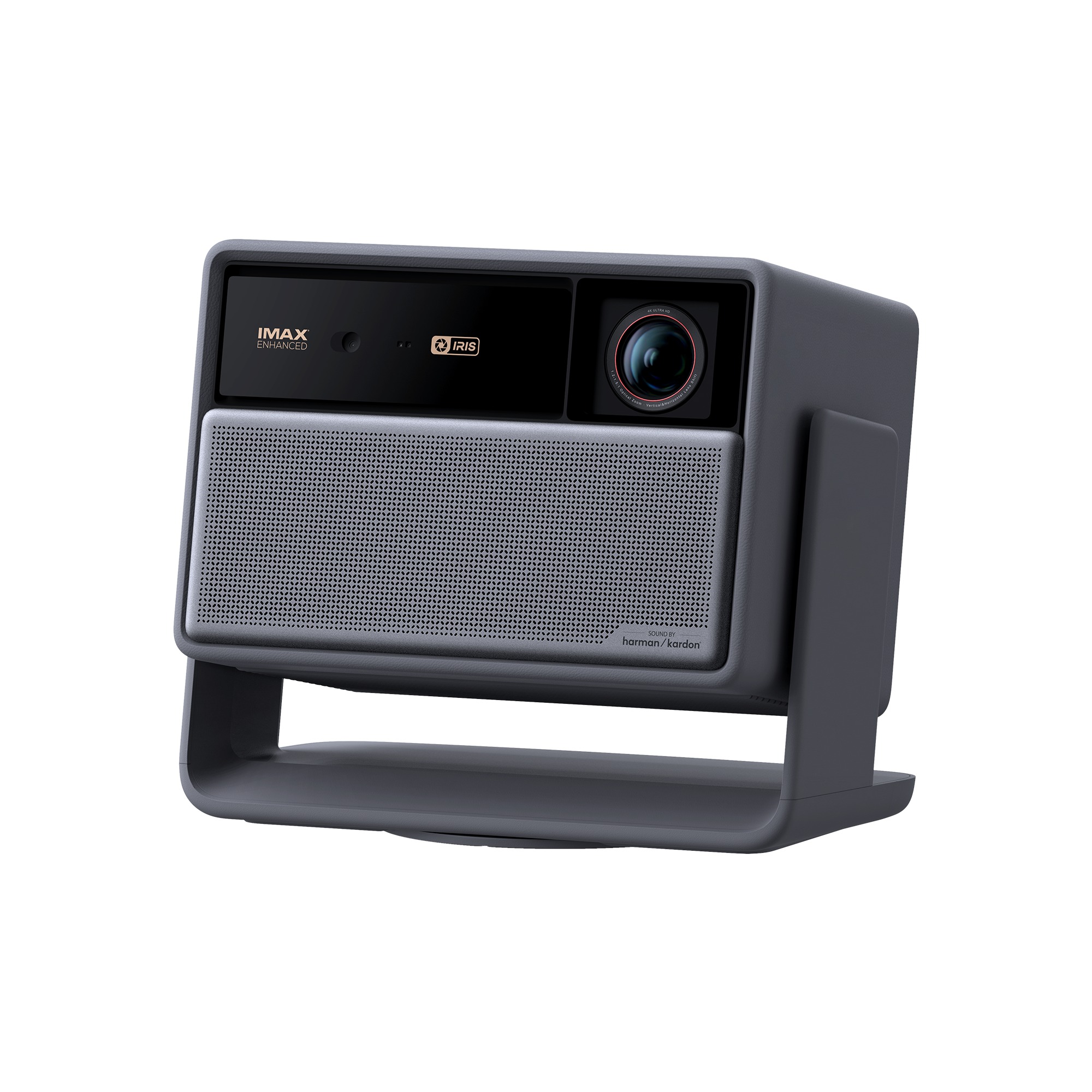
The XGIMI HORIZON 30 Ultra Max is the brightest and most capable projector in this roundup, and the one to buy when the living room gets real daylight.
Its RGB triple-laser engine is rated at 6,000 ISO lumens, double the next brightest figure here, which keeps a football match watchable with the curtains open and HDR highlights punchy after dark. Colour coverage reaches 110 percent of BT.2020, and the HDR list is the full set: Dolby Vision, HDR10+, and IMAX Enhanced.
The throw ratio runs 1.2 to 1.5 with optical zoom, and lens shift moves the image plus or minus 50 percent horizontally and/or minus 130 percent vertically, so the projector can sit off to the side or below the screen line and still land the picture square.
For gaming, it is the strongest pick here: both HDMI inputs take 4K at 120 Hz, with HDMI 1 carrying eARC, and latency is rated at 1.9 ms at 4K and 120 Hz and 3 ms at 4K and 60 Hz. Google TV is built in, two 12W Harman Kardon speakers cover casual viewing, and the fan is rated at or under 28 dB at 1 metre.
It covers bright daylight viewing, Dolby Vision films, and fast 4K gaming in a single chassis, with no extra streamer or soundbar strictly needed for casual viewing.
One gap to state honestly: XGIMI publishes no laser-life figure for this model, so no hours figure is quoted here. At 5.4 kg, it also needs a solid shelf or stand, not a flimsy side table.
Key Specifications
- Resolution: 4K UHD, 3840×2160, 4K at 120 Hz
- Brightness: 6,000 ISO lumens (ISO 21118)
- Light source: RGB triple laser; no laser-life figure published
- Colour: 110 percent BT.2020, Dolby Vision, HDR10+, IMAX Enhanced
- Contrast: 10,000:1 native, up to 100,000:1 dynamic with DBLE
- Throw and zoom: 1.2–1.5 throw ratio, optical zoom
- Lens shift: Horizontal plus or minus 50 percent, vertical plus or minus 130 percent
- Gaming: 2× HDMI, both 4K at 120 Hz, HDMI 1 with eARC; latency 1.9 ms at 4K and 120 Hz, 3 ms at 4K and 60 Hz, 1 ms at 1080p and 240 Hz, 2.2 ms at 1080p and 120 Hz
- Noise: At or under 28 dB at 1 metre
- Smart platform: Google TV built-in
- Audio: 2× 12W Harman Kardon speakers
✓ Pros
- Brightest here at 6,000 ISO lumens, suits daylight viewing
- Dolby Vision, HDR10+, and IMAX Enhanced
- Fastest gaming here: 4K at 120 Hz with 1.9 ms latency
- Widest lens shift here, plus optical zoom
✗ Cons
- No laser-life figure published by XGIMI
- Needs a solid shelf at 5.4 kg
- Brightest output needs the picture settings dialled in for dark-room films
When NOT to choose this one: skip it if your living room is fully light-controlled and you would rather put the extra brightness toward a smaller chassis, or if you need a published laser-life figure before buying.
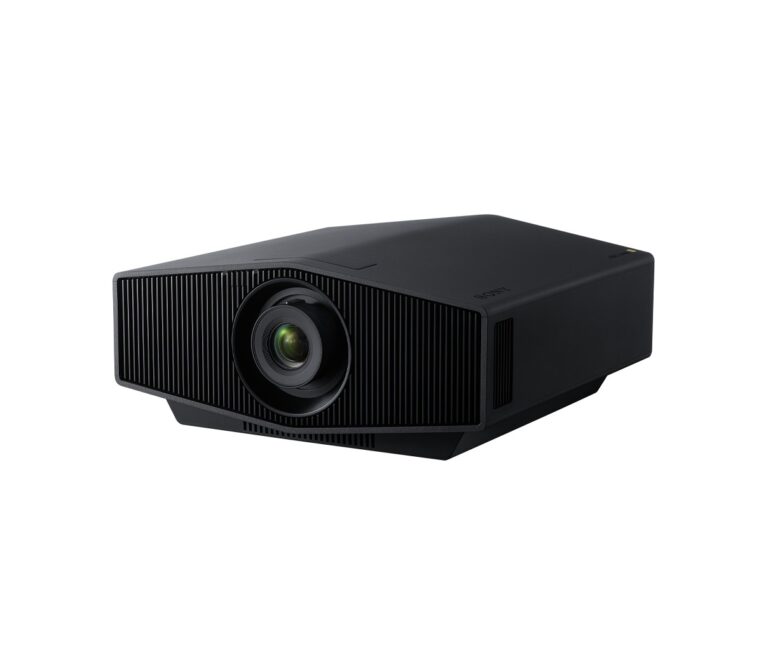
3. Optoma UHZ58LV — Compact Dual-Laser Pick with the Longest Laser Life
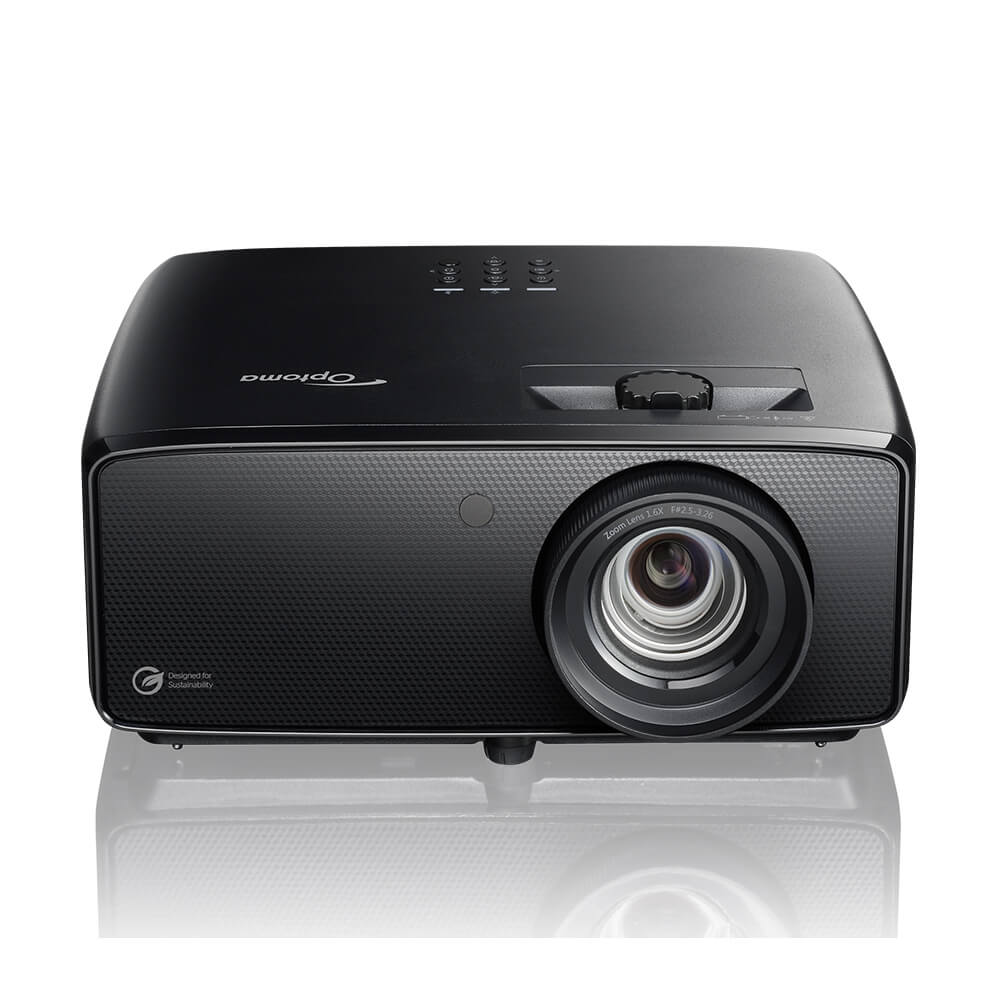
The Optoma UHZ58LV is the compact dual-laser pick in this roundup, and the one to buy when the projector has to be small, light, and easy to live with. At 3.5 kg it is the lightest projector here, and easy to place on a shelf or a ceiling mount with limited load capacity. Its dual-laser engine is rated at 3,000 lumens with up to 93 percent DCI-P3 coverage, HDR10+ and HLG support, and a laser life of 30,000 hours, the longest rated laser life here alongside the Mars Pro 2.
The lens is a 1.6x manual zoom with a 1.4 to 2.24 throw ratio and manual vertical lens shift, so a 120-inch image needs roughly 12 feet of throw distance. Gaming is a strength: 8.5 ms input lag, one HDMI 2.1 input, and 4K at 120 Hz support. It has a 15W built-in speaker, which is functional for casual viewing but not a substitute for a sound system.
Two honest gaps decide whether this is the right pick. It has no built-in smart platform, so streaming needs an external stick or box- the one extra purchase and extra remote in this roundup. And it does not support Dolby Vision, so HDR tops out at HDR10+ and HLG. If the household already owns a streaming stick and a soundbar, neither gap matters, and the UHZ58LV becomes the simplest, longest-lived projector here.
Key Specifications
- Resolution: 4K UHD via pixel shifting, single-chip DLP
- Brightness: 3,000 lumens
- Light source: Dual laser, 30,000 hours
- Colour: Up to 93 percent DCI-P3, HDR10+, HLG, no Dolby Vision
- Throw and zoom: 1.4–2.24 throw ratio, 1.6x manual zoom
- Lens shift: Vertical lens shift, manual
- Gaming: 8.5 ms input lag, HDMI 2.1, 4K at 120 Hz
- Smart platform: None built in, external streamer needed
- Size: 274 × 219 × 108 mm, 3.5 kg
✓ Pros
- Longest laser life here at 30,000 hours
- Lightest here at 3.5 kg, easy to mount or move
- Fast gaming at 8.5 ms input lag with 4K at 120 Hz
- Bright 3,000-lumen dual-laser image
✗ Cons
- No built-in smart platform; external streamer needed
- No Dolby Vision support
- 15W speaker suits casual viewing only
When NOT to choose this one: skip it if you want streaming built in, or if you need Dolby Vision.
4. Valerion VisionMaster Pro 2 — Short-Throw Triple-Laser Pick for Shallow Rooms
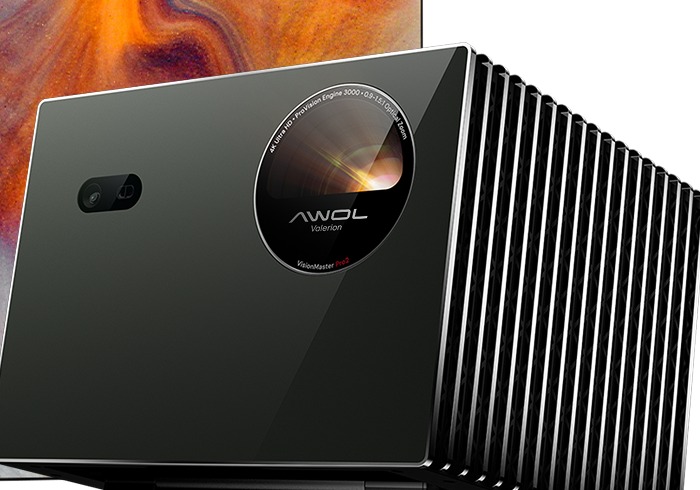
The Valerion VisionMaster Pro 2 is the short-throw pick in this roundup, and the one to buy when the living room is too shallow for a standard-throw lens.
Its throw ratio runs 0.9 to 1.5 with optical zoom of about 1.67x, so it fills a 100-inch image from roughly 7 to 11 feet, and it can sit on a coffee table close to the wall instead of at the back of the room.
What it gives up in throw distance, it returns in picture quality. An RGB triple-laser engine rated at 3,000 ISO lumens with 110 percent Rec.2020 coverage, a 15,000:1 contrast ratio with EBL and 2,000:1 native contrast, and Dolby Vision, HDR10+, HLG, IMAX Enhanced, and Filmmaker Mode, with ISF certification.
It is a 4K UHD projector using a 0.47-inch DLP chip with pixel shifting, so it is not native 4K, and it supports Active 3D.
Google TV is built in on an MT9618 AI-SoC with 4GB of RAM and 128GB of storage, the most storage here, with smart-home support and AirPlay 2, Chromecast, and Miracast. Two 12W speakers cover casual viewing.
Two limits to note before buying. There is no lens shift on the Pro 2: the vertical lens shift of plus 105 percent belongs to the Max model only, so placement relies on the short throw and the zoom.
Gaming tops out at 4K at 60 Hz input, with no 4K at 120 Hz listed, though lag is low at 15 ms at 4K and 60 Hz, 8 ms at 1080p and 120 Hz, and 4 ms at 1080p and 240 Hz, with ALLM, Crosshair, and Dark Detail.
It is also the heaviest pick here at 7 kg, so the coffee-table placement needs a sturdy surface. The fan is rated at 28 dB.
Key Specifications
- Resolution: 4K UHD, 3840×2160 via pixel shifting, 0.47-inch DLP
- Brightness: 3,000 ISO lumens
- Light source: RGB triple laser, 25,000 hours or more
- Colour: 110 percent Rec.2020, Dolby Vision, HDR10+, IMAX Enhanced, Filmmaker Mode, ISF certified, Active 3D
- Contrast: 15,000:1 with EBL, 2,000:1 native
- Throw: 0.9–1.5 short throw, optical zoom about 1.67x, 40 to 300 inches
- Lens shift: None on the Pro 2, vertical lens shift is Max-only
- Gaming: 2× HDMI 2.1 plus 1× HDMI 2.0 with eARC, 4K at 60 Hz maximum input, 15 ms lag at 4K and 60 Hz, 8 ms at 1080p and 120 Hz, 4 ms at 1080p and 240 Hz, ALLM
- Noise: 28 dB
- Smart platform: Google TV OS, MT9618 AI-SoC, 4GB RAM, 128GB storage; Google Home, Apple HomeKit, Alexa, Control4; AirPlay 2, Chromecast, Miracast
- Size: 260 × 185 × 216 mm, 7 kg (15.4 lbs)
✓ Pros
- Short throw suits shallow living rooms, 100 inches from roughly 7 to 11 feet
- Dolby Vision, HDR10+, IMAX Enhanced, and Filmmaker Mode
- Triple-laser colour at 110 percent Rec.2020
- Google TV with 128GB storage, the most here
✗ Cons
- No lens shift on the Pro 2; it is Max-only
- 4K at 60 Hz maximum input, no 4K at 120 Hz
- Heaviest here at 7 kg
When NOT to choose this one: skip it if your room is deep enough for a standard-throw lens, or if you game at 4K and 120 Hz.
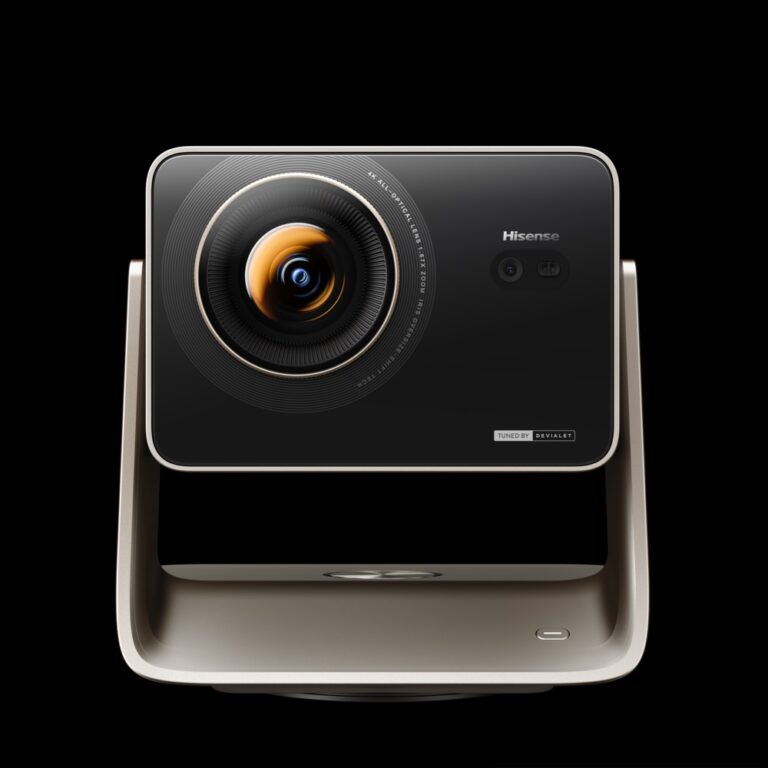
5. JMGO N1S Ultra 4K — Gimbal Triple-Laser Pick with Flexible Placement
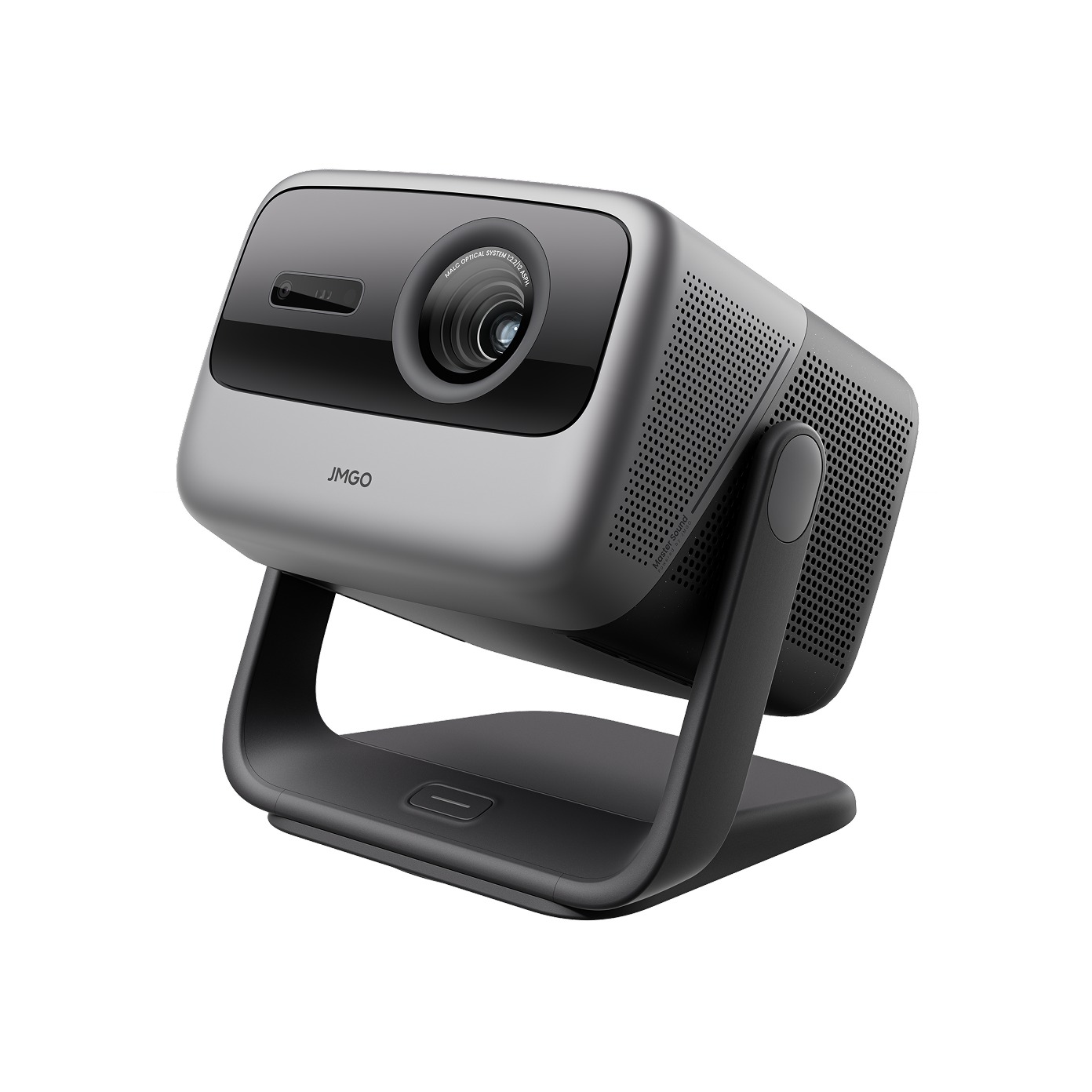
The JMGO N1S Ultra 4K is the gimbal pick in this roundup, and the one to buy when the living room has no obvious place to put a projector.
It sits on a built-in gimbal, so the whole projector tilts and turns to aim the image at the wall or the screen, and placement flexibility comes from that gimbal instead of from a lens-shift figure, which JMGO does not publish for this model.
Put it on a sideboard, angle it toward the screen wall, and the picture lands square without a ceiling mount.
The picture comes from a MALC 2.0 tri-colour laser engine rated at 2,800 ISO lumens, with 100 percent BT.2020 colour coverage and 1,600:1 contrast. HDR is HDR10 only, with no Dolby Vision, which is the clearest trade-off in this pick.
The throw ratio is a fixed 1.2:1 for an image from 40 to 300 inches, and JMGO names a Lossless Zoom feature without stating a zoom ratio. Google TV is built in with native Netflix, Wi-Fi 6, and Bluetooth 5.2, and the two speakers total 20W with Dolby Digital Plus and bass down to 45 Hz.
It is also one of the quietest picks here, rated under 26 dB, and at 4.5 kg it is easy to carry from room to room on the gimbal stand.
Two figures are not published by JMGO and are not quoted here: there is no input-lag figure and no laser-life figure on the official pages, so gaming latency and long-term laser hours are gaps to weigh against the gimbal convenience. It has two HDMI 2.1 inputs, one with eARC, plus USB-A 2.0 and a 3.5 mm jack.
Key Specifications
- Resolution: 4K, 3840×2160
- Brightness: 2,800 ISO lumens
- Light source: MALC 2.0 tri-colour RGB triple laser; no laser-life figure published
- Colour: 100 percent BT.2020, HDR10 only, no Dolby Vision
- Contrast: 1,600:1
- Throw and zoom: 1.2:1 fixed throw, 40 to 300 inches; Lossless Zoom named, no zoom ratio published
- Lens shift: No lens-shift figure published; placement flexibility comes from the built-in gimbal
- Gaming: 2× HDMI 2.1, one with eARC, USB-A 2.0, 3.5 mm jack; no published input-lag figure
- Noise: Under 26 dB
- Smart platform: Google TV with native Netflix; 2GB RAM, 32GB storage; Wi-Fi 6, Bluetooth 5.2
- Size: 243 × 210 × 238 mm, 4.5 kg
✓ Pros
- Built-in gimbal aims the image without moving furniture
- Triple-laser colour at 100 percent BT.2020
- Quiet at under 26 dB
- Google TV with native Netflix built in
✗ Cons
- HDR10 only, no Dolby Vision
- Fixed 1.2:1 throw with no published zoom ratio
- No published input-lag or laser-life figure
When NOT to choose this one: skip it if you need Dolby Vision, or if you want a published lag figure for competitive gaming.
Best Budget Laser Projector for Living Room 2026 – Buyer’s Guide
A living room projector has to do two jobs at once. In the afternoon it fights daylight from the windows, so brightness and a screen that holds contrast matter more than black level.
In the evening it becomes the cinema, so quiet fans, good colour, and a picture that does not need fiddling matter more than raw output.
The HORIZON 30 Ultra Max at 6,000 ISO lumens is the daylight pick, the Mars Pro 2 at 2,450 ISO lumens is the evening pick that leans on dimmed lights, and the three in the middle cover the rooms between those two extremes.
If your living room stays bright through the day, see our bright living room picks for projectors chosen for daylight.
Laser light sources change the ownership math too. Where the maker publishes a figure, the projectors here are rated for 25,000 hours or more, with the Mars Pro 2 and the UHZ58LV rated at 30,000 hours, which is years of nightly films with no lamp to buy or replace. See our guide on how long laser projectors last and what that figure means in practice.
How to Choose a Budget Laser Projector for Your Living Room
Brightness for a Living Room with Some Daylight
In a living room with curtains open, brightness is the first filter.
The HORIZON 30 Ultra Max at 6,000 ISO lumens is the only pick here built for real daylight, while the VisionMaster Pro 2 and the UHZ58LV at 3,000 lumens each suit a bright evening or a dimmed afternoon; the N1S Ultra 4K at 2,800 ISO lumens suits the same, and the Mars Pro 2 at 2,450 ISO lumens is the pick for a room where the curtains close for films.
Compare only figures with the same unit: ISO, CVIA, and plain lumens are measured differently, and a bigger number in a different unit is not a brighter projector.
A bright laser in a living room also raises the eye-safety question, so read our guide on whether laser projectors can damage your eyes before mounting one above the sofa.
Throw Distance and Placement
Throw distance decides where the projector can sit, and the five picks here cover every living-room shape. The VisionMaster Pro 2 is the short-throw pick at 0.9 to 1.5, filling a 100-inch image from roughly 7 to 11 feet, so it suits a shallow room or a coffee-table setup.
The HORIZON 30 Ultra Max at 1.2 to 1.5 and the UHZ58LV at 1.4 to 2.24 give the most slack with optical zoom, while the Mars Pro 2 at a fixed 1.27:1 and the N1S Ultra 4K at a fixed 1.2:1 need the distance measured before buying.
Lens shift is not equal here either: the HORIZON 30 Ultra Max shifts the widest, the UHZ58LV shifts vertically, the Pro 2 has no lens shift at all, and the N1S Ultra 4K answers with its gimbal instead. Measure from the mount to the screen wall first.
Built-In Streaming vs an External Stick
Four of the five picks here run Google TV with licensed Netflix built in, which is the budget value that matters most in a living room: no streamer to buy and one remote for the whole evening.
The Mars Pro 2, the HORIZON 30 Ultra Max, the VisionMaster Pro 2, and the N1S Ultra 4K all switch on straight into apps.
The UHZ58LV is the exception, with no smart platform built in, so it needs an external stick or box. If the household already owns a streaming stick, that gap costs nothing.
Native 4K vs Pixel-Shifted 4K
The 4K projectors at this tier use pixel shifting, where a 1080p chip flashes several times to place 8.29 million pixels on screen.
The Mars Pro 2 and the VisionMaster Pro 2 both use a 0.47-inch DMD with pixel shifting, and the UHZ58LV is a single-chip DLP projector the same way, so none of the three is native 4K.
At normal living-room seating distance, the difference is hard to see, and a good pixel-shifted 4K projector looks sharp on films and sports.
Native 4K panels live in higher tiers, and the money saved here buys brightness, a triple-laser engine, or a built-in smart platform instead.
HDR Formats: Dolby Vision vs HDR10
Dolby Vision is the format split in this roundup. The HORIZON 30 Ultra Max and the VisionMaster Pro 2 both support Dolby Vision, with HDR10+ and IMAX Enhanced alongside, so films mastered in Dolby Vision play as the studio intended.
The Mars Pro 2 tops out at HDR10+ and HLG, the UHZ58LV at HDR10+ and HLG, and the N1S Ultra 4K at HDR10 only. If the household watches a lot of Dolby Vision films, that split decides the shortlist. For sport and streaming shows, HDR10+ and HLG cover the evening well.
Noise in a Living Room
Fan noise matters when the projector sits on a shelf behind the sofa.
The Mars Pro 2 is the quietest rated pick here at under 24 dB in Standard mode, followed by the N1S Ultra 4K at under 26 dB, and the HORIZON 30 Ultra Max at or under 28 dB at 1 metre, with the VisionMaster Pro 2 rated at 28 dB.
No noise figure is published for the UHZ58LV, so no number is quoted for it.
Gaming at 4K and 120 Hz
Two picks here accept a 4K at 120 Hz signal: the HORIZON 30 Ultra Max, with latency as low as 1.9 ms at 4K and 120 Hz, and the UHZ58LV, with 8.5 ms input lag.
The VisionMaster Pro 2 tops out at 4K at 60 Hz input, with 15 ms lag at 4K and 60 Hz, and the Mars Pro 2 tops out at 4K at 60 Hz as well, with no FRL and no published lag figure.
The N1S Ultra 4K has two HDMI 2.1 inputs but no published lag figure either. For casual evening gaming, any pick here works; for fast competitive play, the HORIZON 30 Ultra Max and the UHZ58LV are the shortlist.
Laser vs Lamp
A laser light source lasts 25,000 hours or more where the maker publishes a figure, with no lamp change, holds its brightness far longer than a lamp, and starts instantly with no warm-up.
A lamp projector costs less up front but needs a new lamp every few thousand hours, and its brightness fades over the lamp’s life. Read the full comparison in our guide on laser vs lamp projectors before deciding.
Frequently Asked Questions
How many lumens do I need for a living room projector?
For a living room with some daylight, look for 3,000 lumens or more: the VisionMaster Pro 2 and the UHZ58LV at 3,000 lumens each, the N1S Ultra 4K at 2,800 ISO lumens, and the HORIZON 30 Ultra Max at 6,000 ISO lumens for real daylight.
A room where the curtains close for films is fine with the Mars Pro 2 at 2,450 ISO lumens. Compare only figures in the same unit, since ISO and plain lumens are measured differently.
Is a laser projector better than a lamp projector for a living room?
Yes, for most living rooms. A laser lasts 25,000 hours or more, where the maker publishes a figure, with no lamp to replace, holds its brightness far longer, and starts instantly. A lamp projector costs less up front but fades with every hour on the lamp.
What throw distance do I need for a 100-inch screen?
A short-throw 0.9 to 1.5 lens needs roughly 7 to 11 feet for 100 inches, which is the VisionMaster Pro 2. A fixed 1.2:1 or 1.27:1 lens needs roughly 9 feet, which is the N1S Ultra 4K and the Mars Pro 2. A 1.4 to 2.24 zoom lens needs roughly 10 to 16 feet, which is the UHZ58LV.
Measure from the mount to the screen wall before buying.
Can I watch TV apps without a streaming stick?
Yes, on four of the five picks here: the Mars Pro 2, the HORIZON 30 Ultra Max, the VisionMaster Pro 2, and the N1S Ultra 4K all run Google TV with licensed Netflix built in. The UHZ58LV has no smart platform built in, so it needs an external stick or box for streaming.
Do I need a screen or is a plain wall fine?
A smooth, plain, light-coloured wall works for casual viewing, but a dedicated screen gives a flatter surface and better contrast, which matters most in a living room with daylight.
How long does a laser projector last?
Where the maker publishes a figure, the projectors here are rated for 25,000 hours or more: the VisionMaster Pro 2 at 25,000 hours or more, and the Mars Pro 2 and the UHZ58LV at 30,000 hours. The HORIZON 30 Ultra Max and the N1S Ultra 4K carry no published laser-life figure.
Bottom Line
The XGIMI HORIZON 30 Ultra Max is the overall top pick for a living room, with the brightest picture here at 6,000 ISO lumens, Dolby Vision, the widest lens shift, and the fastest gaming at 4K and 120 Hz. The Dangbei Mars Pro 2 is the best compact smart pick, with Google TV and licensed Netflix built in, the quietest rated fan here, and a chassis that fits a side table.
The Valerion VisionMaster Pro 2 is the best pick for a shallow room, with its short-throw lens and triple-laser Dolby Vision picture.
The Optoma UHZ58LV is the best pick for long laser life and fast gaming at 30,000 hours and 8.5 ms lag.
The JMGO N1S Ultra 4K is the best pick for flexible placement, with its gimbal aiming the image where a fixed mount cannot.