Epson LS7500 Review 2026 — Best Short-Throw 4K Laser for Shallower Rooms
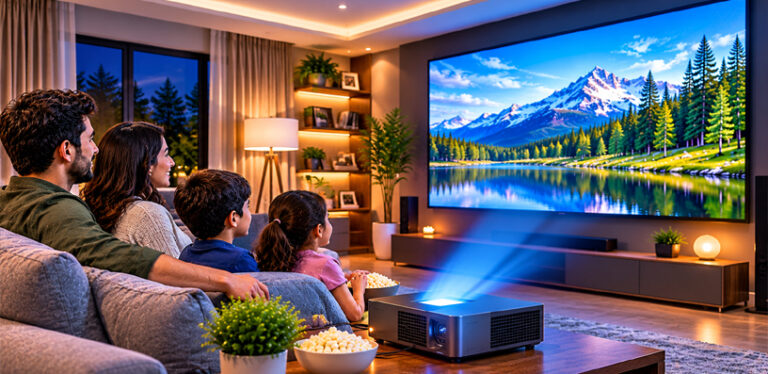
Most serious home cinema projectors assume you have depth to spare: a long-throw lens and a mount well behind the seating. The Epson Home Cinema LS7500 is built for the rooms that cannot.
This Epson LS7500 review looks at a 4K HDR laser projector whose shorter-throw lens sits up to about three feet closer to the screen than conventional models, yet still fills an image of up to 300 inches.
It launched in September 2026 as the top model in a new three-strong Home Cinema laser line. Under the shorter lens sits proven hardware: a 3-chip 3LCD engine, a laser array light source, and Epson 4K Display Technology producing a full 8.29-million-pixel on-screen image.
It is the brightest and highest-contrast model of the new line, with gaming support up to 120Hz alongside the cinema brief.
The sections below work through the verified specifications, picture modes, published gaming figures and placement maths, so you can judge it against your own room.
Epson LS7500 Review: The Verdict in Brief
The LS7500 is for buyers whose room depth, not their ambition, is the limiting factor. Its 1.00–1.31:1 throw ratio, 1.3x zoom, and wide manual lens shift make large images workable in shallower rooms, including golf simulation setups.
Brightness is 3,500 lumens of colour and white output; the laser is rated for up to 20,000 hours, and dual HDMI inputs handle 4K HDR at up to 120Hz with input lag stated below 20 ms.
Be clear about the compromises. The 4K image is pixel-shifted, not native 4K — the panels are 1080p, shifted to place 8.29 million pixels on screen.
There is no built-in speaker and no smart streaming platform, so external sound and a separate streaming device are part of the plan. Buyers who accept those terms get one of the most placement-friendly serious projectors in its class.
Epson Home Cinema LS7500: Key Specifications
- Model: Epson Home Cinema LS7500 (US model code V11HC36020; sold as EH-LS7500 in Europe and Australia), launched September 2026
- Projection system: 3-chip 3LCD, RGB liquid crystal shutter, 0.62-inch panels
- On-screen resolution: 4K, 3840 × 2160, 8,294,400 pixels via Epson 4K Display Technology (dual-axis pixel shifting from 1080p panels — pixel-shifted 4K, not native 4K)
- Brightness: 3,500 lumens colour brightness (IDMS rated) and 3,500 lumens white brightness (ISO rated); 1,750 lumens in economy mode
- Contrast: 1,000,000:1 dynamic contrast ratio (US specification); native contrast 1,900:1 listed on Epson’s regional specification
- Light source: Laser diode array, rated up to 20,000 hours
- HDR: HDR10 and HLG, full 10-bit colour processing, Epson Automatic HDR Scene Correction, dynamic tone mapping
- Colour: Up to 1.07 billion colours
- Lens: Short-throw Epson Cinema Lens, throw ratio 1.00–1.31:1, 1.3x manual optical zoom, focal length 13.9–18.1 mm, F1.49–1.61, manual focus
- Lens shift: Manual, ±59% vertical and ±21% horizontal
- Image size: 40 to 300 inches; aspect ratios from 16:9 to widescreen 21:9 supported
- Connections: 2 × HDMI (HDCP 2.3), HDMI 2 with eARC, USB, Ethernet (RJ45), RS-232C control, 12V trigger out, headphone output (stereo mini)
- Gaming: 4K HDR up to 120Hz, Auto Low Latency Mode (ALLM), input lag below 20 ms per Epson US
- Wireless: Built-in wireless LAN, Bluetooth 6.0 for audio streaming from HDMI sources; Matter smart home compatibility, Control4, AMX, Crestron Home and PJLink control support
- Audio: No built-in speaker listed in Epson’s specifications — external audio via HDMI eARC, Bluetooth or headphone output
- Noise: 25 dB in normal mode, 22 dB in economy mode (Epson regional specification)
- Dimensions and weight: 440 × 332 × 160 mm (W × D × H, including feet); 8.2 kg
- Power: 260 W normal, 168 W economy
- In the box: Projector, power cable, remote control with batteries, quick start guide and warranty sheet
Those figures come from Epson and its official regional pages, and they frame everything that follows: a bright, long-life laser projector whose defining feature is where it can sit.
✓ Pros
- Short-throw 1.00–1.31:1 lens fills up to 300 inches from up to about three feet closer than conventional models
- 3,500 lumens of equal colour and white brightness suits living rooms as well as darkened theatres
- Wide manual lens shift (±59% vertical, ±21% horizontal) plus 1.3x zoom gives real placement freedom
- Laser array source rated up to 20,000 hours, with near-instant on and off
- 4K HDR at up to 120Hz, ALLM and input lag stated below 20 ms for console and PC gaming
- Very quiet on paper at 25 dB normal and 22 dB economy, with front-exiting airflow
- No rainbow effect, thanks to the 3-chip 3LCD design with a dedicated chip per colour
✗ Cons
- Pixel-shifted 4K from 1080p panels, not native 4K — say so plainly before comparing with native 4K rivals
- No built-in speaker in the specifications; an external sound system is essential, not optional
- No built-in smart streaming platform; you supply the streaming device
- Manual zoom, focus and lens shift — no powered lens or lens memory
- Short throw is not ultra-short throw: it still needs roughly 2.2 to 2.9 metres for a 100-inch image
- Native contrast of 1,900:1 is modest; the headline contrast figure is a dynamic number
Design & Build: Compact, Quiet and Front-Vented
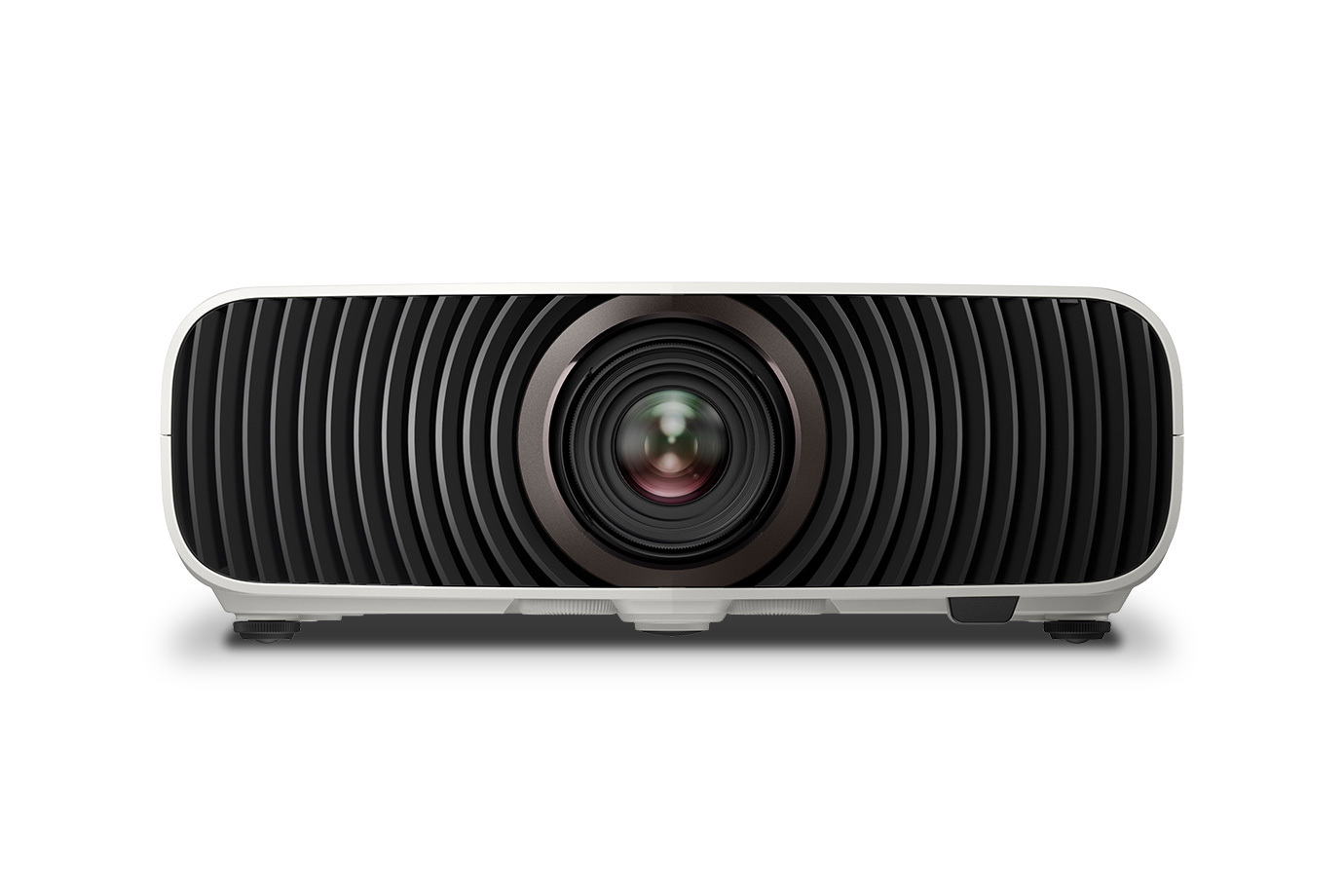
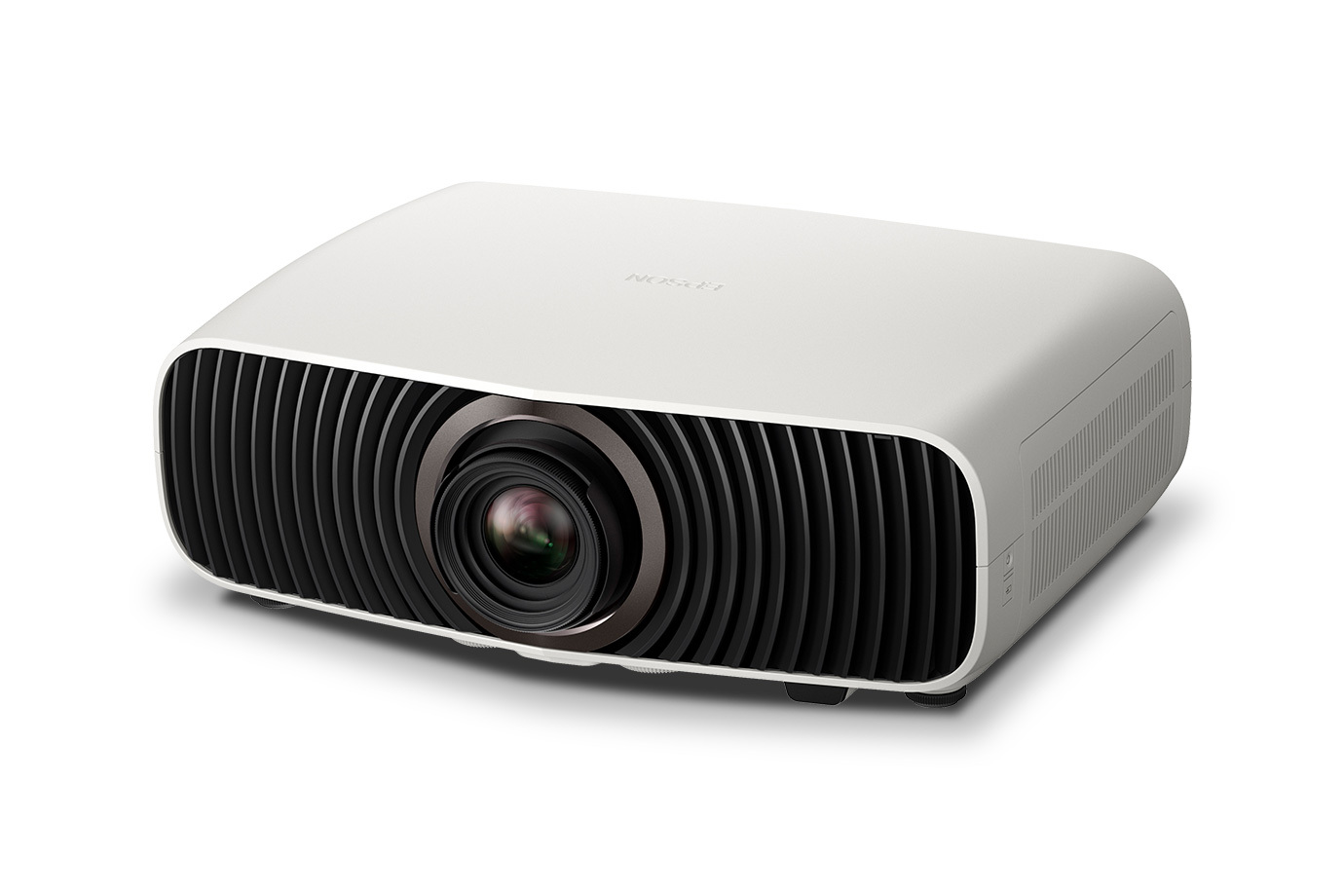
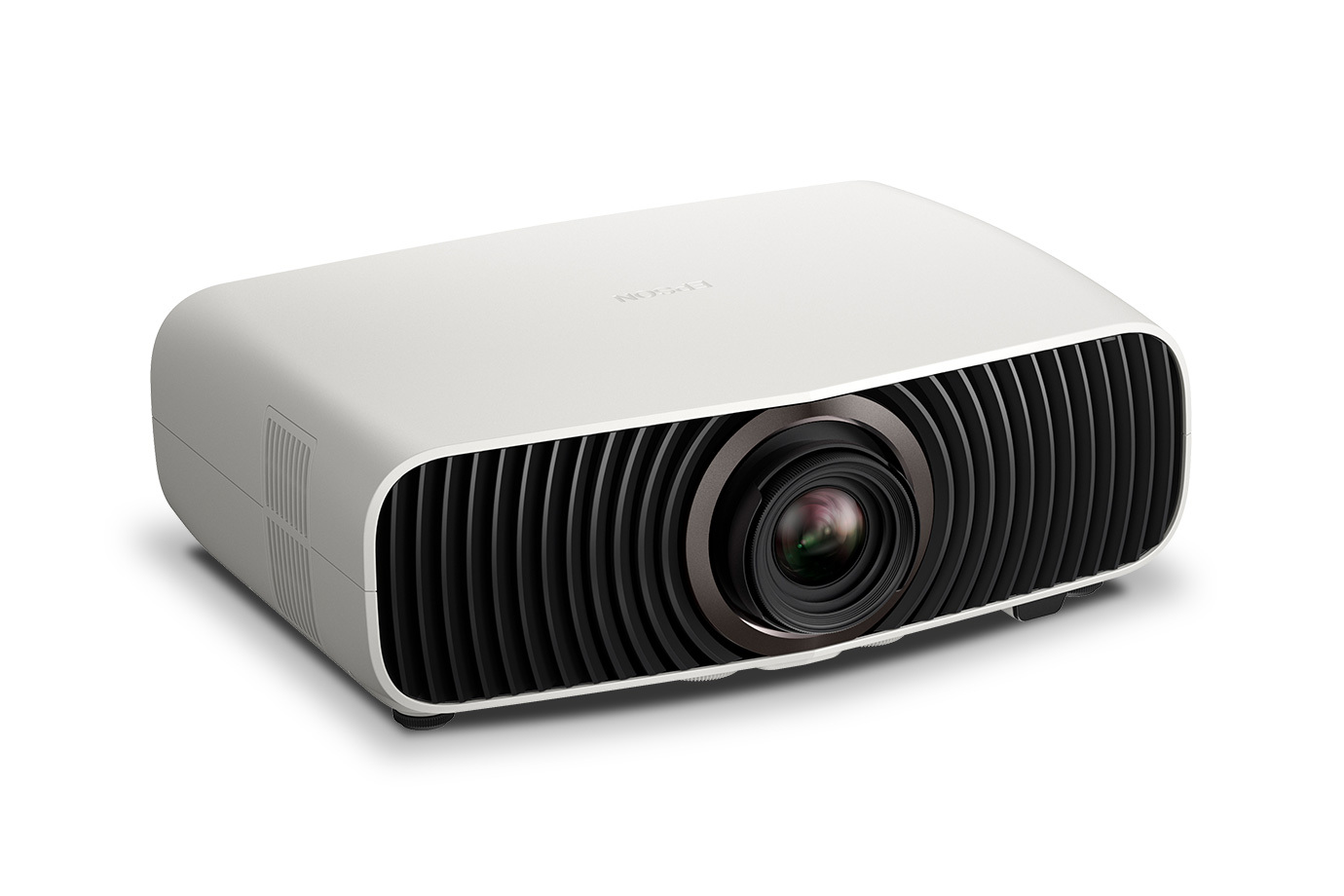
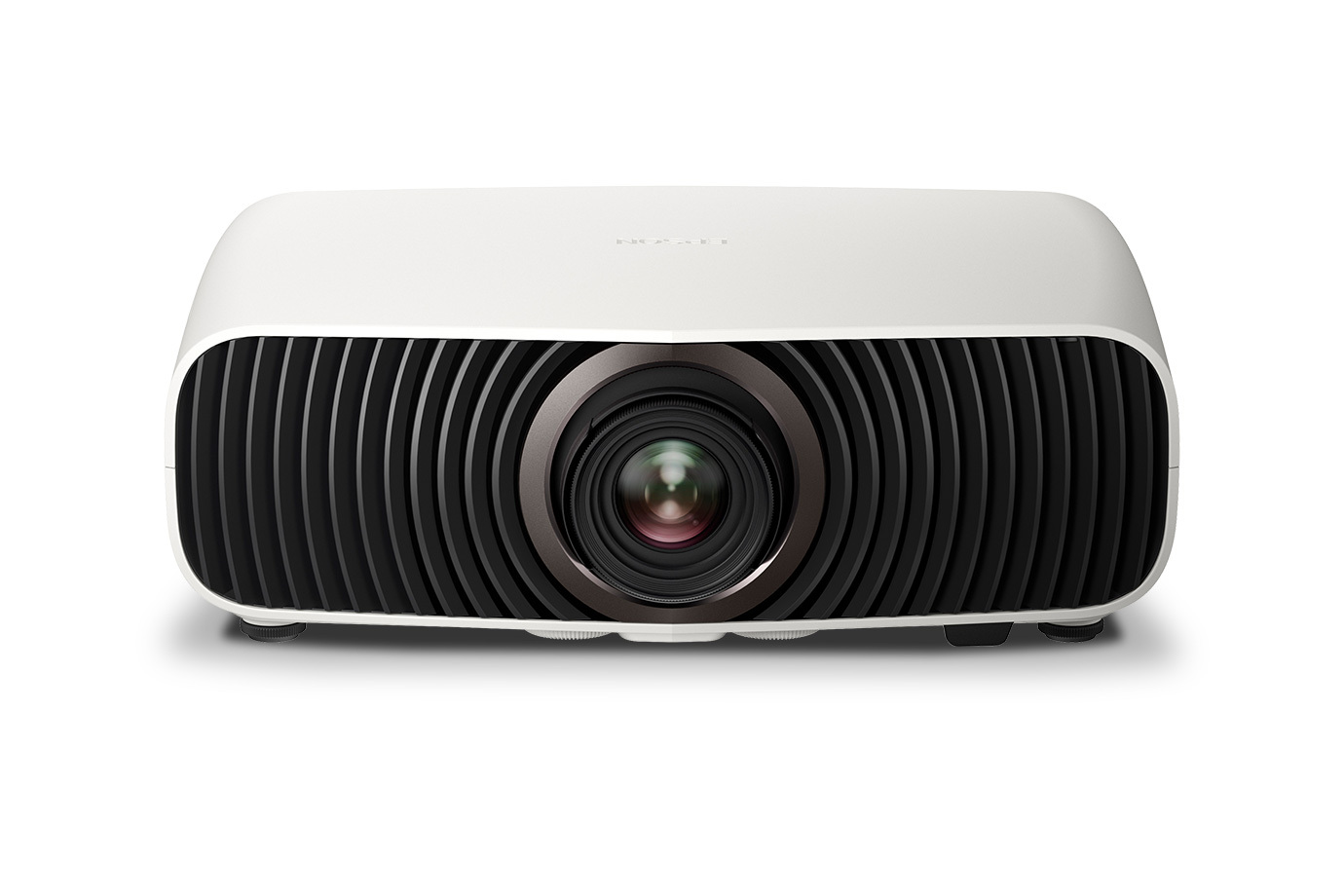
The LS7500 keeps the tidy, low-profile casework of Epson’s recent laser models: a wide, shallow box in white or black depending on region, with the lens set into the front face.
At 440 × 332 × 160 mm including feet, it is compact for a 3,500-lumen laser projector. At 8.2 kg, it is a two-handed lift, but light enough for a ceiling mount or sturdy shelf.
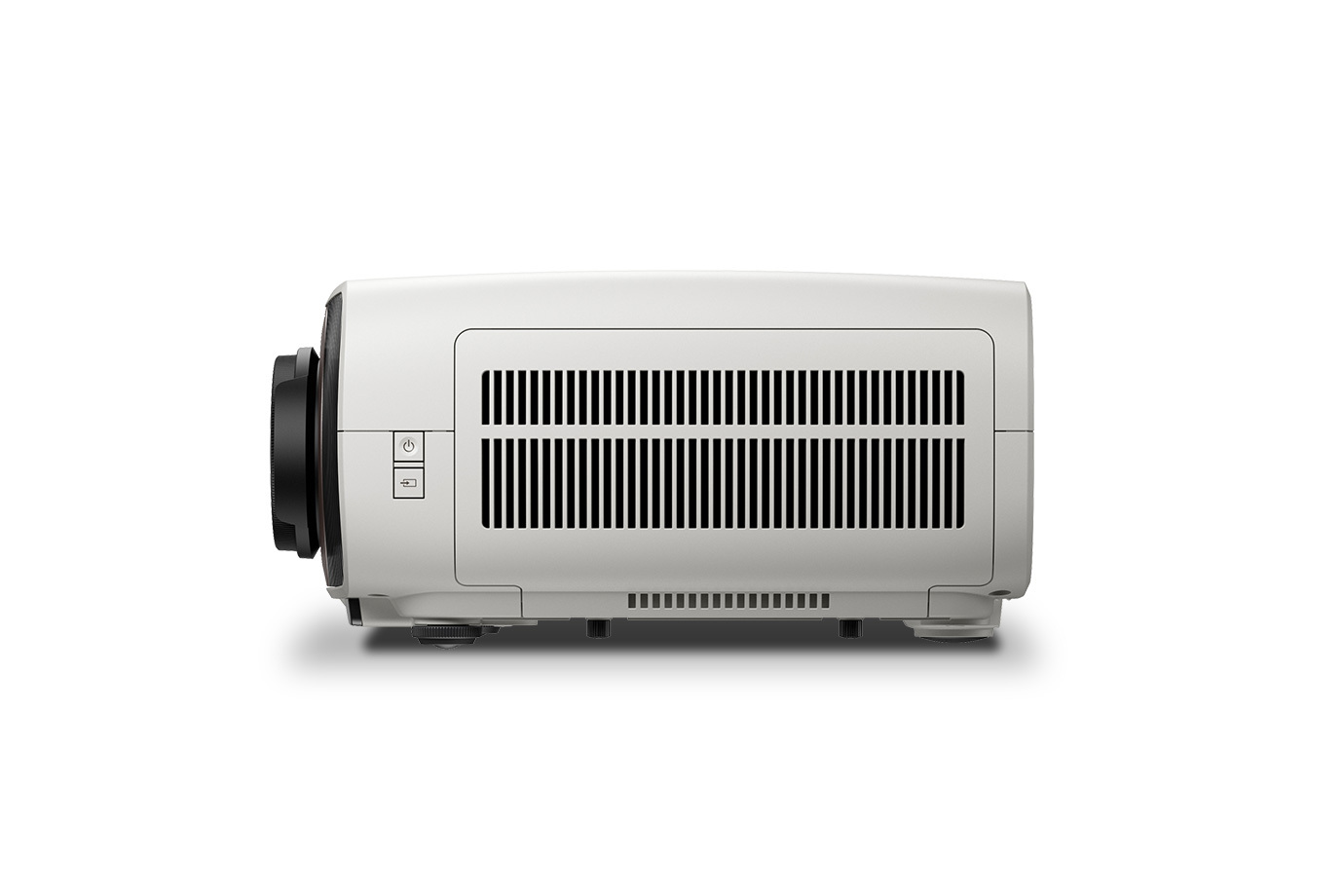
The detail that shapes daily life is the airflow. Epson describes a whisper-quiet, front-exiting design, so warm air leaves through the front rather than the sides or rear. That matters in exactly the installations this model targets: a unit on a shallow shelf or mounted with tight side clearance does not blast heat into the space behind it.
The published noise figures support the quiet brief: 25 dB in normal mode and 22 dB in economy mode on Epson’s regional specification. Those are manufacturer figures rather than measurements taken in a listening room, so treat them as a class indication rather than a promise.
Even so, they place the LS7500 among the quieter projectors in its brightness class, which matters when the shorter throw puts the unit nearer to the seating than a long-throw model would sit.
Controls on the unit itself are minimal, as expected at this level; the supplied remote carries the day-to-day work.
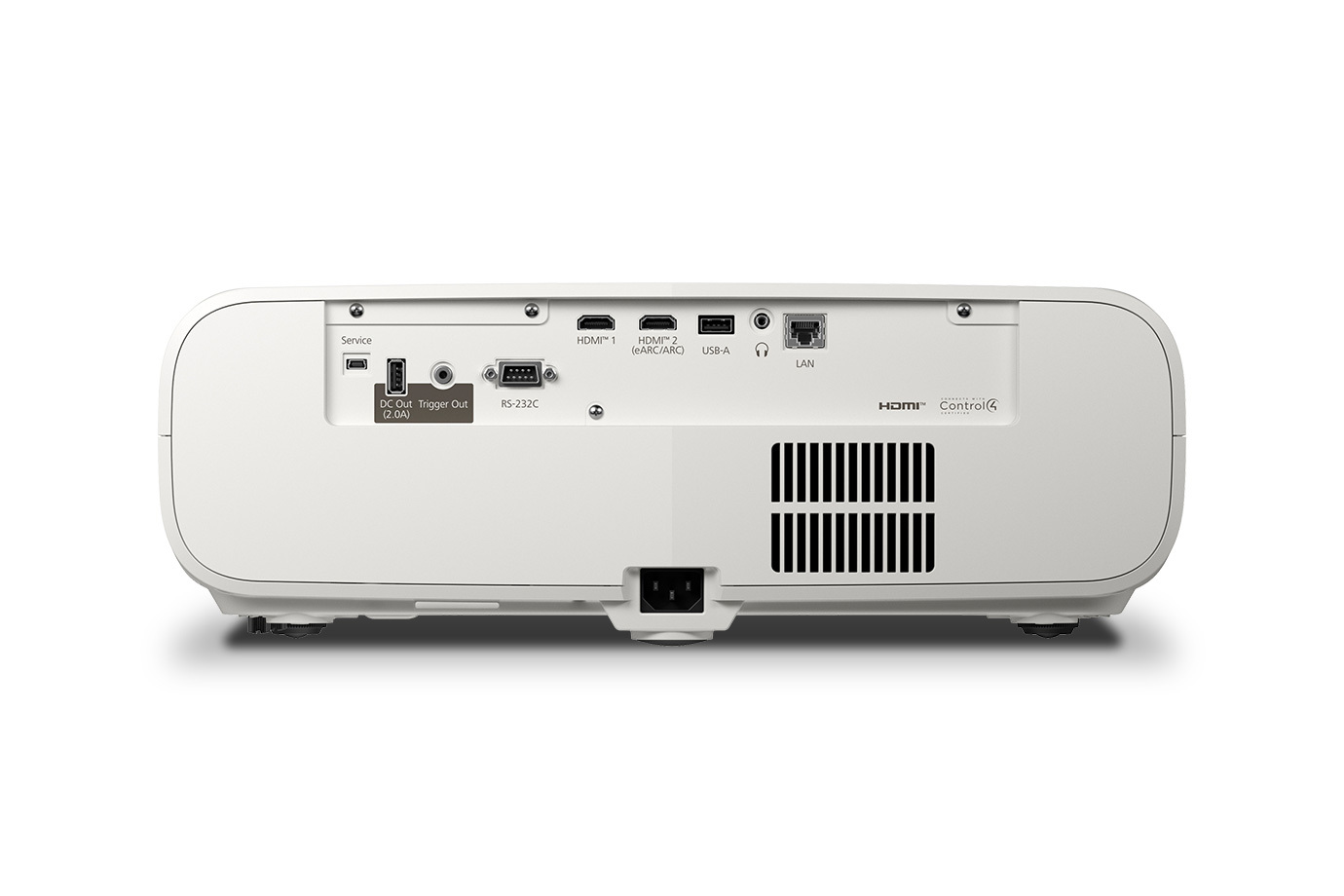
Around the back, the connection panel is installer-friendly rather than minimal: two HDMI sockets, Ethernet, RS-232C control, a 12V trigger output for a motorised screen, USB and a headphone output. That rear panel tells you who Epson expects to install this projector — someone building a system, not someone unboxing a portable.
Epson Home Cinema LS7500: Picture Modes
Epson lists four colour modes — Dynamic, Vivid, Natural and Cinema — plus a dedicated Game mode. Each trades brightness against accuracy, and the most accurate mode is rarely the brightest. The guidance below follows the conventional behaviour of these presets across Epson’s Home Cinema range.
Dynamic
Dynamic is the brightness-first setting, pushing output and saturation to fight ambient light. It suits daytime sport and casual television with the curtains open. The cost is accuracy: colours run hotter, skin tones can flush, and highlight detail clips sooner.
Vivid
Vivid sits a step down from Dynamic: still punchy, but better behaved for everyday streaming in a dimmed living room.
Natural
Natural is the accuracy-leaning all-rounder, with restrained saturation and a neutral white point. It suits series and films in a light-controlled room.
Cinema
Cinema is the dark-room film mode: the warmest, most film-like presentation of the four, for movie nights with the lights fully down. Expect it to give up a little peak brightness for that control, which is the right trade after dark.
Game Mode
Game mode trims processing to protect response times, working alongside Auto Low Latency Mode, which engages the low-latency state automatically when a console or PC signals it.
Features & Processing: AI Enhancement, No Smart Platform
Processing is built around Epson’s Picture Processor, driving the 4K Display Technology that shifts each pixel to place a full 8.29 million pixels on screen.
Say the mechanism plainly, because it decides fair comparisons: the panels are natively 1080p, and rapid dual-axis shifting builds the 4K image. The result carries the full pixel count of 4K without being a native 4K panel.
Layered on top is a suite of AI-branded features from Epson’s specification: AI Picture Quality (AIPQ), AI Super Resolution (AISR) for upscaling and detail recovery, AI Contrast, and de-contouring to smooth banding in gradients such as skies and shadows.
Frame interpolation is included for motion smoothing on the spot, and Scene Adaptive Gamma adjusts the gamma curve scene by scene.
Used gently, these tools help upscaled HD content hold together at 120 inches and beyond; used aggressively, frame interpolation can give films an unnaturally smooth look, so film viewers should expect to tame it in Cinema mode.
HDR handling is thorough on paper: HDR10 and HLG with full 10-bit processing, dynamic tone mapping, and Epson Automatic HDR Scene Correction.
There is no Dolby Vision or HDR10+ in the published specification, so HDR viewing means the HDR10 and HLG ecosystem — which covers most streamed and disc-based HDR content.
Now the absence to plan around: there is no built-in smart streaming platform. Epson’s positioning is that you choose your streaming device — a stick, a box or a console — and upgrade it over time. That is the more future-proof architecture, but a streaming device belongs in your setup list from day one.
Smart home integration is a different story, and here the LS7500 is well covered. Matter compatibility, plus Control4, AMX, Crestron Home and PJLink support, means it can join a controlled room properly: lights down, screen down via the 12V trigger, projector on, all from one scene.
Wireless LAN is built in, and Bluetooth 6.0 streams two-channel audio from HDMI sources to headphones for late-night viewing.
If you are weighing the whole room rather than the projector alone, our guide to how to choose a projector for home theatre walks through the screen, sound and seating decisions that sit around a model like this.
Audio deserves a plain sentence: Epson lists no built-in speaker. Sound leaves through HDMI eARC to a receiver or soundbar, through Bluetooth, or through the headphone output — so plan for external audio as a requirement.
Performance: Bright, Colourful and Honestly Specified
Start with the number that frames the LS7500’s usefulness: 3,500 lumens of colour brightness and 3,500 lumens of white brightness.
The equality matters — it is the signature strength of 3LCD, so colour images hold their brightness instead of paling next to white. In practice, 3,500 lumens is living-room strength: a strong 100- to 120-inch picture with curtains drawn and lamps low.
If you are mapping brightness to your own room, our explainer on how many lumens you need for a projector sets this figure against room types and screen sizes.
Contrast needs the honest split the specification itself provides. The US headline is a 1,000,000:1 dynamic ratio, achieved with laser dimming; the regional specification also lists native contrast at 1,900:1.
Dynamic dimming genuinely deepens fade-to-black scenes, but native contrast governs shadow detail within a single mixed frame, and 1,900:1 is modest — behind premium LCoS models for in-scene blacks. Set expectations there, and the projector will meet them; expect flagship blacks, and it will not.
Colour reproduction is quoted at up to 1.07 billion colours with 10-bit processing, and the three-chip design brings a comfort benefit: with a dedicated chip per colour and no colour wheel, there is no rainbow effect. For households where one member is sensitive to those flashes, that alone can settle a shortlist.
The laser source shapes long-term performance too. Rated for up to 20,000 hours, it holds brightness far more steadily than a lamp and switches on almost instantly.
As our comparison of how long projector bulbs last sets out, that lifespan means well over a decade of evening viewing — effectively the working life of the projector, with no lamp changes in between.
One limit deserves a straight mention: a 300-inch image spreads 3,500 lumens very thin, and will look washed outside a properly darkened room. The realistic sweet spot is 100 to 150 inches in a controlled room.
Gaming: 120Hz, ALLM and a Published Lag Figure
Gaming is a first-class part of the brief. Both HDMI inputs handle 4K HDR at up to 120Hz, covering current consoles and gaming PCs at full resolution. Epson US states input lag below 20 ms, with Auto Low Latency Mode engaging the low-latency state automatically.
Below 20 ms is responsive enough for fast-paced and competitive play on a very large screen. It is an official manufacturer figure rather than a mode-by-mode table — Epson publishes no separate numbers by resolution or refresh rate — so take it as a credible class claim, not a laboratory breakdown.
The short throw adds a gaming benefit: sitting closer to the screen, the projector stays clear of players’ heads and raised arms. For indoor golf simulation — a use case Epson names directly — it is close to essential, keeping the player out of the beam and off the image.
There is no variable refresh rate support in the published specification. For console gaming at a locked 60 or 120 frames per second, that is a workable arrangement rather than a hardship.
Setup & Throw: The Whole Point of This Projector
The verified throw ratio is 1.00–1.31:1, through a 1.3x manual optical zoom (focal length 13.9 to 18.1 mm). In plain terms, lens-to-screen distance roughly equals image width at the wide end, and about a third more at the telephoto end.
Epson’s claim of sitting up to about three feet closer than conventional models is what that ratio means against its standard-throw siblings.
The table is built from that ratio and Epson’s published anchor of 2.23 to 2.90 metres for 100 inches. Distances are lens-to-screen for a 16:9 image; measure against the range, not a single number.
| Screen size (16:9) | Approx. throw distance |
|---|---|
| 80 inches | 1.78 – 2.33 m |
| 100 inches | 2.23 – 2.90 m |
| 120 inches | 2.68 – 3.51 m |
| 150 inches | 3.35 – 4.39 m |
| 200 inches | 4.46 – 5.85 m |
What those numbers buy is choice. A 120-inch image from under three metres means rooms that would force a standard-throw projector off the list can still host a proper cinema screen.
The trade-off is clear: this is short throw, not ultra-short throw. The LS7500 still needs a couple of metres of clear projection space, so measure before assuming it solves every placement problem.
Lens shift does the fine-tuning that the zoom cannot. Manual shift of ±59% vertically and ±21% horizontally is wide for this class, moving the image without tilting the projector or discarding pixels through digital keystone correction. Quick Corner exists for geometry fixes, but optical shift should always be the first tool.
The manual lens is the honest caveat: zoom, focus and shift are all set by hand, with no powered controls and no lens memory. Dialled in once for a fixed installation, that is minor; in a room that changes aspect ratios often, it becomes a recurring chore.
Ceiling mounting and desktop placement are both supported, and aspect ratio support runs from 16:9 to 21:9 widescreen for owners pairing it with a scope screen — even if switching formats means a manual zoom adjustment each time.
Who Should Buy the Epson LS7500 — and Who Should Skip It
Buy the Epson LS7500 if…
Your room is shallower than a conventional projector allows, and you refuse to shrink the screen to fit it. It suits media-room and converted-space builds, golf simulator owners who need the projector out of the swing line, and gamers who want 120Hz play at 120 inches.
Buyers who value quiet running, long laser life, and control-system integration will find it aimed squarely at them.
Skip it if…
You need sound or streaming from the projector itself — there is no built-in speaker and no smart platform, so a source device and external audio are non-negotiable.
Skip it if native 4K is a point of principle, if you want a unit that sits inches from the wall in ultra-short-throw fashion, or if powered lens controls and lens memory matter for a multi-format screen.
And here is the when-NOT-to-choose note, stated plainly: if your room has generous depth and a fixed ceiling position well behind the seating, the shorter throw buys you nothing — a standard-throw model in the same family will serve you just as well, and the LS7500’s defining feature becomes an answer to a problem you do not have.
It sits in the middle of a crowded field — our guide to the best short-throw projectors sets out the main rivals and what separates them.
Alternatives to Consider
Epson Home Cinema LS11000
The established flagship above it, with a standard-throw powered lens and lens memory. The choice for buyers with room depth to spare — the LS7500 counters with its shorter throw and higher rated brightness.
Epson EpiqVision Ultra LS800
A true ultra-short-throw laser projector that sits inches from the wall, with built-in streaming and speakers for a television-replacement setup. It solves placement more radically, but gives up the lens shift and installation features that define the LS7500.
Sony BRAVIA Projector 7
An LCoS-based projector for buyers who prioritise native contrast and film-like blacks above placement and peak brightness. The LS7500 answers with far greater placement freedom and higher rated brightness.
Frequently Asked Questions
Is the Epson LS7500 native 4K?
No. The LS7500 uses 1080p LCD panels with Epson 4K Display Technology, which shifts each pixel along two axes to place a full 8.29-million-pixel, 3840 × 2160 image on screen. That is pixel-shifted 4K with the full pixel count of 4K, not a native 4K panel, and it should be compared on that honest basis.
How far away should the Epson LS7500 be for a 100-inch screen?
Epson publishes 2.23 to 2.90 metres for a 100-inch 16:9 screen, set by the 1.00–1.31:1 throw ratio and 1.3x zoom. In practice, that is up to about three feet closer than a conventional projector needs for the same image, which is the core reason this model exists.
Does the Epson LS7500 have built-in speakers or streaming apps?
No to both, based on Epson’s published specifications. There is no built-in speaker listed, so sound runs through HDMI eARC, Bluetooth 6.0, or the headphone output to external audio. There is also no smart streaming platform, so you supply a streaming stick, box, or console as your source.
What is the input lag on the Epson LS7500 for gaming?
Epson US states input lag below 20 ms, alongside 4K HDR support at up to 120Hz and Auto Low Latency Mode, which switches to the low-latency state automatically. Epson does not publish a mode-by-mode lag table, so treat the figure as an official class claim rather than a measured breakdown by resolution and refresh rate.
How long does the laser light source last?
Epson rates the laser array for up to 20,000 hours. At three hours of viewing a day, that is well over a decade of use, and the source is not a user-replaceable lamp — when it eventually fades, the projector itself is effectively at the end of its working life, as with other laser models.
Is the LS7500 an ultra-short-throw projector?
No. It is a short-throw projector with a 1.00–1.31:1 throw ratio, so it still needs roughly two to three metres for a 100-inch image. Ultra-short-throw models sit inches from the wall; the LS7500 instead shortens a conventional installation, which is why it keeps a full zoom and wide lens shift that ultra-short-throw designs usually lack.
Bottom Line
The Epson LS7500 does one thing most serious projectors cannot: it brings a bright, long-life 3,500-lumen laser picture with 4K pixel shifting, 120Hz gaming support and wide lens shift into rooms a few feet too shallow for the conventional option.
That talent, verified in its 1.00–1.31:1 throw ratio, is a genuine solution — for media rooms, converted spaces and golf simulators, it can be the difference between a 120-inch screen and no projector at all.
Hold the compromises in view, and the recommendation stays firm: pixel-shifted rather than native 4K, no built-in speaker, no streaming platform, and a fully manual lens.
None matter much to the buyer this projector is actually for. If room depth has been stopping a proper big-screen setup, the LS7500 is the model in the current line designed to remove that excuse.