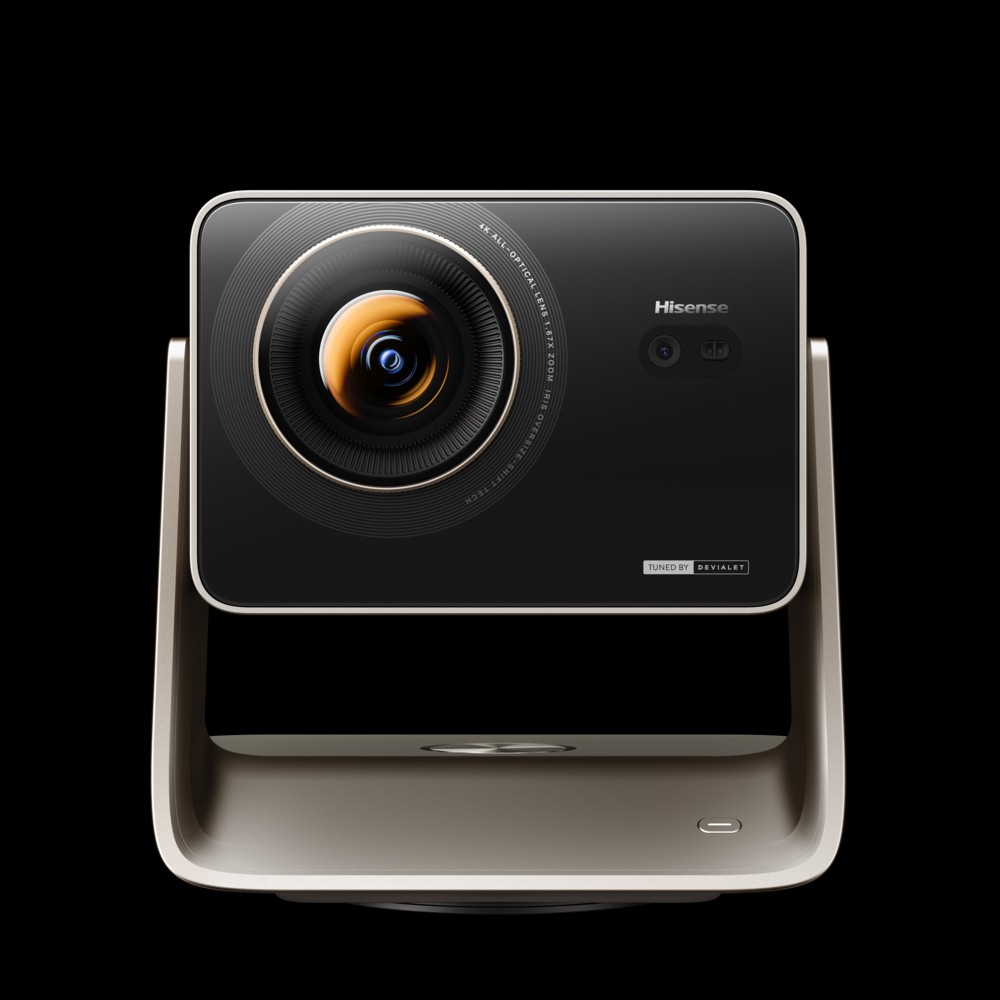
Hisense C3 Ultra Review 2026 — Best 4K Triple Laser Projector
Most high-brightness laser projectors are boxes you install once and never move. The Hisense C3 Ultra takes a different route, and this Hisense C3 Ultra review examines a 4K triple laser projector on a rotating gimbal stand, ready to point at a wall, screen, or ceiling.
The specifications, confirmed on the official pages of Hisense, are flagship-grade for a movable projector. A pure triple-colour laser engine delivers 4,000 ANSI lumens, the colour gamut reaches 118% of BT.2020, and an iris lens holds static contrast at 5,000:1.
Optical zoom and genuine lens shift — features many lifestyle projectors skip entirely — are both present.
It is also a complete entertainment system rather than a bare display: VIDAA U9 runs the streaming, a 2.1-channel speaker system tuned with Devialet handles the sound, and Game Mode Pro is designed for console play. This review answers who that combination suits, and who should choose something else.
Hisense C3 Ultra Review: The Verdict in Brief
On verified specifications, the C3 Ultra is one of the most complete movable projectors available: bright, wide in colour, flexible in placement and unusually strong on built-in audio. Its optical zoom, lens shift and gimbal stand give it placement freedom that fixed-throw rivals cannot match.
The caveats are equally clear. It is a mains-powered unit with no built-in battery; it is large and heavy by mini projector standards, and Hisense publishes no official input lag figure for it. Buy it as a movable home cinema centrepiece, not as a portable or a proven competition gaming machine.
Hisense C3 Ultra: Key Specifications
- Model: Hisense C3 Ultra (model code C3ULTRA)
- Light source: Pure triple-colour laser, MCL3A laser engine with four dedicated laser chips
- Display technology: 0.47-inch DMD, 16:9
- Resolution: 4K UHD 3840 × 2160, at 60Hz
- Brightness: 4,000 ANSI lumens
- Light source life: 25,000 hours
- Colour gamut: 118% BT.2020
- Contrast: 5,000:1 static contrast (iris lens); 7-level adjustable iris
- HDR: Dolby Vision, HDR10 and HLG; IMAX Enhanced certified; Filmmaker Mode
- Motion: MEMC motion processing; active 3D support with compatible glasses
- Throw ratio: 0.9–1.5:1, with 1.67x lossless optical zoom
- Lens shift: ±100% vertical, ±35% horizontal
- Screen size: 65 to 300 inches
- Design: Gimbal stand, -40° to +220° vertical rotation and 360° horizontal rotation
- Auto setup: Auto Magic AI Adjusting 3.0 — seamless auto focus, seamless auto keystone, auto obstacle avoidance, auto screen fit, intelligent wall colour adaptation, intelligent eye protection, multi-zone 3D ToF sensing
- Smart platform: VIDAA U9, with the VIDAA App Store, built-in web browser and voice control
- Audio: 2.1 channels, five speaker units, 2x10W + 2x8W + 1x20W (56W total), tuned with Devialet; Dolby Audio and DTS support
- Connections: 2x HDMI 2.1 (eARC on HDMI 1, CEC supported), 2x USB 3.0, Gigabit Ethernet (RJ-45), optical audio output, headphone output
- Wireless: Wi-Fi 7, Bluetooth 5.4, AirPlay, Miracast
- Gaming: Game Mode Pro, variable refresh rate, AMD FreeSync Premium, ALLM over HDMI 2.1, HSR240 high-speed refresh listed
- Dimensions and weight: Approximately 271 × 245 × 279 mm; approximately 8 kg
- Power: 250W consumption; under 0.5W standby
✓ Pros
- 4,000 ANSI lumens from a pure triple-colour laser engine, in an honest standard measure
- 118% BT.2020 colour gamut, wider than the broadcast and streaming standards require
- Real optical zoom (1.67x) and lens shift (±100% vertical, ±35% horizontal) — rare in this class
- Gimbal stand tilts from -40° to +220° and rotates 360°, including ceiling projection
- Dolby Vision, HDR10, HLG, IMAX Enhanced and Filmmaker Mode support
- 56W 2.1-channel audio tuned with Devialet, with a dedicated 20W subwoofer driver
- Full auto setup: focus, keystone, screen fit, obstacle avoidance and wall colour adaptation
- HDMI 2.1 with ALLM, variable refresh rate and FreeSync Premium for console gaming
✗ Cons
- No built-in battery — it is mains-powered at 250W, so outdoor use needs a substantial power station
- At roughly 8 kg and 271 × 245 × 279 mm, it is movable rather than truly portable
- No official input lag figure is published, so competitive gaming performance is unproven on paper
- VIDAA’s app catalogue is smaller than some rival smart platforms, and varies by region
- No projector defeats direct sunlight, and this one is no exception despite its brightness
- Laser speckle can be visible to sensitive viewers on some screen materials with triple laser engines
Design & Build: The Gimbal Is the Whole Point
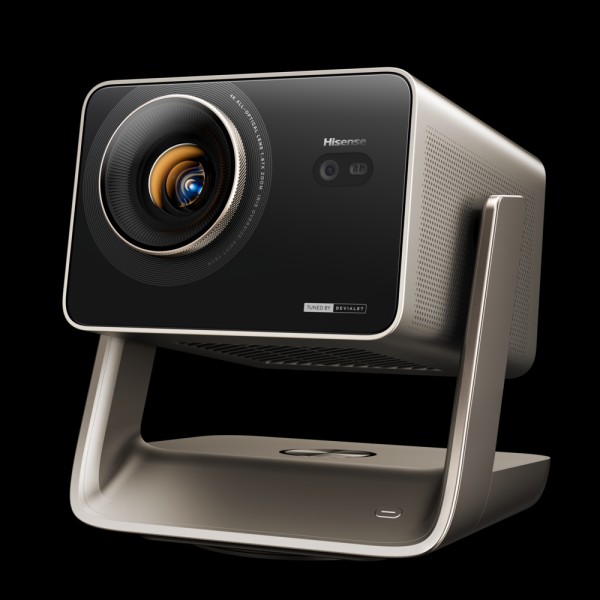
The C3 Ultra’s defining feature is not on the specification table’s first line. The projector body sits in an integrated gimbal stand that rotates 360° horizontally and tilts from -40° through to +220° vertically.
That range takes the lens from a wall in front of you, up to a ceiling above a bed, and most angles in between, without a mount, a tripod or a pile of books.
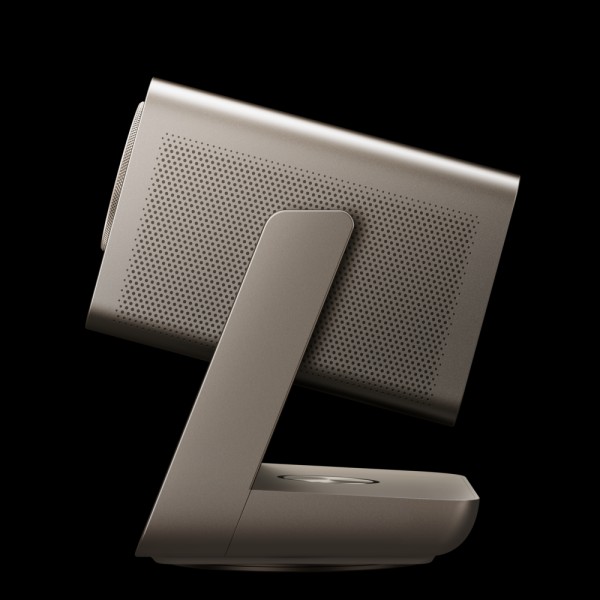
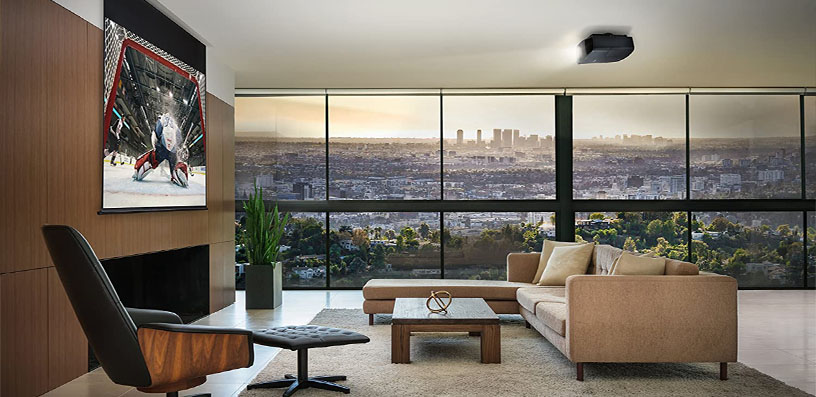
This changes how the projector gets used day to day. A fixed projector serves one screen in one room; the C3 Ultra can serve a living-room screen on Friday, a bedroom ceiling on Saturday, and a garden wall on Sunday. For households that will never build a dedicated cinema room, that flexibility is the product.
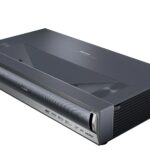
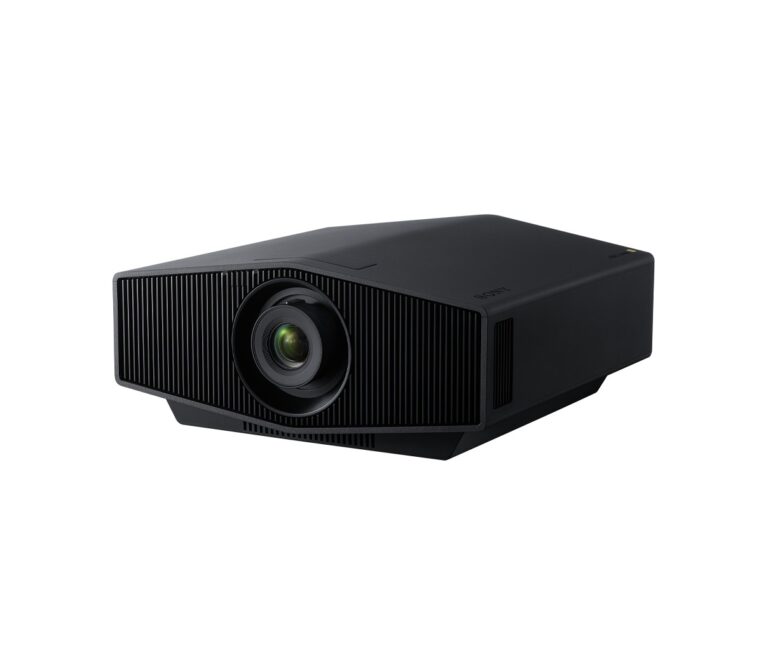
The body itself is a substantial, premium-feeling unit in a champagne-toned finish, with a large lens assembly on the front face and the sensing cameras beside it.
At approximately 271 × 245 × 279 mm and around 8 kg, it is best described as luggable: one person can carry it between rooms comfortably, but nobody is slipping it into a backpack.
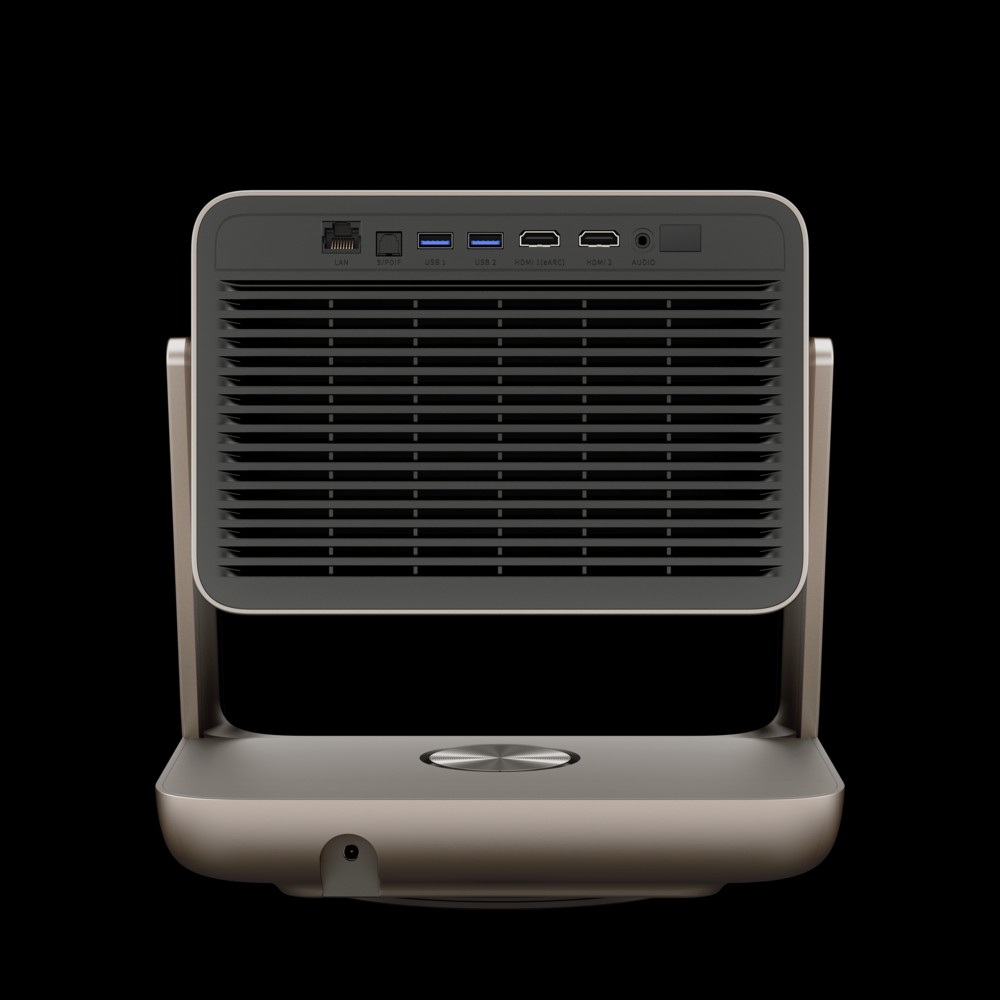
The rear panel groups every connection in one place — both HDMI 2.1 sockets, both USB 3.0 ports, the Ethernet socket, optical and headphone outputs — above the ventilation grille. A backlit voice remote with a remote-finder chime completes the package.
Picture Modes: Choosing How the C3 Ultra Shows Film and TV
Picture modes on a projector this bright are not decoration. With 4,000 ANSI lumens on tap, the mode you choose decides whether that light becomes accuracy, punch, or motion clarity, so it is worth understanding the main options Hisense builds in.
Filmmaker Mode
Filmmaker Mode is the accuracy-first choice for films in a darkened room. It preserves the frame rate, aspect ratio, and colour intent of the source, and disables processing that alters the picture for effect. For movie nights, start here.
Dolby Vision and IMAX Enhanced Presentation
The C3 Ultra supports Dolby Vision alongside HDR10 and HLG, and carries IMAX Enhanced certification. Dolby Vision’s scene-by-scene metadata lets tone mapping adapt as a film moves between dark interiors and bright exteriors, rather than applying one fixed curve. IMAX Enhanced titles additionally present an expanded aspect ratio on supported content.
The Iris as a Brightness and Contrast Control
Uniquely useful here is the 7-level iris lens. Closing the iris down trades light output for deeper blacks and the full 5,000:1 contrast performance; opening it up favours brightness for sport or a lit room.
In practice, this works like a second, optical set of picture modes, and it is more honest than digital contrast tricks because it changes the light path itself.
MEMC Motion Processing
MEMC inserts interpolated frames to smooth motion, which suits live sport and fast pans across a big screen. For films, most viewers prefer it reduced or off, since heavy interpolation can give drama an unnaturally fluid look.
The sensible routine is simple: Filmmaker-led settings for films after dark, a brighter iris setting and MEMC for sport, and the gaming configuration below for consoles.
Features & Smart Platform: VIDAA U9 Does the Streaming
The C3 Ultra runs VIDAA U9, Hisense’s own smart platform, with the major streaming services available through the VIDAA App Store — the official specification lists services including Netflix, Prime Video, YouTube and Disney+, though the exact catalogue varies by region.
A built-in web browser, AirPlay and Miracast casting, and voice control in a wide range of languages round out the system.
VIDAA’s character is speed and simplicity rather than the largest possible app library. Menus are light, the projector reaches content quickly, and VIDAA Art can turn the idle screen into a gallery display — suiting a projector that lives visibly in a living room.
The honest limitation is catalogue depth. If your household depends on a niche regional service or a particular app ecosystem, confirm it exists on VIDAA before relying on the built-in platform alone.
The two HDMI 2.1 sockets make adding an external streaming device painless, so this is a planning point rather than a deal-breaker.
Auto Magic AI Adjusting 3.0
Because the gimbal invites constant repositioning, the automatic setup suite does heavy lifting. Multi-zone 3D ToF sensing maps the space in front of the lens, then seamless auto focus and seamless auto keystone square and sharpen the picture within seconds of the projector being set down.
Auto screen fit sizes the image to a screen’s borders, and auto obstacle avoidance reshapes the picture around objects in the projection area.
Two further touches deserve mention. Intelligent wall colour adaptation compensates for the surface, so a cream or grey wall tints the picture less than it otherwise would. Intelligent eye protection dims or cuts the light when someone moves close to the lens — a valuable safety feature in homes with children.
One caveat applies to all keystone correction, including this one: it is digital, so extreme angles discard pixels and soften the image.
The C3 Ultra’s saving grace is that it rarely needs much of it, because lens shift and optical zoom do the same job optically, without the quality cost. Use the gimbal and lens shift first, and let keystone handle only the final few degrees.
Audio: 56W, 2.1 Channels, Tuned With Devialet
Built-in projector audio is usually an afterthought; here it is a headline feature. Five speaker units in a 2.1-channel layout — 2x10W, 2x8W and a dedicated 20W low-frequency driver, 56W in total — are tuned with Devialet, the French audio house known for compact high-output speakers.
Dolby Audio and DTS support are built in, with eARC on the first HDMI socket for passing full-quality audio to an external system when you want one.
On paper, that is a sound system with genuine bass intent rather than a token speaker, helped by a large internal acoustic chamber.
For living-room viewing, sports and casual film nights, it should remove the immediate need for a soundbar; a dedicated cinema room will still justify separate speakers.
Performance: Bright, Wide in Colour, and Honest About Light
Start with brightness, because it frames everything else. The C3 Ultra’s 4,000 ANSI lumens is a standardised figure, directly comparable with other ANSI ratings, and it places the projector firmly in bright living-room territory.
At sensible screen sizes — roughly 100 to 150 inches — that output holds a vivid picture with curtains drawn and some lamps on, and a genuinely punchy one after dark.
If you are matching brightness to your own room, our guide to how many lumens you need for a projector sets out the ranges by room type.
The short version is that 4,000 ANSI lumens covers every indoor case comfortably, and the discipline is in screen size: spread over the maximum 300 inches, the same light inevitably looks thinner.
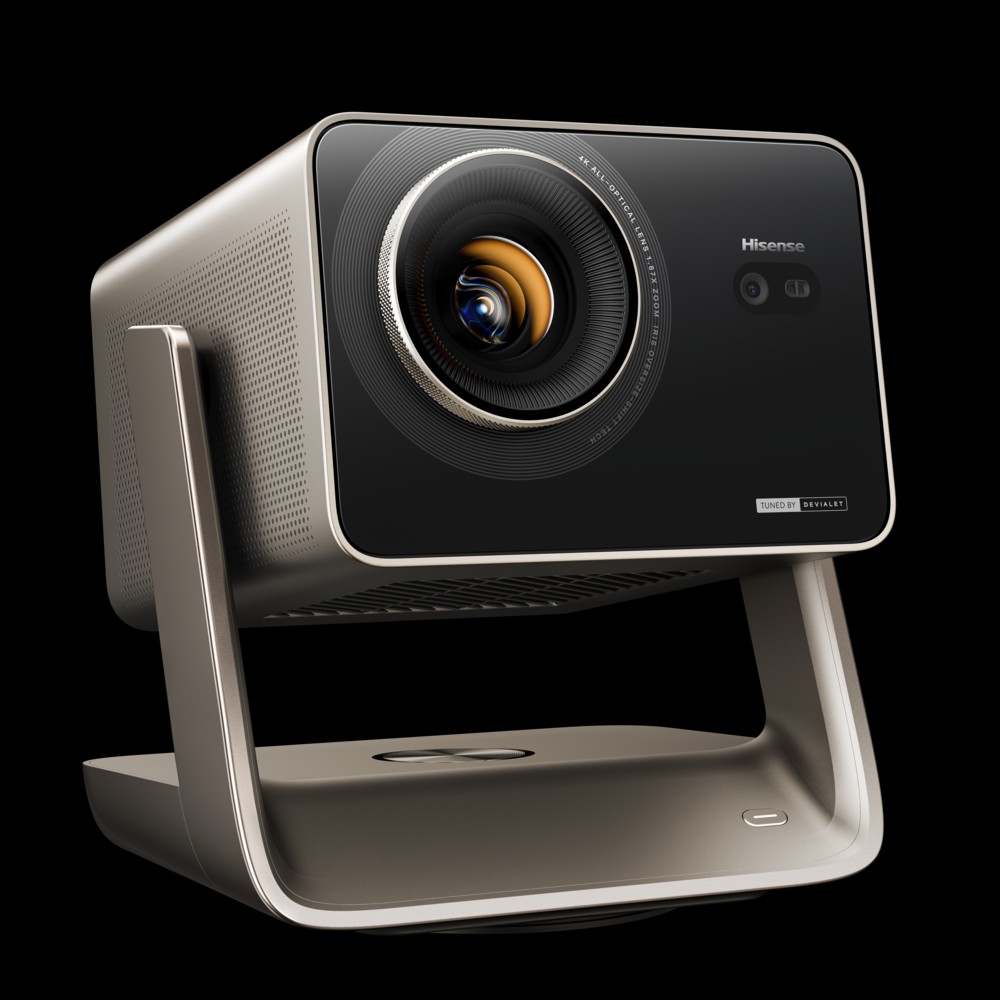
Colour is the triple laser engine’s real strength. Separate red, green and blue lasers reach 118% of the BT.2020 gamut — beyond what current content typically uses — so saturated colours in animation, sport and nature documentaries have headroom rather than clipping early.
Contrast tells the balanced story. The 5,000:1 figure, achieved with the iris lens, is strong for a movable projector and a large part of why dark scenes hold together here.
It is not the deep-black territory of a dedicated high-contrast cinema installation, and buyers whose first priority is reference-level black performance in a blacked-out room should weigh that in the alternatives below.
Daylight deserves the usual straight answer. In shade, at dusk or in a bright room with the screen out of direct sun, this level of output performs very well.
In direct sunlight on the screen, no consumer projector wins, as our explainer on using a projector outside during the day sets out in detail. The C3 Ultra narrows that gap more than most; it does not close it.
Laser life supports the movable brief: the light source is rated for 25,000 hours, so brightness holds up over years of daily viewing without lamp replacements. Active 3D is also supported with compatible glasses, for households that still enjoy it.
Gaming: Well Equipped, With One Number Missing
The gaming hardware list is thorough. Game Mode Pro is designed for console play; both HDMI sockets are HDMI 2.1 with ALLM, so a console can switch the projector into its low-delay configuration automatically, and variable refresh rate with AMD FreeSync Premium certification is listed for tear-free play.
Hisense also lists HSR240 high-speed refresh in the specifications, and the VIDAA Games hub brings cloud services such as Blacknut and Boosteroid together, with support for Xbox, PlayStation and Switch Pro controllers.
Now, the honesty point, stated plainly: Hisense does not publish an official input lag figure for the C3 Ultra on its official product pages.
That means no millisecond number can be quoted for this projector from the manufacturer, and any precise lag figure seen elsewhere does not come from Hisense.
For family gaming, party titles, single-player adventures and cloud play, the feature set points the right way. For ranked competitive play, where a verified lag figure is the whole buying decision, treat this as unproven until a figure you trust exists.
Screen resolution for gaming is 4K at 60Hz from the panel specification. Players who split time between a monitor for competition and a projector for everything else will find that division natural here: the big screen handles the spectacle.
Setup & Throw: Zoom and Lens Shift Do the Hard Work
Placement flexibility is where the C3 Ultra separates itself from most lifestyle projectors. The 0.9–1.5:1 throw ratio with 1.67x optical zoom means image size can be set from a wide range of distances without moving the furniture, and zooming optically keeps full 4K sharpness — unlike digital zoom, nothing is cropped or discarded.
The table below is calculated from that official throw ratio range for a 16:9 image. Measure your room against the range, not a single number, because the zoom gives you the whole span to work within.
| Screen size (diagonal) | Approx. image width | Throw distance range |
|---|---|---|
| 65 inches | 1.44 m | 1.30–2.16 m |
| 80 inches | 1.77 m | 1.59–2.66 m |
| 100 inches | 2.21 m | 1.99–3.32 m |
| 120 inches | 2.66 m | 2.39–3.98 m |
| 150 inches | 3.32 m | 2.99–4.98 m |
| 200 inches | 4.43 m | 3.99–6.64 m |
Lens shift then fine-tunes what the gimbal starts. With ±100% vertical and ±35% horizontal movement, the image can be repositioned optically from an off-centre coffee table or an imperfectly aligned shelf. Combined with the automatic alignment tools, a full repositioning takes moments.
For screen pairing, matte white suits controlled rooms, while a grey or ambient light rejecting surface helps in brighter living rooms by deepening the perceived black level. At 200 inches and above, favour darker rooms.
Garden use is entirely realistic — the gimbal points at an outside wall as happily as an inside one — but plan the power properly.
This is a 250W mains appliance with no internal battery, so our guide to powering a projector outdoors without an outlet is essential reading before a screening away from a socket. A suitably sized power station runs it well; a small power bank does not run it at all.
Who Should Buy the Hisense C3 Ultra — and Who Should Skip It
Buy the Hisense C3 Ultra if…
You want one projector to serve several rooms and surfaces — screen, wall and ceiling — without mounts or permanent installation.
It suits bright living rooms, families who value strong built-in sound, streamers who want Dolby Vision and IMAX Enhanced content presented properly, and console players who game socially on a very big screen.
Skip it if…
You need true portability or battery operation, because at roughly 8 kg with a mains lead, it is neither. Skip it if your room is a dedicated blacked-out cinema where a fixed high-contrast installation projector is the natural fit, or if you are a competitive player who buys on a verified input lag figure — none is published for this model.
One more honest note on when not to choose it: if the projector will sit in one place pointing at one screen for its entire life, the gimbal and auto-alignment suite are wasted, and a conventional projector directs more of its engineering at the picture alone. The C3 Ultra earns its place by moving.
It also ranks among the top picks in our guide to the best daylight projectors for bright rooms, which is exactly the job its 4,000 ANSI lumens were built for.
Alternatives to Consider
Hisense C3 Ultra Max
The step up within the same family: Hisense lists it at 5,000 ANSI lumens with the same 65–300 inch range and gimbal concept. The natural choice if your room is brighter, your screen is larger, or you simply want the flagship of the line.
XGIMI Horizon Ultra
A lifestyle 4K projector built around a dual light source combining laser and LED, with Dolby Vision support and a strong smart platform. It takes a more conventional, fixed-position approach — tidier to install and leave, less flexible to move.
Hisense C2 Ultra
The previous generation of this same idea: a triple laser mini projector with the 65–300 inch range, VIDAA smarts and Dolby Vision support. A sensible route into the concept for buyers who do not need the newer model’s extra brightness, iris lens and updated gaming features.
Frequently Asked Questions
How bright is the Hisense C3 Ultra?
Yes, comfortably. The 4,000 ANSI lumens rating is a standardised measure, and it holds a vivid 100–150 inch picture with curtains drawn and some lamps on. Spread over the maximum 300 inches, the image inevitably looks dimmer, so match screen size to your room’s light.
Can the Hisense C3 Ultra project onto a ceiling?
Yes. The integrated gimbal tilts from -40° to +220° vertically and rotates 360° horizontally, so pointing the lens up at a bedroom ceiling is part of the design rather than a workaround. Auto focus and auto keystone correct the picture after each move, and lens shift fine-tunes the position optically.
What is the Hisense C3 Ultra’s input lag for gaming?
Hisense does not publish an official input lag figure for this model, so no manufacturer number can be quoted. The gaming equipment itself is strong — Game Mode Pro, HDMI 2.1 with ALLM, variable refresh rate and AMD FreeSync Premium — but competitive players who need a verified lag figure should treat gaming performance as unproven on paper.
Does the Hisense C3 Ultra have Netflix built in?
Yes. VIDAA U9 carries the major services through the VIDAA App Store, with the official specification listing services including Netflix, Prime Video, YouTube and Disney+. The exact catalogue varies by region, and the two HDMI 2.1 sockets make adding an external streaming device simple if a favourite service is missing.
How far away should the Hisense C3 Ultra be for a 100-inch image?
Between roughly 2.0 and 3.3 metres, thanks to the 0.9–1.5:1 throw ratio and 1.67x optical zoom. The zoom lets you set the image size across that whole distance range without moving the projector, and because the zoom is optical, the picture keeps its full 4K sharpness at every setting.
Can the Hisense C3 Ultra be used outdoors?
Yes, for evening and shaded use, and the gimbal makes aiming at a garden wall or outdoor screen easy. It has no built-in battery and draws 250W from the mains, so away from a socket it needs a suitably sized portable power station.
As with every projector, direct sunlight on the screen will wash the picture out regardless of brightness.
Bottom Line
Judged on its verified specifications, the Hisense C3 Ultra is the movable projector concept taken seriously: a bright triple laser engine, genuinely wide colour, optical zoom and lens shift that most lifestyle rivals omit, and a gimbal stand that turns repositioning into a ten-second job.
Add 56W Devialet-tuned audio and Dolby Vision and IMAX Enhanced support, and it covers film, sport, streaming and social gaming in one unit.
Its limits are honestly drawn: no battery, no published input lag figure, and a size that says movable rather than portable. Buyers who understand those points — and who will actually use the movement — get one of the most flexible big-screen systems available. On that brief, the C3 Ultra is easy to recommend.