Best Portable Projector for Business 2026 — Top 5 Picks for Meetings
A business projector fails differently from every other projector on this site. A home theater projector that is slightly dim is a mood. A business projector that is slightly dim is an unreadable spreadsheet in front of eight colleagues and a client on video call. Meeting rooms have lights on, blinds half-open, and an audience that needs to read 10-point text from the back of the table.
So the honest starting point is this: buy brightness first, wireless second, and true portability third — in that order. A 400-lumen pico projector is a wonderful travel gadget and a terrible meeting-room projector.
Every pick in this best portable projector for business guide is ranked by what actually decides a presentation: honest lumens that survive fluorescent lights, wireless casting that eliminates the “can someone lend me a dongle” delay, weight you will actually carry between rooms, and text sharpness — because a projector that renders video beautifully but smears spreadsheet text has failed its job.
A note on the lineup: “portable” covers a real range here, from a 2.2-pound laser you forget is in your bag to a 9.5-pound wireless laser that one person can still carry room to room. We did not pad the list with dim entertainment picos — if it cannot hold a lit meeting room, it is not on this list.
Best Portable Business Projectors 2026 — Comparison Table
| Projector | Resolution | Brightness | Weight | Best For | Buy |
|---|---|---|---|---|---|
| Epson PowerLite 1781W | WXGA (1280×800) | 3,200 lumens (color + white) | 4 lbs | Best overall portable business | Buy from Amazon |
| Epson Pro EX11000 | 1080p Full HD | 4,600 lumens (laser) | 9.5 lbs | Best bright wireless laser | Buy from Amazon |
| Epson Pro EX9270 | 1080p Full HD | 4,100 lumens | Compact | Best hybrid meeting (AirPlay + Miracast) | Buy from Amazon |
| Optoma ML1080ST | 1080p Full HD | 1,200 lumens (laser) | 2.2 lbs | Best portable laser | Buy from Amazon |
| ViewSonic M2e | 1080p Full HD | 400 ANSI lumens | 2.2 lbs (1 kg) | Best ultra-portable smart | Buy from Amazon |
How We Picked These Portable Business Projectors
A portable business projector has five jobs, in this order:
Job one: beat the meeting-room lights. Fluorescents stay on. Blinds stay half-open. For a small huddle room with controlled light, 1,200 laser lumens (ML1080ST) is the floor. For a standard conference room, budget 3,200 (1781W). For a large or bright room, 4,100–4,600 (EX9270, EX11000). One critical rule: only compare honest lumens — ANSI/ISO from established brands — and for Epson’s 3LCD models, confirm color brightness matches white brightness, because presentation graphics are color, not white.
Job two: connect without the dongle hunt. The most expensive minutes in any meeting are the five spent finding the right adapter. Built-in wireless (Miracast, AirPlay), USB-C single-cable display, and USB plug-and-play separate modern business projectors from the bag of dongles. We weighted wireless heavily: three of five picks cast without a cable.
Job three: be portable in practice, not on the box. “Portable” on a spec sheet and portable at 8:55 AM before a 9:00 meeting are different things. Under 5 pounds with a carrying case (1781W, ML1080ST, M2e) goes in a laptop bag. Around 9–10 pounds (EX11000) goes room to room on a cart or in hand — portable for the office, not for the airport. We state real weights so you can match the projector to how it will actually travel.
Job four: render text, not just video. Business projectors live on spreadsheets, slides, and dashboards — high-contrast text, not cinema. WXGA (1280×800) is the honest minimum for readable text; 1080p is better and is now standard on four of five picks. Contrast and sharpness optics matter more here than color gamut bragging.
Job five: survive the meeting schedule. A road-warrior projector gets bumped, borrowed, and run for hours. Laser and LED light sources (20,000–30,000 hours, no bulbs) beat lamp models on total cost and on the “bulb died before the quarterly review” risk — though the 1781W’s lamp remains the value play if you accept the trade. Instant on/off (LED/laser) also matters: no warm-up while the room waits.
Best Portable Projector for Business 2026 — Detailed Reviews
1. Epson PowerLite 1781W — Best Overall Portable Business Projector
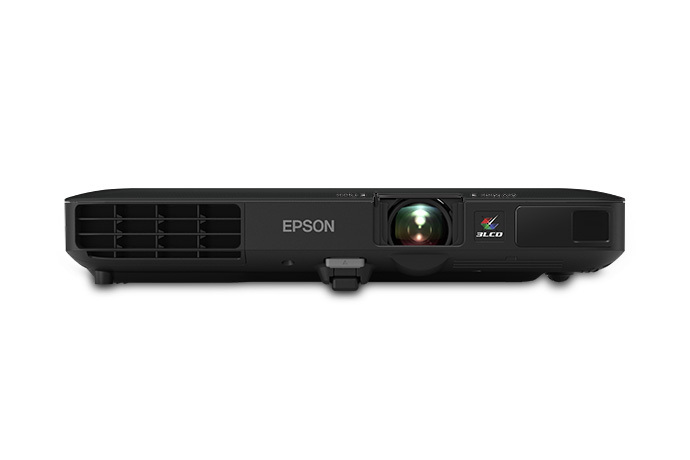
The Epson 1781W is the projector we would hand to a traveling salesperson sight unseen: 3,200 lumens of both color and white brightness, WXGA (1280×800) resolution, wireless built-in, and 4 pounds in a soft carrying case that comes in the box. That combination — bright enough for a lit conference room, light enough for a laptop bag, no dongle required — is the entire job description of a portable business projector, and the 1781W has been doing it for years without a serious challenger at this weight.
The business details are what keep it on top. Wireless display from tablets and smartphones, Chromecast/Roku/MHL support for streaming sticks, USB plug-and-play for laptops, and auto horizontal/vertical keystone that squares the image in seconds on an unfamiliar conference table. The 3LCD engine means no rainbow effect during long slide decks and no color-brightness gap — your charts render in the colors you chose. The 1.04–1.26 throw ratio fills 30 to 300 inches, so it works in huddle rooms and boardrooms alike.
The honest caveats: the light source is a 214W UHE lamp (4,000 hours normal, 7,000 Eco), not laser or LED — budget a bulb eventually, and it needs warm-up/cool-down time the laser picks do not. At 39 dB on full brightness, it is audible in a small quiet room; Eco drops it to 30 dB at the cost of some lumens. And WXGA is not 1080p — text is perfectly readable, but if your decks are dense with small type, the 1080p picks below render finer detail.
✓ Pros
- 3,200 color + white lumens — holds a lit conference room
- 4 lbs with included case — genuine laptop-bag portability
- Wireless + USB plug-and-play — no dongle hunt
- 3LCD, no rainbow — clean text on long slide decks
✗ Cons
- Lamp, not laser/LED — bulb replacement is a future cost
- 39 dB at full brightness — audible in a small quiet room
- WXGA, not 1080p — dense small text is sharper on the 1080p picks
2. Epson Pro EX11000 — Best Bright Wireless Laser
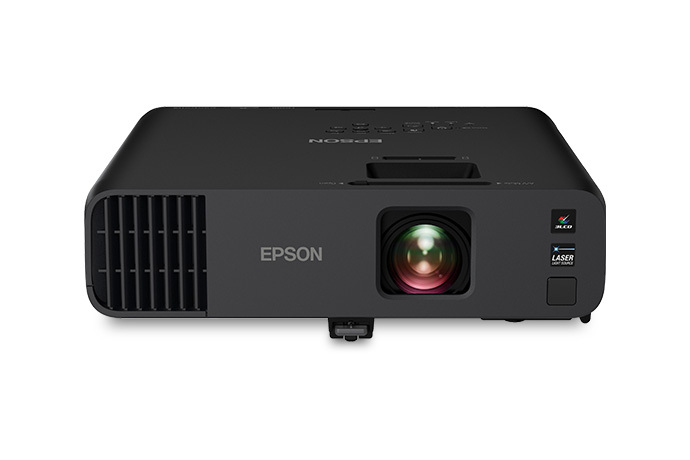
The EX11000 is the answer when the room is big, the lights stay on, and nobody is dimming anything for your quarterly review: 4,600 lumens from a laser engine, 1080p Full HD, and wireless built in. It is the brightest pick on this list by a clear margin, and brightness is the one spec that cannot be worked around — you can fix keystone, you can move closer, you cannot make a dim projector brighter.
The laser engine is the real story for regular use. Twenty thousand hours with no bulb changes means the projector that lives on the meeting-room credenza just works, quarter after quarter, with no lamp budget and no gradual dimming. Wireless setup is genuinely quick — Miracast screen mirroring plus two HDMI ports cover the laptop, the room PC, and a streaming stick simultaneously — and auto vertical correction plus manual zoom get a square image fast in an unfamiliar room.
The honest caveats: at 9.5 pounds, it is room-to-room portable, not travel portable — this is the projector that lives in the office, not the one that flies with you. Image adjustment is manual (zoom and keystone), so the 30-second setup belongs to the auto-everything picks. And 1080p is the ceiling; if your roadmap demands 4K in the meeting room, that is a different (and much heavier) category. For bright-room wireless presenting, though, nothing portable touches this brightness.
✓ Pros
- 4,600 laser lumens — brightest portable pick, wins any lit room
- 20,000-hour laser — no bulbs, no dimming, no maintenance schedule
- Wireless + 2× HDMI — laptop, room PC, and stick all connected
- 3LCD color brightness — charts render accurately
✗ Cons
- 9.5 lbs — room-to-room, not laptop-bag, portable
- Manual image adjustments — slower setup than auto-keystone picks
- 1080p max — not the pick if you need 4K
3. Epson Pro EX9270 — Best Hybrid Meeting (AirPlay + Miracast)
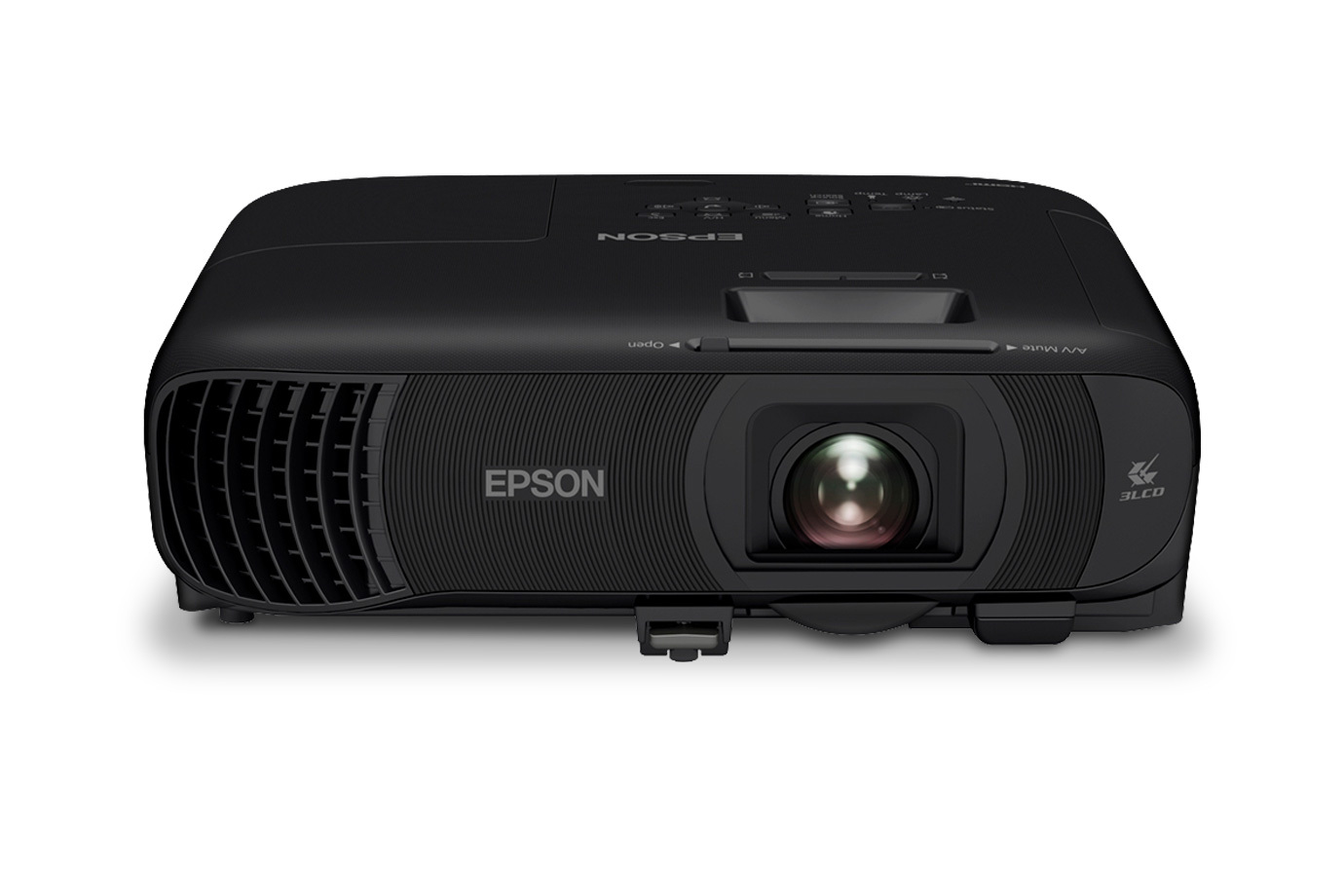
The EX9270 is the pick for the mixed-device reality of modern meetings: 4,100 lumens, 1080p, and both Apple AirPlay and Miracast wireless built in. In a room where one presenter has a MacBook, the next has a Windows laptop, and the third wants to mirror from a phone, the projector that accepts all three without adapters wins — and this one does.
The brightness (4,100 lumens color and white) covers medium-to-large well-lit conference rooms, and the 1.6x optical zoom plus keystone correction make placement forgiving across different room layouts. Images run up to 300 inches for all-hands and training sessions. The compact form factor keeps it genuinely portable between rooms, and setup is quick enough for back-to-back meetings.
The honest caveats: it does not reach the EX11000’s 4,600-lumen ceiling, so in the very brightest glass-walled rooms the bigger pick pulls ahead. Out of the box, it benefits from a quick calibration pass for the most accurate color — fine for IT to do once, annoying if you expected perfection in 30 seconds. And like the EX11000, 1080p is the limit; the 4K conversation starts elsewhere. For the office that lives on mixed devices and hybrid calls, the wireless flexibility outweighs the brightness gap.
✓ Pros
- AirPlay + Miracast — every device in the room connects, no adapters
- 4,100 lumens — bright enough for well-lit conference rooms
- 1.6x zoom + keystone — forgiving placement in varied rooms
- Up to 300 inches — doubles for all-hands and training
✗ Cons
- Not the brightest — EX11000 wins the very brightest rooms
- Benefits from a calibration pass — not perfect out of the box
- 1080p max — no 4K future-proofing
4. Optoma ML1080ST — Best Portable Laser
The ML1080ST is the most interesting projector on this list: a true laser light source in a 2.2-pound portable body. 1080p resolution, 1,200 lumens, a 30,000-hour laser engine, and a 0.78:1 short throw — it is the only pick that combines laser longevity with laptop-bag weight, and it runs at a whisper-quiet 28 dB.
For the traveling presenter, the formula is compelling. No bulb to age or replace, ever — the laser holds brightness across years of road use. Instant on/off with no warm-up while the client waits. The short throw fills a 60–100-inch image from just 3.4 to 5.7 feet, so it works on small conference tables where a standard throw would land the image on someone’s head. USB-C plus HDMI covers modern laptops with a single cable, and the included carrying bag plus Kensington lock slot acknowledge that this projector will live in bags and shared offices.
The honest caveats: 1,200 lumens is a small-to-medium-room number — it holds a dimmed huddle room or a small conference room with controlled light, not a sunlit boardroom. The fixed 0.78:1 lens means screen size is set by distance, so measure the rooms you present in. And there is no built-in wireless — you will carry a cable or a casting dongle, which slightly undercuts the grab-and-go promise. For laser reliability in a truly portable body, though, it stands alone here.
✓ Pros
- Laser in a 2.2-lb body — no bulbs, ever, in a laptop-bag projector
- 28 dB — whisper-quiet for small rooms
- Short throw — big image from a small conference table
- USB-C single-cable — modern laptops connect with one cord
✗ Cons
- 1,200 lumens — small/medium rooms only, not sunlit boardrooms
- Fixed lens — screen size set by distance; measure your rooms
- No built-in wireless — carry a cable or casting dongle
5. ViewSonic M2e — Best Ultra-Portable Smart
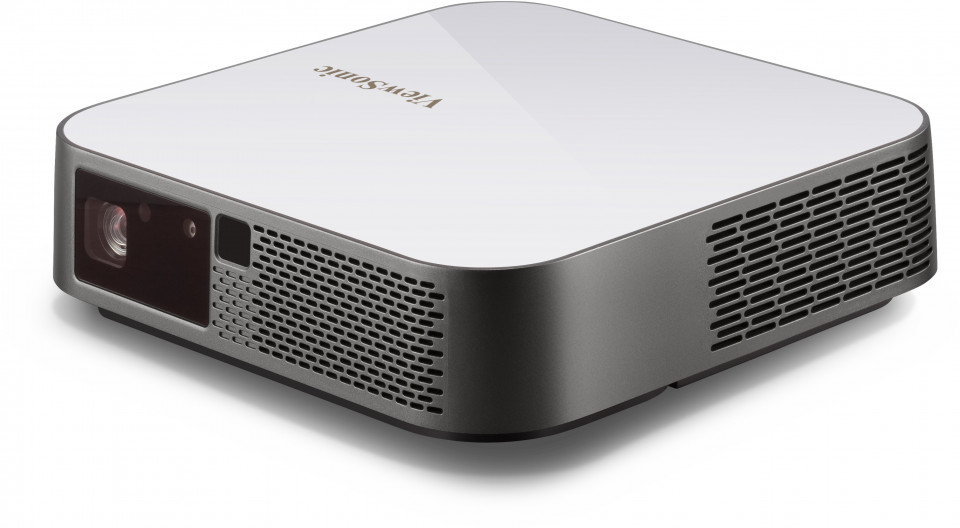
The M2e is the smallest, smartest projector here: 1 kilogram, 1080p, Harman Kardon speakers, auto focus, and USB-C — the pick for the presenter whose office is wherever the laptop opens. It throws an 80-inch image from 7 feet, focuses itself the moment you move it (ToF sensors, no button presses), and corrects keystone automatically, so setup is genuinely under a minute.
The smart features do real work in business contexts. Wi-Fi with screen mirroring, 16GB of onboard storage for decks that travel without a laptop, Bluetooth that pairs with a conference speaker, and dual 3W Harman Kardon speakers that are actually audible in a huddle room — a rarity at this size. At 26 dB it is quiet enough to sit on the table in front of you.
The honest caveats, and they are significant: brightness. The current published spec is 400 ANSI lumens — note the history here, because launch coverage quoted 1,000 ANSI lumens and the spec was later revised down; buy on the current number, not the old headlines. Four hundred ANSI lumens means dimmed rooms and small audiences — huddle rooms, one-on-ones, client-site demos with the lights controllable — not lit conference rooms. There is no built-in battery despite the portable billing (some listings confuse it with its siblings), so an outlet is still required. And at 66ms input lag, it is not for anything interactive beyond slides. Within its lane — the smallest credible business projector — it is excellent; outside that lane, pick an Epson.
✓ Pros
- 1 kg with auto everything — fastest setup on this list
- 1080p + Harman Kardon — credible image and audible sound at this size
- 16GB storage + USB-C — presents without a laptop if needed
- 26 dB — quiet enough for the table in front of you
✗ Cons
- 400 ANSI lumens — dimmed small rooms only; not a conference-room projector
- No built-in battery — outlet required despite the portable billing
- Spec history is messy — launch claimed 1,000 ANSI, current spec is 400; buy on 400
Best Portable Business Projector Buying Guide 2026
1. Brightness: lit rooms need honest lumens
Use this as a starting point: huddle room, lights controllable → 1,200 laser lumens (ML1080ST) is the floor. Standard conference room, fluorescents on → 3,200 lumens (1781W). Large or bright room, no dimming → 4,100–4,600 lumens (EX9270, EX11000). A dim portable projector in a bright room does not look “cozy” — it looks broken, and your text becomes unreadable past the second row. When in doubt, go brighter; Eco modes dim a bright projector, but nothing brightens a dim one. For the full brightness math, see How Many Lumens Do I Need for a Projector?
2. Wireless vs wired: kill the dongle hunt
Count the cost of the first five minutes of every meeting: finding the adapter, the “can you see my screen” loop, the IT call. Built-in wireless (Miracast, AirPlay) and USB-C single-cable display eliminate most of it. If your office is mixed-device — MacBooks, Windows laptops, phones — prioritize a projector that speaks all three natively (EX9270). If IT standardizes on one laptop type, USB-C single-cable (ML1080ST, M2e) is the cleanest desk in the building.
3. Portability: weigh the real trip, not the spec sheet
Under 5 pounds with a case (1781W, ML1080ST, M2e) goes in a laptop bag and flies with you. Around 9–10 pounds (EX11000) moves room to room on a cart — genuinely portable inside one building, miserable in an airport. Match the weight to the actual trip: traveling consultants want the 2–4 pound class; office managers equipping meeting rooms want brightness per dollar and do not care about 9.5 pounds. Also check the case: the 1781W, ML1080ST, and M2e include one; do not discover that at the airport.
4. Resolution and text sharpness: spreadsheets are the test
Business projectors are text instruments. WXGA (1280×800) is the honest minimum for readable slides; 1080p renders dense spreadsheets and small type meaningfully better. When comparing, look at text sharpness in reviews, not just video screenshots — a projector can render movies beautifully and smear 10-point Calibri. All five picks here clear the bar; the 1080p four clear it with room to spare.
5. Lamp vs laser vs LED: the total cost of ownership
A lamp projector (1781W: 4,000/7,000 hours) is cheaper up front and costs a bulb later — fine for occasional travel use. A laser projector (EX11000, ML1080ST: 20,000–30,000 hours) costs more and then never thinks about light sources again — the right call for a projector that runs daily in a meeting room. LED (M2e: 30,000 hours) matches laser on longevity at lower brightness. Do the math on your usage: daily use favors laser/LED within a year; occasional travel favors the cheaper lamp box.
Frequently Asked Questions
How many lumens do I need for a conference room projector?
For a small huddle room with controllable light, 1,200 laser lumens is the floor. For a standard conference room with fluorescents on, budget 3,200 lumens. For a large or bright room where nobody will dim the lights, 4,100–4,600 lumens. Always compare honest ANSI/ISO lumens from established brands — inflated pico-projector numbers are meaningless in a lit room.
Can I present wirelessly from my laptop or phone?
Yes — and you should demand it in 2026. Look for Miracast (Windows/Android), AirPlay (Apple), or USB-C display. The Epson Pro EX9270 covers AirPlay and Miracast natively for mixed-device offices; the 1781W and EX11000 cover wireless plus USB plug-and-play. Confirm your laptop’s OS is supported before buying — “wireless” without your protocol is just a bullet point.
Is 1080p necessary for business presentations?
For dense spreadsheets, dashboards, and small text — yes, it makes a visible difference. For headline-and-bullet slides in a small room, WXGA (1280×800) is perfectly readable and saves money. Four of five picks here are 1080p; the WXGA 1781W remains the value play because its brightness and wireless matter more than pixels for most decks.
Do portable projectors have built-in batteries?
Mostly no — and do not assume. The ViewSonic M2e, despite its ultra-portable billing, has no built-in battery and needs an outlet (some listings confuse it with battery-equipped siblings). True battery projectors exist but are usually too dim for lit meeting rooms. For business use, plan on an outlet; treat a battery as a bonus, not a requirement.
Can a portable projector replace the conference room TV?
For rooms up to ~15 people, yes — a 3,200+ lumen portable on a 100–120 inch screen beats a 65-inch TV on immersion per dollar, and it moves between rooms. For daily all-day use in one room, a fixed install (or the TV) wins on convenience — portables are for flexibility, not for replacing infrastructure. If the projector will never move, buy the brighter installed pick instead.
The Bottom Line
For most business travelers, the Epson PowerLite 1781W is the right answer: 3,200 honest lumens, 4 pounds, wireless, case in the box — the complete portable meeting-room kit. If the room is large and the lights stay on, step up to the Epson Pro EX11000 (4,600 laser lumens, zero maintenance) or the Epson Pro EX9270 (AirPlay + Miracast for mixed-device offices). If you fly with it, the 2.2-pound laser Optoma ML1080ST is the no-bulb road warrior. And if smallest-and-smartest is the brief, the ViewSonic M2e is excellent — as long as you buy it for dimmed huddle rooms at its real 400 ANSI lumens, not the brighter number in old headlines.
If brightness math is new to you, start with How Many Lumens Do I Need for a Projector? and compare the lit-room logic against Best Daylight Projector 2026 — the same ambient-light rules apply, with meeting-room constraints.