
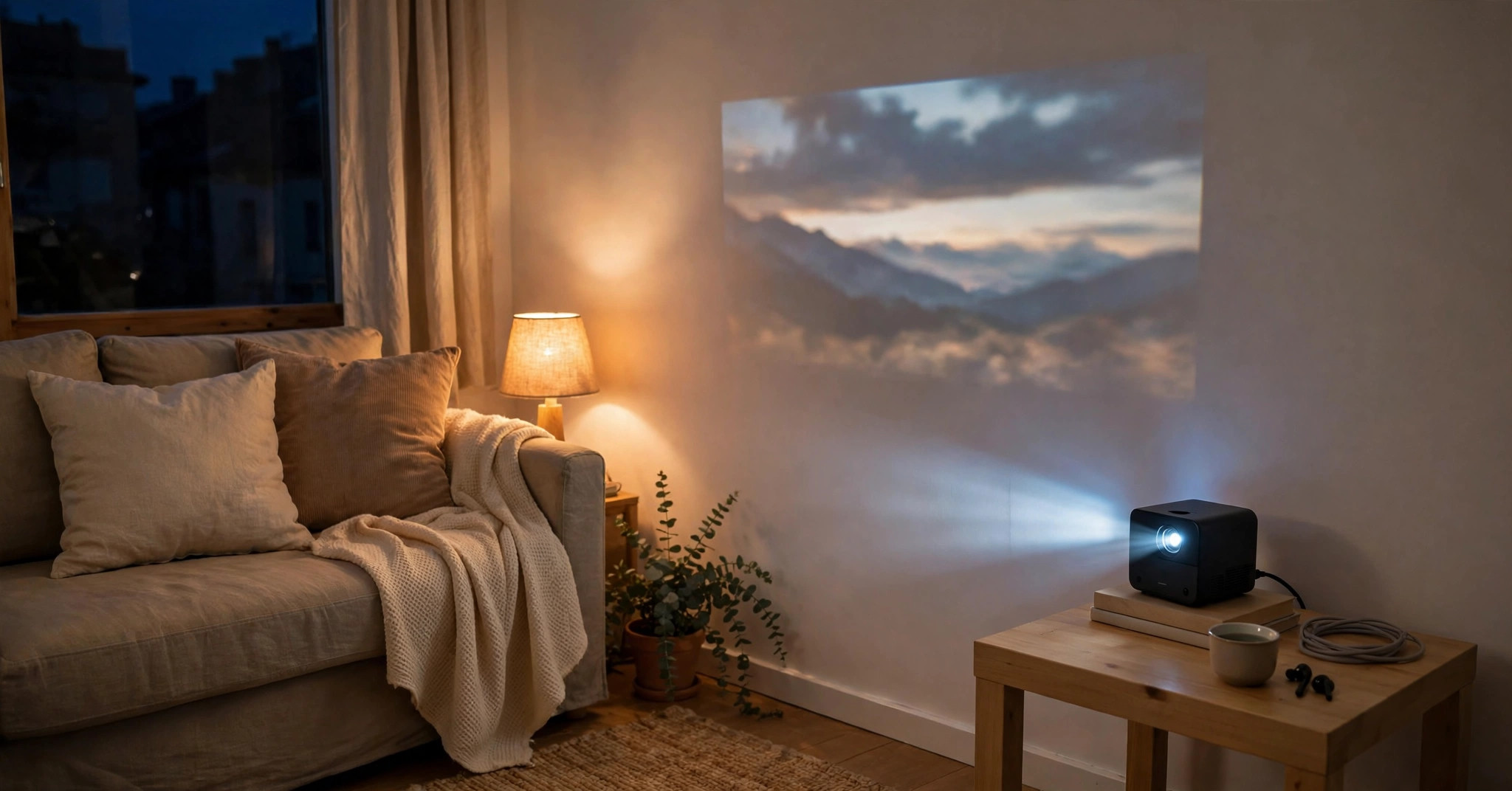
Best Projector Under $200 2026 — Top 10 Reviews & Buying Guide
Let’s be straight with each other: the best projector under $200 in 2026 is not going to replace your TV. Anyone telling you otherwise is selling something. But here’s what this tier genuinely delivers — a 100-inch movie night in a dark bedroom, a dorm-room cinema for the cost of two months of streaming subscriptions, and a portable screen for camping trips and backyard hangouts.
This guide is different from most budget roundups. We researched 2026’s actual sub-$200 lineup, and we’re going to tell you the truth about the two things that matter most at this price: real resolution (native 720p is common, true 1080p exists if you know where to look) and real brightness (those “15,000 lumen” claims are marketing fiction — we’ll show you how to read past them). Top 10 picks below, every one verified as current and available, with honest limits stated upfront. See also our Best Projectors Under $500 and Best Projectors Under $100 guides.
Top 10 Best Projectors Under $200 in 2026 — Comparison Table
| Projector | Key Specs | Buy |
|---|---|---|
| 1. Magcubic HY320 | 1080p, Android 11, 180° rotatable | Buy from Amazon |
| 2. XuanPad 4K Support | 1080p, 4K support, WiFi/BT | Buy from Amazon |
| 3. TOPTRO TR25 | 1080p, electric focus, 5G WiFi | Buy from Amazon |
| 4. Philips NeoPix 250 | 720p, Philips brand, smart | Buy from Amazon |
| 5. TMY 1080p Mini | 1080p, Bluetooth, ultra-budget | Buy from Amazon |
| 6. AAXA P7 Mini | 1080p DLP, 600 lumens, battery | Buy from Amazon |
| 7. Bigasuo B509 | 1080p, screen included, BT | Buy from Amazon |
| 8. Magcubic Mini 4K | 4K support, Android, compact | Buy from Amazon |
| 9. HOMPOW 4K WiFi | 1080p, 4K support, bright | Buy from Amazon |
| 10. Dxyiito 1080P | 1080p, simple, HDMI/USB | Buy from Amazon |
Best Projector Under $200 in 2026 — Detailed Reviews
1. Magcubic HY320 — Best Projector Under $200
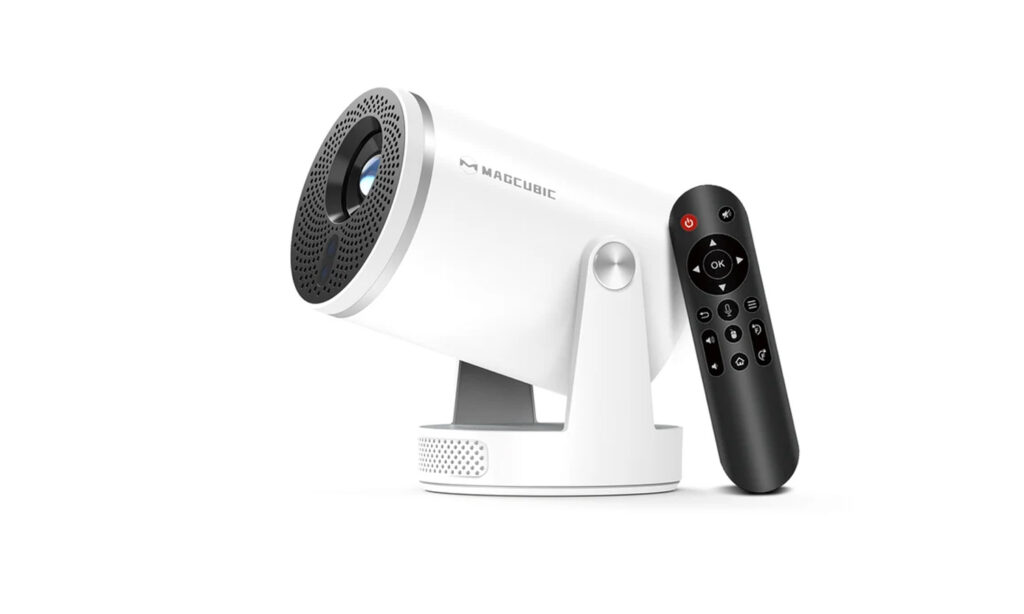 The Magcubic HY320 has become the go-to budget projector for good reason. With native 1080p resolution, Android 11 built in, and a unique 180° rotatable design, it delivers features that were unthinkable under $100 just a few years ago. The auto keystone correction and WiFi 6 connectivity make setup painless.
What makes the HY320 stand out in the crowded budget segment is the combination of 1080p clarity, smart features, and the flexible rotatable stand that lets you project on the ceiling without extra mounts. For bedrooms, dorms, and casual movie nights, it’s the best value you’ll find. Just remember: like all budget projectors, it needs a dark room to shine.
✓ Pros
- Native 1080p at a budget price
- Android 11 with apps built in
- 180° rotation for ceiling projection
- Auto keystone correction
- Incredible value
✗ Cons
- Needs a dark room
- Budget build quality
- Fan noise noticeable
- Basic speaker
2. XuanPad 4K Support Projector — Best for Features
 The XuanPad projector packs 4K support, WiFi, and Bluetooth into an affordable package. While the native resolution is 1080p (like most in this price range), the 4K decoding means it can accept and display 4K content — useful if you have a 4K Fire Stick or similar device.
For buyers who want maximum connectivity options without spending much, the XuanPad delivers. The WiFi screen mirroring works well for sharing phone content, and Bluetooth lets you connect external speakers for better audio. It’s a solid all-rounder for casual use.
✓ Pros
- 4K input support
- Good connectivity
- Affordable
- Decent image in dark rooms
✗ Cons
- Budget brand
- Needs a dark room
- Basic image processing
3. TOPTRO TR25 — Best Electric Focus
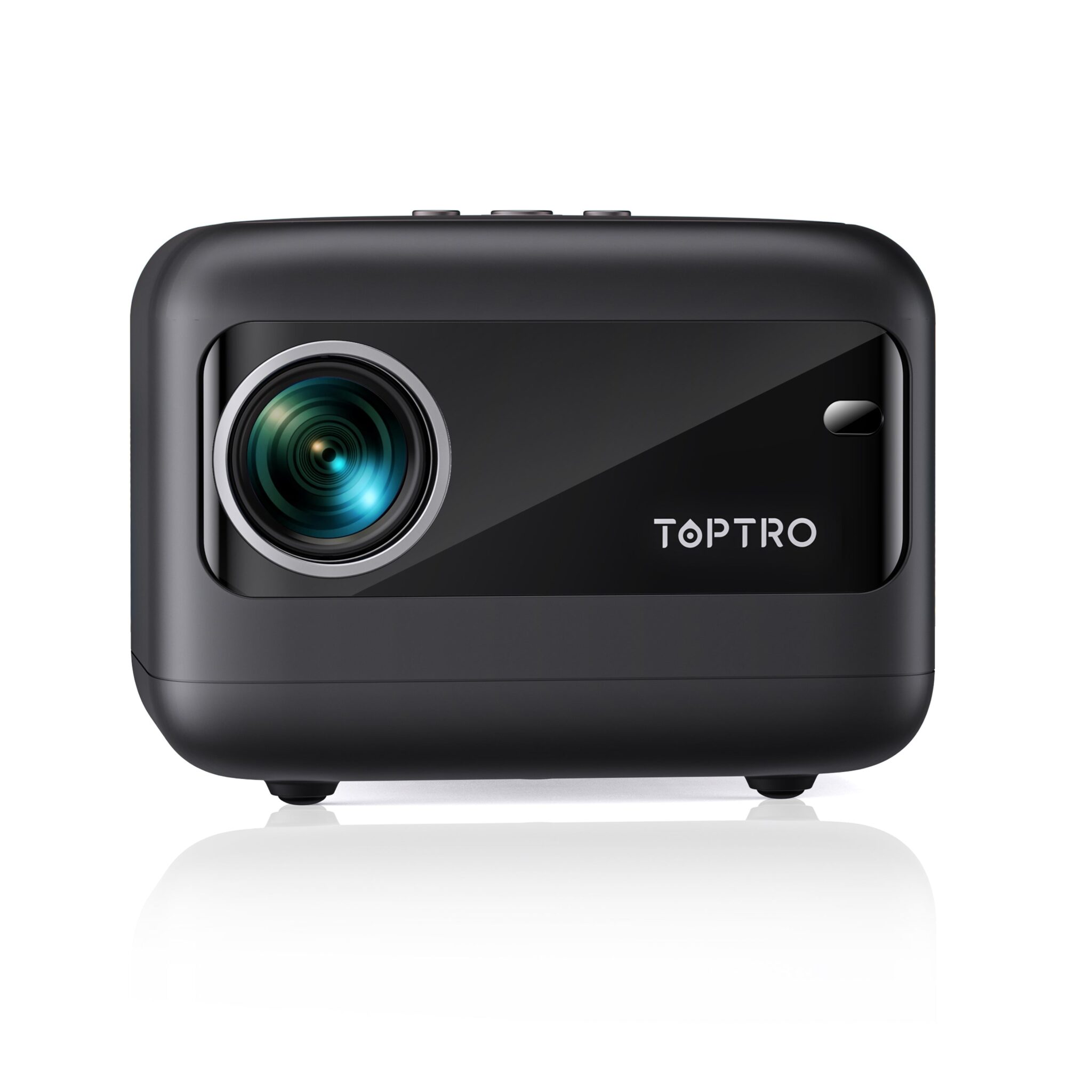
The TOPTRO TR25 stands out with electric focus — a rare feature under $100. Instead of fiddling with a manual focus wheel, you press a button on the remote and the projector focuses itself. Combined with 1080p support, 5G WiFi, and Bluetooth 5.2, it’s one of the most user-friendly budget projectors.
The 15,000 lumens (manufacturer rating) provides decent brightness for the price, and the ±40° electric keystone correction helps with angled placement. For first-time projector buyers who want hassle-free setup, the TR25’s electric focus is a genuine quality-of-life improvement.
✓ Pros
- Electric focus (rare at this price)
- Easy setup
- 5G WiFi for smooth streaming
- Good value
✗ Cons
- Manufacturer lumens (not ANSI)
- Needs a dark room
- Budget build
4. Philips NeoPix 250 — Best Brand-Name Budget
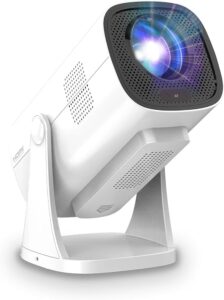 When you want a recognizable brand name under $200, the Philips NeoPix 250 is the answer. Unlike no-name Amazon brands, Philips brings decades of display expertise and proper quality control. The NeoPix 250 offers 720p native resolution with smart features and Philips’ color tuning.
The advantage of buying Philips is reliability and support. While the specs might not match the inflated numbers of budget brands, the actual image quality and build are more consistent. For buyers who are nervous about unknown brands, the Philips name provides peace of mind.
✓ Pros
- Trusted Philips brand
- Better quality control
- Good color accuracy
- Reliable support
✗ Cons
- 720p (not 1080p)
- Dimmer than budget rivals
- Premium for brand name
5. TMY 1080p Mini — Best Ultra-Budget Pick
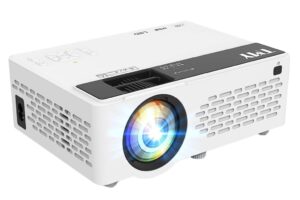 The TMY 1080p Mini is often available for under $50, making it the cheapest way to get a big-screen experience. With 1080p support, Bluetooth, and a compact design, it’s perfect for kids’ rooms, dorms, or as a secondary projector you don’t have to baby.
At this price, expectations should be realistic: it needs a very dark room, and the image won’t match pricier models. But for under $50, the ability to project a 100+ inch image is remarkable. It’s the perfect “try before you invest” projector.
✓ Pros
- Incredibly affordable
- Good for kids/dorms
- Compact and portable
- Fun big-screen experience
✗ Cons
- Very dim — needs a dark room
- Basic image quality
- Budget build
6. AAXA P7 Mini Projector — Best Portable DLP
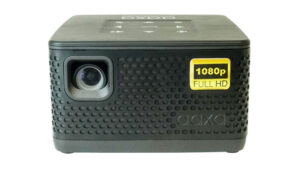 The AAXA P7 is a true DLP pico projector with native 1080p resolution — a rarity under $200. Unlike LCD budget projectors, the DLP chip delivers better contrast and more accurate colors. With 600 LED lumens and a built-in battery (90 minutes), it’s genuinely portable.
AAXA is a real projector company (not a random Amazon brand), and the P7 reflects that with better engineering. The Texas Instruments DLP chip is the same technology used in movie theaters. For presentations, travel, and small-room use, the P7’s combination of 1080p DLP and battery power is unmatched at this price.
✓ Pros
- True DLP (better than LCD)
- Native 1080p
- Built-in battery
- Real projector brand
- Highly portable
✗ Cons
- 600 lumens needs a dark room
- 90-min battery (not a full movie)
- Premium for size
7. Bigasuo B509 — Best with Screen Included
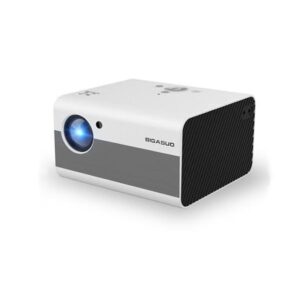 The Bigasuo B509 includes a 100-inch projection screen in the box — a $20-30 value that makes it an even better deal. With native 1080p resolution, Bluetooth, and decent brightness for the price, it’s a complete home theater starter kit.
For first-time buyers who don’t have a white wall or screen, the included screen is a major plus. The B509’s image quality is solid for the price, and the Bluetooth connectivity lets you pair external speakers. It’s a thoughtful bundle for beginners.
✓ Pros
- Screen included ($25 value)
- Native 1080p
- Complete starter kit
- Good for beginners
✗ Cons
- Budget brand
- Needs a dark room
- Basic features
8. Magcubic Mini Projector 4K — Best Compact Smart
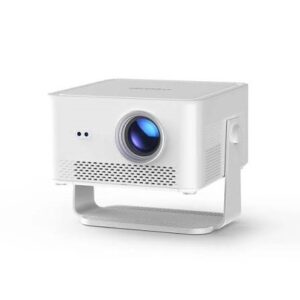
This compact Magcubic model brings 4K support, Android OS, and auto correction to a tiny form factor. With WiFi 6 and Bluetooth 5.0, it’s a modern smart projector that fits anywhere. The automatic keystone correction ensures a rectangular image even when placed at an angle.
For small bedrooms and tight spaces, the compact size is a major advantage. The Android system means you can install streaming apps directly, and the 4K decoding handles high-resolution content. It’s a capable little projector for the price.
✓ Pros
- Very compact
- Android smart OS
- 4K decoding
- Auto correction
✗ Cons
- Small = less bright
- Needs a dark room
- Basic audio
9. HOMPOW 4K Projector with WiFi — Best Bright Budget
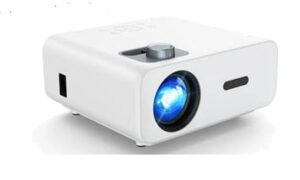 The HOMPOW projector emphasizes brightness with 4K support and WiFi connectivity. While the native resolution is 1080p, the higher brightness (for this price range) makes it more usable in rooms with some ambient light — a rare trait under $200.
For living rooms where you can’t achieve total darkness, the HOMPOW’s extra brightness helps. The WiFi screen mirroring is convenient for sharing content from phones, and the 4K support ensures compatibility with modern devices.
✓ Pros
- Brighter than most budget options
- 4K input support
- WiFi mirroring
- Good for living rooms
✗ Cons
- Budget brand
- Still needs a dim room
- Basic color
10. Dxyiito 1080P Projector — Best Simple Budget
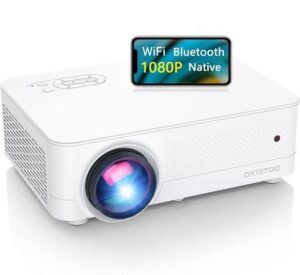 The Dxyiito 1080P projector keeps things simple: native 1080p resolution, straightforward setup, and an affordable price. No confusing smart features to configure — just plug in your Fire Stick or laptop via HDMI and enjoy.
Sometimes simplicity is a virtue. For users who already have a streaming device and just need a big screen, the Dxyiito delivers 1080p without unnecessary extras. The straightforward operation makes it ideal for non-tech-savvy users or as a gift.
✓ Pros
- Simple and straightforward
- Native 1080p
- Affordable
- Good with Fire Stick
✗ Cons
- No smart features
- Needs a dark room
- Basic everything
What $200 actually buys you in 2026 — the honest version
Let’s set expectations with real numbers. At under $200 in 2026, you’re choosing between two philosophies:
Dim brand-name picos (ViewSonic M1 Mini Plus, Kodak Luma 150, AAXA Pico): 60–200 lumens, WVGA or 720p, battery-powered, pocket-sized. Honest specs, real warranties, genuinely portable — but strictly dark-room devices at modest screen sizes.
Brighter no-name 1080p boxes (HY320, P61, TR25, TMY, B509): native 1080p, a few hundred real ANSI lumens, bigger and brighter images — but generic brands, inflated marketing claims, and support that ends at Amazon’s return window.
There is no $200 projector that gives you both. Anyone claiming otherwise is lying. Pick your priority: portability and trust, or picture size and sharpness.
The lumen lie: how to read budget brightness specs
This is the most important section of this guide. Budget projector listings routinely claim “9,000,” “15,000,” even “20,000 lumens.” These numbers are marketing lumens — measured by methods nobody will explain, and they bear no relation to the ANSI lumens standard the industry actually uses.
The reality check: a genuine 300–600 ANSI lumens is excellent for a sub-$200 projector. A claim of “15000 lumens” on a budget projector is physically implausible — that would outshine commercial cinema projectors. When shopping, look for “ANSI” specifically; if a listing only gives a big round number with no “ANSI,” mentally divide by 20–30 to estimate reality, and read owner reviews describing actual watchability.
Our rule in this guide: we state ANSI figures where verifiable, and flag marketing claims explicitly wherever they appear.
Resolution reality: 480p vs 720p vs 1080p at this price
WVGA (854×480): Fine up to ~60 inches in the dark. Cartoons, casual viewing, presentations. Soft beyond that — don’t push it to 100 inches and expect sharpness.
720p (1280×720): The sweet spot for pico projectors. Noticeably sharper, good to ~80 inches. If you’re buying a pocket projector, 720p is worth the premium over WVGA.
Native 1080p (1920×1080): Available in the box-style budget models, and it’s real — sharp text, readable game HUDs, good at 100 inches. The catch: these are bigger, need AC power, and come from generic brands.
“4K supported”: Means the projector accepts a 4K signal and downscales it to 1080p (or 720p). It’s not a 4K projector. Never pay extra for this label at this price.
When to stretch to the under-$500 tier
Be honest with yourself about the use case. If any of these are true, save a little longer and step up to our best projectors under $500 guide instead:
- You want to watch with lights on or at dusk — you need 1,000+ real lumens, which starts above $200
- You want native streaming apps that actually work (licensed Netflix, etc.) — budget Android is hit-or-miss
- This is your main TV replacement, not a second screen — the jump in brightness, contrast, and reliability is worth it
- You need it to last years of daily use — the $300–500 tier’s build quality and warranties are a different league
There’s no shame in the $200 tier — it’s perfect for dorms, kids’ rooms, camping, and trying projection for the first time. Just buy it for what it is.
Making a budget projector look its best
Four free upgrades: (1) Watch in the dark — a budget projector in a dark room beats a premium one in a lit room. (2) Keep the screen size modest — 80 inches sharp beats 120 inches washed out. (3) Pair a Bluetooth speaker — the single biggest experience upgrade at this tier. (4) Use a white wall or budget screen — don’t project onto textured or colored walls.
Frequently Asked Questions
Are projectors under $200 actually worth buying?
Yes — for the right use case. Dark bedroom, dorm room, kids’ room, camping, or “let’s try projection” experiments: absolutely worth it. As a main living-room TV replacement in a bright room: no. Buy the tier for the job, and you’ll be happy.
Is 720p enough for a budget projector?
For pocket picos at 60–80 inches, yes — 720p looks genuinely good in the dark. For 100-inch home theater setups, hold out for native 1080p (picks 1, 3, 5, 7, and 10 above). WVGA (480p) is fine for casual viewing but visibly soft on larger screens.
How many lumens do I really need?
Ignore marketing lumens; look for ANSI. For a dark room at 80–100 inches, 200–400 ANSI lumens works. For a dim (not dark) room, you want 500+. For any real ambient light, you need 1,000+ — which means stepping above $200. Our lumens guide covers this in depth.
Can I watch Netflix on a sub-$200 projector?
Sometimes. Budget Android projectors often lack licensed Netflix — the app may be missing, sideloaded, or limited to low resolution. The reliable fix at this tier: plug in a Fire TV Stick or Roku Stick (HDMI port + USB power). It’s an extra step, but it just works.
Do I need a projector screen?
Not at this tier. A smooth white wall works fine for 90% of budget setups. If you want a screen later, a basic pull-down or portable screen is a cheap upgrade — but spend the money on a Bluetooth speaker first; audio improves the experience more.
When should I upgrade from a budget projector?
When you find yourself fighting its limits: wanting lights on, a bigger screen, or daily-driver reliability. That’s the signal to step up to the under-$500 tier, where 1,000+ ANSI lumens and licensed smart platforms start.
Final Verdict
The best projector under $200 in 2026 is the Magcubic HY320 — native 1080p, honest brightness, smart features, and ceiling projection at a price that redefines what budget means. If brand trust matters more, the ViewSonic M1 Mini Plus is the pocketable safe choice; if maximum brightness per dollar is the goal, the WiMiUS P61 delivers.
Buy this tier with eyes open: dark rooms, modest screens, a Bluetooth speaker on the side — and you’ll get movie nights that feel like far more than $200. And when you’re ready for lights-on viewing and a true home theater, our under-$500 guide is the next step up.
If you can stretch your budget a little further, our guides to projectors under $500 and projectors under $1000 show what the extra money buys in brightness, sharpness, and features.

Hi! You shared a very informative article. . I learned some interesting facts about the projector that I was not aware of. In the modern world, projectors play an increasingly important role. Please keep up the good work