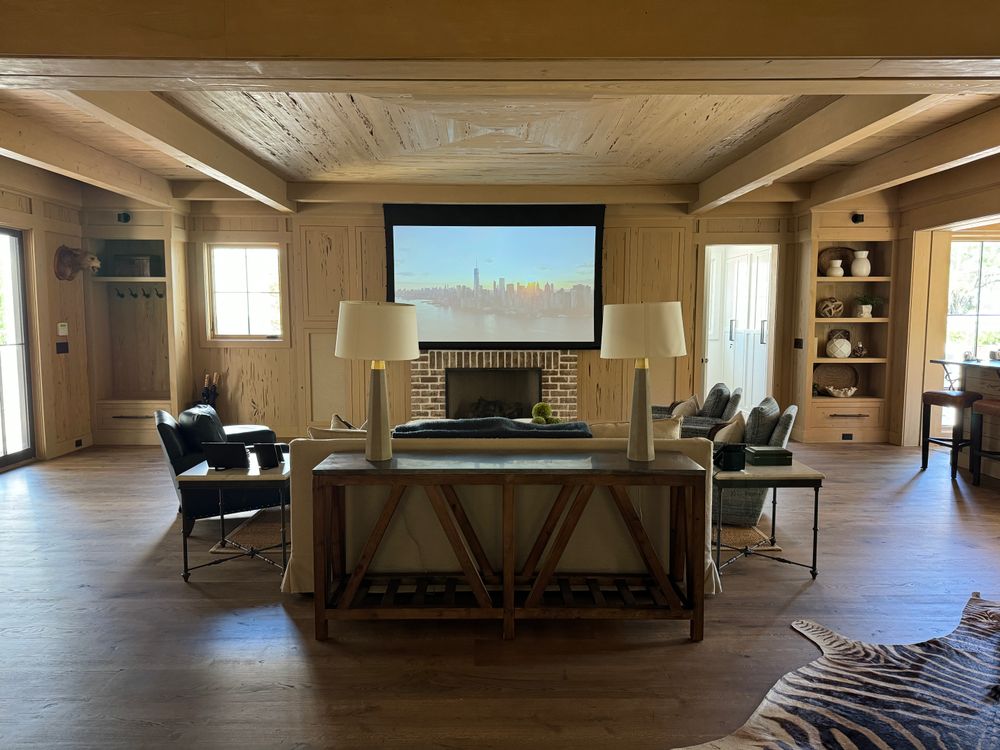
How To Choose A Projector For Home Theater 2026 – Comprehensive Guide
A good home theater projector can turn a spare room into a cinema — a 100-inch image, real movie atmosphere, and a viewing experience no TV can match at the same size. But the question is: how to choose a projector for home theater? Projectors are not plug-and-play like TVs. The wrong choice for your room leads to a washed-out image, a noisy fan, or a projector that sits unused after a month.
This guide walks through every decision that actually matters in 2026: resolution, brightness, contrast, placement, screens, sound, and budget. By the end, you will know exactly what to look for — and what to ignore.
Start With Your Room, Not the Projector
Before you compare a single spec, answer two questions about your space:
- Is the room light-controlled? A dedicated basement theater with blackout curtains is a completely different environment from a living room with big windows. Dark rooms let you prioritize contrast and color. Bright rooms demand more lumens and possibly an ALR (ambient light rejecting) screen.
- How far is the seating from the screen wall? This sets your screen size and your throw distance — the distance the projector needs to fill that screen. Measure it before you shop.
A projector that is perfect for a dark theater will disappoint in a bright living room, and vice versa. Room first, projector second.
Resolution: 1080p vs 4K (and What “4K” Really Means)
In 2026, the resolution decision is simpler than it used to be:
- 1080p (Full HD): Still perfectly watchable, especially under 100 inches. The best budget home theater projectors are 1080p, and they deliver a sharp, satisfying image for casual movie nights. If your budget is tight, a good 1080p projector beats a cheap 4K one.
- 4K: The standard for serious home theater in 2026. True native 4K projectors are still expensive, but most 4K projectors use pixel-shifting — a technology that rapidly shifts pixels to simulate a 4K image. The result is visibly sharper than 1080p on screens over 100 inches, especially for 4K streaming and Blu-ray.
Watch out for misleading labels. Some budget models advertise “supports 4K” but have a native 1080p or even 720p panel. “Supports” means it can accept a 4K signal — not that it displays 4K. Always check the native resolution, not the maximum input.
For a dedicated theater with a 100-inch-plus screen, 4K is worth it. For a casual setup or a smaller screen, a quality 1080p projector will serve you well. Our guide to the best 4K projectors under $2000 covers the sweet spot where price and performance meet.
Brightness: How Many Lumens for a Home Theater?
Brightness is measured in ANSI lumens. For home theater:
- Dark, light-controlled room: 1,500–2,500 ANSI lumens is plenty. More brightness in a dark room actually hurts black levels — the image looks gray instead of deep black.
- Living room with some ambient light: 2,500–3,500 ANSI lumens. You need extra punch to compete with lamps and daylight leaking through curtains.
- Bright room or daytime viewing: 3,500+ ANSI lumens, plus an ALR screen. Even then, manage expectations — no projector beats direct sunlight on a screen.
Be careful with lumen ratings. Manufacturers use different standards: ANSI lumens (the honest one), ISO lumens (roughly equivalent to ANSI), CVIA lumens (a Chinese standard, worth about 80% of ANSI), and “LED lumens” or “light source lumens” (marketing numbers, often 2–3x the real figure). Only compare numbers that share the same standard.
Contrast Ratio: The Spec That Matters Most for Movies
Contrast ratio measures the difference between the brightest white and the darkest black a projector can produce. For movies — where half the film happens in shadows — contrast matters more than raw brightness.
- Native contrast is the real number. It measures what the projector’s optics can do without tricks.
- Dynamic contrast uses a variable iris or laser dimming to boost the number on paper. It helps, but the improvement is smaller than the marketing suggests.
If you are comparing two projectors and one has a suspiciously high contrast number (500,000:1 or above), it is almost certainly dynamic contrast. Look for the native figure, or check independent reviews.
DLP vs LCD vs LCoS: The Three Projection Technologies
Every projector uses one of three imaging technologies:
- DLP (Digital Light Processing): Uses a chip with tiny mirrors. Known for sharp images, good motion handling, and compact designs. The main drawback is the “rainbow effect” — brief color flashes that some viewers notice, especially in high-contrast scenes. Most people never see it, but if you are sensitive to it, test before buying.
- LCD / 3LCD: Uses three liquid crystal panels (one each for red, green, blue). Known for accurate colors, no rainbow effect, and strong color brightness. 3LCD projectors tend to be slightly larger and can have lower native contrast than DLP or LCoS, but they are a safe, reliable choice.
- LCoS (Liquid Crystal on Silicon): The premium technology, used by Sony (SXRD) and JVC (D-ILA). Best native contrast and black levels in the business. LCoS projectors are the choice for dedicated theaters where image quality is the top priority — but they cost significantly more.
For most buyers, DLP or 3LCD will be the right choice. LCoS is for enthusiasts building a dedicated theater with a serious budget.
Laser vs Lamp: The Light Source Decision
In 2026, laser projectors have gone from niche to mainstream — especially in the mid-range and premium tiers. Here is how the two light sources compare:
| Feature | Lamp (UHP) | Laser |
|---|---|---|
| Lifespan | 3,000–6,000 hours (replacement needed) | 20,000–30,000 hours (effectively maintenance-free) |
| Brightness over time | Fades noticeably after 1,000+ hours | Holds brightness far longer |
| Startup | 30–60 seconds warm-up | Near-instant on |
| Noise | Fan runs louder at high brightness | Generally quieter |
| Cost | Lower upfront, plus replacement lamps | Higher upfront, lower lifetime cost |
| Color | Good, but shifts as lamp ages | More stable, wider color gamut |
If you watch movies a few times a week, a lamp projector is fine — and the lower price lets you spend more on the screen or sound. If the projector will run daily, or you want a set-it-and-forget-it theater, laser is worth the premium. The total cost of ownership often favors laser over 3–5 years once you factor in replacement lamps.
Throw Distance and Placement: Will It Fit Your Room?
Throw distance is the distance between the projector and the screen. Every projector has a throw ratio (for example, 1.47:1 to 1.62:1), which tells you how far back it needs to sit to fill a given screen size.
- Standard throw: Needs 10–14 feet for a 100-inch screen. Works in most dedicated theaters and larger living rooms.
- Short throw: Needs 4–6 feet for a 100-inch screen. Good for smaller rooms or when you cannot ceiling-mount far from the wall.
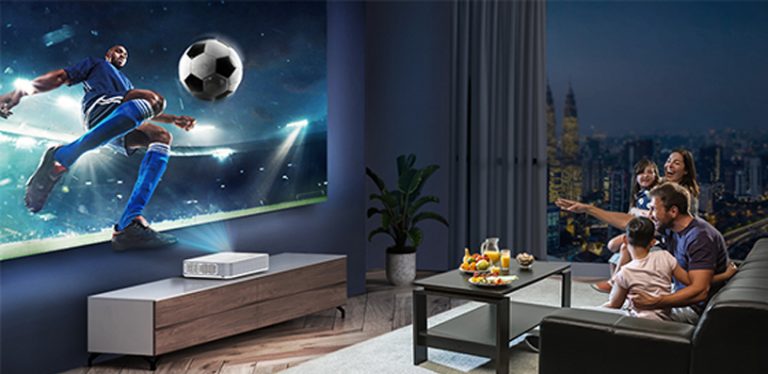
- Ultra short throw (UST): Sits inches from the wall, directly below the screen. The biggest trend in home theater for 2026 — UST projectors paired with ALR screens are replacing TVs in living rooms. They are more expensive but eliminate ceiling mounts and long cable runs entirely.
Before buying, measure your room and use the manufacturer’s throw calculator (or a free throw distance calculator online) to confirm the projector can fill your screen from where you will place it. Also check lens shift — the ability to move the image up/down/left/right without tilting the projector. Vertical lens shift is especially useful for ceiling mounts, because it lets you center the image without using keystone correction (which degrades image quality).
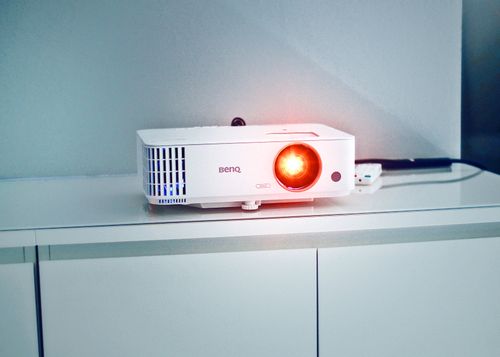
A note on placement: if you are ceiling-mounting, budget for a mount and a power outlet near the mount point. If you are using a shelf or table, make sure the surface is stable and at the right height — the projector’s lens should be roughly level with the center of the screen (or within the lens shift range).
Screen Pairing: Do You Even Need a Screen?
You can project onto a white wall and get a watchable image. But a proper screen makes a real difference:
- White screens (gain 1.0): The neutral default. Accurate colors, wide viewing angle. Best for dark rooms.
- Gray screens (gain 0.8–0.9): Improve perceived black levels in rooms with some ambient light. Slightly dimmer whites, but deeper blacks.
- ALR screens (gain 1.0–1.5): Ambient light rejecting screens use optical layers to reflect the projector’s beam toward viewers while absorbing off-axis room light. For living-room theaters, an ALR screen is the single biggest upgrade you can make — often more impactful than a brighter projector. If you are setting up in a living room rather than a dedicated theater, see our guide to the best projectors for living rooms for room-specific advice.
Screen size is a personal choice, but a good rule of thumb: seating distance should be about 1.2–1.5x the screen width for 4K, or 1.5–2x for 1080p. Sit too close, and you will see pixels. Sit too far, and you lose the immersive effect.
For a dedicated theater, a fixed-frame screen is the best value. For a living room, consider a motorized or pull-down screen that disappears when not in use.
Sound: Don’t Forget Audio
Projector speakers are universally mediocre — small drivers in a box designed for optics, not acoustics. Even the best built-in speakers sound thin and flat compared to a dedicated setup.
For a real home theater, plan for external audio:
- Soundbar: The simplest upgrade. A decent soundbar with a subwoofer transforms the experience for minimal effort and cost. Many soundbars connect via HDMI ARC, so volume control stays on one remote.
- 5.1 surround system: The classic theater setup — front left/center/right speakers, two surround speakers, and a subwoofer. More immersive, more wiring, more cost. Worth it for a dedicated room.
- AV receiver + speakers: The most flexible option. An AV receiver handles HDMI switching, surround decoding (Dolby Atmos, DTS:X), and room calibration. The gold standard for a dedicated theater.
Check what audio outputs the projector has: HDMI ARC/eARC is the most convenient, optical (TOSLINK) works but cannot carry Atmos, and Bluetooth adds latency that causes lip-sync issues. Wired is always better for movies.
Smart Features and HDR Formats
Modern projectors come with built-in smart platforms (Android TV, webOS, or proprietary systems). These are convenient — you can stream Netflix, Disney+, and YouTube without an external device. But:
- Built-in smart platforms are often slower and less updated than a $50 streaming stick.
- Some built-in apps lack full Netflix certification, meaning you get 720p instead of 4K.
- A streaming stick or Apple TV gives you a better experience and is easy to upgrade.
HDR formats matter more. In 2026, look for:
- HDR10: The baseline. Every 4K projector should support it.
- HLG (Hybrid Log-Gamma): Used for broadcast and YouTube HDR. Nice to have.
- Dolby Vision: The premium format with dynamic metadata (adjusts HDR scene by scene). Still rare on projectors in 2026 — mostly found on high-end UST and laser models. Nice if available, but not a dealbreaker.
- HDR10+: Samsung’s answer to Dolby Vision. Also rare on projectors.
A projector that handles HDR10 well will cover 95% of HDR content. Dolby Vision is a bonus, not a requirement.
Budget Tiers: What You Get at Each Level
Home theater projectors span a huge price range. Here is what to realistically expect at each tier — without naming specific models:
- Entry-level: 1080p, lamp-based, 2,000–3,000 ANSI lumens. Good for casual movie nights and first-time buyers. Expect to compromise on contrast and black levels.
- Mid-range: 4K pixel-shift, laser or high-output lamp, 2,500–3,500 ANSI lumens. The sweet spot for most home theaters. Strong contrast, good HDR, and enough brightness for a living room with light control.
- Premium: Native 4K or high-end pixel-shift, laser, 3,000+ ANSI lumens, LCoS or high-end DLP. Dedicated theater territory. Best black levels, best color accuracy, best build quality.
- UST premium: Ultra short throw laser projectors with ALR screens. TV replacements. The most living-room-friendly option, and the most expensive per inch of screen.
Spend proportionally: a good rule is to budget roughly 30–40% of your total theater budget on the projector, 20–30% on the screen, and the rest on audio and room treatment (curtains, paint, seating). A $2,000 projector on a $100 screen with $50 speakers will disappoint. Balance matters.
Quick Comparison: What to Prioritize
| Feature | What to Look For | Why It Matters |
|---|---|---|
| Resolution | Native 4K or quality pixel-shift 4K for 100″+ screens; 1080p is fine under 100″ | Determines sharpness and detail at your screen size |
| Brightness | 1,500–2,500 ANSI (dark room); 2,500–3,500 ANSI (living room) | Too little = washed out; too much in a dark room = gray blacks |
| Contrast | High native contrast; ignore inflated dynamic numbers | Controls black levels and shadow detail — critical for movies |
| Light source | Laser for daily use / long life; lamp for lower upfront cost | Affects lifetime cost, noise, and brightness stability |
| Throw ratio | Match to your room depth; UST for living rooms | Determines whether the projector physically fits your space |
| Lens shift | Vertical shift at minimum; horizontal is a bonus | Lets you place the projector off-center without degrading image |
| Screen | ALR for living rooms; white/gray for dark rooms | Can matter more than the projector itself for perceived quality |
| Audio out | HDMI ARC/eARC preferred | Simplifies connecting soundbar or AV receiver |
| HDR | HDR10 minimum; Dolby Vision is a bonus | Determines how well HDR movies and streaming look |
| Noise | Under 30 dB in normal mode | A loud fan ruins quiet movie scenes |
Common Mistakes to Avoid
- Buying on lumens alone. Brightness without contrast gives you a bright, flat image. Contrast matters more in a dark room.
- Ignoring the screen. A $2,000 projector on a textured wall looks worse than a $1,000 projector on a proper screen.
- Skipping the throw calculation. Measure first. A projector that cannot fill your screen from your mounting position is useless.
- Forgetting audio. Budget for at least a soundbar. Built-in projector speakers are a placeholder, not a solution.
- Over-relying on keystone correction. Keystone digitally warps the image to fix a tilted projector. It reduces resolution and introduces artifacts. Use lens shift and proper placement instead.
- Buying the cheapest 4K projector. A good 1080p projector will outperform a cheap 4K model with poor contrast and a dim image. Quality over resolution.
Frequently Asked Questions
Can a projector really replace my TV for a home theater?
Yes — with caveats. In a light-controlled room, a projector gives you a 100–150-inch image that no reasonably priced TV can match, and the experience is genuinely cinematic. But projectors need darkness to look their best. If your room has lots of windows and you watch mostly during the day, a large TV may be more practical. For evening movie watching in a dedicated or semi-dedicated space, a projector wins on immersion and value per inch.
How big should my screen be?
For 4K, sit about 1.2–1.5 times the screen width away. For 1080p, sit 1.5–2 times. In a typical room with seating 10–12 feet from the wall, a 100–120-inch screen is the sweet spot. Go larger if your room allows and your projector is bright enough — but do not go so large that you have to turn your head to follow the action.
Do I need a dark room for a home theater projector?
For the best image, yes — darkness is the projector’s best friend. But you do not need a pitch-black cave. Light control (curtains, dimmers, matte wall paint) plus a bright projector and an ALR screen can deliver a great image in a living room. The darker the room, the better the contrast and black levels. Even small improvements — closing one set of curtains, turning off a lamp behind the seating — make a visible difference.
Laser or lamp — which should I choose?
If you watch movies a few times a week and want the lowest upfront cost, a lamp projector is fine. If the projector will run daily, you hate maintenance, or you want consistent brightness and quiet operation over years, laser is worth the premium. Over 3–5 years, the total cost often evens out once you factor in replacement lamps. For a dedicated theater you plan to use heavily, laser is the better long-term choice.
Is a UST projector worth it for a living room?
Ultra short throw projectors are the most living-room-friendly option: they sit inches from the wall, eliminate ceiling mounts and long cable runs, and pair well with ALR screens for daytime viewing. The tradeoff is cost — UST projectors and their matched ALR screens are significantly more expensive than a standard-throw projector and a fixed screen. If you want a clean, TV-like setup without a ceiling mount, UST is worth considering. If you have a dedicated room and can ceiling-mount, a standard projector gives you more image quality per dollar.
The Bottom Line
Choosing a home theater projector comes down to matching the projector to your room, your viewing habits, and your budget — not chasing the highest spec on paper. Get the room right, prioritize contrast and placement, invest in a good screen and sound, and you will end up with a theater you actually use. For specific model recommendations at different budgets, see our guide to the best home theater projectors for the money. See our guide on how many lumens you need for a projector.