Best Mini Projector for Classroom Teaching 2026 – Top 5 Reviews
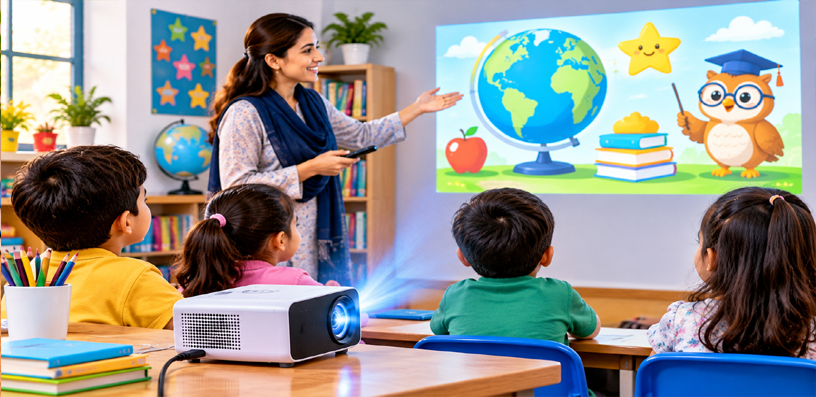
The best mini projector for classroom teaching has a different job from a home cinema projector. A movie projector works in a dark room, once a week, for people sitting quietly in the dark.
A classroom projector works in a lit room, five days a week, for thirty students who need to read text, follow diagrams, and stay focused while the teacher talks.
That changes everything about what matters. Brightness matters more than contrast, because the lights stay on. Text sharpness matters more than movie colour, because a worksheet, a graph, and a line of code all have to stay readable from the back row.
Sound matters more than surround effects, because one teacher’s voice-over has to reach every desk without an external speaker system.
It also changes what a good setup looks like. A classroom projector is often ceiling mounted, left in place all term, and switched on and off several times a day by different teachers. It needs to start fast, connect to whatever laptop is in the room, and keep working without fuss. A projector that needs ten minutes of fiddling before every lesson is a projector that will not get used.
This guide ranks five projectors for classroom teaching, from a flagship laser model for the main hall to a portable smart projector a teacher can carry between rooms.
Every pick is native 1080p, so text stays crisp, and every pick is judged on the things that actually decide whether a lesson goes well: brightness in a lit room, throw distance in a small room, sound that fills a class, and running costs over years of daily use.
One honest note before the list. The top pick is a full-size business projector, not a pocket model — it earns the top spot because it is the strongest classroom machine here, and it suits a fixed installation in a main classroom or hall.
The other four are genuinely portable, and they suit teachers who move between rooms or schools on a tighter budget. The ranking weighs classroom performance first, and portability second.
What Makes the Best Mini Projector for Classroom Teaching?
Brightness in a lit room comes first. Classrooms are rarely dark: blinds stay half open, ceiling lights stay on, and students need to see their notebooks as well as the screen.
A projector that only looks good in darkness will wash out by mid-morning, so the picks here are ranked by how well they hold a readable picture with the lights on.
Short throw matters in small rooms. Many classrooms are short and wide, with the teacher’s desk only a few feet from the wall.
A short-throw projector makes a big picture from a short distance, so the teacher is not standing in the beam and casting a shadow across the lesson. Where a model is standard throw, that is stated plainly, along with the distance it needs.
Audio has to reach the back row. A classroom speaker that only suits a quiet bedroom will not carry a video clip or a language exercise across thirty desks.
The picks here are judged on built-in speaker strength, and where a speaker is small, the honest fix is named: a Bluetooth speaker or the room’s existing audio, connected through the audio-out port.
Running cost and durability decide the long-term winner. A lamp projector is cheaper to buy but needs a lamp replacement eventually; a laser or LED model costs more up front and then runs for years with no lamp to change.
For a school buying several units, that maths matters as much as the picture, so lamp life and light-source type are in every spec list below.
Finally, connectivity has to match a teacher’s real laptop. HDMI covers almost every school laptop and Chromebook, and a USB port that powers a streaming stick is a useful bonus.
Wireless casting is welcome, but it is never the only connection a classroom should rely on, because school networks and guest devices do not always cooperate on the first day of term.
Quick Comparison
| Rank | Projector | Best For | Brightness | Buy |
|---|---|---|---|---|
| 1 | Epson Pro EX11000 | Main classroom or hall, lights on | 4,600 lumens | Buy from Amazon |
| 2 | BenQ TH671ST | Small classrooms, short throw | 3,000 ANSI lumens | Buy from Amazon |
| 3 | ViewSonic PA503HD | Budget-friendly bright classrooms | 4,000 ANSI lumens | Buy from Amazon |
| 4 | VISSPL Portable Outdoor Projector | Portable teaching on a tight budget | Bright enough for dim rooms | Buy from Amazon |
| 5 | Aurzen BOOM Air Google Projector | Teachers who move between rooms | 300 ANSI lumens | Buy from Amazon |
1. Epson Pro EX11000 — Best Overall for the Main Classroom
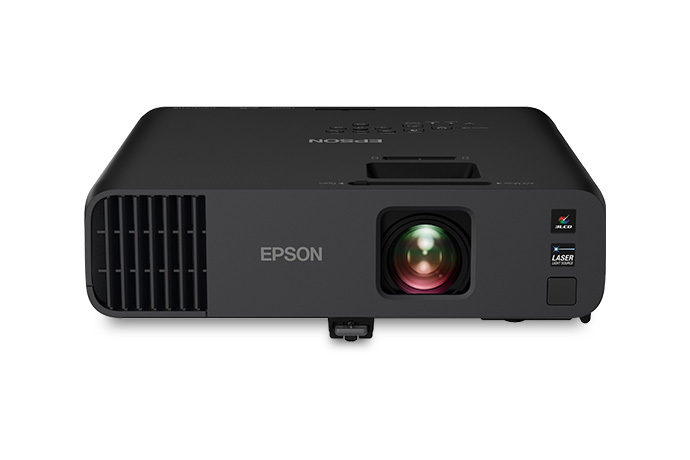 The Epson Pro EX11000 is the strongest classroom projector in this guide, and it is not close. It is a laser projector built for meeting rooms and classrooms, and its whole design answers the one problem that ruins most school projections: the lights are on.
With 4,600 lumens of colour brightness and the same 4,600 lumens of white brightness, it holds a vivid, readable picture in a room where the blinds are open and the ceiling lights are running. Text stays black on white, diagrams stay coloured, and the back row can read the board without squinting.
The laser light source is the second reason it leads this list. It is rated for up to 20,000 hours, which means a school can run it for years of daily lessons without ever replacing a lamp. There is no lamp budget to plan, no mid-term dimming as a lamp ages, and no lesson lost to a blown bulb on a Monday morning.
For a fixed installation in a main classroom, a hall, or a lecture room, that maintenance-free run is worth more than any single feature on a spec sheet.
Sound is handled properly too. The built-in 16W speaker is genuinely strong enough for a full classroom, so a teacher can play a video clip, a language exercise, or a science demonstration without wiring in external speakers.
Two HDMI ports cover the teacher laptop and a second device, and a USB port powers a streaming stick for the days when the lesson lives on a streaming app. Wireless screen mirroring is included for teachers who want to cast from a laptop or tablet without a cable.
Setup is straightforward for a fixed installation. The 1.6x optical zoom gives mounting flexibility, auto vertical keystone correction squares the picture, and the picture scales up to 300 inches for a hall. It is a mains-powered, full-size unit, so it belongs on a ceiling mount or a high shelf rather than in a teacher’s bag — and in that role, it is the pick that makes every other classroom projector feel like a compromise.
- Resolution: Native 1080p (1920 x 1080), 3-chip 3LCD
- Brightness: 4,600 lumens colour and white brightness
- Light source: Laser, up to 20,000 hours, no lamp to replace
- Contrast: Up to 100,000:1 dynamic
- Audio: Built-in 16W speaker
- Throw: 1.32–2.12 throw ratio, 1.6x optical zoom, picture up to 300 inches
- Keystone: Auto vertical ±30 degrees, manual horizontal ±30 degrees
- Connectivity: 2x HDMI, USB power, Ethernet, wireless screen mirroring
- Fan noise: 37 dB normal, 27 dB quiet mode
- Weight: About 9.5 lbs, ceiling or tabletop mount
✓ Pros
- Brightest picture here — genuinely usable with the lights on
- Laser light source runs up to 20,000 hours with no lamp changes
- 16W speaker fills a full classroom without external audio
- Two HDMI ports plus USB power for a streaming stick
✗ Cons
- Full-size unit — not portable between rooms
- Standard throw needs more distance than a short-throw model
- Needs a ceiling mount or high shelf for a permanent setup
When NOT to choose: Skip this one if the projector must travel between classrooms every day, or if the room is so small that a standard-throw picture cannot fit — the short-throw BenQ below is built for that room instead.
For the full breakdown, read our Epson Pro EX11000 review.
2. BenQ TH671ST — Best Short-Throw Pick for Small Classrooms
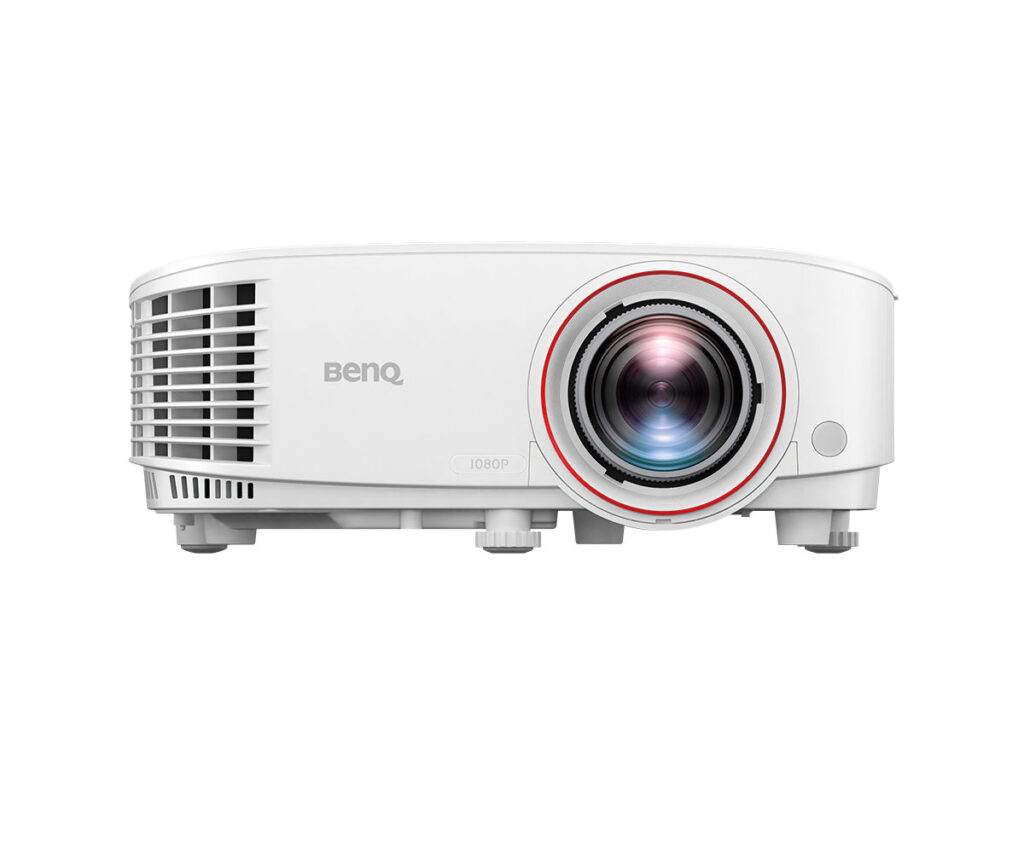 Small classrooms are where most projectors fail, and the BenQ TH671ST is built specifically for them. Its short-throw lens makes a 100-inch picture from about five feet away, which means it can sit on the teacher’s desk or a short ceiling mount at the front of a small room and still fill the wall.
The teacher does not stand in the beam, students at the front do not cast shadows across the lesson, and a room that was too short for a normal projector suddenly works.
Brightness is honest for a lit classroom. At 3,000 ANSI lumens it holds a readable picture with the lights on, though it will not match the Epson in a very bright hall — that is the trade for the short throw and the smaller body.
For a standard classroom with blinds half drawn, it is comfortably bright, and text stays sharp thanks to the native 1080p DLP picture and the high fill ratio that DLP brings to fine lines and small fonts.
The practical details are all teacher-friendly. Two HDMI inputs cover the school laptop and a second device, one of them supporting mobile mirroring for a phone or tablet.
The built-in 5W speaker is strong enough for a normal classroom, and the 1.2x optical zoom plus vertical keystone correction up to 40 degrees make it forgiving to place on a cart or a shelf that is not perfectly centred.
At under six pounds it can also move between rooms when needed, though it is a mains-powered unit rather than a battery model.
The lamp is the running-cost question to plan for. Lamp life runs 4,000 hours at full power and up to 15,000 hours in LampSave mode, so a school should budget for a replacement lamp eventually — but with sensible eco settings, that replacement is years away for most classrooms. For a small room, this is the projector that turns a cramped space into a proper teaching wall.
- Resolution: Native 1080p (1920 x 1080), DLP
- Brightness: 3,000 ANSI lumens
- Light source: Lamp, 4,000 hours normal / 10,000 hours eco / 15,000 hours LampSave
- Contrast: 10,000:1
- Throw: 0.69–0.83:1 short throw, 100-inch picture from about 5 feet, 1.2x optical zoom
- Audio: Built-in 5W speaker
- Keystone: Vertical ±40 degrees
- Connectivity: 2x HDMI (one with mobile mirroring), USB-A power, VGA, audio in/out
- Input lag: 16.7 ms at 1080p/60 — useful for interactive lessons and classroom games
- Weight: About 5.95 lbs
✓ Pros
- Short throw makes a big picture in a small room
- Teacher stays out of the beam — no shadows across the lesson
- Sharp 1080p text for worksheets, graphs, and code
- Light enough to move between rooms when needed
✗ Cons
- Lamp will eventually need replacing, unlike the laser pick above
- Not as bright as the Epson in a very bright hall
- No built-in smart system — needs a laptop or streaming stick
When NOT to choose: Skip this one if the room is large and bright and the projector will be ceiling mounted far from the wall — the Epson or the ViewSonic below suit a long-throw, high-brightness installation better.
3. ViewSonic PA503HD — Best Bright Classroom Pick on a Budget
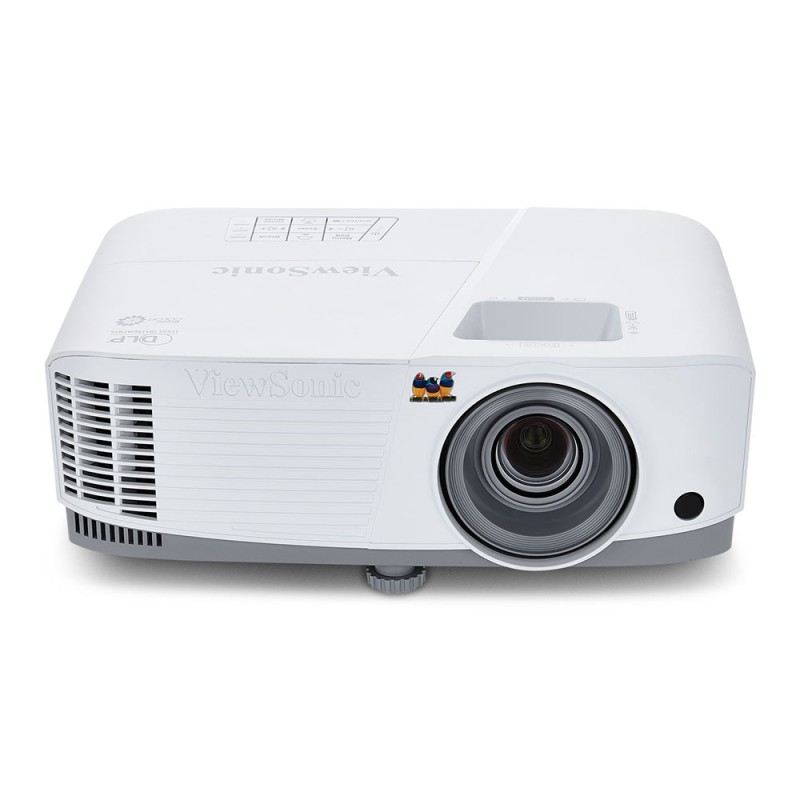 The ViewSonic PA503HD is the value pick that does not feel like a compromise on brightness. At 4,000 ANSI lumens it is the second-brightest projector in this guide, and it holds a clear picture in a lit classroom where cheaper portable models wash out.
For a school that needs several bright classrooms equipped without stretching to the laser flagship, this is the sensible bulk-buy shape: bright, simple, and built for daily use.
The picture is native 1080p with a high dynamic contrast ratio, so worksheets, slides, and diagrams stay legible from the back row. The standard-throw lens makes a 100-inch picture from about eleven feet, which suits a normal classroom with a ceiling mount or a rear shelf.
It is not a short-throw model, so the room needs that distance — but in a standard classroom, that distance is already there, and the auto keystone correction squares the picture when the mount is not perfectly centred.
Connectivity is deliberately simple, which is a strength in a school. Two HDMI ports cover the teacher laptop and a second device, and a USB-A port powers a streaming stick so the projector can run apps without a separate power socket.
There is no built-in smart system and no wireless casting to rely on, which keeps the setup predictable: plug in the laptop, switch on, teach. The built-in 3W speaker is modest, so for a large class the honest move is a small external speaker through the audio-out port — for a normal classroom, the built-in speaker carries a lesson fine.
Lamp life runs up to 15,000 hours in SuperEco mode, which keeps running costs low over years of school days. At about six pounds it can move between rooms on a cart, though its natural home is a ceiling mount in a classroom that needs brightness first and smart features second.
- Resolution: Native 1080p (1920 x 1080), DLP
- Brightness: 4,000 ANSI lumens
- Light source: Lamp, up to 15,000 hours in SuperEco mode
- Contrast: 22,000:1 dynamic
- Throw: 1.48–1.62:1 standard throw, 100-inch picture from about 11 feet
- Audio: Built-in 3W speaker, 3.5 mm audio out
- Keystone: Auto and manual vertical ±40 degrees
- Connectivity: 2x HDMI, USB-A power, RS-232 control
- Picture size: 30 to 300 inches
- Weight: About 6 lbs, ceiling mountable
✓ Pros
- 4,000 ANSI lumens — bright enough for lit classrooms
- Simple, predictable setup: plug in the laptop and teach
- Long lamp life in eco mode keeps running costs down
- USB-A port powers a streaming stick
✗ Cons
- Standard throw needs about eleven feet for a 100-inch picture
- 3W speaker is modest for a large class — plan an external speaker
- No built-in smart system or wireless casting
When NOT to choose: Skip this one if the room is small and the projector must sit close to the wall, or if the class is large and no external speaker is available — the BenQ short-throw or the Epson flagship cover those rooms better.
4. VISSPL Portable Outdoor Projector — Best Portable Pick for Tight Budgets
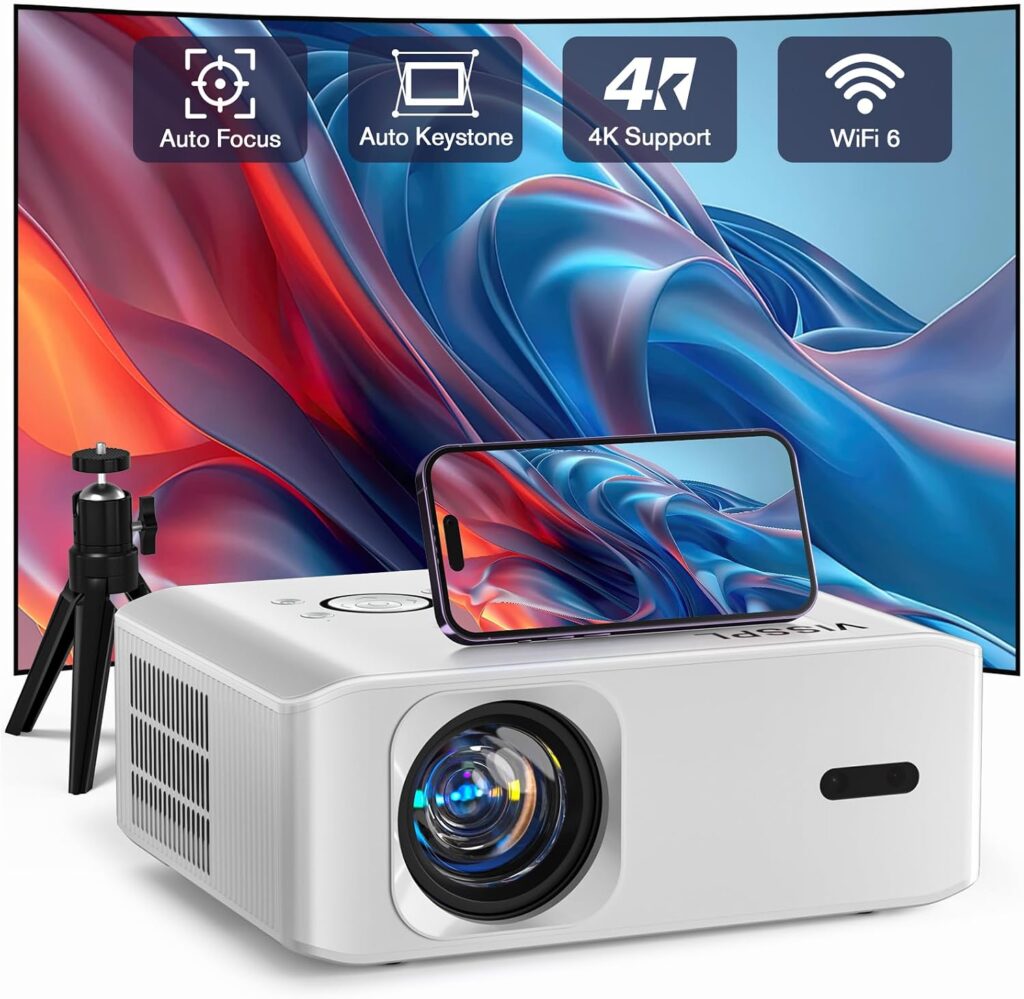 The VISSPL portable projector is the pick for teachers and schools that need a projector they can carry, set up anywhere, and replace without a painful budget meeting. It is a small, light LCD projector with native 1080p resolution, Wi-Fi and Bluetooth, and a built-in speaker, and it comes with a tripod in the box.
For a travelling teacher, a small tutoring room, or a school that needs a spare unit for assemblies and outdoor lessons, that combination is hard to beat.
Expectations need to be honest here, because this is a budget portable, not a classroom flagship. Its brightness suits a dim room rather than a sunlit classroom: close the blinds, dim the lights, and the picture is clear and colourful for slides, videos, and worksheets.
In a bright room with the lights fully on, it will wash out — so this is the pick for controlled-light teaching, evening sessions, and smaller groups, not for the main hall at midday.
Where it earns its place is flexibility. Wi-Fi and Bluetooth cover wireless casting and external speakers, HDMI and USB cover laptops, TV sticks, and flash drives, and the zoom control shrinks the picture without moving the projector — useful when the only available wall is smaller than expected.
The keystone correction squares the picture when the tripod is not perfectly level, and the long LED light-source life means no lamp replacements to budget for.
One practical note: streaming apps can refuse to play over phone screen mirroring because of copy protection, so for video lessons the reliable route is a TV stick in the HDMI port or a laptop connected by cable.
At roughly a kilogram in spirit and a genuinely small footprint, it lives in a bag rather than on a ceiling mount. For a teacher who moves between rooms, schools, or tutoring venues, that portability is the whole point.
- Resolution: Native 1080p (1920 x 1080), LCD
- Brightness: Suits dim rooms; brightness claims vary across listings, so check the current listing
- Light source: LED, long life with no lamp to replace
- Audio: Built-in speaker, Bluetooth out for an external speaker
- Connectivity: Wi-Fi, Bluetooth, HDMI, USB, AV, 3.5 mm audio
- Setup: Keystone correction, 100%-to-50% zoom, tripod included
- Picture size: Up to about 160 inches in a dim room
- Portability: Small, light, bag-friendly body
✓ Pros
- Genuinely portable — bag, tripod, and go
- Native 1080p text for slides and worksheets
- Wi-Fi, Bluetooth, HDMI, and USB cover every teacher device
- No lamp replacements — long LED life
✗ Cons
- Needs a dim room — washes out in bright, sunlit classrooms
- Built-in speaker suits small groups, not a large class
- Streaming apps may need a TV stick rather than phone mirroring
When NOT to choose: Skip this one as the main projector for a bright, large classroom — it is the spare, the travelling unit, and the small-group pick, while the Epson, BenQ, or ViewSonic above should anchor the main rooms.
5. Aurzen BOOM Air Google Projector — Best Smart Portable for Teachers on the Move
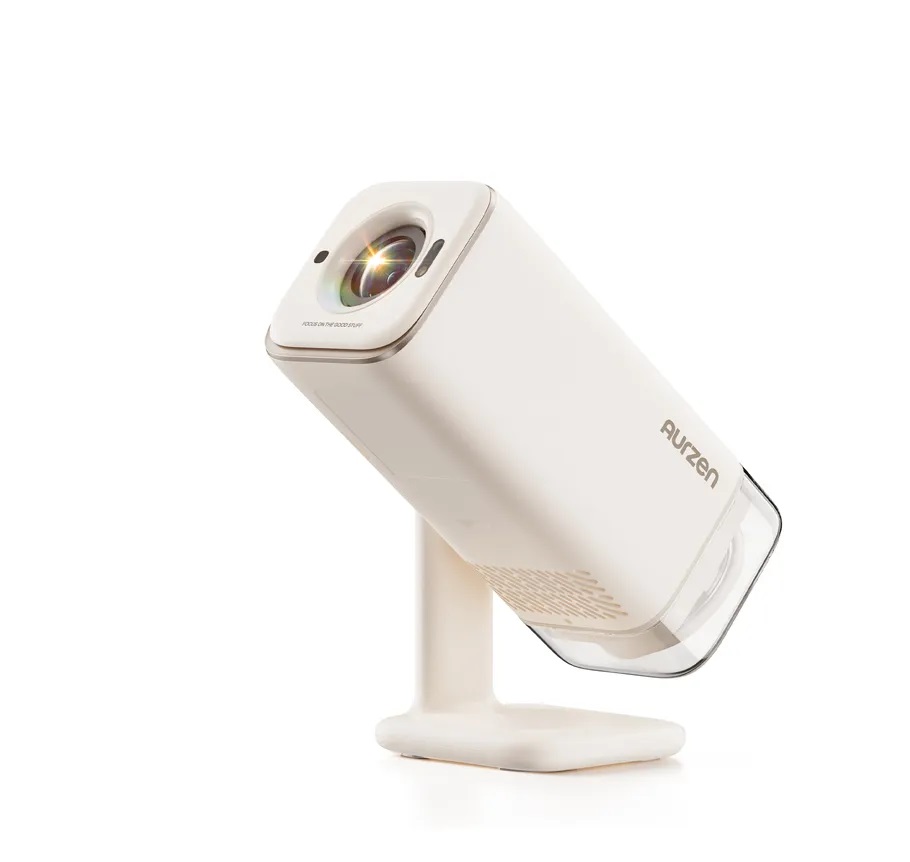 The Aurzen BOOM Air is the projector for the teacher who walks into a room with nothing but a bag and still wants the lesson on the wall in under a minute.
It runs Google TV built in, so the big streaming and education apps open directly on the projector with no laptop at all. For a substitute teacher, a travelling tutor, or a classroom where the school laptop is shared and sometimes missing, that self-contained setup is a real advantage.
Setup is the fastest in this guide. Time-of-flight autofocus and real-time keystone correction sharpen and square the picture automatically, and the 110-degree gimbal stand tilts the projector up toward a wall or ceiling without a tripod or a stack of books.
A teacher can place it on a desk, aim it, and start teaching — and the quiet fan, rated at or under 26.5 decibels, stays out of the way during quiet reading or test instructions.
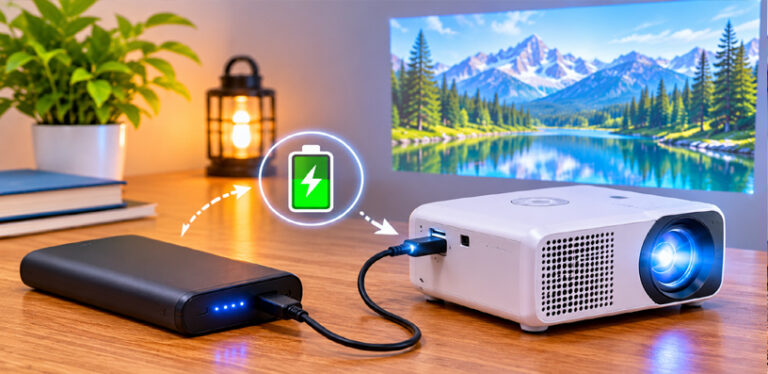
The 10W Dolby speaker is the strongest built-in audio among the portable picks here, and it genuinely carries a video clip across a normal classroom. USB-C power with 65W power-delivery support means it can run from a suitable power bank as well as a wall socket, which suits outdoor lessons, field classrooms, and rooms where the only socket is already taken.
At about 1.23 kg it travels easily, and the 1.28:1 throw ratio makes a good-sized picture from a desk distance.
The honest limit is brightness. At 300 ANSI lumens this is a dim-room projector: close the blinds, dim the lights, and the native 1080p picture is clear and pleasant. In a bright room with the lights fully on, it will not hold up like the Epson or the ViewSonic. Treat it as the portable smart pick for controlled light, and it is excellent at that job.
- Resolution: Native 1080p (1920 x 1080), LCD, HDR10
- Brightness: 300 ANSI lumens
- Smart system: Google TV built in, voice remote
- Audio: 10W Dolby speaker
- Fan noise: At or under 26.5 dB
- Setup: Time-of-flight autofocus, real-time keystone, 110-degree gimbal stand
- Throw: 1.28:1, picture from 40 inches upward
- Power: USB-C, 65W power-delivery compatible, mains adapter included
- Connectivity: HDMI, USB, dual-band Wi-Fi, Bluetooth 5.1
- Weight: About 1.23 kg
✓ Pros
- Google TV built in — lessons without a laptop
- Fastest setup here: autofocus, auto keystone, tilting stand
- 10W Dolby speaker carries a normal classroom
- USB-C power-bank support for rooms without a free socket
✗ Cons
- 300 ANSI lumens needs a dim room — not a bright-hall projector
- No battery built in — needs a socket or a power bank
- Smaller picture than a ceiling-mounted classroom unit
When NOT to choose: Skip this one as the fixed projector for a bright main classroom — it is the travelling teacher’s pick, while the Epson or ViewSonic should anchor any room where the lights stay fully on.
Classroom Setup Tips: Mounting, Light, and Sound
Mount the projector once, and every lesson after that starts faster. A ceiling mount keeps the projector out of reach, out of the beam, and out of the way of bags and elbows, and it means the picture is already aligned when the teacher walks in.
If a ceiling mount is not possible, a high rear shelf works nearly as well — the rule is simply that the projector should live in one place, aimed at one wall, so nobody recalibrates it before every lesson.
Light control matters more than buying a brighter projector. Close the blinds on the screen wall, keep the lights nearest the screen off, and leave the lights over the students’ desks on.
That split — dark wall, lit desks — is the setup that lets students read both the screen and their notebooks, and it makes even a mid-brightness projector look far better than it does in a fully lit room.
Sound deserves a decision before the first lesson, not during it. Test the built-in speaker from the back row with a real video clip, not just a quiet slide. If dialogue is hard to hear, add a small Bluetooth speaker near the front or use the room’s existing audio through the audio-out port — both fixes cost less than a lesson lost to students asking the teacher to repeat the video.
Keep one cable kit in the room: an HDMI cable long enough to reach the teacher’s desk, a spare remote with fresh batteries, and a streaming stick already signed in if the school allows it.
Teachers should not have to hunt for cables between lessons, and a labelled kit on the teacher’s desk prevents the five-minute delay that eats into every first period.
Finally, plan the running costs on day one. Note the lamp type and rated life for lamp models, and put a reminder in the school calendar a term before the lamp is expected to fade. A projector that dims slowly across a term is easy to miss until the back row stops reading — a scheduled check keeps the picture bright all year.
Frequently Asked Questions
How bright should a classroom projector be?
For a classroom with the lights on, look for at least 3,000 lumens, and more if the room is large or very bright. The picks in this guide range from 300 ANSI lumens for dim-room portable use up to 4,600 lumens for a main hall, so match the brightness to the room’s actual light, not just the spec sheet.
Can a projector work with the classroom lights on?
Yes, if it is bright enough. Laser and high-lumen lamp projectors hold a readable picture with the lights on, especially if the blinds on the screen wall are closed. Budget portable projectors need a dim room, so they suit evening sessions and small groups rather than a sunlit classroom.
What is short throw, and why does it matter in a small classroom?
Short throw means the projector makes a big picture from a short distance — the BenQ in this guide makes a 100-inch picture from about five feet. In a small classroom that keeps the teacher out of the beam, avoids shadows across the lesson, and makes rooms work that are too short for a normal projector.
Can a teacher connect a Chromebook to a projector?
Yes. Almost every Chromebook has an HDMI or USB-C video output, and every projector in this guide has an HDMI input. A single HDMI cable is the reliable route; wireless casting works too, but a cable never depends on the school network behaving on the day.
Do classroom projectors need external speakers?
It depends on the room. The Epson’s 16W speaker and the Aurzen’s 10W speaker carry a normal classroom on their own, while smaller built-in speakers suit small groups. For a large class, a small Bluetooth speaker or the room’s existing audio through the audio-out port is the simple fix.
Should a classroom projector be ceiling mounted?
For a fixed classroom, yes. A ceiling mount keeps the projector safe, keeps the picture aligned, and keeps the teacher out of the beam. Portable projectors suit teachers who move between rooms, but a mounted projector is the setup that starts every lesson fastest.
How long does a projector lamp last in a school?
Lamp models in this guide are rated from 4,000 hours at full power up to 15,000 hours in eco modes, which is years of school days. Laser and LED models last longer still — up to 20,000 hours for the Epson laser — with no lamp to replace at all.
Can a portable projector replace a fixed classroom projector?
For small groups and dim rooms, yes. For a bright main classroom used all day, a fixed bright projector is still the better anchor, with a portable model as the travelling spare. The honest split is light: dim room, portable works; bright room, go fixed and bright.
Can a teacher use a projector without a laptop?
Yes, with a smart projector. The Aurzen BOOM Air runs Google TV built in, so lessons and videos open directly on the projector. Other models need a laptop, a TV stick, or a streaming device plugged into the HDMI port.
Presenting is the other half of this projector class: can you use a mini projector for office presentations works through the same brightness and readability questions, and the machines teachers take home end up judged by our mini projector picks for home movie nights.
Bottom Line
For most schools, the choice comes down to the room. If the projector will live in a main classroom or hall with the lights on, the Epson Pro EX11000 is the pick: brightest picture here, laser light with no lamp to replace, and a speaker that fills the room.
If the room is small, the BenQ TH671ST is the pick: short throw makes a big picture from the teacher’s desk, and nobody stands in the beam.
If several bright classrooms need equipping on a tighter budget, the ViewSonic PA503HD is the sensible bulk choice — 4,000 ANSI lumens, simple setup, and long lamp life in eco mode.
For a travelling teacher or a spare unit, the VISSPL portable covers small-group and dim-room teaching in a bag-friendly body, and the Aurzen BOOM Air is the smart portable for teachers who want lessons without a laptop, with the fastest setup in this guide.
Whatever you choose, mount it once, control the light on the screen wall, and test the sound from the back row before the first lesson. The best mini projector for classroom teaching is not the brightest box on the shelf — it is the one that starts fast, reads clearly with the lights on, and keeps working through every lesson of the term.
Still planning the wider setup? Our classroom-adjacent guides cover the same practical ground: connecting speakers to a projector, powering a projector without an outlet, and how to connect a phone to a projector.