
Can You Use a Mini Projector for Office Presentations in 2026 – Complete Guide
Can you use a mini projector for office presentations? Yes — provided the room, the group, and the material suit what a small projector can honestly do.
In a huddle room with a handful of people, the lights lowered, and slides built from big headings and charts, a mini projector does the job well and is ready in minutes.
In a bright boardroom with twenty people and a dense spreadsheet, it will struggle — not because it is badly made, but because brightness and fine detail are exactly where small projectors compromise.
This guide works through the deciding factors one at a time: brightness, screen size, text clarity, connections, power, and sound. By the end, you will know whether a mini projector fits your meetings — and how to set one up so it gives its best.
Can You Use a Mini Projector for Office Presentations? Brightness Decides
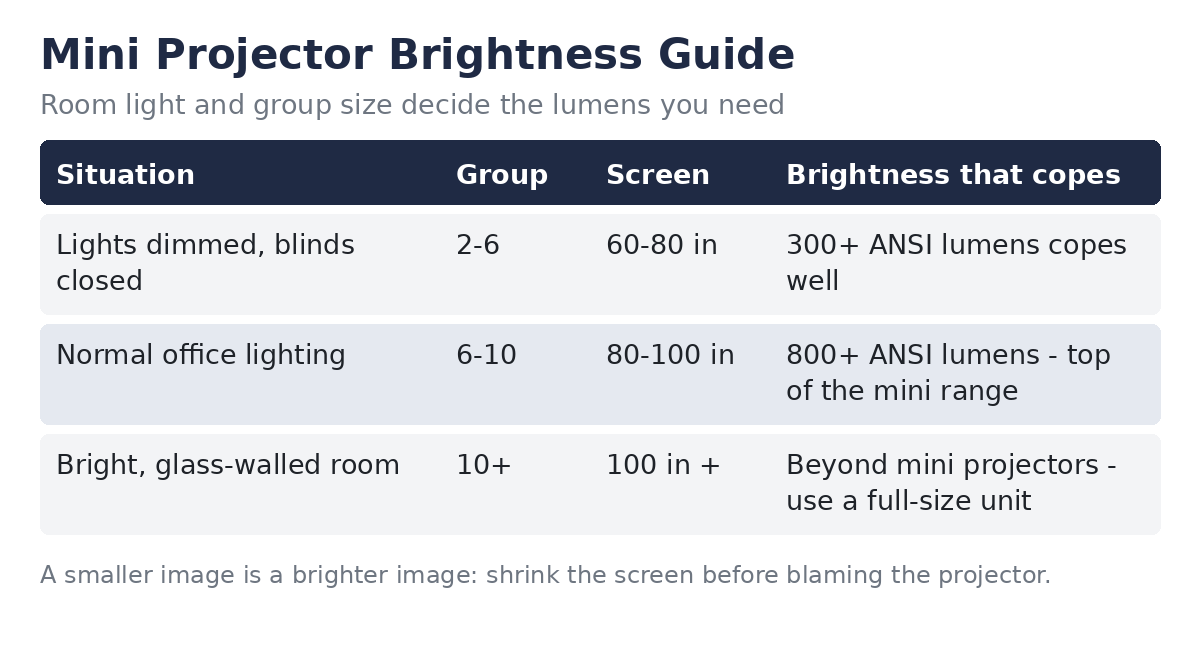
Brightness is the first filter, because ambient light is the mini projector’s natural enemy. Most mini projectors produce somewhere between roughly 100 and 500 ANSI lumens, and only a few larger models reach 800 or beyond. A permanently installed conference-room projector usually starts where the mini range ends.
Spread over a big picture, those lumens wash out fast under ceiling lights. Spread over a smaller picture, the same output looks noticeably brighter — which is why image size, covered next, is a brightness decision as much as a seating one.
Keep the picture near 60 to 80 inches and lower the lights nearest the screen, and most minis hold a watchable image for slides.
Rooms differ enough that rules of thumb only go so far. Our guide to how many lumens you need for a projector works through the numbers for different room light and image sizes, if you want to check your own room properly.
Screen Size vs Group Size: Everyone Has to Read It, Not Just See It
A presentation picture is only big enough when the furthest person can read it. For slides with large headings, most people can follow along at sizes that would feel small for a film. For anything with body text, the back row sets the limit — and a mini projector reaches that limit sooner than a bright installed unit.
| Group | Picture size that works | Condition |
|---|---|---|
| Huddle — 2 to 6 people | 60 to 80 inches | Lights lowered near the screen |
| Small meeting — 6 to 10 people | 80 to 100 inches | Needs a brighter mini and controlled light |
| Larger group — 10 or more | Beyond the comfortable mini range | Use a full-size projector |
Throw distance plays a part too. Most mini projectors need roughly two metres or more between lens and wall for an 80-inch picture, so measure the table-to-screen distance in your room before assuming a size will fit.
If the projector has to sit closer, the picture shrinks — sometimes usefully, since a smaller picture is a brighter one.
Text Readability: The Spreadsheet Test
Headings and charts are easy mode. The honest test of any presentation projector is a spreadsheet: thin gridlines, small numbers, and nowhere to hide. Many mini projectors pass the slide test and fail this one.
Native resolution is the number that matters. A model advertised as supporting 1080p input may still have a 720p — or lower — native picture, and input support is not sharpness. For text-heavy work, look for a true native 1080p picture, and treat anything less as slides-only.
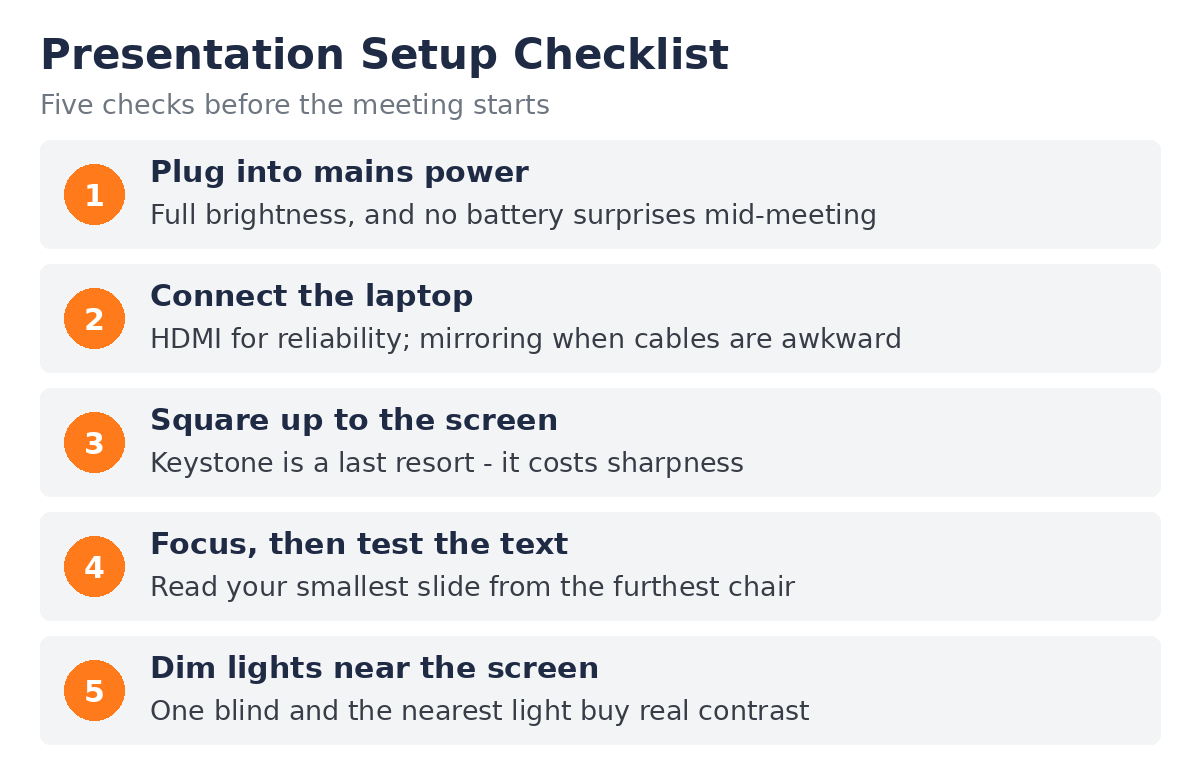
Focus and keystone decide the rest. Autofocus gets you close, but corners often soften slightly on small projectors, and digital keystone correction discards resolution to square the picture — so line the projector up square first and use keystone last.
Then run the real test: open your densest slide, sit in the furthest chair, and read the smallest line. If you cannot, enlarge the fonts and zoom the spreadsheet rather than shrinking it to fit.
Connections: HDMI, USB-C, and Wireless Mirroring
HDMI remains the boring, reliable default. It works with every laptop, carries picture and sound together, and never asks for a network password. Keep a cable and the common adapters in the room, and presenting stops being a negotiation with a drawer of dongles.
USB-C looks simpler — one slim cable — but it only carries video when the laptop’s port supports a video signal (DisplayPort alt mode). Many modern laptops do; some ports are charge-and-data only. Check your machine’s port before building a meeting routine around it.
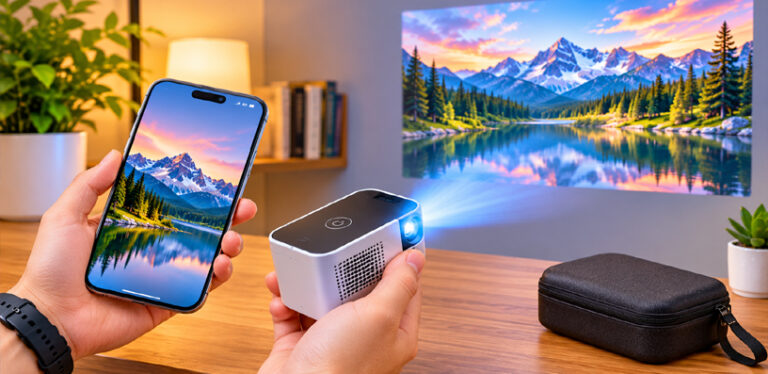
Wireless screen mirroring and casting remove the cable entirely and make swapping presenters quick, which suits a huddle room well.
Expect a slight delay, a dependence on the room’s Wi-Fi behaving, and the occasional protected app refusing to mirror. Slides do not mind the delay; presenters who click and talk at the same time sometimes do.
Phones follow the same rules, with one extra catch: the phone’s own wireless system decides what can be mirrored and how. If your team mostly presents from phones, our ranked guide to the best pocket projector for iPhone users covers the models that handle phone-first presenting best.
Battery vs Mains Power During a Presentation
Most mini projector batteries last somewhere between one and two and a half hours, and many models quietly reduce brightness on battery power to stretch that runtime. A one-hour meeting can therefore end with a dimmer picture and a nearly empty battery.
For anything that matters — a client in the room, a long workshop, a back-to-back schedule — plug into mains power. You get full brightness for the whole session and no shutdown risk. Save the battery for the ad-hoc huddle in a room where the sockets are all taken.
Built-In Speakers: Fine for Voices, Thin for Video
The small built-in speakers in mini projectors, often just a few watts, handle speech perfectly well for a few people sitting near the table. A spoken presentation, a voice call, or narration over slides will come through clearly at huddle distance.
Push video audio across a bigger room, though, and the sound turns thin and quiet for the back rows. If your meetings regularly include videos, plan a workaround: keep clips short, sit people closer, or add a small portable speaker for the audio and let the projector handle only the picture.
Setup Speed: The Mini Projector’s Real Superpower
What a mini projector gives back is time. It lives in a drawer or a laptop bag, sits on the meeting table or a small tripod, and with automatic keystone correction and autofocus it can be showing a square, sharp picture a couple of minutes after someone says “let’s look at the numbers”. No ceiling mount, no booked room, no support ticket.
That speed has one discipline attached: position beats correction. A projector placed square to the screen at the right throw distance needs almost no keystone and no focus fighting, and it keeps every bit of its native resolution for your text.
When a Mini Projector Is the Wrong Tool
A big boardroom is the clearest no. A long table pushes the back row far from the screen, the screen has to grow to stay readable, and brightness runs out long before the picture does. That job belongs to a bright, permanently installed projector.
A bright, glass-walled room is the second no. Sunlight through a wall of glass is the hardest test any projector faces, and it is the same limit that decides whether mini projectors work in daylight at all. Blinds help; physics wins.
All-day training is the third. Hours of dense documents, code, or spreadsheets at small sizes will tire eyes even on a good picture, and a mini’s softer corners make it worse. For training days, text-dense work, and large groups, choose the full-size tool and keep the mini for what it does best.
Frequently Asked Questions
Can you use a mini projector for office presentations?
Yes, for small meetings and huddle rooms with a handful of people, controlled light, and slides built from headings and charts. For large groups, bright rooms, or fine spreadsheet text, a full-size projector is the better tool.
How bright does a mini projector need to be for an office?
In a dimmed huddle room, around 300 ANSI lumens can work at 60 to 80 inches. In normal office lighting you need the top of the mini range — roughly 800 ANSI lumens or more — and even then a smaller picture helps.
Can a mini projector show spreadsheets and small text clearly?
Only under the right conditions: a true native 1080p picture, careful focus, minimal keystone correction, and enlarged fonts. Models that merely support 1080p input soften small text, so test your densest sheet from the furthest seat.
How many people can watch a mini projector presentation?
Comfortably about two to ten, depending on room light and picture size. Beyond ten people, the back rows lose the small text first, which is where a mini projector stops being the right tool.
Can I present wirelessly from a laptop or phone?
Yes — most mini projectors offer screen mirroring or casting over Wi-Fi. Expect a slight delay and the occasional protected app refusing to mirror, so keep an HDMI cable in the room as the reliable fallback.
Should I plug a mini projector in or run it on battery?
Plug it in for anything important. Mains power gives full brightness for the whole meeting, while battery mode often dims the picture and typically lasts only one to two and a half hours.
Do I need a proper screen, or is a white wall enough?
A smooth, matte white wall is fine for slides and charts in a pinch. A proper screen adds flatness and contrast, but avoid glossy, textured, or strongly coloured walls — they dull the picture and tint the colours.
When should an office choose a full-size projector instead?
For big boardrooms, bright glass-walled rooms, groups well beyond ten people, and all-day training on dense text or spreadsheets. Those jobs need brightness and sharpness a mini projector cannot honestly provide.
Bottom Line
A mini projector is a genuinely good office tool inside its limits: small groups, controlled light, a modest picture size, and material built from headings and charts rather than fine print. Set it up square, plug it in, and keep the image small enough to stay bright, and it will handle huddle rooms and small meetings without fuss.
Ask it to light a boardroom, fight a glass wall, or carry a day of spreadsheets, and you are asking the wrong tool. Match the projector to the room and the material, and the honest answer to the question is yes — more often than most offices expect.