How to Charge a Projector With a Power Bank 2026 – Complete Guide
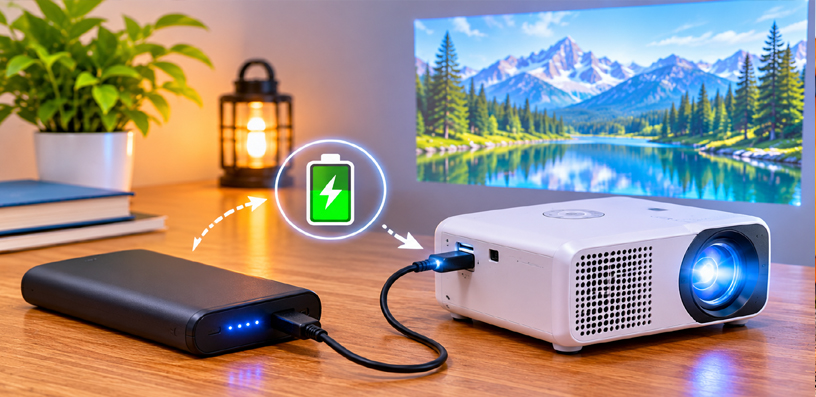
A projector with a power bank stops being tied to a wall socket. The film moves to the garden, the campsite, or a friend’s house, and the only extra thing you carry is a brick the size of a paperback.
That freedom only works when the bank and the projector agree. A bank that is too weak will not charge the projector at all, or will drain mid-film. A bank that is strong enough, connected the right way, simply disappears into the evening.
This guide covers how to charge a projector with a power bank properly: the one rule that decides everything, finding what your projector needs, sizing the bank, handling a projector with no USB-C port, and fixing the most common failures.
How to Charge a Projector With a Power Bank in 2026?
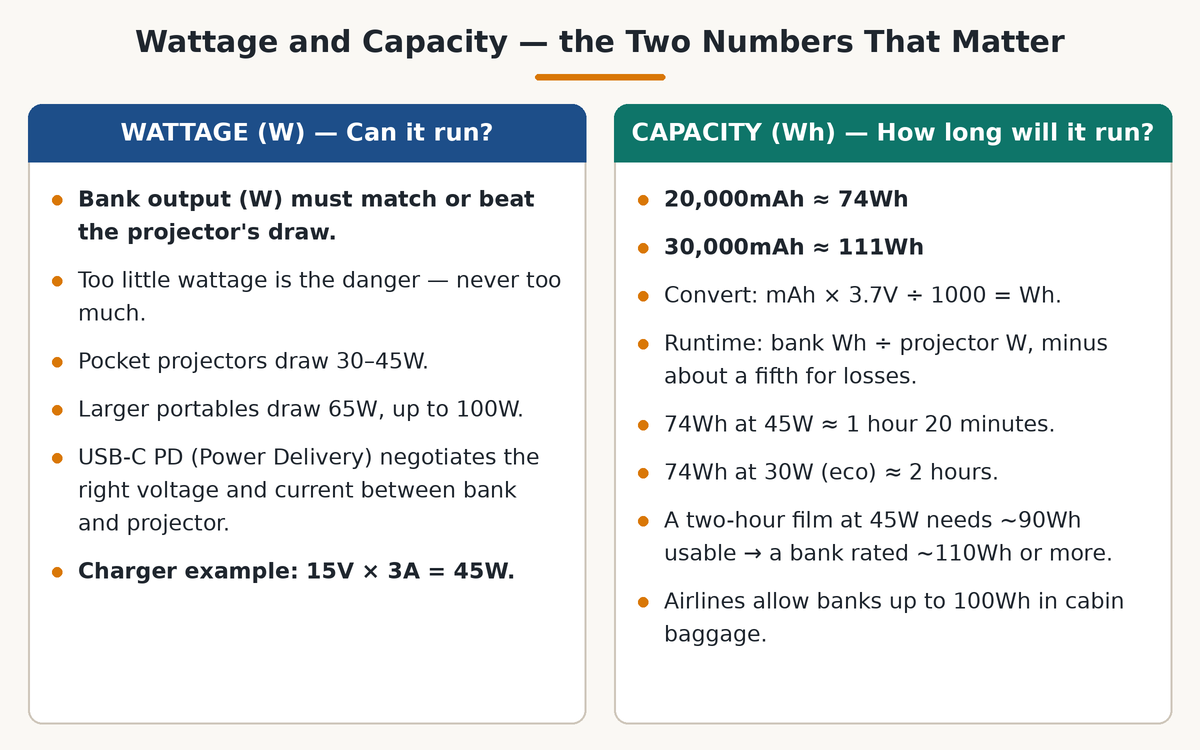
Every projector draws power while it runs, measured in watts. Your bank must deliver at least that many watts, or the setup will not work.
Think of it like water pressure. A bank delivering less than the projector needs cannot keep up: the projector may shut down mid-film, the picture may dim, or the battery may fall even while plugged in.
Going above the projector’s draw is fine: a projector only takes what it needs, so a stronger bank forces nothing extra into it. With a proper USB-C PD bank, the danger is never too much wattage. It is too little.
USB-C PD, short for Power Delivery, is the system that makes this work: the projector asks for the voltage and current it needs, and the bank supplies exactly that, if it can. Without PD, a USB port delivers only a small trickle, which is why an ordinary phone charger so often fails here.
What Your Projector Actually Needs
Start with the charger that came in the box. Its label states an output in watts, or in volts and amps — multiply volts by amps to get watts. A charger marked 15V and 3A is a 45W charger, roughly what the projector expects.
That number is your minimum for the bank’s USB-C output. Many pocket projectors sit in the 30W to 45W range, while larger portables can ask for 65W or even 100W. Figures vary by model, so trust your own charger’s label over any general guide.
Next, check the port itself. A projector whose USB-C input supports charging will say so in its manual, usually as “USB-C PD charging” or “USB-C power input.” Some USB-C ports only read flash drives or only send video, and a bank plugged into one of those does nothing — one of the most common causes of a “dead” setup.
Also check pass-through charging: playing a film while the bank charges the projector. Most modern portables support it, but some budget models pause charging while playing or slowly lose charge during a bright film. An eco or low-power mode helps here, lowering brightness and draw so the bank keeps up and the film runs longer.
Finally, if your projector’s maker has published its own power-bank guidance for the model, use that number over any general rule.
How Big a Bank Do You Need?
Wattage decides whether the setup works at all. Capacity decides how long it works. Confusing the two is the second most common mistake.
Capacity is usually printed in milliamp-hours (mAh), but the honest unit is watt-hours (Wh), because watts are what the projector consumes. Convert by multiplying mAh by the bank’s nominal voltage, usually 3.7V, and dividing by 1,000: a 20,000mAh bank is roughly 74Wh, and a 30,000mAh bank roughly 111Wh.
The sizing rule is simple: divide the bank’s watt-hours by the projector’s watt draw, then knock off about a fifth for losses. A 74Wh bank feeding a 45W projector gives roughly an hour and twenty minutes; the same bank on a 30W pocket projector in eco mode gives roughly two hours.
For one full film, plan on the film’s length plus a margin. A two-hour film on a 45W projector needs roughly 90Wh of usable energy, so a bank rated around 110Wh or more once losses are counted. For two films, double it or carry a second bank.
Travel note: most airlines allow banks up to 100Wh in cabin baggage, so frequent flyers often prefer a 100Wh-class bank plus a second one.
When the Projector Has No USB-C Input
Some projectors, especially older or larger ones, charge only through a round barrel plug. A normal USB bank cannot feed those directly, because plug shapes and voltages do not match.
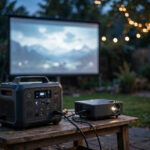
Two honest options exist. The first is a bank with a built-in AC outlet, sometimes called a portable power station: plug the projector’s own charger into it, exactly as into a wall socket. This works for almost any projector, but the bank is bigger and heavier, and you lose energy twice — converting battery power to AC, then back again inside the charger.
The second option is a bank with a DC barrel output matching your projector’s voltage. This only works if the voltage matches exactly and the plug fits. The wrong voltage can damage the projector, so never guess: match the charger’s label volt for volt, or use the AC-outlet route.
For big lamp-based home-theater projectors, neither pocket option is realistic: they draw far more than a pocket bank can give and belong on wall power. Power banks are a portable-projector solution, not a home-cinema one.
Step by Step: Setting It Up
Charge the bank fully before you leave, using its own fastest input. A half-charged bank on movie night is the easiest disappointment to avoid.
Use a USB-C to USB-C cable rated for the wattage you need. A cable matters as much as the bank: a cheap phone-charging cable can throttle a 45W or 65W connection to a trickle, and the projector will behave exactly as if the bank were too weak. Match the cable’s PD rating to your wattage.
Connect the bank to the projector’s charging port, not a data-only port. Switch the projector on and check that its charging indicator shows it is receiving power. If you want maximum runtime, switch eco mode on now rather than halfway through the film.
Place the bank where air can reach it, on a hard surface, not under a cushion or in a closed bag. Keep the cable run short so nobody trips over it in the dark. After ten minutes of film, glance at the battery level: if it is holding or climbing, the setup is good for the evening.
When It Does Not Work: Failures and Fixes
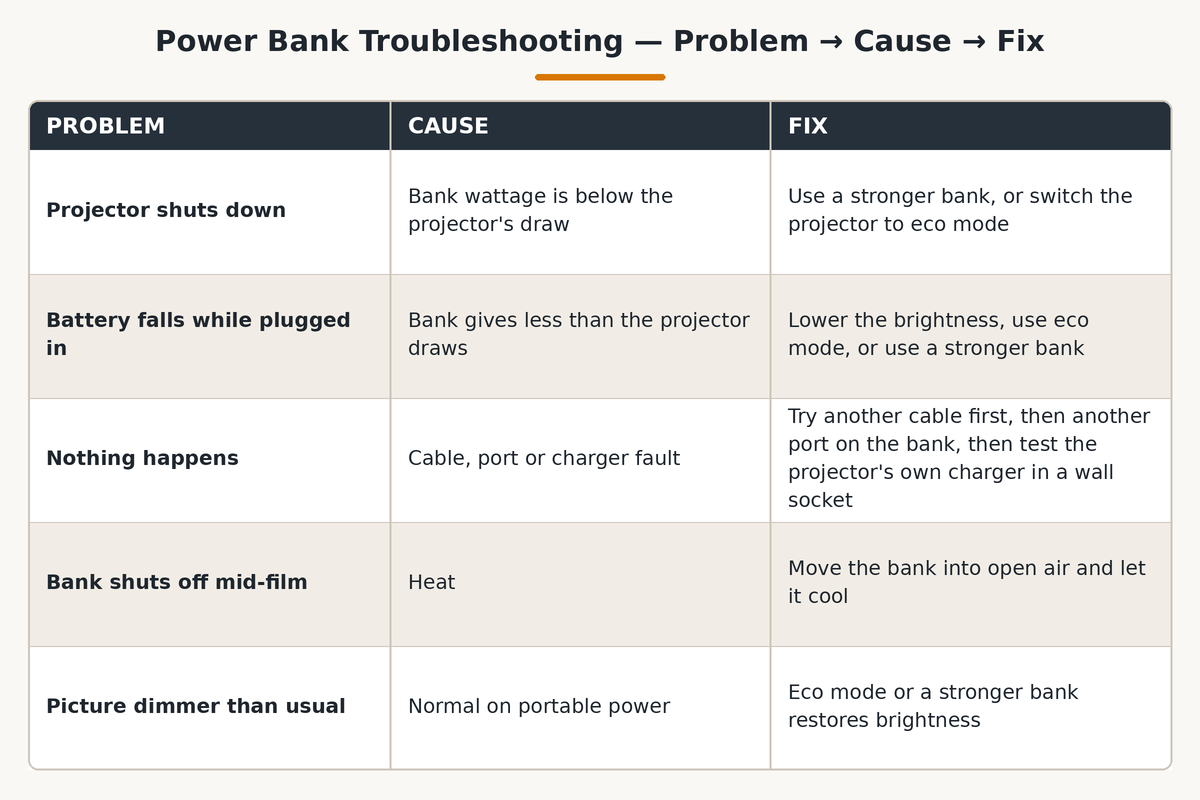
The projector switches on, then shuts down. This almost always means the bank’s wattage is below the projector’s draw. Swap to a stronger bank or drop into eco mode. If neither helps, the bank is simply too small for that projector.
The battery percentage falls while plugged in. The bank delivers power, but less than the projector uses. Lower the brightness, switch to eco mode, or use a stronger bank. On some models, this is normal at full brightness.
Nothing happens at all. Try another cable first — cables fail more often than banks do. Then try another port on the bank, since some banks share wattage across ports and give full power only from one marked port. Also test the projector’s own charger in a wall socket.
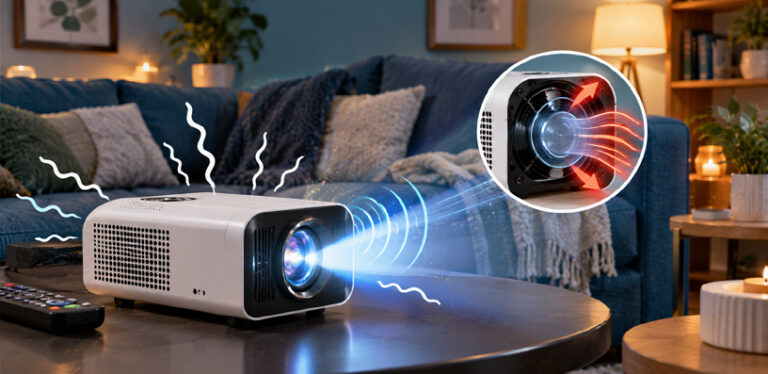
The bank shuts off mid-film. Heat is the usual cause: move it into open air, off blankets and out of direct sun, and let it cool before restarting. Some banks also shut off at very low draw, mistaking a trickle for nothing connected, though that is rare with projectors.
The projector charges but the picture is dimmer than usual. Some projectors deliberately dim the picture on portable power, to keep draw within what the bank can give. This is normal, not a fault, and eco mode or a stronger bank usually restores full brightness.
Safety Notes Worth Taking Seriously
Heat is the thing to watch. A bank that feels hot, smells odd, or has a swollen case should be unplugged and retired, not nursed through one more film. Never charge a damaged bank or projector.
Keep both devices ventilated while they run: no blanket over the bank, no cushions burying it, no direct sun baking the pair. Warm is normal during fast charging; hot enough to be uncomfortable to hold is not.
Use certified cables and banks from reputable makers. PD negotiation protects against most mismatches, but a counterfeit cable or an unbranded bank with invented ratings bypasses it. If a bank’s claimed wattage seems impossibly high for its size and weight, be suspicious.
Frequently Asked Questions
Can any projector be charged with a power bank?
No. Portable projectors with USB-C PD charging work well with a suitable bank, and barrel-plug models can work through an AC-output bank. Large lamp-based home-theater projectors need wall power.
What wattage power bank do I need for a projector?
Match or exceed your projector’s charger wattage — volts times amps gives watts. Many pocket projectors need 30W to 45W, while larger portables can need 65W or 100W, so use your own model’s number.
Can I use the projector while it charges from a power bank?
Usually yes, if the projector supports pass-through charging. At full brightness, the bank may only slow the drain, so eco mode helps. A few budget models pause charging while playing, so check your manual.
How long will a power bank run a projector?
Divide the bank’s watt-hours by the projector’s watt draw, then subtract about a fifth for losses. A 74Wh bank on a 45W projector lasts roughly an hour and twenty minutes; on a 30W projector in eco mode, roughly two hours.
Why is my projector not charging from my power bank?
Usually a bank weaker than the draw, a cable not rated for PD wattage, a data-only USB-C port, or a bank splitting wattage across ports. Try a PD-rated cable, the main high-power port, and eco mode before blaming the bank.
Can I charge a projector with a phone power bank?
Seldom. Phone banks typically deliver 10W to 20W, far below what a projector needs, and many only output 5V. You need a PD bank whose single-port wattage meets or beats the charger’s wattage.
Do I need a special cable to charge a projector from a power bank?
In one sense, yes: the cable must be rated for the wattage you are pushing. A USB-C cable rated for 60W or 100W PD avoids the silent throttling a cheap phone cable causes. Short, certified cables are safest.
Is it safe to leave a projector charging from a power bank overnight?
With a quality bank and a projector that stops drawing when full, it is generally safe, but unplug once charging finishes. Keep both devices ventilated, never covered in a closed bag or a hot room.
Bottom Line
Charging a projector with a power bank comes down to two numbers: wattage must meet or beat the projector’s draw, and watt-hours must cover the film with room to spare. Get those right, use a properly rated PD cable, and the setup just works.
Start from your charger’s label, not a generic recommendation. If the numbers line up and the projector has a proper charging port, movie night can happen anywhere the bank can go. If they do not, a bigger bank is the honest answer.
For the wider picture of running a projector away from a wall socket, including portable power stations and other methods, see our guide to powering a projector outdoors without an outlet. Then connecting speakers to a projector and connecting a phone to a projector for a backyard movie complete the outdoor setup.