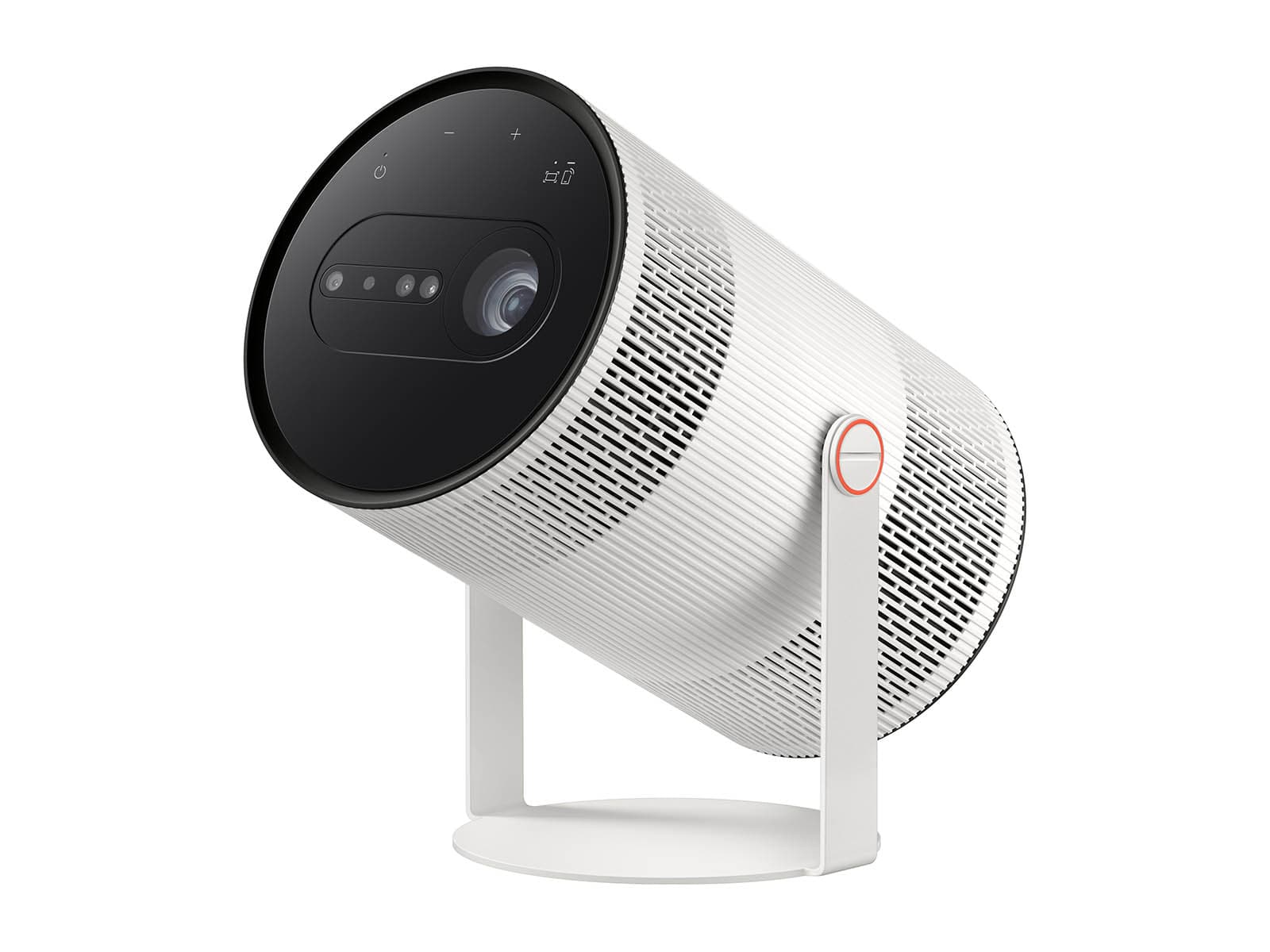
Samsung The Freestyle+ Review (2026) — Portable Smart Projector
Most portable projectors ask you to do the work: level the tripod, square the image, focus the lens, then repeat it all when someone bumps the table. The Samsung The Freestyle+ is built around the opposite idea.
This Samsung The Freestyle Plus review looks at a compact Full HD projector that points at a wall, a corner, a curtain, or a ceiling, then corrects itself into a watchable rectangular picture with almost no input from you.
A Portable Projector That Sets Itself Up
The Freestyle+ (model SP-LFF3H) is Samsung’s 2026 update to its cylindrical Freestyle line. It keeps the same rotating body, 360-degree speaker, and Samsung smart TV platform, but the changes are meaningful.
Brightness rises to 430 ISO lumens, which Samsung describes as nearly twice the previous generation. A new suite called AI OptiScreen adds 3D Auto Keystone, Real-time Focus, Screen Fit, Wall Calibration, and Obstacle Avoidance. Vision AI Companion brings conversational voice control to the line for the first time.
Samsung The Freestyle Plus Review: The Verdict in Brief
Who is it for? Renters who cannot drill mounts or paint walls white, bedroom and ceiling viewers, students, travellers, and anyone who never projects onto the same surface twice.
Based on verified specifications from Samsung and measured data published for earlier Freestyle models, the Freestyle+ is the most effortless portable projector Samsung has made.
But effortlessness is what you are buying — not raw brightness, not 4K, and not a built-in battery, because there still isn’t one.
Samsung The Freestyle Plus: Key Specifications
- Model: Samsung The Freestyle+ (SP-LFF3H / SP-LFF3HLAXXZA), 2026
- Resolution: Full HD 1920 × 1080, LED light source
- Brightness: 430 ISO lumens
- Picture: HDR10+, PurColor, Adaptive Picture, Eye Protection Mode
- Image size: 30 to 100 inches (0.8 m throw for 30 in; 2.7 m for 100 in)
- Auto setup: AI OptiScreen — 3D Auto Keystone, Real-time Focus, Screen Fit, Wall Calibration, Obstacle Avoidance
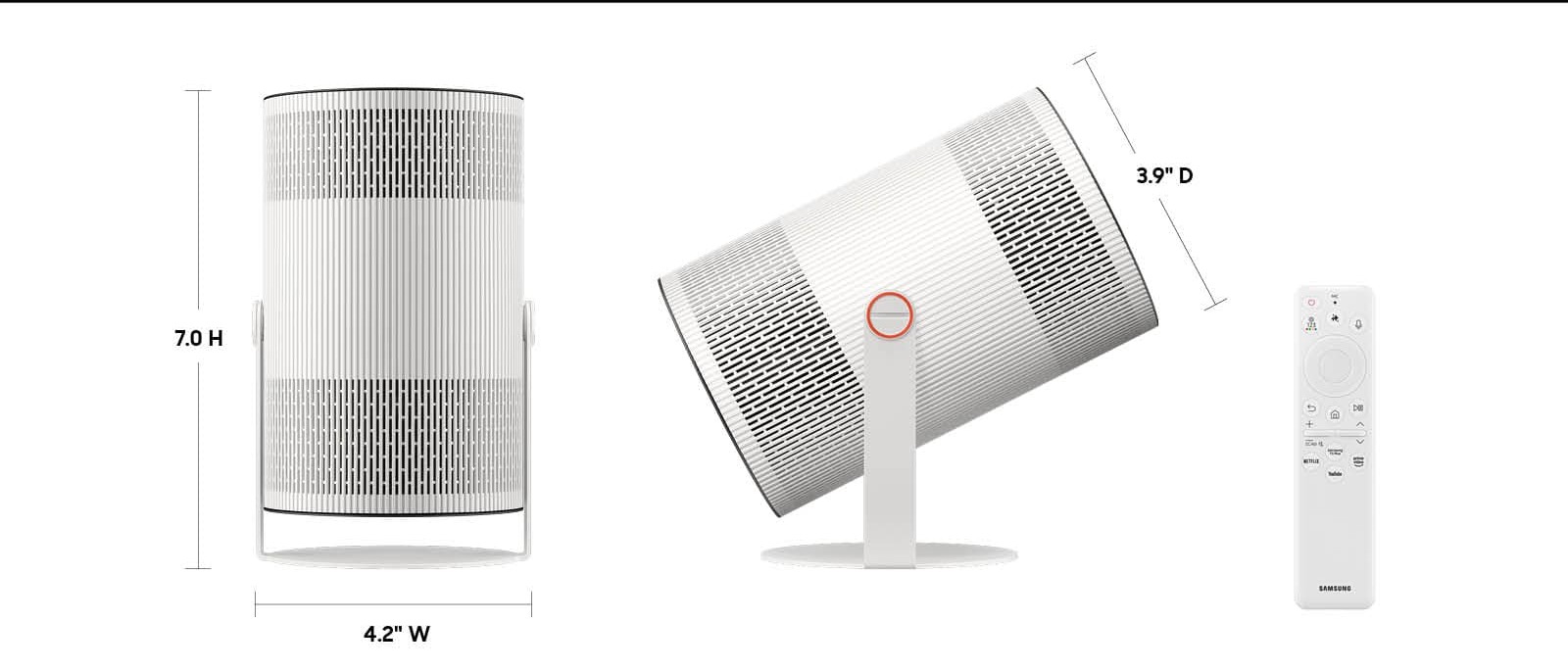
- Design: Cylindrical body on a 180-degree rotating cradle; around 1 kg; 4.2 × 7.0 × 3.9 inches with stand; carry pouch included
- Audio: Built-in 360-degree speaker with dual passive radiators, Adaptive Sound, Q-Symphony support for compatible Samsung soundbars
- Smart platform: Samsung Tizen Smart Hub, Samsung TV Plus, Samsung Gaming Hub, Vision AI Companion with Bixby
- Connections: Single Micro HDMI input, USB-C power, Wi-Fi, Bluetooth, AirPlay 2, SmartThings and Tap View mirroring; BT SolarCell Remote TM2561E included
- Battery: None built in — mains power, a compatible USB-PD external battery (50W / 20V or above), or Samsung’s Freestyle Battery Base
✓ Pros
- AI OptiScreen auto setup genuinely works on corners, curtains, and angled walls
- 430 ISO lumens — nearly twice the previous generation, in an honest standard measure
- Full Samsung smart TV platform with certified apps, TV Plus and Gaming Hub built in
- 180-degree rotating design makes ceiling projection effortless
- 360-degree speaker with dual passive radiators; Q-Symphony with Samsung soundbars
- Around 1 kg, pouch included, and very quiet in normal use
- HDR10+ and PurColor support, plus Wall Calibration for coloured walls
✗ Cons
- No built-in battery — external USB-PD battery or Battery Base needed away from a socket
- 430 ISO lumens still means a dim room; not a daylight or large-screen cinema projector
- Full HD only, while some rivals in this class now offer 4K
- No published input-lag figure; 1080p/60 cap rules out competitive gaming
- Single Micro HDMI input, no optical zoom or lens shift
- Samsung account required for streaming; best experience sits inside Samsung’s ecosystem
- Digital keystone at extreme angles shrinks the image and softens edges
These confirmed specifications frame everything that follows.
The Freestyle+ is a lifestyle projector with a serious smart platform, not a shrunken home-cinema machine.
Design & Build: The Canister That Points Anywhere
The Freestyle+ looks almost identical to the projectors before it, and that is no bad thing. The body is a smooth cylinder in a cradle stand, finished to disappear into a room rather than dominate it.
Samsung’s official dimensions put it at 4.2 × 7.0 × 3.9 inches with the stand, and Samsung UK lists the weight at around 1 kg — light enough to carry one-handed between rooms. A travelling pouch is included in the box.
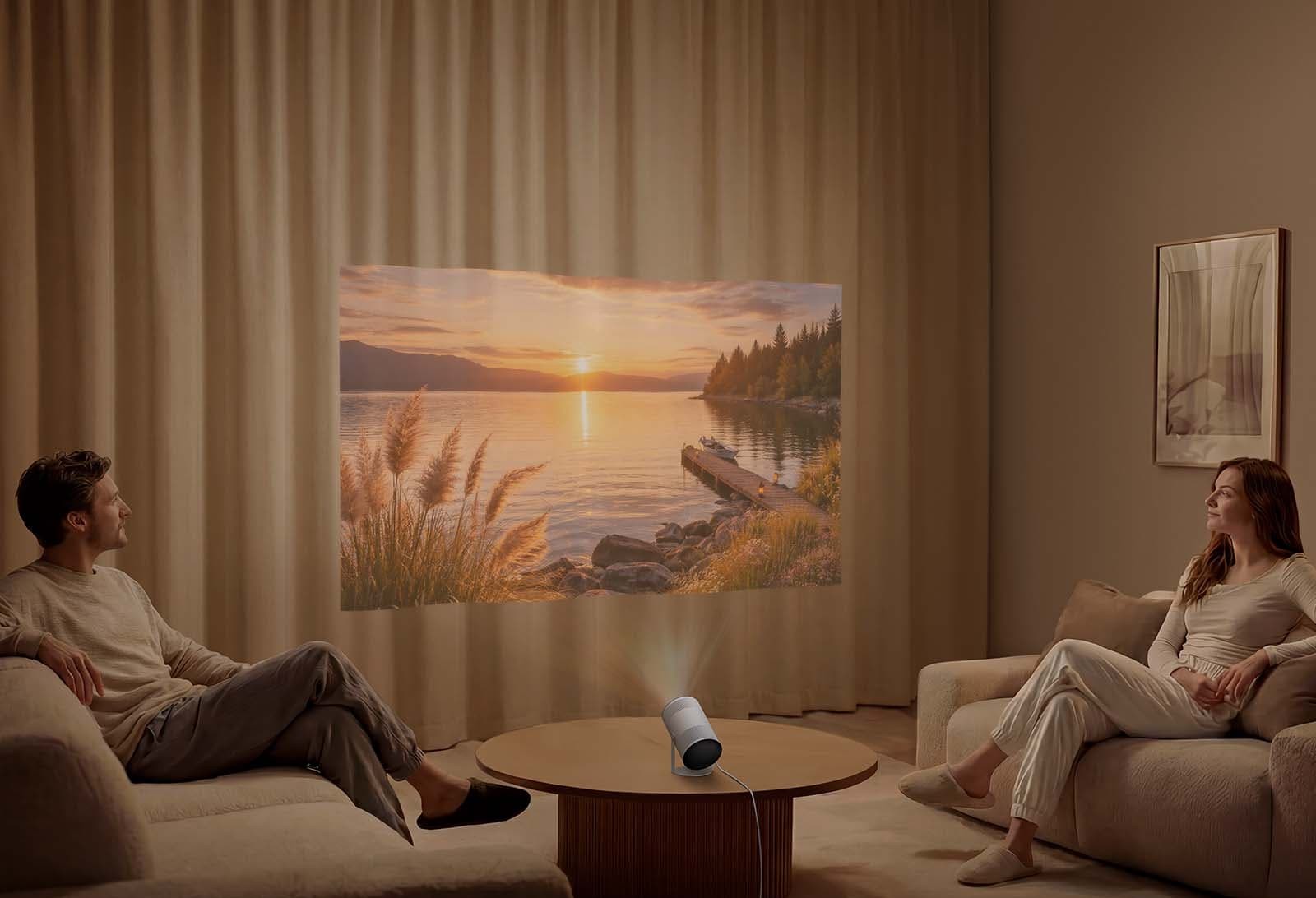
The party trick remains the cradle. The body rotates through 180 degrees, so the lens can aim straight at a wall, tilt up to a ceiling above a bed, or angle down toward a floor — all without a mount, a tripod or a stack of books. Few rivals make ceiling projection this trivial, and for many owners it becomes the main way the projector is used.
Build trade-offs follow from the size. There is no optical zoom and no lens shift, so image size is set purely by distance, and there is a single Micro HDMI input rather than a full connection panel. There is also no weather sealing, so treat it as an indoor projector that can visit the garden after dark, not one that can live there.
Features: AI OptiScreen Does the Setup for You
3D Auto Keystone, Real-Time Focus and Obstacle Avoidance
AI OptiScreen is best understood as four separate frustrations removed at once. 3D Auto Keystone corrects geometry not just on flat walls but on corners, angled walls, and even curtains — surfaces where conventional auto-keystone gives up and leaves a trapezoid.
Real-time Focus continuously re-sharpens the image as you move or rotate the projector; hands-on reports from CES 2026 described focus settling in a fraction of a second when the unit was swung between surfaces.
Screen Fit sizes the image to a screen’s borders when you do use a proper screen, and Obstacle Avoidance detects objects such as shelves, frames, and light switches in the projection area and reshapes the picture around them.
Two honest caveats belong here, because most coverage skips them.
First, keystone correction is digital: the projector throws away pixels to square the image, so extreme angles shrink the picture and soften edges. The wilder the angle, the more resolution and brightness you trade for convenience.
Second, there is no optical zoom or lens shift to fall back on, so point as straight and central as you can and let the automation handle the last few degrees — the picture stays visibly sharper that way.
Wall Calibration and Adaptive Picture
Wall Calibration analyses the colour and pattern of the surface and compensates, so a cream, grey or lightly patterned wall does not tint everything you watch. It cannot turn a dark wall into a reference screen, but for renters stuck with landlord colours it is a genuinely useful answer to a real problem.
Adaptive Picture adjusts brightness to the content and the room, and Eye Protection Mode automatically dims the image if a child or pet moves through the beam — a small feature parents will appreciate more than any specification on the box.
Power and Portability: The Battery Question
Here is the gap in the Freestyle story that has not closed: there is no internal battery. Portable here means light, compact and quick to set up — not cordless.
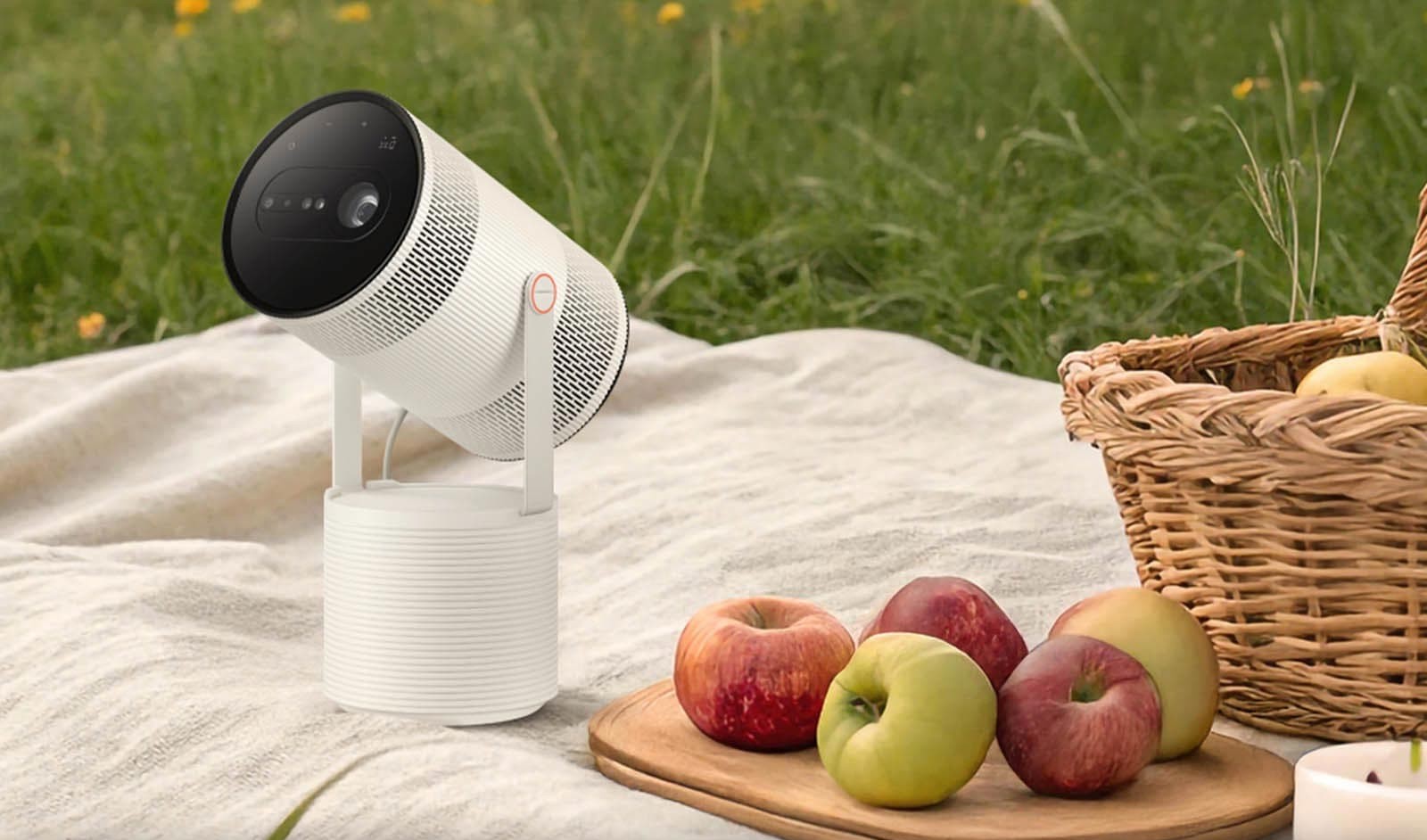
For a garden screening, you will need a mains socket, Samsung’s separate Freestyle Battery Base, or an external USB-PD battery rated at 50W / 20V or above, as Samsung specifies.
A suitable power bank adds noticeable weight and is an extra purchase to plan for, as our guide to how to power a projector outdoors without an outlet explains. Decide which matters more before you buy, not after the first camping trip.
Connections and Mirroring
Wireless is the Freestyle+’s home turf: SmartThings, Tap View and screen mirroring from Samsung phones, AirPlay 2 from Apple devices, Wi-Fi streaming for every built-in app, and Bluetooth for external speakers, headphones and game controllers.
Wired input is deliberately minimal — a single Micro HDMI socket for a console, laptop, or media player. Anyone planning a permanent multi-source setup will feel that limit quickly.
Performance: Bright Enough, If You Respect the Light
Start with the number that decides everything: 430 ISO lumens. ISO lumens are a standardised measure, which makes this figure more trustworthy than the inflated LED-lumen claims common on portable projectors, and Samsung says it is nearly twice the previous generation’s output.
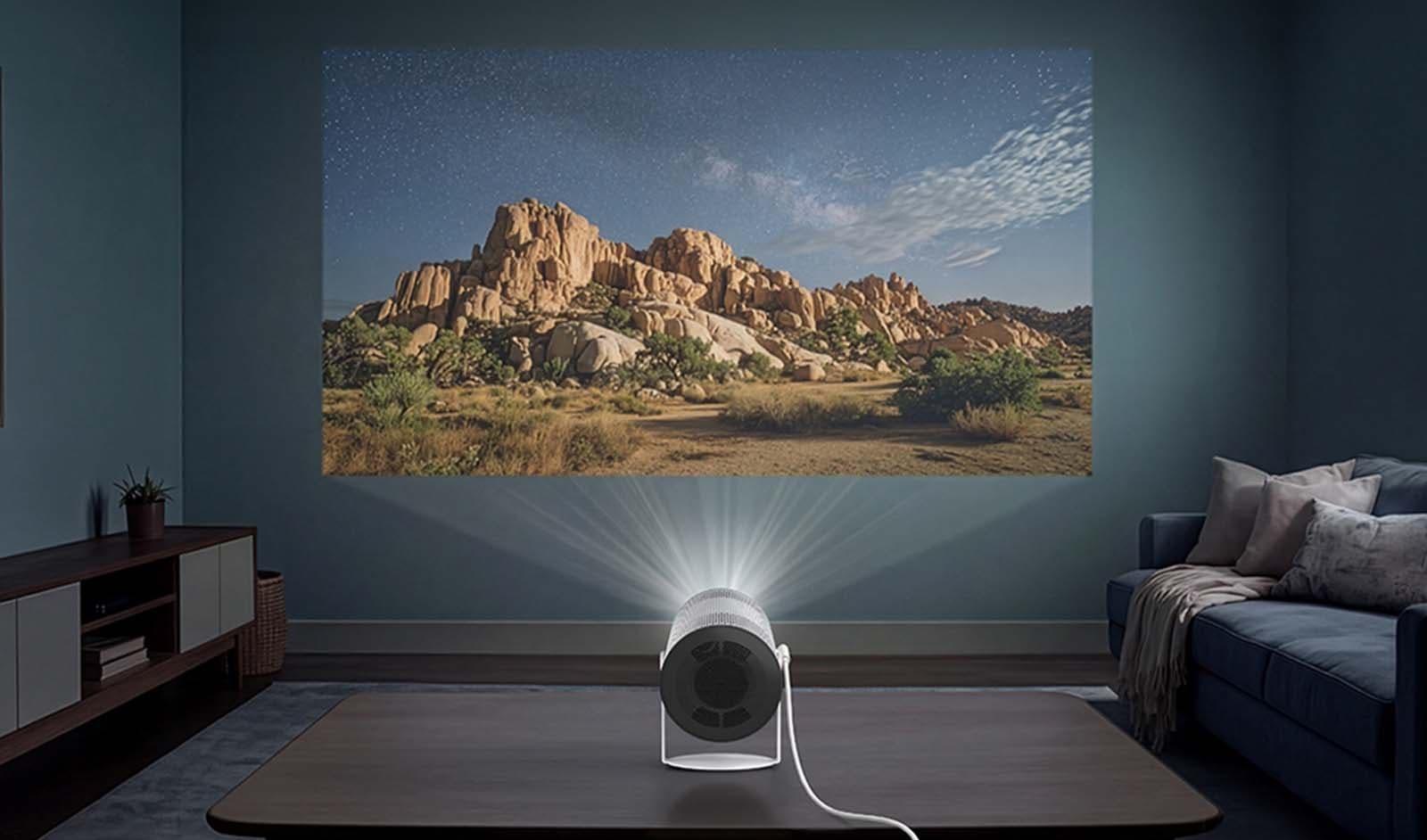
In practice that means a punchy 60- to 80-inch picture in a dim room, a good 100-inch picture after dark, and an image that fades fast as room light rises. If you are unsure what that means for your room, our explainer on how many lumens you need for a projector walks through the maths by room type.
Throw distance is fixed by the lens, and Samsung’s own table is the one to plan a room around: 30 inches from 0.8 m, 55 inches from 1.5 m, 65 inches from 1.7 m, 75 inches from 2.0 m, and 100 inches from 2.7 m.
That is a friendly throw for bedrooms and small living rooms — the projector sits on a bedside or coffee table, not a shelf behind the sofa.
Colour and HDR need honest framing. PurColor processing and HDR10+ support mean the Freestyle+ accepts HDR streams and applies scene-by-scene tone mapping from HDR10+ metadata, which helps stop bright highlights clipping on services that carry it.
But tone mapping cannot create brightness or contrast the hardware does not have. With this light output, HDR is best understood as better-behaved SDR-plus: colours stay rich in mixed scenes, while truly dark material reveals the class limitation — blacks render as dark grey and shadow detail crushes sooner than on a larger home projector.
Fan noise is the specification most launch coverage has simply not mentioned. Samsung-family figures put the Freestyle+ at around 30 dB, and the best independent reference’s measurements of the original Freestyle, which found the fan barely measurable at one metre — effectively at the review room’s roughly 35 dB noise floor.
No independent lab has yet published a measured noise figure or full brightness table specifically for the Freestyle+, so treat any site quoting precise Plus measurements with suspicion until those tests appear. Expect a quiet projector whose fan disappears under dialogue at normal volume.
Daytime use deserves a straight answer, because the marketing photos will not give you one. In a sunlit room, 430 ISO lumens will not hold a watchable image at large sizes, whatever the mode.
If bright-room daytime viewing is the main job, read whether you can use a projector outside during the day before assuming any compact projector will cope — most will not, and this one is honest company in that respect. Curtains closed, or lights low, is where the Freestyle+ earns its keep.
Picture Modes: Which One to Use, and When
The Freestyle+ follows the picture-mode structure Samsung documents for the Freestyle range in its Tizen menus, with the Plus model’s Adaptive Picture sitting on top as an automatic layer. Each mode trades brightness against colour accuracy, so choosing well matters more here than on a bright TV.
Dynamic
Dynamic is the brightness-first mode: it pushes light output, contrast and saturation to punch through ambient light. Samsung’s own support guidance recommends it for bright environments, and it is the right choice for daytime casual viewing, sports with the lights on, or a kids’ film in the afternoon.
The cost is accuracy — colours oversaturate, skin tones can flush, and highlights clip earlier.
Standard
Standard is the default and the best all-rounder for everyday streaming in a dim room: balanced colour, sensible sharpness and brightness close to the projector’s best.
Most owners should live here for series, YouTube and general watching, and change modes only for a specific reason.
Movie
Movie is the accuracy-first mode for dark rooms: warmer, more natural colour and gentler contrast processing for films after dark. The trade-off is light.
Movie mode measured clearly dimmer than Dynamic and Standard (188 versus 234 ANSI lumens), and that pattern — the most accurate mode giving up some brightness — is typical of this range.
Expect the same direction of trade on the Freestyle+ until independent Plus measurements appear.
Game Mode and Adaptive Picture
Game mode prioritises response over processing, trimming the image enhancements that add delay — see the Gaming section for what that means in milliseconds.
Separately, Adaptive Picture automatically adjusts brightness for content and surrounding light, useful if the projector migrates around the house, though purists may prefer a fixed mode so brightness does not shift mid-film.
Audio: 360-Degree Sound That Fills a Small Room
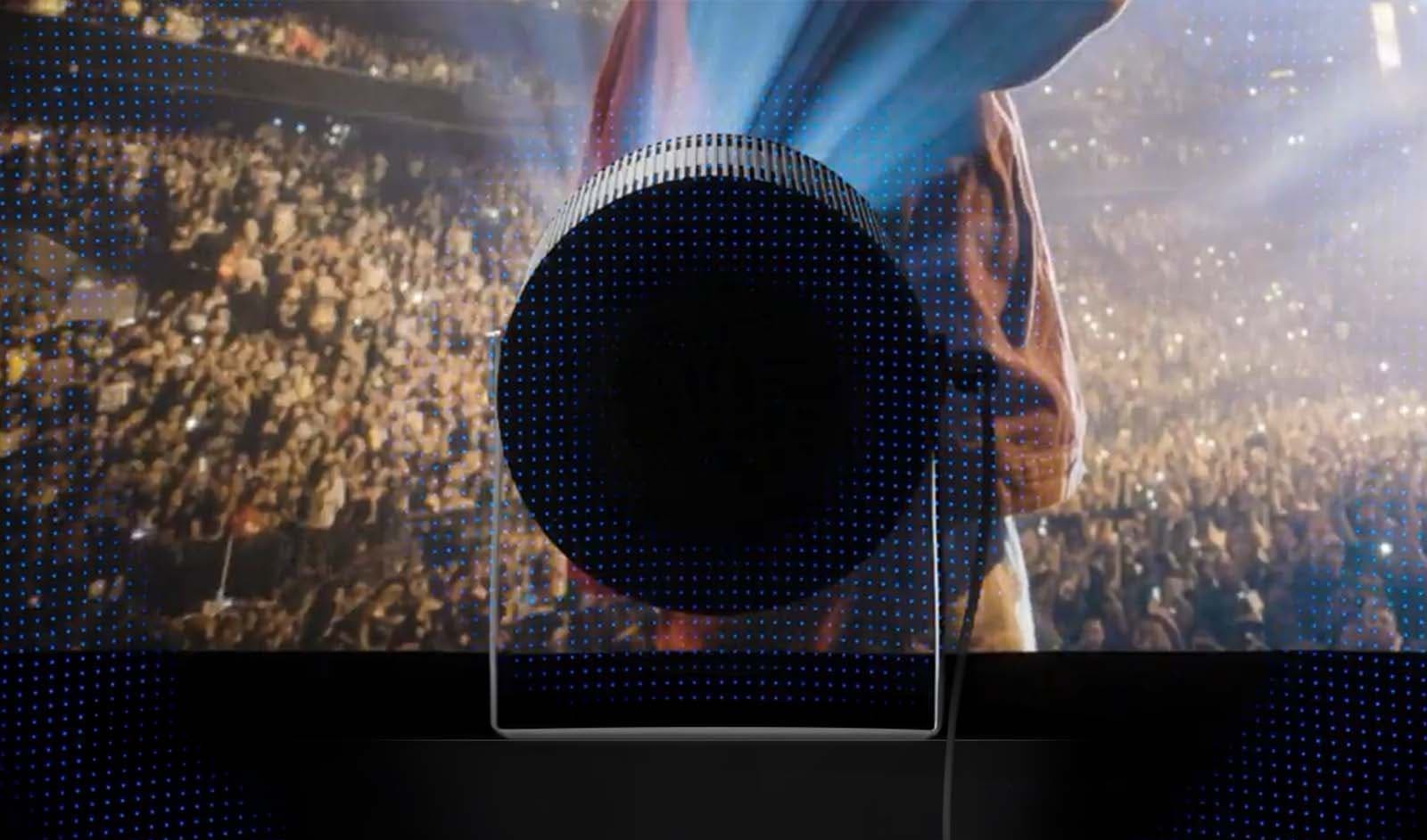
Audio has always been the Freestyle line’s quiet strength, and the Freestyle+ continues with a built-in 360-degree speaker backed by dual passive radiators, spreading sound in every direction rather than firing it at one seat.
Adaptive Sound adjusts output to the content, lifting speech in dramas and giving music more body. Bass is inevitably limited by the cabinet — you hear voices, effects, and midrange warmth rather than feel low-end weight — but for bedroom viewing and casual TV, most owners will not reach for another speaker.
When you do want more, the options are good. Bluetooth connects headphones for late-night ceiling viewing or an external speaker, and Q-Symphony is new for this generation: the projector’s speaker keeps playing in sync with a compatible Samsung soundbar instead of switching off, adding fullness around the bar’s output.
The projector sounds complete enough on its own for its intended rooms.
Smart Features & OS: A Samsung TV Without the TV
The Freestyle+ runs Samsung’s Tizen-based Smart Hub, the same platform as Samsung’s TVs, and it is the most complete smart system fitted to any portable projector.
Netflix, Prime Video, Disney+, YouTube and the other major certified apps run natively — no streaming stick, no phone required — alongside Samsung TV Plus, which adds a large line-up of free ad-supported channels (Samsung promotes more than 750 in the US) for casual background viewing.
Vision AI Companion is the new layer. Built around an enhanced, conversational Bixby working with partner AI services, it answers spoken questions about what is on screen and beyond — who an actor is, what a sports record is, what to watch next — with follow-ups rather than rigid voice commands. It is genuinely more natural than old-style voice search.
Now the gap most launch coverage skipped: a Samsung account is required to access the streaming features and install apps. Without one, you are largely limited to the HDMI input. Setup runs smoothest through SmartThings, and the deepest integrations — Tap View, Galaxy mirroring, SmartThings control — favour Samsung phone owners.
Apple users get AirPlay 2, and everyone gets the core apps, but be clear-eyed: this projector is at its best inside Samsung’s ecosystem. App availability also varies by region on Tizen, so check that your must-have local service exists on Samsung’s platform before relying on it.
Gaming: Great for Cloud and Casual Play, Not for Competition
Samsung Gaming Hub is built in, bringing Xbox Cloud Gaming, NVIDIA GeForce NOW, Amazon Luna, Blacknut and other services into one menu. Pair a Bluetooth controller, and you can play console-style games with no console in the room — a party trick that still feels slightly magical on a ceiling at 80 inches.
Input lag is where honesty matters, and where most Freestyle+ coverage has said nothing at all. Samsung does not publish an input-lag figure for the Freestyle+, and no independent lab measurement for this model was available at the time of writing.
The reference point is the original Freestyle: 43.2 ms at 1080p/60 in SDR. That level is comfortable for single-player adventures, racing, sports games, and casual multiplayer.
It is not competitive-shooter territory, however, and the picture is capped at 1080p/60 — there is no high-refresh mode and no variable refresh rate support in the published specifications. Buy the Freestyle+ for gaming convenience and variety, not for ranked play.
Who Should Buy / Who Should Skip
Buy It If …
you move your viewing around — bedroom ceiling tonight, living-room wall tomorrow, a rental or a tent wall at the weekend — and you hate setup friction more than you love specification sheets.
It suits renters who cannot modify walls, Samsung TV and Galaxy owners who will feel at home in the ecosystem instantly, families who want free TV Plus channels and eye-protection dimming around children, and casual cloud gamers who value playing anywhere over playing competitively.
Skip It If …
you are building a dedicated cinema room, where a larger, brighter fixed projector will outperform it in every picture metric that matters.
Skip it if you need true cordless operation without extra battery hardware, if your room cannot be dimmed, if 4K detail is a priority, or if you play fast competitive games where input lag and refresh rate decide matches.
Alternatives to Consider
Samsung The Freestyle 2nd Gen. The same concept in earlier form: the rotating design, Tizen platform, and Gaming Hub, but with much lower measured brightness (230 ANSI lumens in independent testing of that generation). The sensible choice if the Plus model’s AI surface correction and extra light do not match how you actually project.
XGIMI Halo+. A 1080p portable with 700 ISO lumens, Google TV with licensed Netflix, dual Harman Kardon speakers and — the decisive difference — a built-in battery rated for around 2.5 hours. Brighter and truly cordless, with a more conventional auto-setup system, the Freestyle+ counters with better surface intelligence and Samsung’s platform.
LG CineBeam Q. A compact design-led portable offering 4K UHD from an RGB laser light source at 500 ANSI lumens, with webOS streaming and a rotating handle-stand. The pick for buyers who want 4K sharpness in a small body, while the Freestyle+ offers friendlier auto setup, ceiling-friendly rotation, and Gaming Hub.
Anker Nebula capsule-style models. Pocketable 1080p portables with built-in batteries and Google TV trade the Freestyle+’s platform polish, surface correction and speaker presence for genuine unplugged freedom.
Frequently Asked Questions
Does the Samsung The Freestyle+ have a built-in battery?
No. There is no internal battery. The Freestyle+ runs from mains power, from a compatible external USB-PD battery rated at 50W / 20V or above, or from Samsung’s separate Freestyle Battery Base. Plan for one of those extras if you want to watch away from a socket.
How bright is the Freestyle+, and can you watch it in daylight?
Samsung rates it at 430 ISO lumens, nearly twice the previous generation in a standardised measure. That is enough for a strong 60- to 80-inch picture in a dim room and a good 100-inch picture after dark. In a sunlit room, the image washes out, as with every projector in this brightness class — close the curtains or wait for evening.
How far away should the Freestyle+ be for a 100-inch image?
According to Samsung’s own throw table, 2.7 metres gives 100 inches. The same table lists 0.8 m for 30 inches, 1.5 m for 55 inches, 1.7 m for 65 inches and 2.0 m for 75 inches. There is no optical zoom, so you change image size by moving the projector, not by turning a lens ring.
Is the Freestyle+ good for gaming and what is its input lag?
It is good for casual and cloud gaming through Samsung Gaming Hub, with services such as Xbox Cloud Gaming and GeForce NOW built in and Bluetooth controller support. Samsung does not publish an input-lag figure for this model, and no independent measurement was available at the time of writing; the original Freestyle measured 43.2 ms at 1080p/60, which is comfortable for casual play but not aimed at competitive gaming.
Does the Freestyle+ have Netflix and other streaming apps built in?
Yes. The Tizen Smart Hub runs certified apps including Netflix, Prime Video, Disney+, and YouTube, plus free Samsung TV Plus channels, with no streaming stick required. You will need a Samsung account to use the streaming features and install apps, and the exact app catalogue varies by region.
Can the Freestyle+ connect to a soundbar or headphones?
Yes. Bluetooth covers headphones and external speakers, and with a compatible Samsung soundbar, Q-Symphony lets the projector’s own 360-degree speaker play in sync with the soundbar rather than switching off, for a fuller combined sound.
Bottom Line
Based on verified specifications from Samsung and the measured track record of the models before it, the Freestyle+ is a focused, honest upgrade: nearly double the brightness, a smarter brain for imperfect rooms, and the same delightful point-at-anything design.
It does not pretend to be a cinema projector, a daylight screen or a cordless one — and buyers who understand those three limits will be very happy with it. On those jobs, nothing else in this class sets itself up as completely, or asks as little of you, as the Freestyle+ does.