XGIMI MoGo 4 Projector Review 2026 — Portable Smart Projector
Most portable projectors compromise somewhere obvious on a dim picture, weak speakers, a streaming system that cannot run Netflix properly, or a battery sold as an expensive extra. This XGIMI MoGo 4 review examines the model that removes those compromises in one move.
Released in June 2025, the MoGo 4 is a Full HD smart projector with a built-in 71.28Wh battery, a 360-degree rotating stand, Google TV with licensed Netflix, and dual Harman Kardon speakers, in a thermos-sized cylinder.
XGIMI MoGo 4 Review: The Verdict in Brief
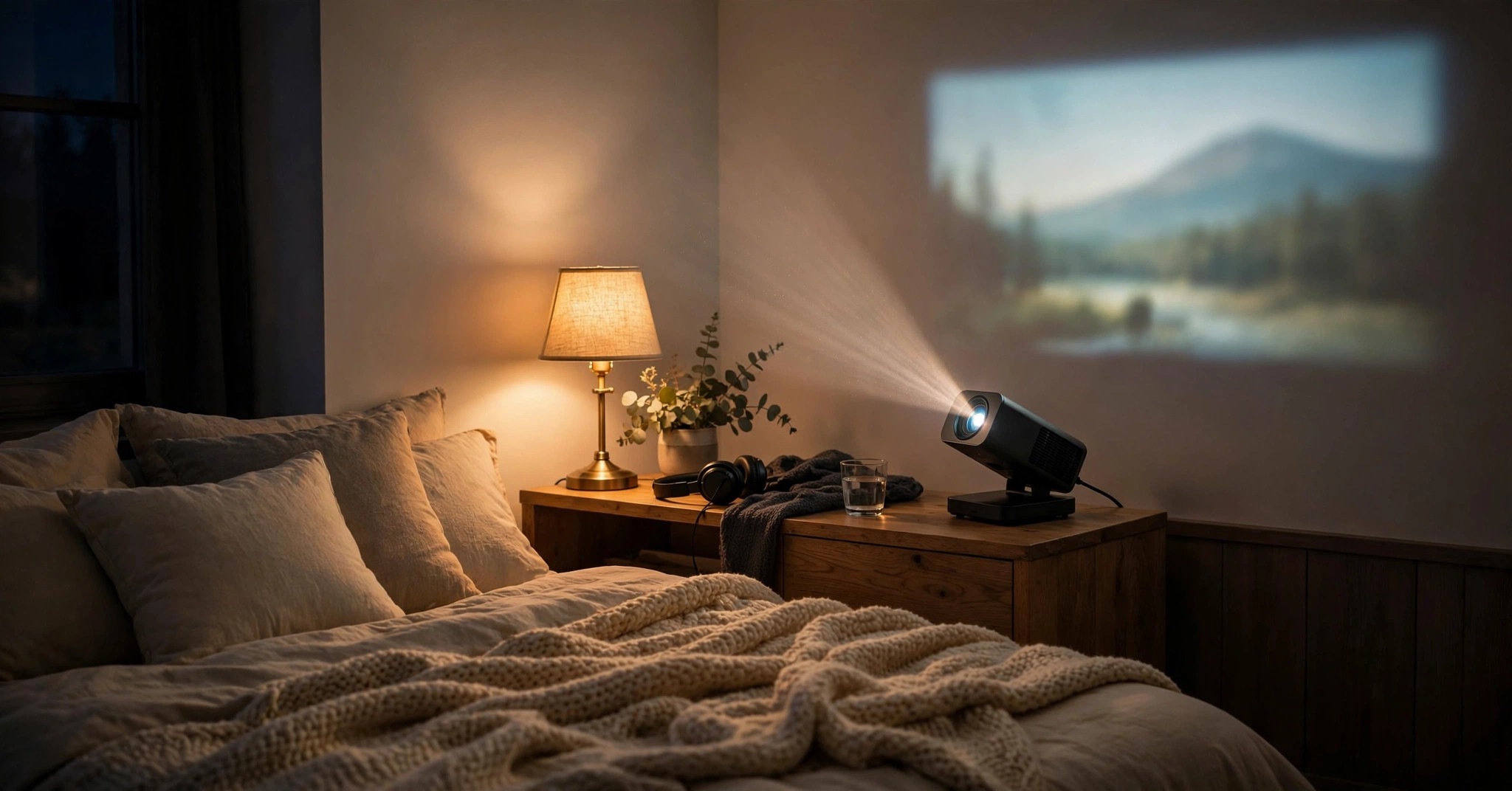
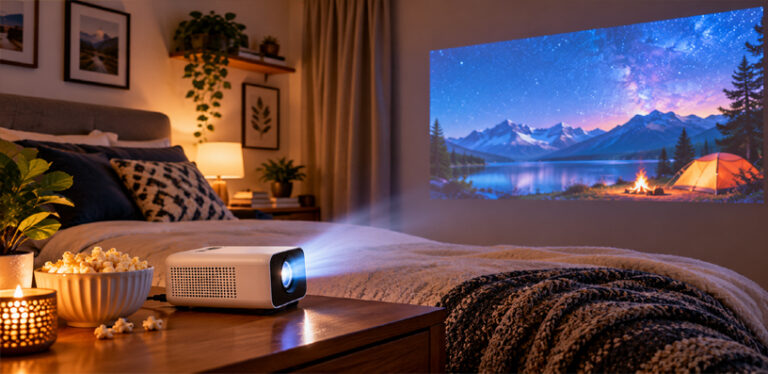
It is aimed at people who move their screen around: renters who cannot mount a TV, students, families projecting films onto a bedroom ceiling, campers, and anyone planning backyard movie nights.
The short verdict, based on verified specifications from XGIMI and measured data, is that the MoGo 4 is one of the most complete grab-and-go projectors available, provided you watch in the dark and understand its real battery behaviour, which is more nuanced than the headline runtime suggests.
XGIMI MoGo 4: Key Specifications
- Display: DLP, 0.23-inch DMD chip
- Native resolution: 1920 × 1080 (Full HD), 60Hz
- Light source: LED, rated life around 25,000 hours
- Brightness: 450 ISO lumens (rated)
- Colour gamut: DCI-P3 90%
- HDR: HDR10 (streaming; not supported over HDMI)
- Throw ratio: 1.2:1
- Image size: 40–200 inches (60–120 inches recommended)
- Smart system: Google TV with officially licensed Netflix
- Speakers: 2 × 6W Harman Kardon, Dolby Audio / Dolby Digital / Dolby Digital Plus
- Battery: 71.28Wh built-in — up to 2.5 hours of video (Eco Mode), up to 6 hours of music
- Stand: Built-in 360-degree rotating gimbal stand
- Smart setup: ISA — uninterrupted autofocus, uninterrupted auto keystone correction, intelligent eye protection
- Connectivity: HDMI (ARC), USB-A, USB-C charging (PD 3.0), Wi-Fi 5 dual-band, Bluetooth 5.1
- Input lag: Rated 20ms in Game Mode (auto keystone off), 56ms with auto keystone on
- Noise: Rated at or below 28dB at 1 metre in laboratory conditions
- Memory: 2GB RAM, 32GB storage
- Size and weight: 207.6 × 96.5 × 96.5 mm, 1.31 kg
- In the box: Projector, backlit Bluetooth remote, infrared mini remote on a lanyard, Sunset Magnetic Creative Filter, power adapter, manual
✓ Pros
- True built-in battery: up to 2.5 hours of video in Eco Mode, around 5 hours with the PowerBase Stand
- Native 1080p DLP picture with 90 percent DCI-P3 colour and excellent brightness uniformity
- Google TV with officially licensed Netflix, no streaming stick needed
- 360-degree rotating stand makes wall and ceiling projection effortless
- Dual 6W Harman Kardon speakers good enough for most rooms
- Quiet in the modes that matter: roughly 31 to 32dBA measured in Standard and Eco
- Low measured input lag of 22.1ms in Game Mode
- Two remotes, including the lanyard mini remote that travels with the projector
- Creative filters and ambient light give it a second life as a mood lamp and Bluetooth speaker
✗ Cons
- Brightness drops by around 40 percent on battery in Eco Mode, and Standard power lasts roughly one film
- Not a daylight projector: bright rooms and pre-dusk outdoor use wash the image out
- Performance power mode adds a green tint and much louder fan noise
- Movie picture mode is oversaturated and the least accurate preset
- Screen mirroring is weak, with no native AirPlay
- No obstacle avoidance, and autofocus occasionally needs a manual fine-tune
- HDR10 is not supported over HDMI, only via streaming
- Only the Sunset filter is included; the other three cost extra
Two points separate the MoGo 4 from its predecessor, the MoGo 3 Pro. The battery is now inside the projector itself rather than in an optional stand, and the HDMI socket is full-size rather than a mini connector, so consoles and laptops connect with a standard cable. Full official specifications are on the XGIMI MoGo 4 product page.
Design & Build: Thermos-Sized, Ceiling-Ready
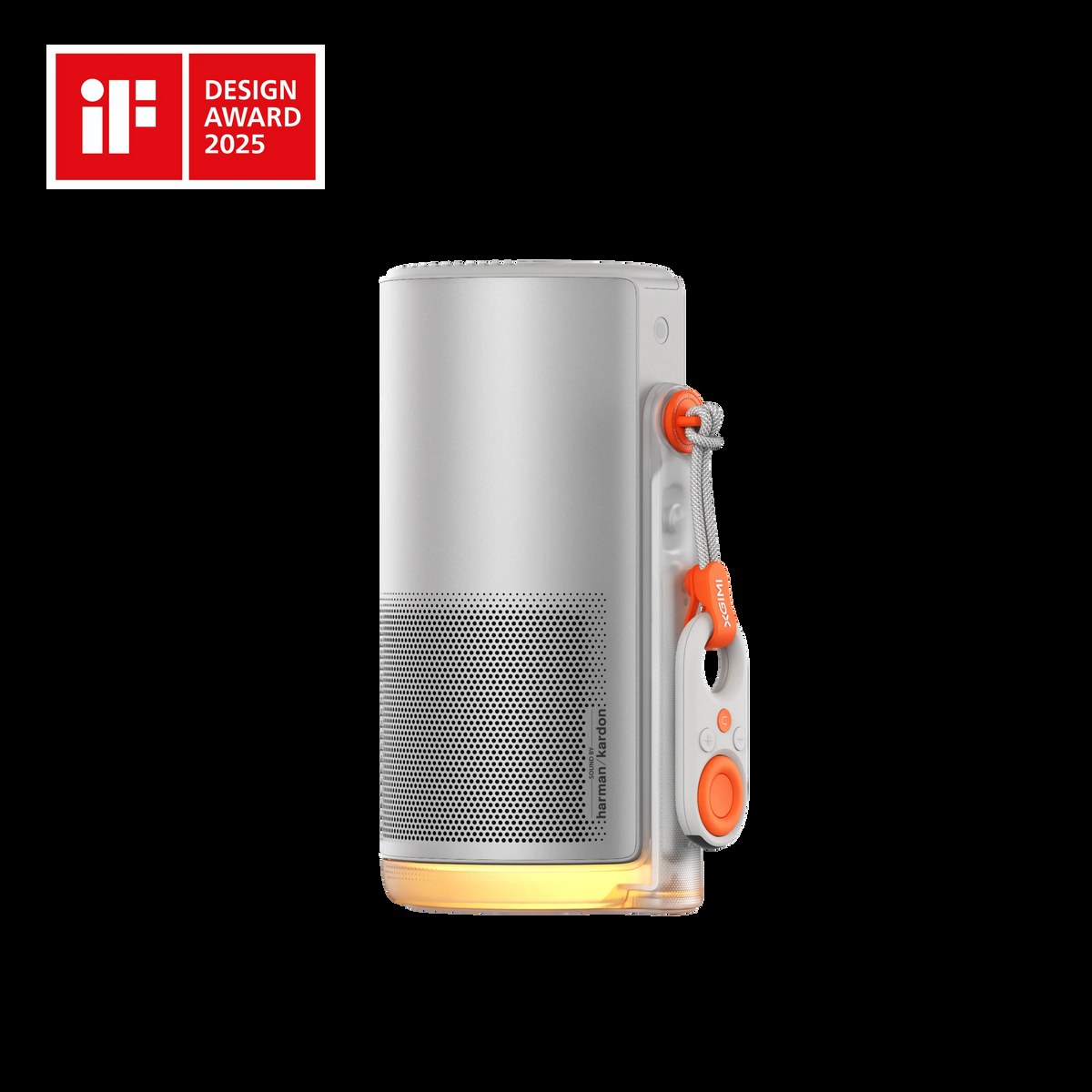
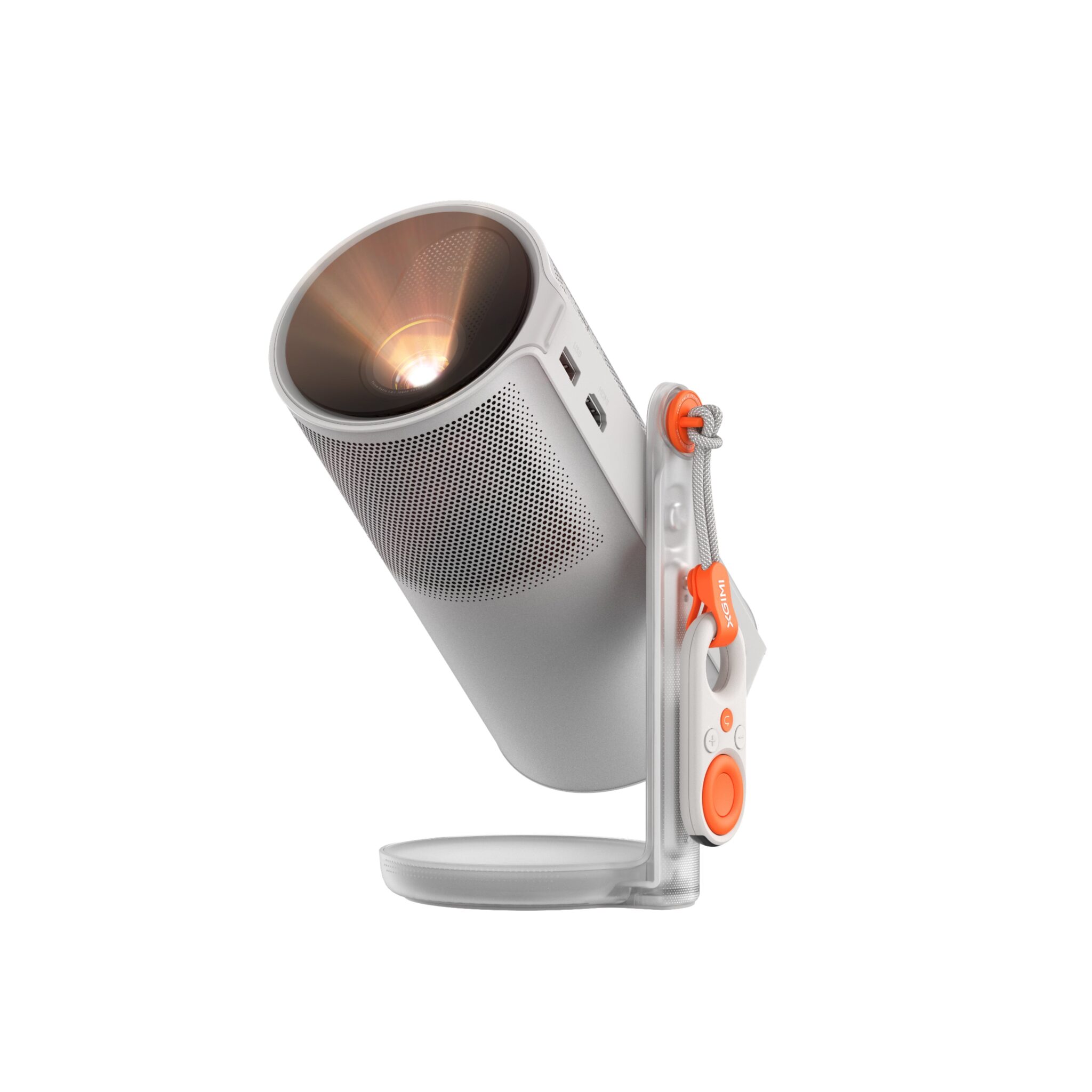
The MoGo 4 keeps the tall cylindrical shape the series is known for, with a silver finish, a brushed metal side rail, and a translucent base that glows. At 1.31 kg, it carries easily in one hand and disappears into a backpack or drawer, yet feels dense and well finished.
The mechanism is the clever part. The body slides on its rail: pull the top section up and the projector powers on with the lens revealed; push it down, and it closes into a tube that doubles as a Bluetooth speaker and ambient lamp.
The built-in stand rotates a full 360 degrees, so the lens can face a wall, tilt up to a ceiling, or swing to the opposite side of the room without moving the base, while auto keystone keeps the picture rectangular. Ceiling projection is a genuine strength here.
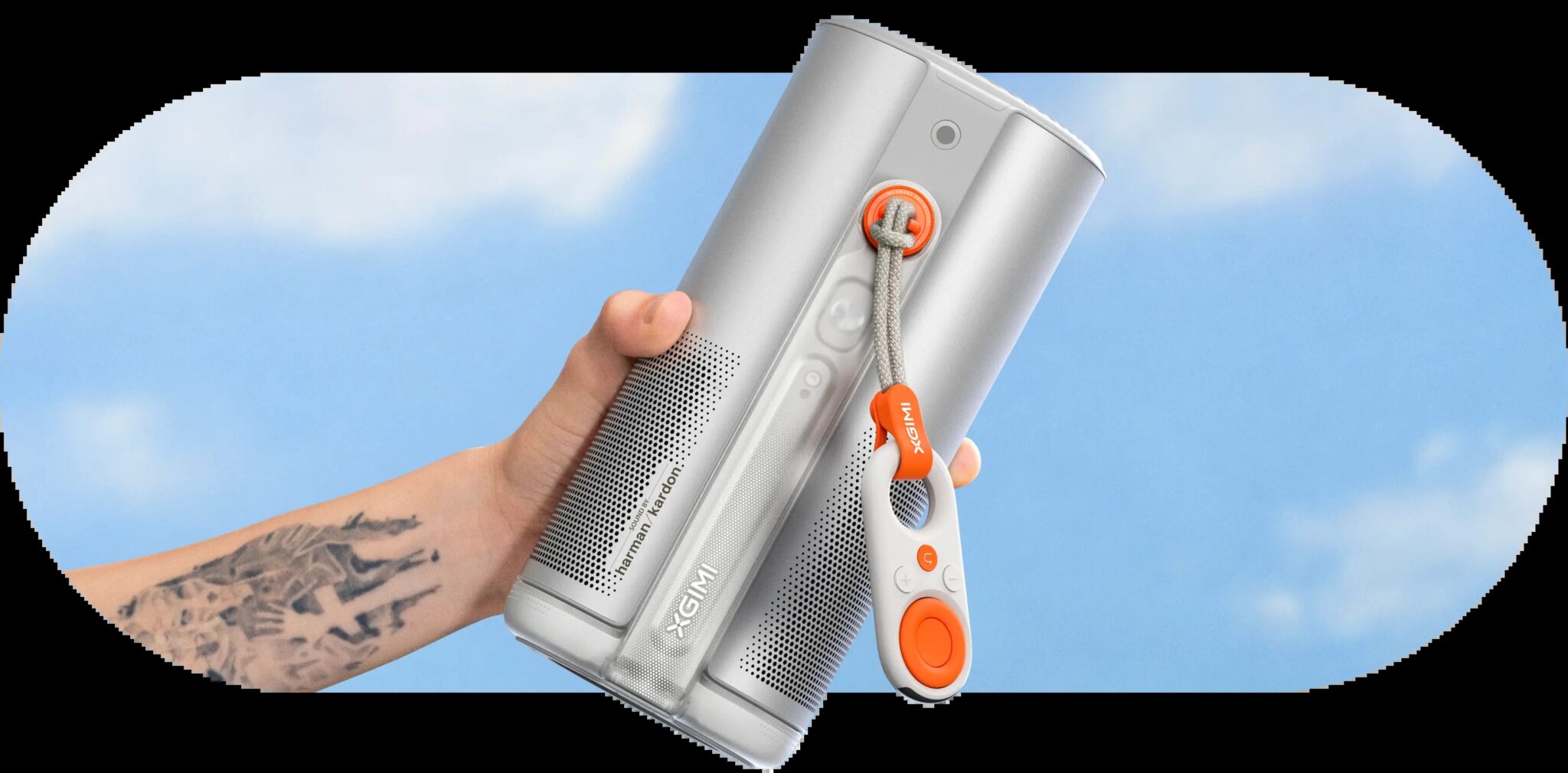
Two remotes are included. The main one is a backlit Bluetooth remote with Netflix, Prime Video and YouTube shortcuts, a Google Assistant button and an auto-focus key.
The second is a small infrared mini remote hanging from the side on a detachable lanyard, with basic navigation and volume controls, which travels with the unit so there is nothing extra to remember.
One caution from the official manual: it uses a coin cell battery, so keep it away from small children. The lens is scratch and dust-resistant, with a tripod thread underneath.
XGIMI MoGo 4: Features in Depth
Battery Life and the PowerBase Stand: The Numbers Behind the Headline
The headline figure is up to 2.5 hours of video, but it applies in Eco Mode, a condition most listings bury. XGIMI states it in its footnotes, and the projector starts in Eco Mode automatically on battery.
measurements show the cost: roughly 151 to 154 lumens in Eco Mode versus roughly 258 to 270 lumens in Standard power mode, a brightness drop of around 40 percent.
Runtime follows the same split. In Standard power mode, the battery lasted through a 90-minute film; in Eco Mode it reached around 2.5 hours. The planning rule: one long film per charge at Eco brightness, a shorter film at Standard brightness, or plug in for anything longer.
Music playback stretches to 6 hours with the light engine off.
The optional PowerBase Stand answers the runtime problem: a separate floor stand with its own 20,000mAh battery that extends video playback to up to 5 hours and music to up to 12 hours. It also lifts the projector off the ground, which is useful outdoors.
Note that the MoGo 4 PowerBase differs from the previous generation’s stand, so compatibility cannot be assumed. Charging is via USB-C at 65W, and a suitably powerful power bank can also run it; our guide to how to power a projector outdoors without an outlet covers the power-bank maths.
ISA Smart Setup: Fast, Automatic, With Two Honest Caveats
XGIMI’s Intelligent Screen Adaptation handles the tedious part of projection.
Uninterrupted autofocus keeps the image sharp without flashing a test pattern over your film, uninterrupted auto keystone correction squares the picture when the projector sits at an angle, and intelligent eye protection dims or pauses the light when someone walks in front of the lens.
Two caveats keep this honest. The MoGo 4 lacks the intelligent obstacle avoidance found on the MoGo 3 Pro, so it will not shrink the image to dodge a plant pot or picture frame.
Magnetic Creative Filters and Ambient Light: More Than a Gimmick?
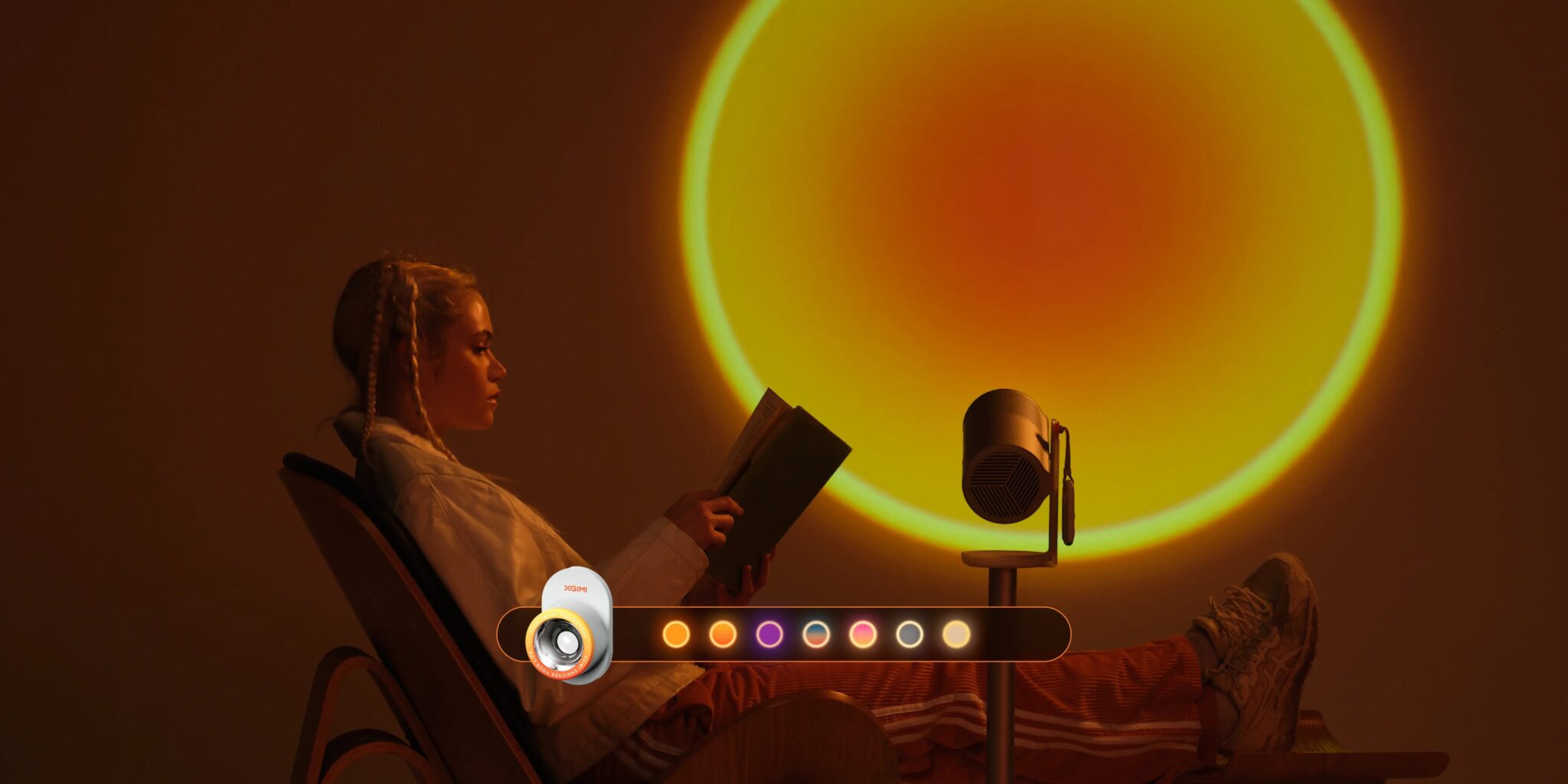
One Magnetic Creative Filter ships in the box: the Sunset filter, which snaps onto the lens and turns the projector into a mood lamp, casting a warm circular gradient with a coloured ring onto a wall or ceiling.
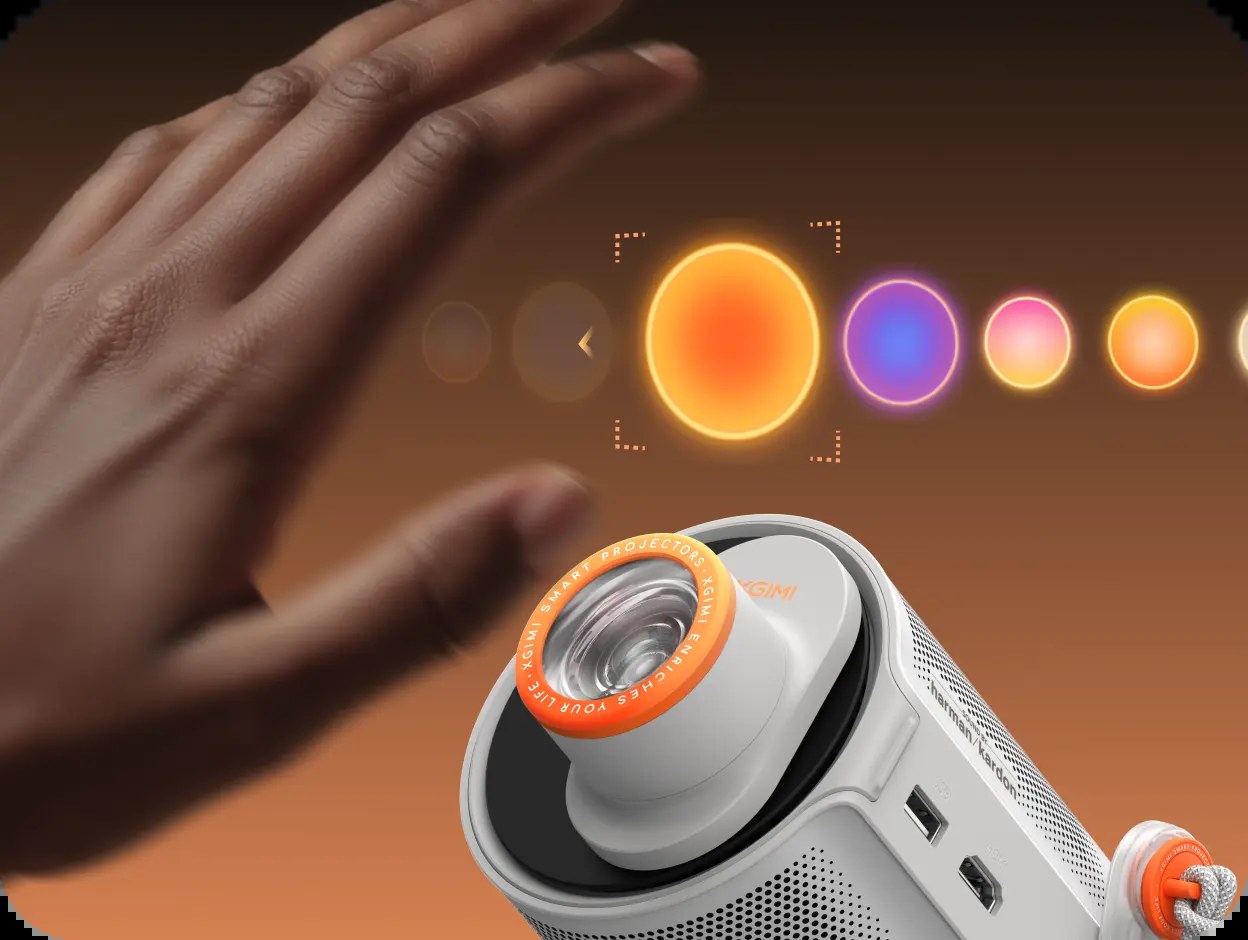
Three more, Lunar, Ripple and Dreamscape, are sold separately: Lunar casts a calm moonlit blue, Ripple produces slow wave-like movement, and Dreamscape drifts through soft colour. Effects change via the remote or by waving a hand close to the lens.
Set expectations correctly, and these are charming rather than essential. XGIMI itself states the filters are designed for ambience, that soft or blurred edges are a normal part of the effect, that they are not recommended for films, and that they work best in low light.
The translucent base adds an ambient light with eight colours that can glow steadily, cycle, or pulse with music in speaker mode, and the XGIMI Wall app adds scenes such as underwater views and starfields.
Connectivity and Ports
For a projector this small, the connection set is complete. The full-size HDMI port supports ARC and accepts consoles, laptops, Blu-ray players, and streaming sticks without adapters. USB-A plays media from external storage.
USB-C is for charging and power only, so video from a phone or laptop goes over HDMI or wirelessly via Google Cast. Wireless coverage includes dual-band Wi-Fi 5 and Bluetooth 5.1. The one weak spot is screen mirroring, covered below.
Performance: Bright Enough After Dark, Honest About Daylight
Start with measured brightness, because the rated 450 ISO lumens needs context. measured 400 to 404 lumens in Performance power mode, close to the rating, but Performance pushes every picture mode noticeably green, so it is a mode to avoid.
The figures that matter are roughly 258 to 270 lumens in Standard power mode and around 151 to 154 lumens in Eco Mode. Brightness uniformity measured an excellent 90 to 92 percent.
On the wall, that buys a sharp, colourful 1080p image that looks genuinely good between 60 and 120 inches in a dark or well-dimmed room, exactly the range XGIMI recommends. Textures and subtitles stay crisp, shadow detail holds up respectably, and colour covers 90 percent of the DCI-P3 gamut.
Contrast is the expected weak point of a small DLP unit: black levels are decent rather than deep, and HDR content can clip at the extremes.
Daylight is the hard limit. Dark scenes become nearly unwatchable under bright light, so this is a projector for evenings, blackout curtains and dim rooms. If your main use is daytime sport in a bright lounge, you need a fundamentally brighter machine; our guide explaining how many lumens you need for a projector helps you judge the gap.
Fan noise completes the picture, and the news is mostly good. XGIMI rates the MoGo 4 at 28dB or less at one metre in laboratory conditions.
measured roughly 31 to 32dBA in Standard and Eco power modes from just over three feet away, against a room noise floor of 30.5dBA, meaning the fan effectively disappears under normal viewing audio.
In Performance mode, however, measurements jumped to roughly 48 to 52dBA, loud enough to intrude on quiet scenes.
Picture Modes: Which One Should You Actually Use?
The MoGo 4 offers four picture modes: Standard, Movie, Game, and User, choosing correctly matters because the differences are not subtle. The findings below are based on colour measurements.
Standard Mode: The Best All-Rounder
Standard leans slightly cool on test patterns, but on real content it delivers the most natural skin tones and environments of any preset. It measured 258 lumens in Standard power and 151 lumens in Eco.
Movie Mode: The One to Avoid
Despite its name, Movie is the disappointment of the set. It behaves like a Vivid mode: colours are oversaturated, shades of yellow and red compress into one another, and skin tones can take an unnatural warm, almost jaundiced cast.
It measured 258 lumens in Standard power and 154 in Eco, so it offers no brightness advantage either.
Game Mode: Tuned for Play, With a Small Blue Tint
Game mode shares Standard’s mild blue lean, with vivid yellows and magenta tones, and measured a joint-brightest 270 lumens in Standard power and 153 in Eco. The picture mode alone does not deliver low latency, though: you must also enable the separate Game Mode setting described below.
User Mode: The Best Picture, If You Tweak It
User starts out looking much like Standard, but unlocks the full colour management system, including per-colour brightness and saturation controls and multi-point white balance adjustment.
With calibration, achieved nearly accurate colour, the best result of the four. It measured 270 lumens in Standard power and 153 in Eco. Accuracy-focused viewers should fine-tune here; everyone else can stay on Standard.
One warning applies across all four modes: the Performance power setting lifts brightness to around 400 lumens but tints everything green and spins the fan up to clearly audible levels. Standard power is the sensible default when plugged in; Eco is what the projector chooses on battery.
Audio: Harman Kardon Sound That Travels With the Picture
Audio is a genuine strength. The dual 6W Harman Kardon speakers sit in the projector body rather than the stand, a change from the previous generation, so sound now points the same way as the picture when you rotate the unit.
Support covers Dolby Audio, Dolby Digital and Dolby Digital Plus, with Movie, Music, Game and Sports audio modes. Reviews consistently describe the sound as full and clear, with easy-to-follow dialogue, respectable bass for the size, and enough volume for a bedroom, small living room or quiet garden group.
A larger outdoor crowd still calls for an external speaker over Bluetooth or HDMI ARC; our advice on how to connect speakers to an outdoor projector applies directly.
The MoGo 4’s second audio life is Bluetooth speaker mode. Close the projector down, and it becomes a standalone speaker whose ambient light can pulse with the music.
One quirk: to play music while retracted, first open the Ambient Light settings from the remote’s shortcut button and set the retracted behaviour to play music rather than shut off. Pairing a phone is then straightforward, and battery life stretches to around 6 hours.
Smart Features & OS: Google TV With Licensed Netflix
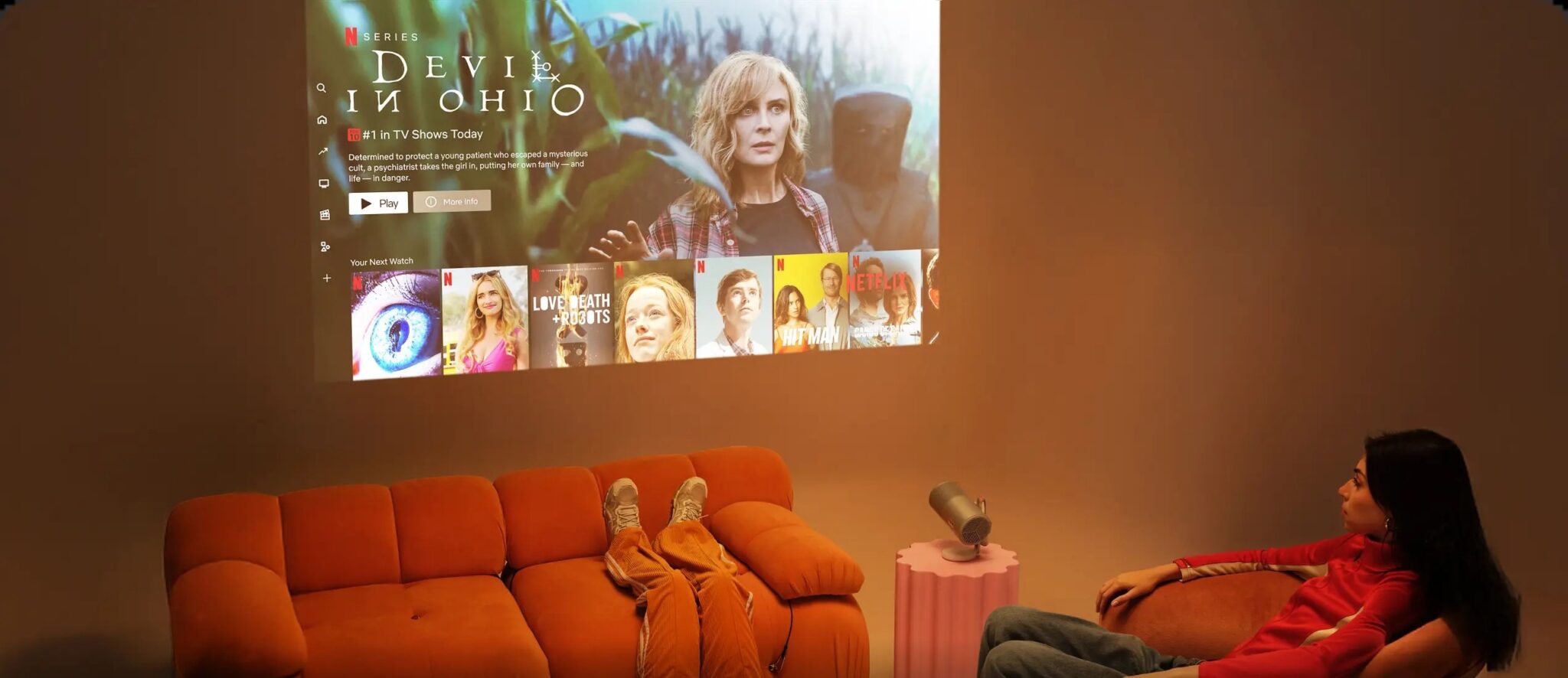
The MoGo 4 runs Google TV, and its most important software fact is that Netflix is officially licensed: the real app, in Full HD, with normal profiles, downloads and remote navigation, not the phone-app workarounds or sideloaded files that plague many portable projectors.
Prime Video, YouTube, Disney+ and thousands of other Play Store apps sit alongside it, plus Google Assistant voice control and 32GB of storage.
Casting needs managed expectations. Google Cast is built in and works well for video from Chrome and supported apps.
There is no native AirPlay, however, and the MoGo 4’s weakest area: mirroring a desktop for document editing produced pixelation, skipped frames, and glitches, including through third-party apps. Treat this as a streaming and HDMI projector first, and use a cable for presentation work.
One fine-print point rarely gets mentioned: HDR10 applies to streamed content, and XGIMI’s own notes state HDR10 is not supported over HDMI. Consoles and Blu-ray players still get a strong SDR 1080p picture, but they will not trigger HDR mode.
Gaming: Low Enough Lag for Almost Everyone
XGIMI rates input lag at 20ms in Game Mode with auto keystone off, rising to 56ms with auto keystone on. Independent measurement with a Leo Bodnar lag tester at 1080p and 60Hz came impressively close: 22.1ms with Game Mode on.
The alternatives measured worse, 44.8ms in PC Mode alone and 38.8ms with both combined, so the rule is simple: enable Game Mode, position the projector squarely so keystone is unnecessary, and play.
In practice, 22.1ms is comfortably low for RPGs, adventure games, 3D platformers, family racing games, and casual online multiplayer, and review gameplay was reported as smooth with no distracting stutter. Only highly competitive players chasing frame-perfect reactions will feel the gap against a gaming monitor.
A console or Nintendo Switch on HDMI turns the MoGo 4 into a big-screen party machine, and the battery makes sessions genuinely cable-free.
Who Should Buy / Who Should Skip
Buy the MoGo 4 if …
you want one device that moves between a bedroom ceiling, a living-room wall and the garden without cables or setup rituals.
It suits renters and students who cannot install a TV, families who want film nights anywhere in the house, campers and travellers who will plan around Eco Mode or carry a power bank, and casual gamers who want a huge screen for console sessions.
It also fits anyone who values licensed Netflix without a stick and strong built-in sound.
Skip it if …
your viewing happens mainly in daylight or a bright, window-filled room, because no picture mode fixes a fundamental brightness limit. Skip it as a permanent TV replacement for a large home cinema, where a brighter mains-powered projector serves better.
Skip it if your work depends on wireless screen mirroring, if you are a competitive gamer counting single milliseconds, or if you watch long films outdoors far from power and will not add the PowerBase Stand or a power bank.
Alternatives Worth Considering
XGIMI MoGo 4 Laser: The closest alternative is its own sibling. The Laser swaps the LED engine for a triple-laser light source, raising rated brightness to 550 ISO lumens, widening colour to 110 percent of BT.2020, improving contrast, and including all four creative filters, while keeping the same body, battery, stand, and Google TV system.
XGIMI MoGo 3 Pro: The previous generation still makes sense for mostly plugged-in viewing. It matches the MoGo 4 on rated brightness and 1080p resolution, adds obstacle avoidance, and is lighter, but has no built-in battery, uses a mini HDMI connector, and has slightly weaker speakers.
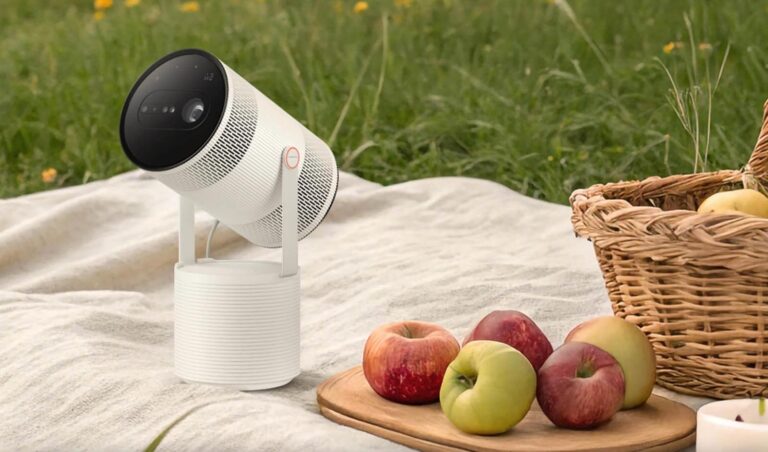
Samsung The Freestyle (2nd Gen): Samsung’s rival takes a similar swivel-and-point approach with its own smart TV platform and HDR support. It has no built-in battery, so untethered viewing needs a separate battery accessory. Choose it if you prefer Samsung’s platform and mostly watch near a socket.
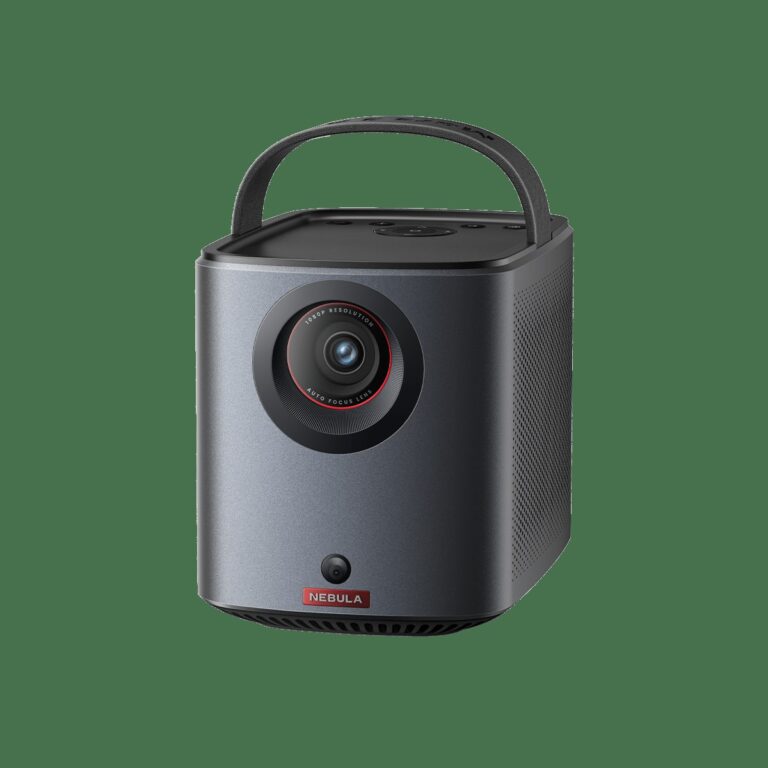
Anker Nebula Capsule 3: Smaller and lighter still, with native 1080p, Google TV, licensed Netflix and its own built-in battery. Its rated brightness is lower, so it needs darkness even more, but its pocketable size is unmatched.
Frequently Asked Questions
How long does the XGIMI MoGo 4 battery really last?
Up to 2.5 hours of video in Eco Mode, the mode selected automatically on battery, and around 90 minutes at Standard power brightness based on independent testing. Music lasts up to 6 hours. The PowerBase Stand extends video to up to 5 hours.
Does the MoGo 4 have Netflix built in?
Yes, the officially licensed version. Google TV carries a certified Netflix app streaming in Full HD with normal profiles and remote navigation. No stick or sideloading is required.
Can you use the XGIMI MoGo 4 during the day?
Only with modest expectations. With roughly 258 to 270 measured lumens in its best usable power mode, it is designed for dark rooms, evenings, and night-time outdoor use, and direct light washes out dark scenes. Daytime viewing needs a much brighter projector.
How far away should the MoGo 4 be for a 100-inch screen?
Its throw ratio is 1.2:1, so a 100-inch image needs about 2.66 metres, roughly 8 feet 9 inches, from lens to screen. 60 inches needs about 1.6 metres, 80 inches about 2.13 metres, and 120 inches about 3.19 metres. XGIMI recommends 60 to 120 inches for the best balance.
What is the difference between the MoGo 4 and the MoGo 4 Laser?
The light source and the extras. The MoGo 4 uses an LED engine rated at 450 ISO lumens with 90 percent DCI-P3 colour and includes one creative filter. The Laser uses a triple-laser engine rated at 550 ISO lumens with wider colour and better contrast, and includes all four filters. Everything else is the same.
Is the XGIMI MoGo 4 good for gaming?
For most players, yes. Input lag is rated at 20ms in Game Mode with auto keystone off and measured at 22.1ms at 1080p and 60Hz, suiting RPGs, platformers, racing games and casual online multiplayer. Only highly competitive players will want a faster display.
Bottom Line
The XGIMI MoGo 4 succeeds because it understands its own job. It is not trying to replace a bright home-cinema projector or a television in a sunlit lounge.
It is a self-contained entertainment tube: a sharp 1080p picture for dark rooms, a real built-in battery, licensed Netflix on Google TV, speakers you do not need to upgrade, and a stand that points the picture anywhere, including the ceiling, in seconds.
The creative filters and ambient light are easy to dismiss on a spec sheet and surprisingly easy to enjoy.
Go in with the honest numbers, and it will not disappoint: Eco Mode brightness for a full film on battery, Standard power for about ninety minutes, a dim room rather than daylight, Standard or User picture mode rather than Movie, and Game Mode on before you play.
Judged on those terms, and based on verified specifications and the measured data cited throughout this XGIMI Mogo 4 review, it is one of the most complete portable projectors you can buy, and an easy recommendation for anyone whose screen needs to move as often as they do.