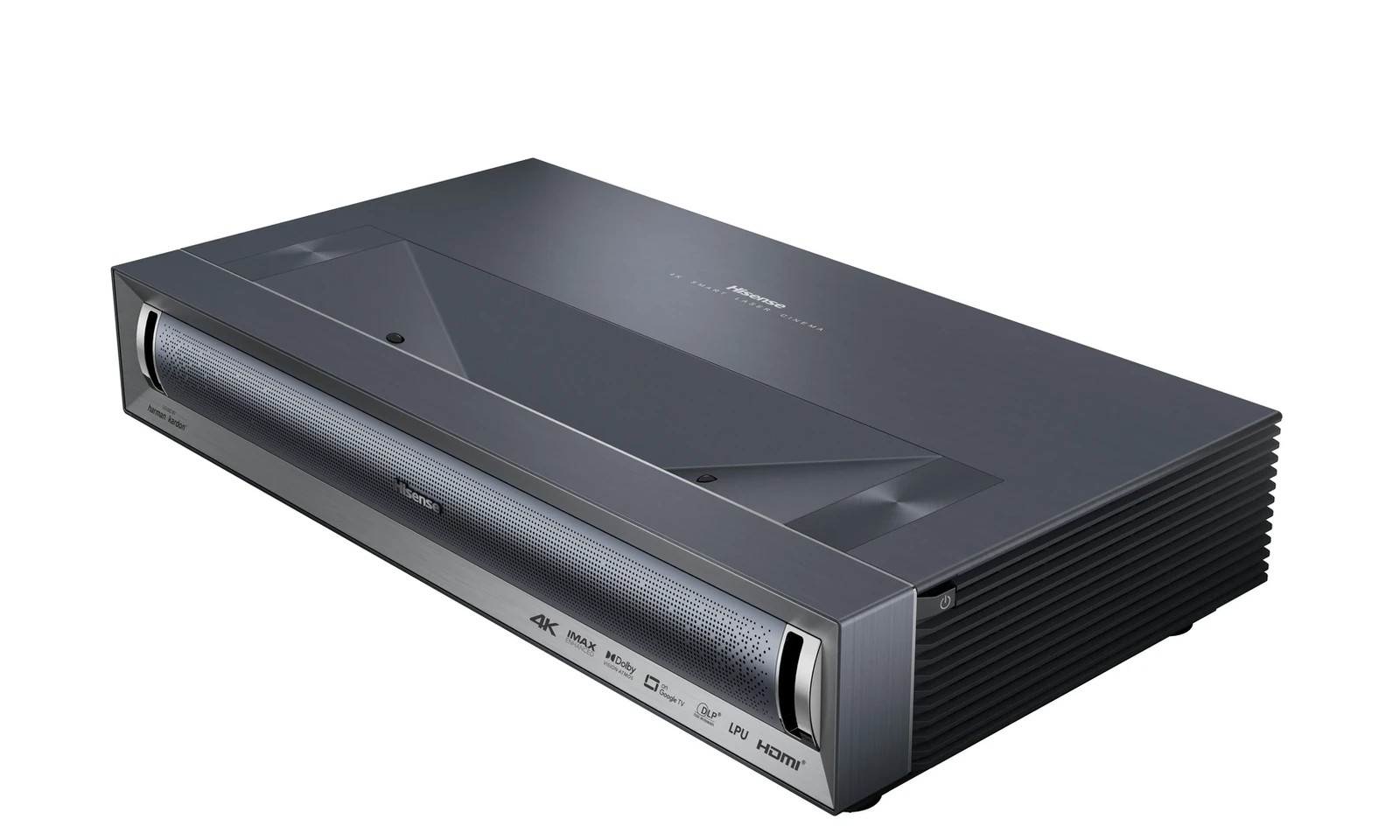
Hisense PX3-PRO Review (2026) — UST Triple Laser Projector
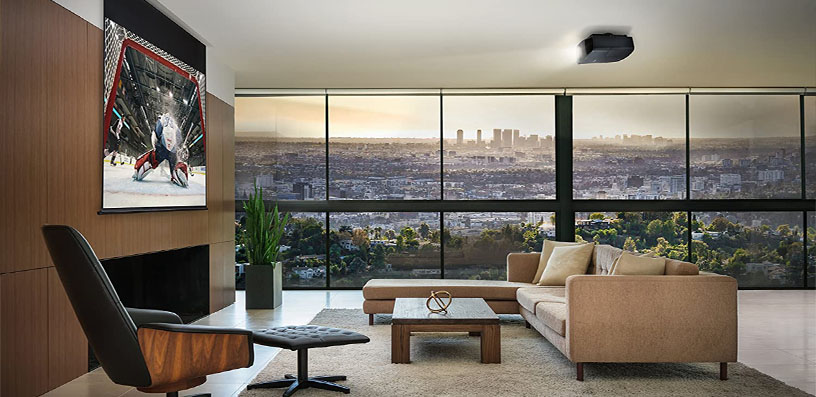
If you want a screen far larger than any television that fits through your door, without a ceiling mount or a long throw distance, this Hisense PX3-PRO review is for you.
The PX3-PRO is Hisense’s flagship ultra-short-throw Laser Cinema projector: a 4K DLP unit with a TriChroma RGB triple-laser engine, a claimed 3,000 ANSI lumens, support for every major HDR format including Dolby Vision and HDR10+, built-in Google TV, a 50-watt Harman Kardon sound system, and gaming credentials that include Designed for Xbox certification and a 240Hz mode at 1080p.
Hisense PX3-PRO Review: A Triple-Laser UST for Film, Sport and Gaming
Most UST projectors ask you to choose: colour for films, low lag for games, or a capable smart platform. Based on verified specifications and measured data, the PX3-PRO attempts all three — and largely succeeds. Its measured contrast exceeded its rating, and its accurate modes are accurate out of the box.
The verdict preview: for film lovers in a light-controlled room, sports viewers who want 100 to 120 inches from inches away, and gamers who want a huge screen without losing responsiveness, this is one of the most complete UST projectors available. It is not perfect.
Its accurate modes measure well below the headline lumens; it really needs a proper ambient light-rejecting screen, its cabinet must sit lower and further out than many expect, and a few calibration controls misbehave.
This review covers those trade-offs, including the throw distance and offset table, fan noise, and gaming lag numbers many shorter reviews skip. It is based on verified specifications and measured data — where a number is a measurement, the source is stated.
Hisense PX3-PRO: Key Specifications
- Model: Hisense PX3-PRO Laser Cinema
- Display: 0.47-inch DLP, four-phase pixel shifting to 4K UHD (3840 x 2160)
- Light source: LPU TriChroma RGB triple laser, 25,000+ hours
- Brightness: 3,000 ANSI lumens rated; 2,669 measured in brightest mode
- Native contrast: 3,000:1 rated; just over 4,000:1 measured
- Colour gamut: 110% BT.2020 claimed (about 151% DCI-P3); measured 94.34% xy BT.2020, 99.82% xy DCI-P3
- Projection size: 80 to 150 inches;
- Throw ratio: 0.22:1
- HDR: Dolby Vision, HDR10+, HDR10, HLG, IMAX Enhanced
- Smart platform: Google TV, Google Assistant, Chromecast, AirPlay 2, works with Alexa
- Audio: 50W front-firing Harman Kardon, Dolby Atmos decoding
- Gaming: Designed for Xbox, ALLM, HDMI 2.1, 4K/120Hz input, 1080p/240Hz, DLP Turbo Mode
- Connections: 2x HDMI 2.1 (48Gbps), 1x HDMI 2.0 with eARC, USB 3.0, USB 2.0, optical, 3.5mm, LAN, Wi-Fi 6E, Bluetooth 5.3
- 3D: Active 3D, DLP Link glasses (not included)
- Size / weight: 21.7 x 4.8 x 11.7 inches, 19.8 lbs
- Fan noise: No published rating; measured maximum 39.1 dBA at about 3 feet
✓ Pros
- Measured native contrast over 4,000:1 — exceptional for UST, with deep blacks and strong shadow detail
- Very wide, accurate colour: about 99.8% DCI-P3 measured, low out-of-the-box error in Theater mode
- Complete HDR: Dolby Vision, HDR10+, HDR10, HLG and IMAX Enhanced in one unit
- Strong gaming: Designed for Xbox, ALLM, 7ms at 1080p/240Hz, 14ms at 120Hz, separate eARC port
- Proper Google TV with authorised Netflix and correct automatic SDR/HDR switching
- 50W Harman Kardon audio genuinely usable without external speakers
- Active 3D support, now rare; quiet in practice at 39.1 dBA maximum measured at about 3 feet
✗ Cons
- Accurate modes measure about 1,975–2,028 lumens, well below the headine figure; brightness is tight at 150 inches
- No screen included, and a UST-specific ALR or Fresnel screen is effectively required in a living room
- No lens shift or zoom: console height and depth dictate the image
- 4K/120Hz input down-converted to 4K/60Hz on screen; no native 1440p/120Hz
- DLP Turbo Mode disables keystone and 3D; some calibration controls underperform
- Slight blue bias in most modes; small black crush and posterisation reported in some HDR scenes
- Remote backlight dim and brief; laser level adjustment responds slowly
Sources: Hisense USA official page. Do not confuse it with the PX1-PRO or PX2-PRO — the PX3-PRO adds IMAX Enhanced, active 3D, Xbox certification, and 240Hz gaming.
Hisense PX3-PRO: Design & Build
The PX3-PRO is a low, wide cabinet, about as wide as a soundbar and only 4.8 inches tall, designed to sit on a media console where a television would stand. At 19.8 lbs, one person can position it — important, because UST alignment is a game of millimetres and you will nudge it repeatedly during setup.
The front face is the grille for the front-firing Harman Kardon system — the right direction for dialogue clarity. The lens sits recessed on top, four adjustable feet let you level the unit, and an eye-protection sensor dims the light if a child or pet moves too close to the lens.
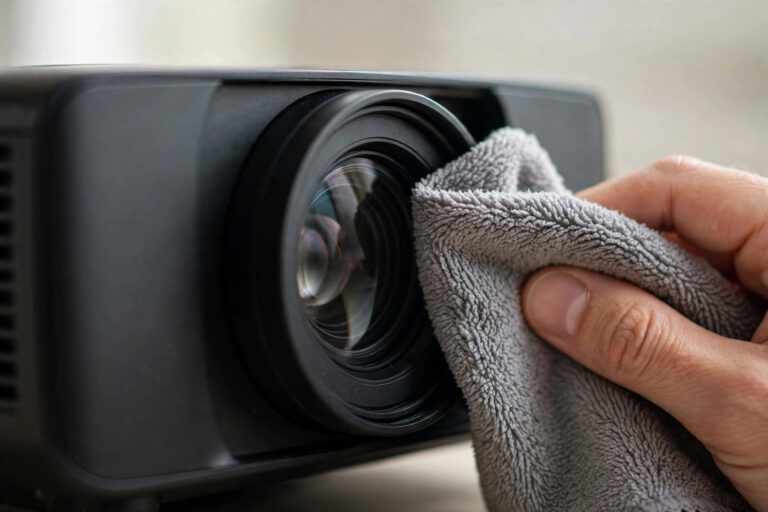
There is no lens shift or zoom, normal for UST models. Placement is the adjustment, and digital keystone — which discards resolution — should be a last resort. Keep a cloth nearby for the dust-prone top surface, leave vent space, and measure furniture before choosing a screen size.

Hisense PX3-PRO: Features
TriChroma RGB Triple Laser and the LPU Engine
The defining feature is the light engine. Instead of one blue laser through a phosphor wheel, TriChroma uses separate red, green, and blue lasers, which is why the gamut is so wide.
Hisense rates 110% of BT.2020, still exceptional and, importantly, the projector tracked Rec.709 and DCI-P3 accurately inside that large gamut instead of oversaturating everything.
Wide gamut without accuracy is a party trick; wide with accuracy is what makes HDR films look right.
Pro AI Algorithms adjust brightness, contrast, and noise reduction in real time, and a 4K AI upscaler sharpens lower-resolution sources — in Theater and Filmmaker modes, reduce that enhancement for films. Laser speckle was not disturbing in measured reviews, and the DLP rainbow effect was minimal.
HDR: Dolby Vision, HDR10+, IMAX Enhanced and HLG
The PX3-PRO accepts Dolby Vision, HDR10+, HDR10, and HLG, plus IMAX Enhanced. Dolby Vision and HDR10+ carry dynamic metadata, mapping brightness and colour scene by scene rather than with one static curve.
Having both matters, because services and discs are split between them; a projector with only one falls back to static HDR10 for the other.
Tone mapping differs by mode, a detail many reviews gloss over. We calibrated HDR Theater with Dynamic Tone Mapping on, High Dynamic on, and Dark Detail on — preserving highlights while lifting shadows sensibly.
For Dolby Vision, there are Bright, Dark, and Custom modes, and we measured Bright as the most accurate Dolby Vision mode — counterintuitive if you assume Dark must be the reference. In a fully dark room, Dark suits late-night viewing, but start with Bright for accuracy.
Ultra-Short Throw Optics, 80 to 150 Inches
The 0.22:1 throw ratio creates a huge image from inches away, eliminating ceiling mounts, long cables, and shadows from people crossing the room — the core appeal in roundups of the best short throw projectors.
The trade-off is unforgiving geometry: light hits the screen at an extreme angle, so screen ripple, a wall bump, or a slight tilt is magnified. A wavy pull-down screen or uneven wall will show distortion a long-throw projector would hide.
Active 3D Support
Active 3D is increasingly rare, so its inclusion deserves more than a spec line. The PX3-PRO supports 3D via active DLP Link glasses (not included) with a dedicated 3D mode.
The image was clean with no noticeable crosstalk but darker than 2D — inherent with shutter glasses — so watch 3D in darkness at a moderate size, not at 150 inches. Note that 3D is disabled in DLP Turbo Mode for lowest gaming latency.
If you keep a 3D Blu-ray collection, this is one of the few current UST models that still plays it.
Hisense PX3-PRO: Performance
Start with brightness, the most misunderstood number. Hisense rates 3,000 ANSI lumens; measured 2,669 in Vivid and HDR Vivid at maximum laser level — about 11% below rating, within the 20% tolerance in ISO 21118.
The figures that matter more are the accurate modes: Theater at 1,975 lumens and Filmmaker at 2,002 in SDR, HDR Theater and HDR Filmmaker at 2,028. The picture you will want for films runs at roughly two-thirds of the headline figure.
Our explainer on how many lumens you need for a projector walks through the maths by screen size and ambient light.
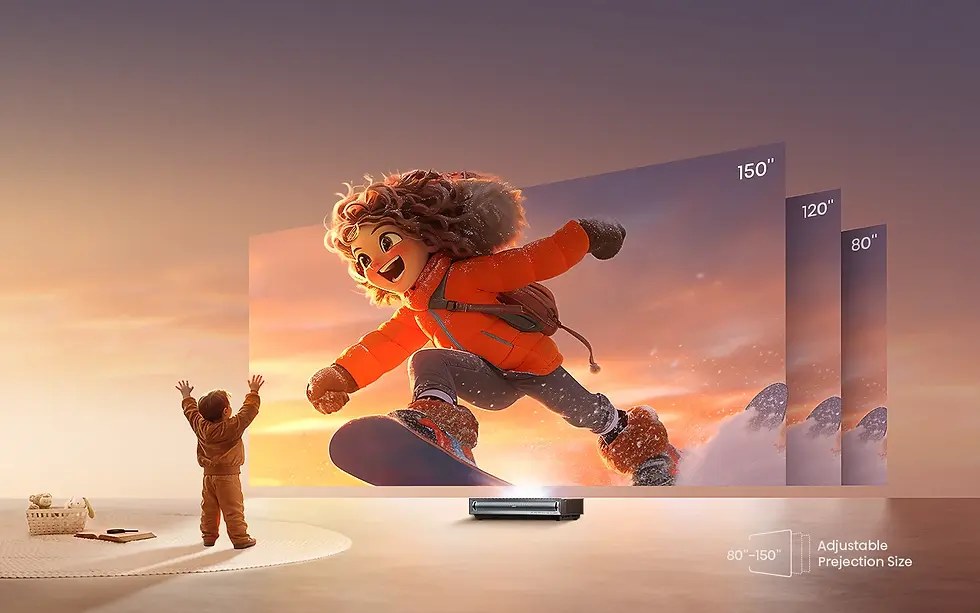
At 100 to 120 inches with controlled light, the accurate modes are comfortably bright, and contrast carries the image: measured just over 4,000:1, better than any UST at the time.
Deep blacks are why dark scenes look layered rather than grey. Sports mode (2,589 lumens) handles daytime viewing respectably too.
At 150 inches, be honest: the image area is more than double a 100-inch screen, so the same light spreads much thinner. The PX3-PRO may lack sufficient brightness above 120 inches, particularly on a 0.6-gain lenticular screen.
If 150 inches is the goal, use a higher-gain Fresnel screen, control room light, or reserve that size for dark-room viewing.
Throw Distance and Offset — Plan Before You Buy
Most UST frustration comes from ignoring distance and vertical offset.
Based on the 0.22:1 ratio and published placement tables, distance from the back of the unit to the screen surface is roughly 4.7 inches for 80 inches, 8.5 inches for 100 inches, 12.4 inches for 120 inches, and 18.1 inches for 150 inches.
The vertical distance from the console surface to the bottom of the image rises with size: roughly 12.8 inches at 80 inches, 15.3 inches at 100 inches, 17.8 inches at 120 inches, and over 20 inches at 150 inches.
For 120 inches, add the cabinet’s 11.7-inch depth to that distance: the unit sits well over two feet from the wall, with the screen bottom about 18 inches above the console. Many stands are too high and too shallow for this. Verify with a throw calculator before ordering furniture.
The ALR Screen Question — Not Included, Not Really Optional
Unlike Hisense Laser TV bundles, no screen is included. A flat white wall works to start, and in darkness it already impresses.
But a UST-specific ambient light rejecting screen — lenticular CLR, which rejects ceiling light, or Fresnel, which also rejects side light and adds gain — unlocks the measured contrast.
These screens reflect light arriving from below toward the viewer while absorbing light from above and the sides; without one, ceiling light washes out blacks at the steep UST angle.
Fresnel gives higher gain for larger sizes and brighter rooms, with narrower viewing angles; lenticular CLR gives wider angles at lower gain. Either must be UST-specific. Treat the screen as part of the system.
Picture Modes
The PX3-PRO offers over twenty mode variants: seven for SDR, eight for HDR, four for HDR10+, three for Dolby Vision, plus IMAX and 3D. They differ in brightness, colour temperature, motion processing, and tone mapping. Brightness figures below are measurements at maximum laser level.
Vivid
HDR Vivid (2,653 / 2,669 lumens). Brightest, cooler and more saturated, with stronger sharpening. Useful for daytime sports in bright rooms; colours overshoot, and skin tones can flush. Not a film default.
Standard
HDR Standard (2,304 / 2,562 lumens). A bright middle path with a slight blue bias, like most modes out of the box. Reasonable for everyday mixed streaming if you do not want to switch modes.
Sports
HDR Sports (2,589 lumens). Bright, with motion interpolation for smooth pans. Desirable for sport, undesirable for film, where it creates the soap-opera effect.
Theater
HDR Theater (1,975 / 2,028 lumens). The accurate workhorse and the mode calibrated. Pre-calibration greyscale error averaged 0.8 DeltaE — below visibility — with Warm 1 recommended. For HDR, Theater with dynamic tone mapping on is the reviewers’ consensus starting point for films.
Filmmaker
HDR Filmmaker (2,002 / 2,028 lumens). Presents films as intended: processing and motion smoothing off, correct frame-rate handling, accurate colour, brightness similar to Theater. Choose Filmmaker for the least-processed image, Theater if you want Dark Detail or active contrast help in a difficult room.
PC/Game
HDR Game (2,562 / 2,616 lumens). Bright, lower-processing modes for responsiveness. Pair with DLP Turbo Mode for serious gaming — noting Turbo disables keystone and 3D.
Dolby Vision
Bright, Dark and Custom. Bright was measured most accurate; Dark trades brightness for a subdued presentation in fully dark rooms; Custom stores your adjustments. If Dolby Vision looks dull, check you are not in Dark in a lit room before blaming the projector.
IMAX
IMAX Mode (2,028 lumens). For IMAX Enhanced content, mainly on Disney+, with expanded aspect-ratio sequences. The projector recognises the content and applies the intended presentation.
Energy Saving
Energy Saving (2,536 lumens) measured close to the brighter general modes, so laser level — not this label — is the control that most directly trades brightness for power and fan noise.
One caveat across all modes: the 20-point white balance control had little effect between 75% and 100%, and some colour management saturation controls had minimal effect. Since out-of-the-box accuracy is strong, most owners should choose Theater or Filmmaker, select Warm 1, and stop there.
Audio
The 50-watt front-firing Harman Kardon system was described as pleasant, with decent midrange, adequate bass, and clear dialogue — an upgrade over earlier Hisense USTs. For news, sport, and films in smaller rooms, many owners will not urgently need anything else.
Set Atmos expectations correctly: front drivers can decode it and widen the sound, but cannot place sounds above or behind you. A dedicated eARC port passes lossless audio to a soundbar or receiver without consuming a gaming input. Start internal, upgrade later if needed.
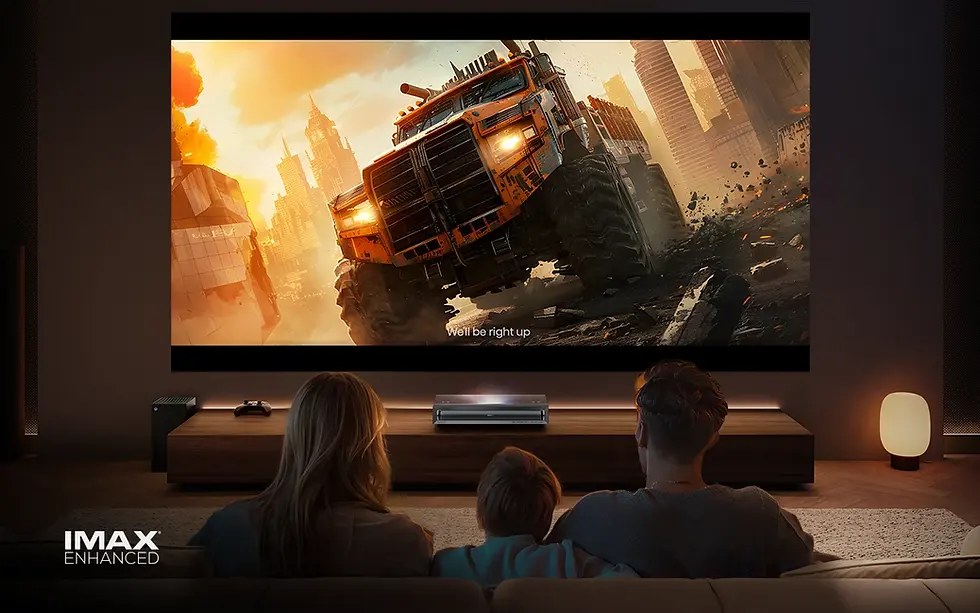
Smart Features & OS
The US model runs Google TV — a point worth emphasising, because some European reviews describe Hisense’s VIDAA system on regional variants. For the US PX3-PRO verified on Hisense USA, it is Google TV, with the Play Store, Google Assistant, Chromecast built-in, AirPlay 2, and Alexa compatibility.
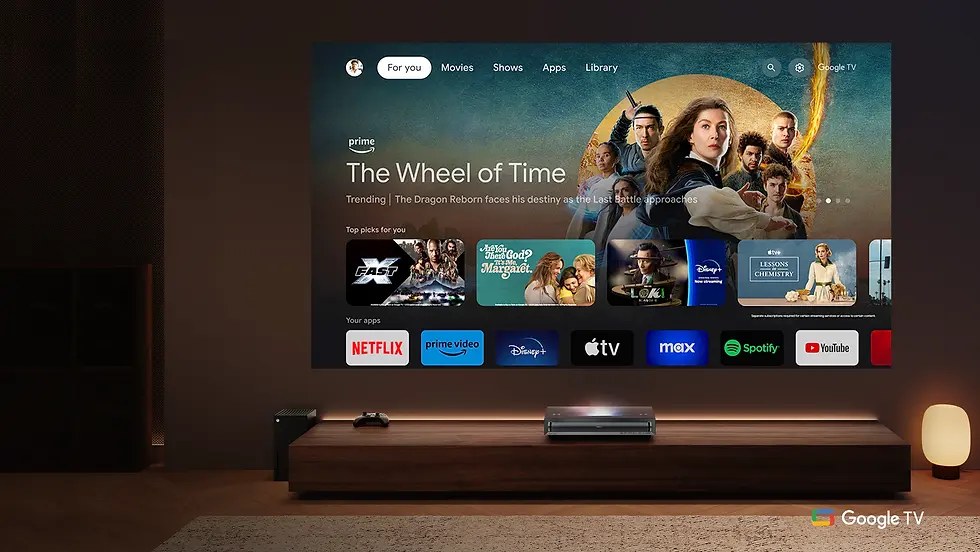
Here, Google TV is a strength. Netflix is authorised, not a workaround, alongside Disney+, Max, Hulu, and Prime Video, and the platform correctly recognises SDR versus HDR and switches mode and colour space accordingly — rarer than it should be among USTs, and important for Dolby Vision to work as intended.
Gaps are modest: Google TV recommendations are advertising-heavy, niche regional services may need a separate stick, the remote backlight is dim and brief, shortcut buttons are not backlit, and laser level adjustment lags. Daily frictions, not deal-breakers.
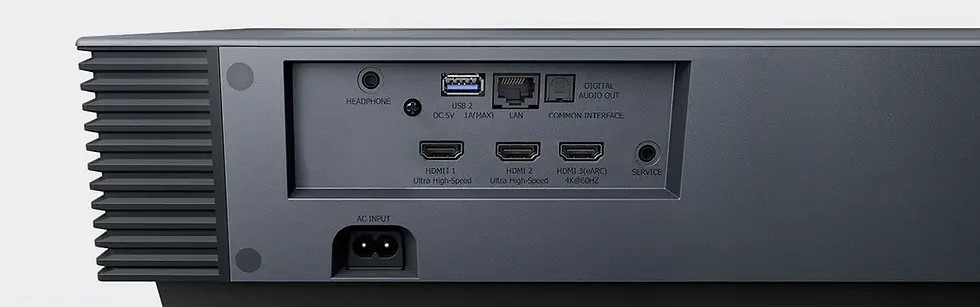
Connectivity is comprehensive: Wi-Fi 6E, Bluetooth 5.3, LAN, and Control4. Keeping HDMI 2.1 separate from eARC means a soundbar does not consume a gaming input.
Hisense PX3-PRO: Gaming Input Lag
Gaming is a headline claim, so it deserves scrutiny. The PX3-PRO is the world’s first UST projector with Designed for Xbox Limited Series certification, earned after Team Xbox testing. ALLM detects a console and switches to the low-latency configuration automatically.
Input lag was measured with DLP Turbo Mode on at: 38ms at 30Hz (1080p and 4K), 25ms at 1080p/60Hz, 21ms at 4K/60Hz, 14ms at 120Hz (1080p and 4K input), and 7ms at 1080p/240Hz; a similar 18ms was measured at 4K/60Hz.
One frame at 60Hz is about 16.7ms, so 21ms is just over one frame — responsive enough that most players will not perceive delay in adventure, sports, racing, or fighting games, though dedicated gaming projectors can be faster.
Three caveats separate marketing from experience. First, 4K/120Hz: the projector accepts that signal over HDMI 2.1, but the DLP chip tops out at 4K/60Hz on screen, so 120Hz signals are down-converted — a limitation universal to current DLP projectors.
Selecting 120Hz still improves lag and motion without delivering a true 4K/120Hz image. Second, there is no native 1440p/120Hz support: that signal must scale to 4K/60Hz or drop to 1080p for high refresh, which PC gamers should note.
Third, lowest latency needs DLP Turbo Mode, which disables keystone and 3D — physical alignment must be right.
The genuine high-refresh path is 1080p: 14ms at 120Hz and 7ms at 240Hz. For competitive shooters, dropping to 1080p/240Hz on a 100-inch-plus screen is a legitimate strategy few televisions can match at any size.
For cinematic console gaming at 4K/60Hz, wide-gamut HDR and 21ms lag make this one of the most enjoyable big-screen gaming displays available. For broader trade-offs, see how to choose a projector for home theater.
Who Should Buy / Who Should Skip
Buy it if…
you watch mainly in the evening with partial light control; want one display for movies, sport, and gaming; use both Dolby Vision and HDR10+ sources; want a smart platform without an extra box; or still enjoy 3D Blu-rays. Sweet spot: 100 to 120 inches.
Skip it if…
your room is bright all day and cannot be dimmed yet you expect television-like brightness at 120 inches or more; if your console is tall or shallow and cannot change, because UST geometry will fight you; if you specifically need native 1440p/120Hz or true 4K/120Hz display; or if you are highly sensitive to DLP rainbow artefacts and cannot view a DLP projector first, even though reports here are favourable.
Alternatives
Epson EpiqVision Ultra LS800
A brighter 3LCD UST with no DLP rainbow concerns. Comparisons rate the PX3-PRO ahead on contrast and features, the Epson on brightness.
AWOL Vision LTV-3500 Pro
AWOL Vision LTV 3500 Pro is a bright triple-laser rival with Dolby Vision; AWOL models can offer lower latency at 1080p/120Hz.
Samsung The Premiere 9
Samsung’s flagship triple-laser UST, competing on living-room integration and its TV platform rather than gaming, without the PX3-PRO’s HDR-plus-high-refresh combination.
Frequently Asked Questions
Does the Hisense PX3-PRO need an ALR screen?
Not strictly — a flat white wall works, and in darkness the image already looks strong. But a UST-specific ambient light rejecting screen, lenticular CLR or Fresnel, is effectively required to keep blacks deep in a normal living room, because ceiling and side light washes out the image at the steep UST angle. No screen is included, so plan for one.
What is the Hisense PX3-PRO input lag for gaming?
With DLP Turbo Mode on, measured 21ms at 4K/60Hz, 25ms at 1080p/60Hz, 14ms at 120Hz, and 7ms at 1080p/240Hz. That suits console gaming and, at 1080p high refresh, competitive play. A 4K/120Hz signal is accepted but displayed at 4K/60Hz, and Turbo Mode disables keystone and 3D.
How far from the wall does the PX3-PRO need to sit?
Roughly 4.7 inches from the screen surface for 80 inches, 8.5 inches for 100 inches, 12.4 inches for 120 inches, and 18.1 inches for 150 inches. Add the cabinet depth for furniture, and allow roughly 15 to 18 inches from the console surface to the screen bottom at common sizes. Verify with a throw calculator before buying furniture.
Is the PX3-PRO bright enough for a living room?
Rated 3,000 ANSI lumens, it measured 2,669 in its brightest mode and about 2,000 in accurate Theater and Filmmaker modes. That suits 100 to 120 inches with controlled light on an ALR screen. In a bright, undimmed room or at 150 inches, expect washout in accurate modes — use a higher-gain Fresnel screen or a smaller image.
Does the PX3-PRO support Dolby Vision and 3D?
Yes to both. It supports Dolby Vision (Bright, Dark, Custom), HDR10+, HDR10, HLG, and IMAX Enhanced — an unusually complete list. It also supports active 3D via DLP Link glasses (not included), found clean with no noticeable crosstalk but darker than 2D, so watch 3D in darkness at moderate size.
How loud is the PX3-PRO, and how long does the laser last?
Hisense publishes no noise rating; measured a maximum of 39.1 dBA at about 3 feet, lower from the sides, so from a typical seat fan noise is unlikely to intrude except in very quiet scenes. The laser is rated over 25,000 hours — at four hours a day, well over a decade with no lamp changes.
Bottom Line
Based on verified specifications and measured data, the Hisense PX3-PRO earns its place at the top of the UST category not by winning every measurement, but by having no serious weakness.
Its contrast is the best its most rigorous reviewer had measured on a UST; its colour is extremely wide and unusually accurate, it handles every HDR format you are likely to meet, its Google TV implementation is properly finished, its built-in sound is respectable, and it games far better than a projector with this film pedigree should.
Conditions: give it a proper UST screen and a low, deep console, watch films at 100 to 120 inches in controlled light, and remember high-refresh gaming is a 1080p story while 4K gaming is 60Hz. Meet them, and they deliver a giant television’s convenience with a cinema’s scale and colour.