Best Projector for GTA 6 — Top 5 Projectors for Grand Theft Auto VI on PS5 and Xbox
Grand Theft Auto VI arrives on November 19, 2026, on PlayStation 5 and Xbox Series X and S, and it is the rare game where the buying advice for a projector runs against the usual gaming wisdom.
Rockstar is targeting 30 frames per second on consoles, and no 60FPS performance mode has been announced, which means the refresh-rate race that dominates gaming projector marketing does not apply here.
A 120Hz or 240Hz panel is a bonus for other games, not for this one. What matters for GTA 6 is a sharp 4K image at 60Hz, honest HDR, low input lag, and enough brightness and contrast to hold Vice City’s neon nights and sunlit streets.
This roundup, Best Projector for GTA 6, covers the top 5 projectors that fit that brief differently: a laser TV for the living room, a dedicated gaming projector with the lowest lag here, the brightest budget pick, the widest-colour laser, and the only true native 4K projector of the five.
Every brightness, lag, and contrast figure here is the manufacturer’s own published number. One more honest note before the list: Grand Theft Auto VI is a console game at launch, with no PC version announced, so this article is written for PS5 and Xbox players.
The two consoles are not identical for a projector buyer: the PS5 outputs HDR10 only, so Dolby Vision is irrelevant to PS5 players, while the Xbox Series X is the only console with Dolby Vision gaming. The console sections after the reviews cover that split in full.
Best Projector for GTA 6 2026: Quick Comparison
| Product | Type | Brightness | Best for | Buy |
|---|---|---|---|---|
| AWOL Vision LTV-3500 | UST laser TV | 3,300 ANSI lumens | Living room, Dolby Vision | Buy from Amazon |
| BenQ TK710STi | Short-throw laser gaming | 3,200 ANSI lumens | Lowest lag gaming | Buy from Amazon |
| Optoma UHD38x | Standard-throw lamp | 4,000 lumens | Bright rooms, budget | Buy from Amazon |
| Hisense C3 Ultra | Triple-laser long throw | 4,000 ANSI lumens | Widest colour, Dolby Vision | Buy from Amazon |
| Sony BRAVIA Projector 7 | Native 4K laser | 2,200 lumens | Dark room, sharpest image | Buy from Amazon |
Best Projector for Grand Theft Auto VI 2026 Reviews
1. AWOL Vision LTV-3500 — Best Living Room Laser Projector for GTA 6
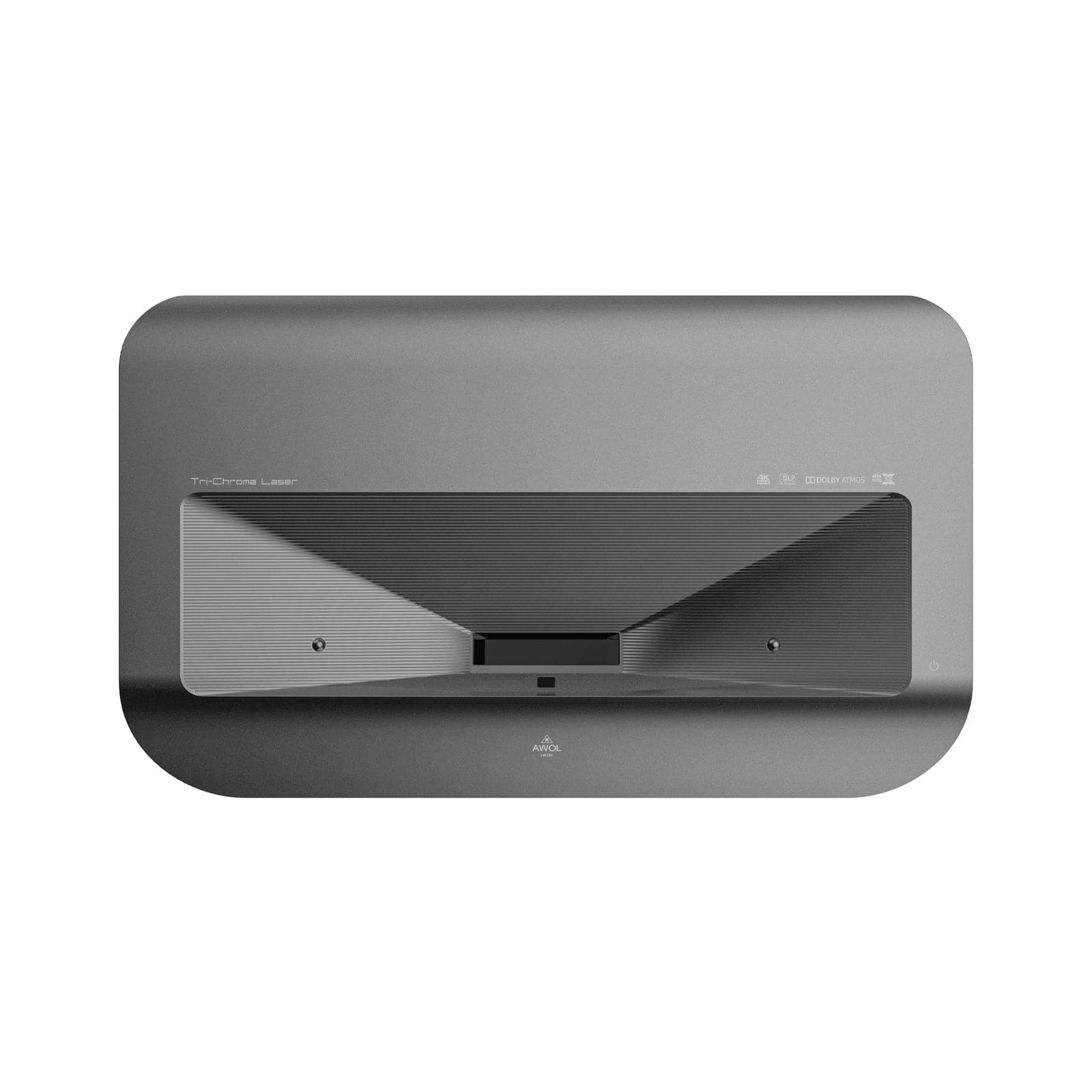
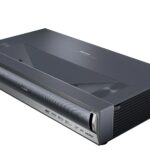
The AWOL Vision LTV-3500 is the projector for the player who wants GTA 6 on the biggest screen in the living room without building a theater.
It is an ultra-short-throw laser TV: it sits on the console below the screen and throws an 80 to 150-inch image from inches away, at a 0.25:1 throw ratio, so no ceiling mount and no long throw distance are needed.
For a game mostly played in a living room, that placement is the practical advantage the other four cannot match.
The numbers fit GTA 6’s 30fps target. It outputs 4K UHD at 3,300 ANSI lumens from an RGB triple laser with no colour wheel, rated for 25,000 hours or more, with 107 percent of the BT.2020 colour gamut and a 2,500:1 native contrast ratio.
Input lag is 15ms at 4K/60Hz and 8ms at 1080p/120Hz in Turbo Mode, under one 33.3ms frame at the game’s 30fps target, so the controls feel direct.
HDR is the full set: Dolby Vision, HDR10+, HDR10 and HLG, with MEMC motion handling, which matters on Xbox, where Dolby Vision gaming is real, and on PS5, where HDR10 carries the picture.
Sound is part of the package: a 36W stereo system with Dolby Atmos and DTS Virtual:X, a Bluetooth speaker mode, and a Fire TV Stick 4K Max in the box alongside Android 9.0.
The one thing to know is that the LTV-3500 is a UST projector, so it needs a flat screen or wall directly above it and a dim room to hold its blacks, like every UST.
Key Specifications
- Model: AWOL Vision LTV-3500
- Brightness: 3,300 ANSI lumens (3,500 peak)
- Resolution: 4K UHD 3840 x 2160, TI 0.47-inch DMD, pixel shifting
- HDR: Dolby Vision, HDR10+, HDR10, HLG, MEMC
- Input lag: 15ms at 4K/60Hz; 8ms at 1080p/120Hz (Turbo Mode)
- Contrast: 2,500:1 native
- Colour: 107% BT.2020
- Light source: RGB triple laser, no colour wheel, 25,000+ hours
- Throw: UST, 0.25:1, 80–150-inch image
- Smart platform: Android 9.0 + Fire TV Stick 4K Max included
- Audio: 36W stereo, Dolby Atmos, DTS Virtual:X, Bluetooth speaker mode
✓ Pros
- Brightest UST here, with the full HDR set including Dolby Vision
- 15ms lag at 4K/60 is under one 30fps frame
- UST placement needs no mount and no throw distance
- 36W Atmos sound and a Fire TV Stick in the box
- Triple laser with no lamp to replace
✗ Cons
- Needs a flat screen or wall directly above it
- Needs a dim room to hold its blacks
- Dolby Vision arrived on this model via a post-launch update, not at launch
- Heaviest and largest of the five
When NOT to choose this one: Skip it if the room has no flat wall or screen space directly above the console, because a UST projector cannot throw from across the room. Also look elsewhere if the living room is bright in the daytime: no UST holds its blacks in strong daylight.
2. BenQ TK710STi — Best Gaming Projector for Grand Theft Auto VI
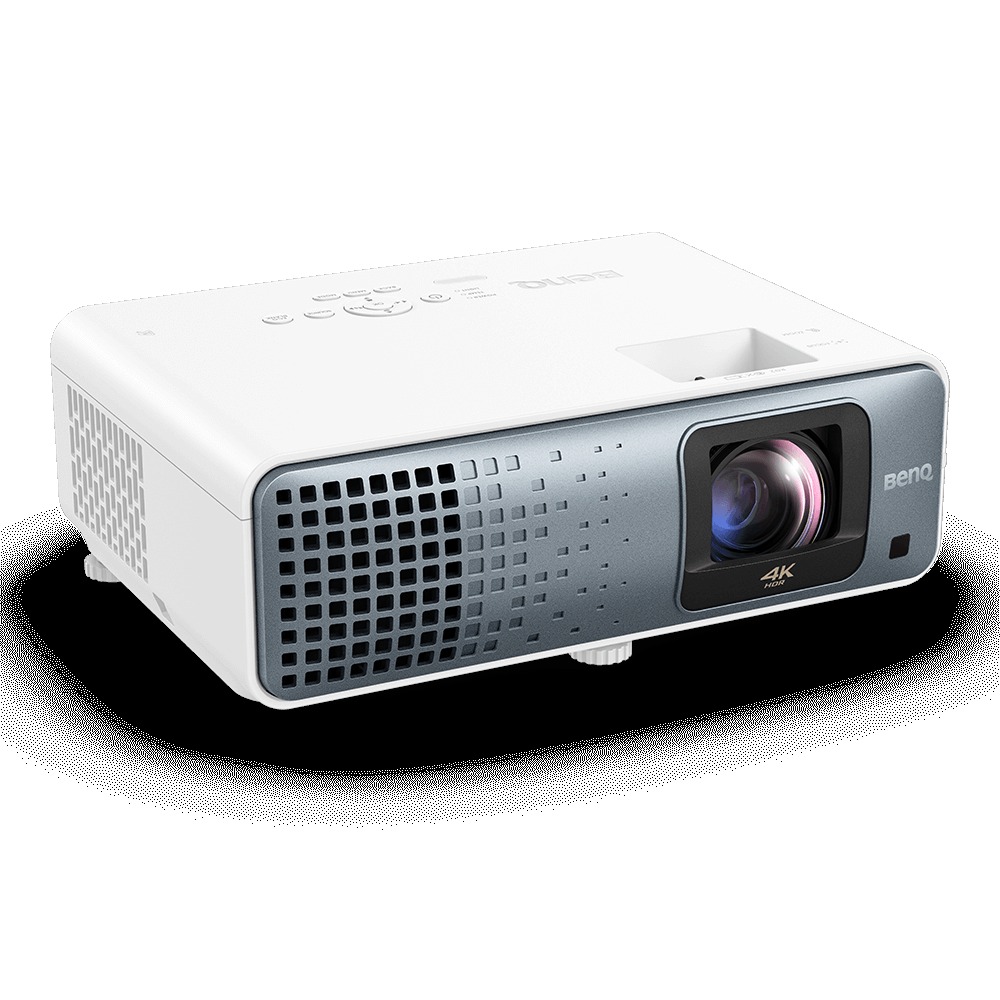
The BenQ TK710STi is the gaming-first pick here, and the one to buy if the response of the controls matters as much as the picture.
It is a short-throw laser projector: at a 0.69 to 0.83 throw ratio with a 1.2x optical zoom, it throws a large image from a short distance, which suits a small room.
Input lag is 16.7ms at 4K/60Hz, 8.3ms at 1080p/120Hz and 4.2ms at 1080p/240Hz, the joint-lowest 4K/60 lag of the five, with dedicated FPS and RPG game modes that tune the picture for the genre being played.
The picture is true 4K UHD at 3,200 ANSI lumens from a laser rated for 20,000 hours, with HDR10 and HLG and no Dolby Vision: on the PS5 that makes no difference, because the console outputs HDR10 only, while on the Xbox the Dolby Vision advantage goes to the AWOL and the Hisense instead.
Colour is 95 percent Rec.709, the narrowest gamut here, and the 600,000:1 contrast figure is achieved with light-source dimming, so it is dynamic rather than native. The smart platform is Android TV via an included QS02 dongle.
The weakness is sound: a single 5W speaker, the weakest of the five, is fine for a quiet room and not enough for a living room.
The projector passes Dolby Atmos through eARC to a soundbar, so the fix is a soundbar rather than a different projector. For the player who already has one, the TK710STi is the most responsive projector here.
Key Specifications
- Model: BenQ TK710STi
- Brightness: 3,200 ANSI lumens
- Resolution: True 4K UHD 3840 x 2160, DLP pixel shifting
- HDR: HDR10 and HLG only — no Dolby Vision
- Input lag: 16.7ms at 4K/60Hz; 8.3ms at 1080p/120Hz; 4.2ms at 1080p/240Hz
- Contrast: 600,000:1 with light-source dimming
- Colour: 95% Rec.709
- Light source: Laser, 20,000 hours
- Throw: Short throw, 0.69–0.83, 1.2x optical zoom
- Smart platform: Android TV via included QS02 dongle
- Audio: Built-in 5W speaker; eARC + Dolby Atmos passthrough to a soundbar
✓ Pros
- Joint-lowest 4K/60 lag here at 16.7ms
- Short throw suits a small room
- Dedicated FPS and RPG game modes
- Laser light source with no lamp changes
- Android TV dongle included
✗ Cons
- No Dolby Vision, which matters on Xbox
- 5W speaker is the weakest of the five
- 95% Rec.709 is the narrowest colour gamut here
- Contrast figure is dynamic, not native
When NOT to choose this one: Skip it if the setup has no soundbar or speakers: the 5W speaker will not fill a living room. Also look elsewhere if Dolby Vision on Xbox is a priority: the AWOL and the Hisense have it, and this one does not.
3. Optoma UHD38x — Best Budget Projector for PS5
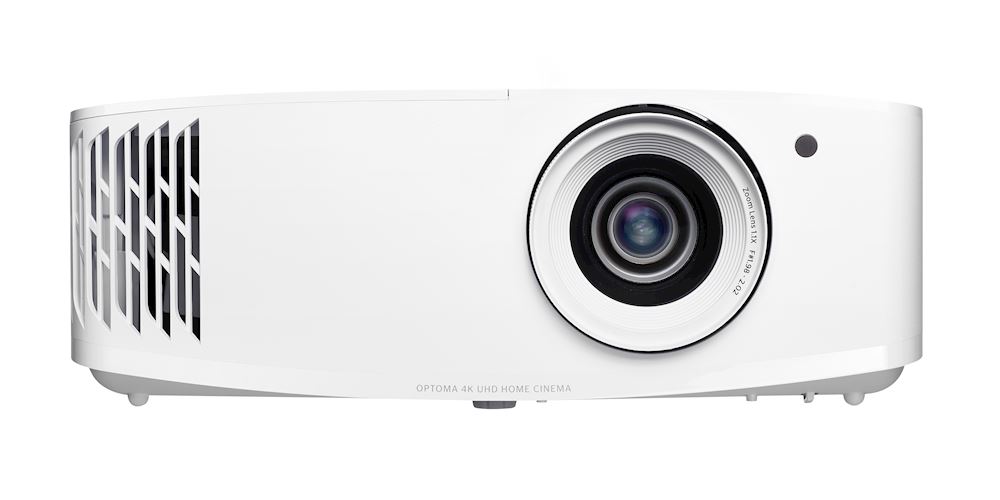
The Optoma UHD38x is the budget pick here, and the brightest one on paper: 4,000 lumens from a 240W lamp, with a 4K UHD image and Enhanced Gaming mode.
At 4K/60Hz, the lag is in the 16.7ms class, and at 1080p/240Hz it drops to 4.2ms, fast enough for any game, including the fast driving and shooting of GTA 6. No 1080p/120Hz figure is published, so none is stated here.
The 1,000,000:1 contrast figure is dynamic, achieved with the lamp and iris working together, and the colour is Rec.709, the standard gamut, with no wide-gamut figure claimed.
The trade for the price is the lamp. It is the only lamp projector of the five, rated for 4,000 hours in Bright mode, 10,000 in Eco and 15,000 in Dynamic, so a lamp replacement is part of the long-term cost, whereas the four lasers are not.
There is no built-in smart platform, so a streaming stick or the console supplies the apps, and the USB-A port powers a dongle. The throw is the longest here at 1.5:1 to 1.66:1 with a 1.1x manual zoom, so check the room before ordering: a short room will not fit a large image.
HDR is HDR10 and HLG, with no Dolby Vision, and the built-in speaker is 10W. For a bright living room on a budget, the UHD38x is the pick: bright, fast, and cheaper than the lasers, with the lamp and the long throw as the honest costs.
Key Specifications
- Model: Optoma UHD38x
- Brightness: 4,000 lumens
- Resolution: UHD 3840 x 2160 (4K, 8.3M pixels), DLP
- HDR: HDR10 and HLG compatible — no Dolby Vision
- Input lag: ~16.7ms class at 4K/60Hz; 4.2ms at 1080p/240Hz (Enhanced Gaming); no 1080p/120Hz figure published
- Contrast: 1,000,000:1
- Colour: Rec.709
- Light source: 240W lamp — 4,000h (Bright) / 10,000h (Eco) / 15,000h (Dynamic)
- Throw: 1.5:1–1.66:1, 1.1x manual zoom — longest throw of the five
- Smart platform: None — external source required; USB-A powers a dongle
- Audio: Built-in 10W speaker
✓ Pros
- Brightest on paper at 4,000 lumens
- 4.2ms lag at 1080p/240Hz for fast play
- Lowest price of the five
- Enhanced Gaming mode built in
✗ Cons
- Only lamp projector here, so a lamp replacement is part of the cost
- No smart platform and no Dolby Vision
- Longest throw needs the most room distance
- Rec.709 colour only, with no wide-gamut figure
When NOT to choose this one: Skip it if the room is short: the 1.5:1 throw needs the most distance to fill a large screen. Also look elsewhere if a lamp-free laser and a built-in smart platform are worth the extra cost to you.
4. Hisense C3 Ultra — Best Projector for Xbox
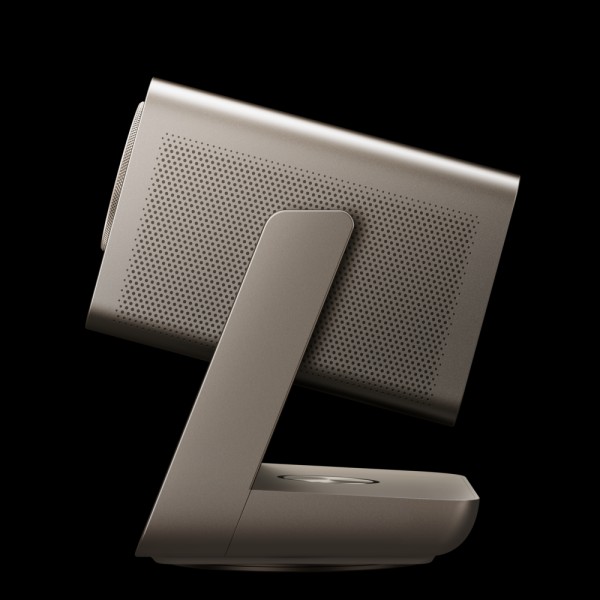
The Hisense C3 Ultra is the colour pick here. It is a triple-colour laser projector at 4,000 ANSI lumens, with 118 percent of the BT.2020 colour gamut, the widest of the five, and Dolby Vision, HDR10 and HLG, plus IMAX Enhanced and Filmmaker Mode.
For a game built on neon signs, sunsets and the saturated colour of Vice City, that combination is the point: the C3 Ultra shows more colour than any other projector here, and it shows it brightly.
The gaming hardware is complete on paper: Game Mode Pro, HDMI 2.1, VRR, AMD FreeSync Premium, ALLM and HSR240. The one gap is the number that matters most to competitive players: Hisense publishes no official input lag figure for the C3 Ultra, and this article states that openly rather than quoting a figure from a retailer or a review.
The gaming modes are real, the ports are real, and the lag figure is not published, so the C3 Ultra is the cinematic GTA 6 pick rather than the competitive one. If lag matters more than colour, the BenQ is the pick instead.
The rest of the package is generous: a 5,000:1 static contrast ratio with a seven-level adjustable iris lens, a 1.67x lossless optical zoom, plus and minus 100 percent vertical and 35 percent horizontal lens shift, and a gimbal stand that tilts and rotates 360 degrees.
Sound is a 56W Devialet-tuned system, the strongest built-in audio here, though it has no Dolby Atmos. The smart platform is VIDAA U9, with an app store, a browser, and voice control.
Key Specifications
- Model: Hisense C3 Ultra
- Brightness: 4,000 ANSI lumens
- Resolution: 4K UHD 3840 x 2160 at 60Hz, 0.47-inch DMD
- HDR: Dolby Vision, HDR10, HLG; IMAX Enhanced; Filmmaker Mode
- Input lag: No official figure published by Hisense
- Contrast: 5,000:1 static (iris lens, 7-level adjustable)
- Colour: 118% BT.2020 — widest gamut of the five
- Light source: Pure triple-colour laser, 25,000 hours
- Throw: 0.9–1.5:1, 1.67x lossless optical zoom, lens shift ±100% vertical / ±35% horizontal; gimbal stand
- Smart platform: VIDAA U9 (App Store, browser, voice control)
- Audio: 56W total, Devialet-tuned, Dolby Audio + DTS — no Dolby Atmos
✓ Pros
- Widest colour here at 118% BT.2020, with Dolby Vision
- 4,000 ANSI lumens, the brightest laser here
- Full gaming hardware: HDMI 2.1, VRR, FreeSync Premium, ALLM
- 56W Devialet sound, the strongest built-in audio here
- Gimbal stand and wide lens shift make placement easy
✗ Cons
- No published input lag figure, so competitive lag is unproven on paper
- No Dolby Atmos
- Triple laser costs more than the budget pick
When NOT to choose this one: Skip it if a published lag figure is a must: Hisense does not publish one, and the BenQ does. Also look elsewhere if Dolby Atmos is a priority: the AWOL has it, and this one does not.
5. Sony BRAVIA Projector 7 — Best Native 4K Projector for GTA 6
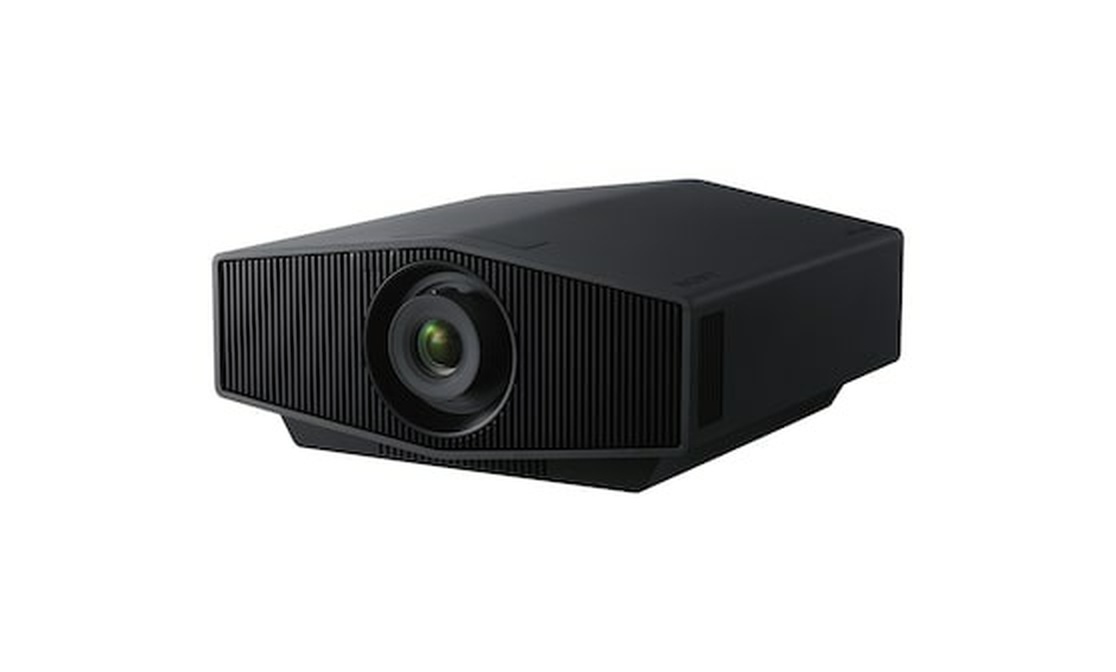
The Sony BRAVIA Projector 7 is the cinema pick here, and the only true native 4K projector of the five. Three 0.61-inch SXRD panels produce a native 3840 by 2160 image with no pixel shifting, and Sony’s XR processing with XR Dynamic Tone Mapping and XR Deep Black laser dimming handles the contrast.
For GTA 6, that means the sharpest image here, and the best blacks for the game’s night driving, where the other projectors show grey, and the Sony shows black. It is the projector for the player with a dark room who wants the picture to look like a cinema.
The costs are brightness and features. At 2,200 lumens, with no ANSI rating in the published specification, it is the dimmest of the five and a dark-room projector: it needs the lights off and the curtains drawn. HDR is HDR10 and HLG only, with no Dolby Vision, no HDR10+, and no 3D.
Input lag is 21ms at 4K/60p and 12ms at 4K/120p and 2K/120p, with ALLM: the slowest 4K/60 lag here, still under one 30fps frame, so it is fine for GTA 6 and less suited to fast competitive shooters. The dynamic contrast figure is stated as infinite to one with laser dimming, and no native figure is published.
There is no built-in smart platform and no built-in speaker, so the Sony needs an external source and an external sound system. That is the cinema trade: the picture is the best here, and everything else is the buyer’s job. For a dedicated dark theater, it is the pick. For a living room, it is not.
Key Specifications
- Model: Sony BRAVIA Projector 7 (VPL-XW5100ES)
- Brightness: 2,200 lumens (white and colour light output)
- Resolution: Native 4K 3840 x 2160, three 0.61-inch SXRD panels — the only true native 4K of the five
- HDR: HDR10 and HLG only — no Dolby Vision, no HDR10+; IMAX Enhanced; XR Dynamic Tone Mapping. No 3D.
- Input lag: 21ms at 4K/60p; 12ms at 4K/120p; 12ms at 2K/120p; ALLM
- Contrast: Dynamic ∞:1 with XR Deep Black laser dimming — no native contrast figure stated
- Colour: XR Triluminos Pro, >95% DCI-P3
- Light source: Laser diode, 20,000 hours, no lamp changes
- Throw: 1.38–2.21 (16:9), ~1.6x manual zoom, lens shift ±71% vertical / ±25% horizontal
- Smart platform: None — external source required
- Audio: No built-in speaker — external sound system required
✓ Pros
- Only true native 4K here, with the sharpest image
- Best blacks for night driving, with XR Deep Black dimming
- 12ms lag at 4K/120 for other games
- Laser light source with no lamp changes
✗ Cons
- Dimmest of the five at 2,200 lumens, and a dark-room projector only
- No Dolby Vision, no HDR10+, no 3D
- No smart platform and no built-in speaker
- 21ms lag at 4K/60 is the slowest here
When NOT to choose this one: Skip it if the room is not dark; 2,200 lumens cannot hold a picture in daylight. Also look elsewhere if the setup needs built-in apps or speakers, because the Sony has neither.
How to Choose a Projector for Grand Theft Auto VI – Buyer’s Guide
What GTA 6 Actually Asks of a Projector
Grand Theft Auto VI is an open-world game, and an open world asks different things of a projector than a shooter. The player spends hours driving at night, walking sunlit streets, and watching cutscenes, so the picture has to hold detail in the dark and in the bright.
The game targets 30 frames per second on consoles, which sets the first rule of this guide: at 30fps each frame lasts 33.3 milliseconds, so an input lag of 15 to 21ms, which is what the five projectors here publish, is under one frame. Lag differences of a few milliseconds matter far less for GTA 6 than for a 120Hz shooter.
Sharp 4K/60 Before 120Hz
The first thing to check in any projector for GTA 6 is a sharp 4K image at 60Hz, not a 120Hz or 240Hz panel. The game is built around a 30fps console target, and the footage Rockstar has shown was captured on a base PS5 at around 1440p internally, upscaled to 4K.
A projector that resolves a clean, detailed 4K/60 picture shows the game at its best, and a 120Hz mode is a bonus for other games. Four of the five use pixel shifting to reach 4K, and the Sony is the only true native 4K, with three SXRD panels and no shifting, which is why it is the sharpest image here.
On a PS5 Pro, PSSR upscaling adds a clearer image but no higher frame rate, so the projector choice does not change.
HDR: The Neon Test
HDR is the second thing to check, and the test is simple: can the projector hold a neon sign and a dark street in the same frame? Vice City is built on neon, and HDR tone mapping is what keeps a bright sign from blowing out while the street below stays readable.
The AWOL and the Hisense carry the full HDR set, including Dolby Vision, the best HDR available for this game on Xbox, where Dolby Vision gaming is supported.
The BenQ, the Optoma, and the Sony carry HDR10 and HLG only, which is still proper HDR, and on the PS5 it is the only HDR available.
Brightness: How Many Lumens for Grand Theft Auto VI
Brightness is the third thing to check, and it depends on the room. A dark room needs less light, a bright living room needs more, and the number to look for is the ANSI lumens figure where one is published.
The AWOL at 3,300 ANSI, the BenQ at 3,200 ANSI, and the Hisense at 4,000 ANSI are all bright enough for a living room with the curtains drawn, and the Optoma at 4,000 lumens is the brightest on paper, though its figure carries no ANSI qualifier.
The Sony at 2,200 lumens is a dark-room projector and needs the lights off. Our guide to how many lumens you need for a projector works through the room-by-room numbers.
Contrast and Blacks: Night Driving
Contrast is the fourth thing to check, because a large part of GTA 6 happens at night, and a projector that shows grey where the game shows black ruins the mood.
The Sony is the best here, with XR Deep Black laser dimming and the deepest blacks of the five. The AWOL’s 2,500:1 is a native figure, the honest way to state contrast, and the Hisense’s 5,000:1 is a static figure with an adjustable iris.
The BenQ’s 600,000:1 and the Optoma’s 1,000,000:1 are dynamic figures, achieved with dimming, and they are not comparable to the native and static figures.
Colour: Vice City’s Palette
Colour is the fifth thing to check, and the number to look for is the BT.2020 percentage, which measures how much of the wide colour gamut the projector can show.
The Hisense is the widest here at 118 percent BT.2020, the AWOL is next at 107 percent, and the Sony covers more than 95 percent of DCI-P3.
The BenQ and the Optoma are Rec.709, the standard gamut, which is fine for a game but shows less of the neon and sunset colour.
Input Lag: What the Number Means at 30fps
Input lag is the sixth thing to check, and at 30fps the number means less than the marketing suggests.
The AWOL at 15ms and the BenQ at 16.7ms are the fastest here at 4K/60; the Optoma is in the same class, and the Sony at 21ms is the slowest, yet all four are under one 33.3ms frame, so none will feel laggy in GTA 6.
The Hisense publishes no lag figure at all, which is stated openly in its review, though its gaming hardware is real.
Screen Size and Seating
Screen size is the seventh thing to check, and for GTA 6, bigger is better, up to the point where the eyes have to scan.
A 100 to 120-inch image at 10 to 12 feet is the sweet spot, and a 150-inch image needs 15 feet or more. The AWOL throws 80 to 150 inches from inches away, the BenQ’s short throw suits a small room, and the Optoma’s long throw needs the most distance.
Our guide to choosing the right screen size for your room works through the seating distances. The screen matters too: a matte white screen is the right surface for 4K, and our guide to whether a 4K projector needs a special screen covers that question, though that guide publishes on November 21.
Audio and the Rest
Audio is the eighth thing to check, because GTA 6’s radio stations and street sound are half the game. The Hisense’s 56W Devialet system is the strongest built-in audio here, the AWOL’s 36W Atmos system is next, and the Optoma’s 10W speaker is adequate for a quiet room.
The BenQ’s 5W speaker needs a soundbar, and the Sony has no speaker at all. A soundbar fixes all five, so audio should not decide the purchase.
Which of the Five for Which Player
For the living room, the AWOL LTV-3500. For the competitive player, the BenQ TK710STi. For the budget, the Optoma UHD38x.
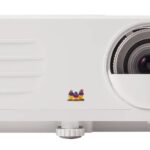
For colour, the Hisense C3 Ultra. For a dedicated dark theater, the Sony BRAVIA Projector 7. One close alternative outside the five is the ViewSonic PX701-4K, a bright 4K lamp projector for gaming that costs less than the lasers, though its lamp and Rec.709 colour keep it out.
Grand Theft Auto VI (GTA 6) on PS5 — What Your Projector Needs
On the PS5, the projector’s Dolby Vision does not matter, because the console outputs HDR10 only. The choice comes down to brightness, lag, and blacks instead. The PS5 outputs 4K at up to 120Hz with VRR and ALLM, but GTA 6 targets 30fps, so the 120Hz output is for other games.
The PS5 Pro is labelled PS5 Pro Enhanced, and Rockstar says the Pro version adds a clearer image through PSSR upscaling and ray-traced shadows, not a frame-rate unlock, so no 60fps mode on the Pro has been announced.
For a PS5 player, the pick is the sharpest 4K/60 image with the best HDR10 tone mapping in the room’s light.
Grand Theft Auto VI (GTA 6) on Xbox — What Your Projector Needs
On the Xbox Series X, Dolby Vision is a real differentiator, because the Xbox is the only console with Dolby Vision gaming, alongside Dolby Atmos, VRR, ALLM and AMD FreeSync.
That makes the AWOL and the Hisense the two picks for Xbox players: both carry Dolby Vision, and both are bright enough for a living room. The BenQ, the Optoma, and the Sony are still fine on Xbox, but they give up the Dolby Vision advantage.
The frame-rate target is the same as on PS5, 30fps with no 60fps mode announced, and the Xbox Series S targets a lower resolution, so a 4K projector is more than it needs.
For an Xbox player, the pick is the AWOL LTV-3500 or the Hisense C3 Ultra, with Dolby Vision as the deciding feature.
Frequently Asked Questions About Best Projector for GTA 6
Do I need a 120Hz projector for GTA 6?
No. GTA 6 targets 30fps on consoles, and no 60fps mode has been announced, so a 120Hz panel is a bonus for other games, not for this one. What matters is a sharp 4K/60 image, HDR, and low input lag.
Which projector is best for GTA 6 on PS5?
The AWOL LTV-3500 for a living room, the BenQ TK710STi for responsiveness, or the Sony BRAVIA Projector 7 for a dark theater. Dolby Vision does not matter on PS5, because the console outputs HDR10 only.
Which projector is best for GTA 6 on Xbox?
The AWOL LTV-3500 or the Hisense C3 Ultra, because both carry Dolby Vision, and the Xbox Series X is the only console with Dolby Vision gaming. Both are bright enough for a living room.
Can I play GTA 6 on a projector in a bright living room?
Yes, with 3,200 ANSI lumens or more: the AWOL, the BenQ, and the Hisense all qualify, and the Optoma at 4,000 lumens is the brightest on paper. The Sony at 2,200 lumens needs a dark room.
Does GTA 6 need a special screen?
No. A matte white screen is the right surface for 4K, and a flat wall works too. A UST projector like the AWOL needs a flat screen or wall directly above it, because it throws from inches away.
Will GTA 6 run at 60fps on PS5 Pro?
No 60fps mode has been announced for any console, including the PS5 Pro. The Pro version adds a clearer image through PSSR upscaling and ray-traced shadows, not a frame-rate unlock.
Bottom Line
The best projector for GTA 6 is the AWOL Vision LTV-3500: a bright UST laser TV with the full HDR set, 15ms lag at 4K/60, and Atmos sound, built for the living room.
The BenQ TK710STi is the pick for the lowest lag, the Optoma UHD38x is the pick for the budget, the Hisense C3 Ultra is the pick for colour and Dolby Vision, and the Sony BRAVIA Projector 7 is the pick for a dedicated dark theater with the sharpest native 4K image.
The rule to remember: GTA 6 targets 30fps on consoles, so 120Hz is not the priority. Sharp 4K/60, honest HDR, low lag and a screen big enough for Vice City are. Get those four right and the projector disappears, and the game is all that is left.