BenQ TK710STi Review (2026) — Best Short-Throw 4K Laser Gaming Projector
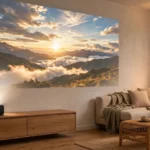
Most gaming projectors force a compromise: sit it far from the wall for a big picture, or accept a small image in a small room. This BenQ TK710STi review looks at a short-throw laser projector designed to remove that compromise, filling a 100-inch screen from roughly five to six feet away.
The TK710STi pairs a DLP imaging system with a laser light source rated at 3,200 ANSI lumens. It displays a 4K UHD picture, supports HDR10 and HLG, and carries dedicated game modes with input lag figures that belong in a serious gaming conversation.
It is not a dedicated cinema-room machine, and it does not pretend to be an ultra-short-throw television replacement either. Its case rests on three things: short throw, laser brightness that holds up in a living room, and response times low enough for fast games on a very large screen.
BenQ TK710STi Review: The Verdict in Brief
The TK710STi suits gamers who want a 100-inch picture without a long room, and households that mix film nights, sport and console play in the same living room. The laser source removes lamp changes, the 1.2x zoom gives placement some breathing room, and Android TV arrives via the included QS02 dongle.
The honest limits are colour coverage aimed at Rec.709 rather than a wider cinema gamut, a modest 5W built-in speaker, and short-throw geometry that still demands careful placement. Buyers who understand those trade-offs get a focused, flexible projector rather than a compromised all-rounder.
BenQ TK710STi: Key Specifications
- Model: BenQ TK710STi
- Display technology: DLP
- Resolution: True 4K UHD 3840 × 2160, produced by pixel shifting on the DLP chip
- Brightness: 3,200 ANSI lumens
- Light source: Laser, rated life 20,000 hours
- Contrast: 600,000:1 with light source dimming
- Colour coverage: 95% Rec.709
- HDR support: HDR10 and HLG
- Throw ratio: 0.69–0.83
- Zoom: 1.2x optical zoom
- Lens: F2.53–2.73, focal length 10.2–12.24mm
- Projection offset: 102.5%
- Keystone: 3D keystone — vertical ±30°, horizontal ±30°, rotation ±30°
- Input lag: 4.2ms at 1080p/240Hz, 8.3ms at 1080p/120Hz, 16.7ms at 4K/60Hz
- Picture modes: 3D, Bright, Cinema, FPS, HDR FPS, HDR RPG, HDR10, HLG, Living Room, RPG, User
- Connections: HDMI 2.0b ×2 (one with eARC and Dolby Atmos passthrough), USB-A, RS-232
- Audio: Built-in 5W speaker
- Smart platform: Android TV via included QS02 dongle
- Dimensions: 304.2 × 112.4 × 232.5mm
- Weight: 3.0kg
These figures are confirmed on the official product page from BenQ, and they frame everything that follows in this review. Read them as a set, because the short throw, the laser brightness and the low lag only make sense together.
✓ Pros
- 100-inch picture from roughly five to six feet, ideal for smaller rooms
- 3,200 ANSI lumens from a laser source rated for 20,000 hours
- 4.2ms input lag at 1080p/240Hz and 16.7ms at 4K/60Hz
- Dedicated FPS, RPG, HDR FPS and HDR RPG picture modes
- 1.2x zoom and 3D keystone make placement far more forgiving
- HDMI eARC passes Dolby Atmos through to external audio
- Android TV included via the QS02 dongle, with no extra streamer required
✗ Cons
- Colour coverage stops at 95% Rec.709, with no wider cinema gamut
- 5W built-in speaker is a starter solution, not a film-night finish
- No lens shift, so placement and keystone do the alignment work
- Pixel-shifted 4K rather than a native 4K imaging chip
- Short throw still needs a clear, unobstructed path to the screen
- Smart features depend on the separate QS02 dongle
BenQ TK710STi: Design & Build
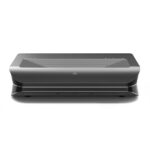
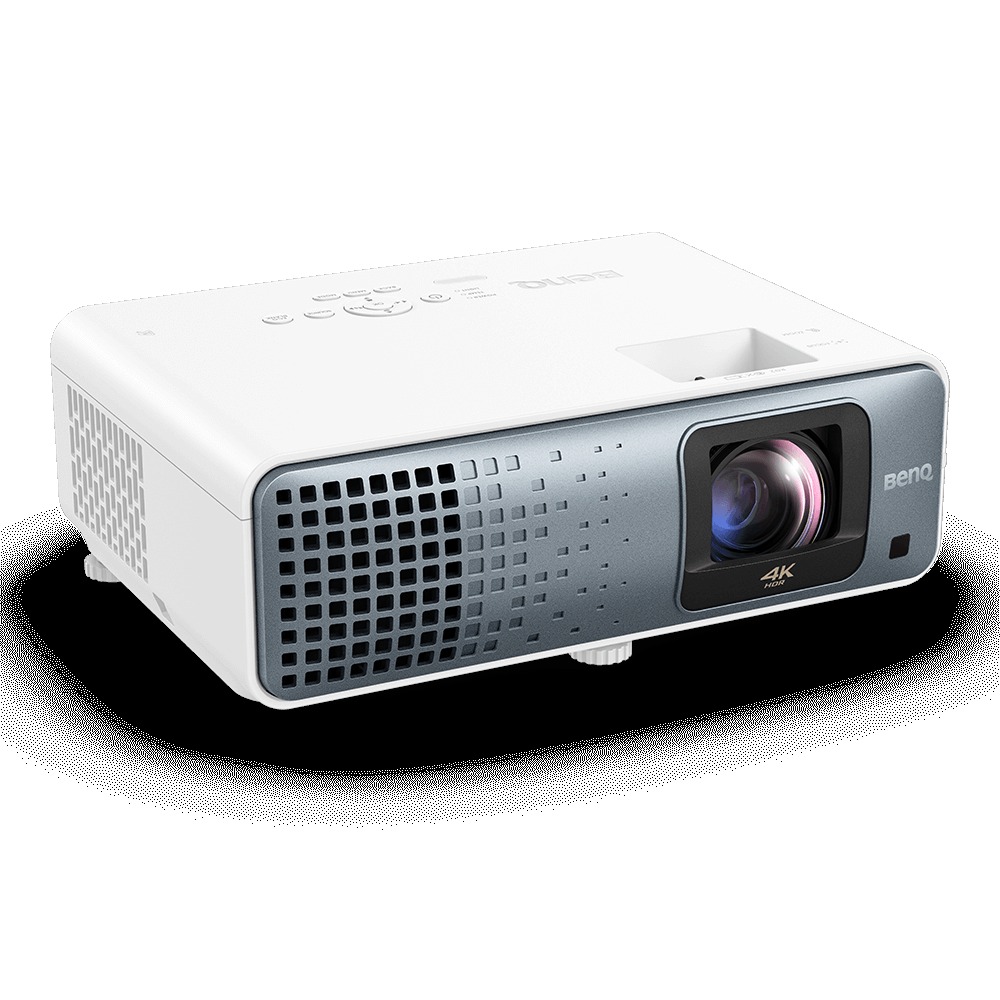
The TK710STi is a compact, boxy projector measuring 304.2 × 112.4 × 232.5mm and weighing 3.0kg. That is light enough to move between a coffee table, a shelf and a ceiling mount without treating the move as a project in itself.
The styling is restrained rather than showy, which suits a living-room device that may sit in view full time. The lens sits prominently at the front, as a short-throw design requires, and the body feels proportioned around its optics rather than styled around a lifestyle brief.
Build priorities become clear once you consider how owners actually use a short-throw model. It will often live close to the screen wall, within reach of players walking past, so a stable footprint and sensible control placement matter more than decorative touches.
There is no lens shift, which is the main design omission to plan around. Vertical alignment comes from the fixed 102.5% projection offset and from positioning the unit at the right height, with keystone correction handling smaller errors afterwards.
Ventilation deserves a thought in tight installations. Like any bright laser projector, the TK710STi needs clear airflow around its vents, so a closed cabinet with no circulation is a poor home for it, however neatly it fits.
Overall, the design reads as purposeful: small enough for a coffee table, substantial enough for a fixed mount, and free of gimmicks that would age quickly. It is built to be placed, aligned, and then largely forgotten during play.
BenQ TK710STi: Picture Modes
The TK710STi carries a long picture-mode list, and understanding it matters because each mode trades brightness, colour accuracy and processing differently. The full set is 3D, Bright, Cinema, FPS, HDR FPS, HDR RPG, HDR10, HLG, Living Room, RPG and User.
Bright and Living Room
Bright mode pushes light output hardest for rooms where curtains stay open or lamps stay on. Colours grow more vivid and less precise, which is an acceptable trade for daytime sport or casual viewing with friends in the room.
Living Room is the more balanced everyday setting. It keeps brightness high enough for ambient light while holding colours closer to natural, making it the sensible default for mixed evening use in a typical family room.
Cinema
Cinema is the accuracy-first mode for films after dark. Expect warmer, more measured colour and contrast handling that favours shadow detail over punch, at the cost of some of the brightness that the brighter modes deliver.
In a darkened room, that trade is worth making. Film content is graded for controlled viewing conditions, and Cinema is the mode that respects those conditions most closely on this projector.
FPS, RPG, HDR FPS and HDR RPG
The dedicated game modes are a distinguishing feature of this model. FPS mode tunes the image for shooters, where visibility in dark corners and clarity of moving detail matter more than cinematic warmth.
RPG mode takes the opposite emphasis, favouring richer colour and depth for open-world and story-driven games. The HDR versions, HDR FPS and HDR RPG, apply the same thinking to high dynamic range game signals rather than standard signals.
Having genre-specific modes is more than a menu flourish. A shooter and a role-playing game genuinely ask for different things from a display, and switching modes is quicker than rebuilding picture settings by hand each time.
HDR10, HLG, 3D and User
HDR10 mode handles the standard high dynamic range format used by streaming services and game consoles, while HLG covers the broadcast-oriented format. The 3D mode serves compatible 3D content for owners who still maintain a library of it.
User mode is the slot for your own calibrated settings once you have settled on values that suit your screen and room. Most owners will live in Living Room, Cinema and the game modes, and visit User only after deliberate adjustment.
BenQ TK710STi: Features & Smart Platform
Smart features arrive through the included QS02 dongle, which brings Android TV to the projector. That arrangement keeps the streaming platform separate from the projection hardware, so apps, voice search and casting run through a familiar Google-based interface.
Android TV opens the major streaming services, subject to regional availability, along with Chromecast-style casting from phones and laptops. For many households, this removes the need for a separate streaming stick in the second HDMI socket.
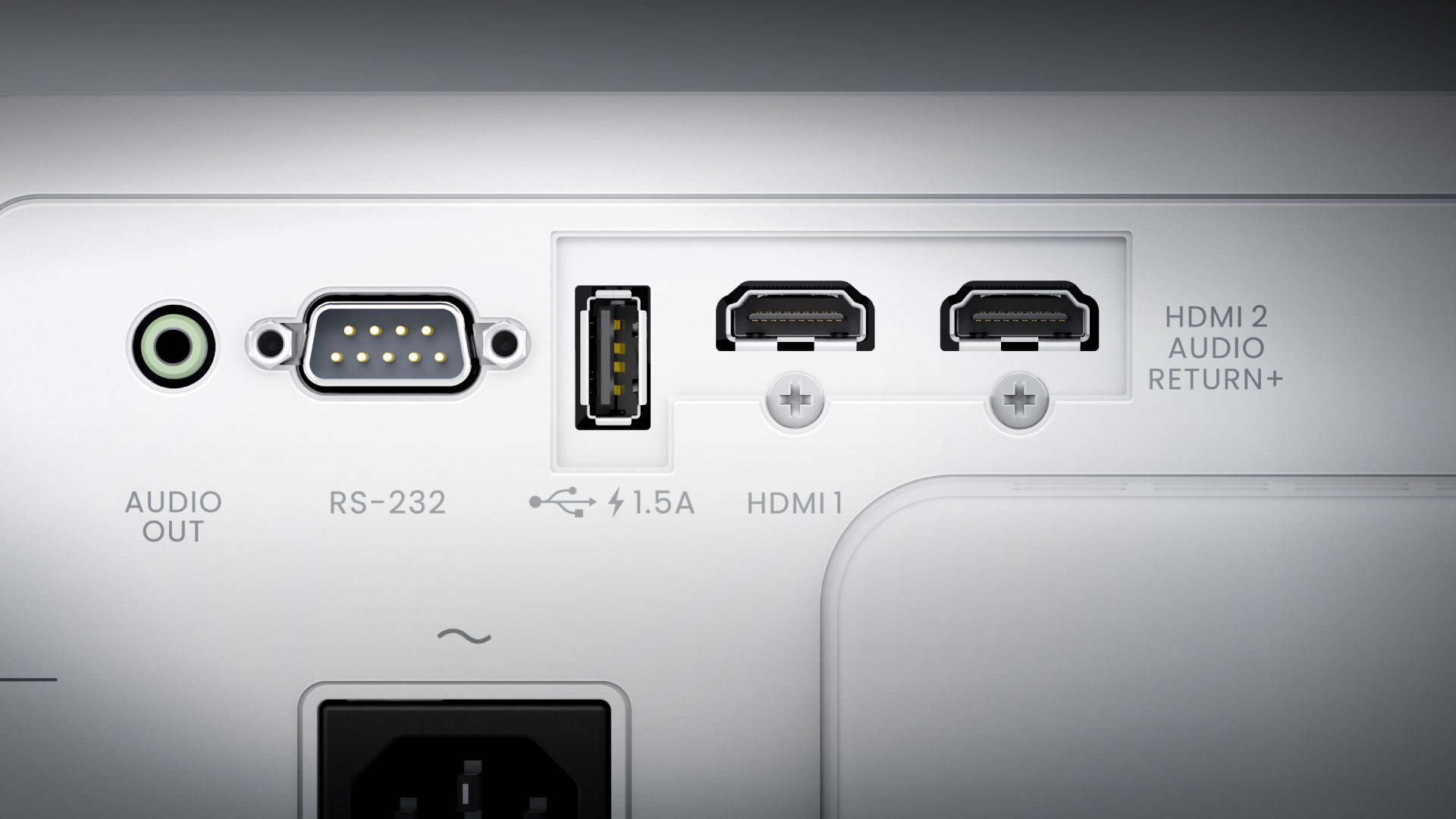
Connectivity is built around two HDMI 2.0b inputs. One of them supports eARC, which passes full-quality audio, including Dolby Atmos, through a single cable to a soundbar or AV receiver, and that is the connection most film-focused owners should plan around.
A USB-A port covers media playback and service duties, while RS-232 support matters to installers integrating the projector into a controlled room system. Wireless casting and the smart dongle handle the everyday source-switching for everyone else.
Console support is broad in practice because the HDMI inputs accept the signals modern machines output. A current-generation console can feed 4K at 60Hz for cinematic play, or 1080p at higher refresh rates where lower input lag matters more than resolution.
The 5W built-in speaker deserves honest framing. It is clear enough for commentary, casual video and a quick gaming session, but a single small driver cannot reproduce film soundtracks with weight, so external audio remains a planned upgrade rather than an optional extra.
BenQ TK710STi: Performance
Start with brightness, because it decides where this projector can live. At 3,200 ANSI lumens, the TK710STi sits comfortably in living-room territory, holding a watchable picture with curtains drawn and some ambient light present rather than demanding a blacked-out room.
If you are weighing brightness against your own room, our guide to how many lumens you need for a projector explains the ranges by room type. On those terms, this model covers the living-room and gaming bands with headroom to spare.
The laser light source shapes performance over time as much as on day one. Laser output holds brightness more consistently than a lamp as hours accumulate, switches on quickly, and removes lamp replacement from the ownership picture across its rated 20,000-hour life.
Contrast is quoted at 600,000:1 with light source dimming, and that qualifier matters. Dynamic dimming deepens dark scenes by reducing light output in real time, which helps night sequences and space scenes, but it is not the same as high native contrast measured at a fixed light level.

Colour coverage is 95% of Rec.709, the standard gamut for HD and most streaming content. That means accurate, well-saturated colour for the material most people watch daily, while wider-gamut HDR content is mapped into that Rec.709 space rather than shown in an extended gamut.
On resolution, accuracy matters. The TK710STi uses a DLP chip with pixel shifting to address all 8.3 million pixels of a 3840 × 2160 image, so the picture on screen is genuinely 4K in addressable detail, even though the imaging chip itself shifts pixels rather than carrying a native 4K mirror array.
Motion handling benefits from the DLP design, which is inherently fast-switching. Sport and fast camera pans stay clean, and the gaming figures covered below show that the processing pipeline does not undo that natural advantage.
Taken together, performance is balanced rather than extreme in any single direction. Brightness, colour and contrast are each strong for a living room, and none is pursued so far that the others collapse, which is the right set of priorities for this class.
Gaming
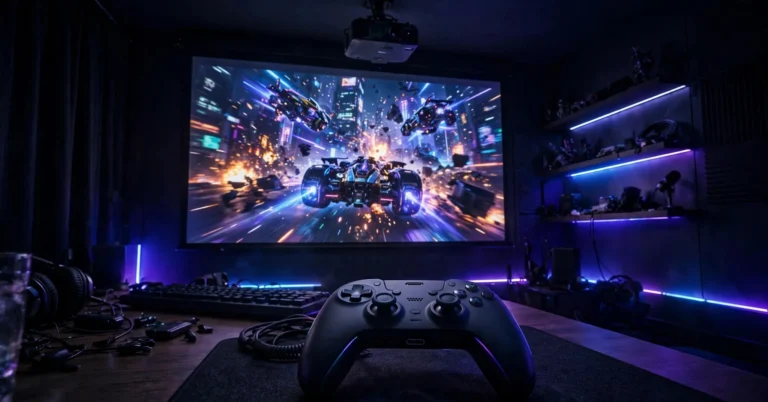
Gaming is the headline section for this model, and the input lag table is the reason why. These are the manufacturer figures by resolution and refresh rate, and they place the TK710STi among the fastest projectors in its class.
| Signal | Input Lag | Best Suited To |
|---|---|---|
| 1080p at 240Hz | 4.2ms | Competitive PC play and fast shooters |
| 1080p at 120Hz | 8.3ms | Console high-refresh modes and racing games |
| 4K at 60Hz | 16.7ms | Cinematic console games and open-world titles |
At 4.2ms, the delay between a controller input and the picture responding is effectively negligible for almost every player. That figure requires a 1080p/240Hz signal, which in practice means a gaming PC, since current consoles top out at lower refresh rates.
The 1080p/120Hz figure of 8.3ms is the sweet spot for console owners. Many current-generation games offer a performance mode at 120Hz, and at this lag level the projector stops being the weak link in the chain between hands and screen.
At 4K/60Hz, 16.7ms is roughly one frame of delay, which suits story-driven and open-world games where visual detail matters more than split-second reactions. Switching between 4K detail and 1080p speed is a per-game choice, and this projector supports both properly.
The genre picture modes discussed earlier complete the gaming package. HDR FPS and HDR RPG tune tone mapping for game content specifically, rather than borrowing film settings and hoping they translate.
Screen size changes the gaming experience in ways a monitor cannot match. A 100-inch image at these lag figures makes racing, sports, and open-world games feel genuinely different, while fast shooters remain viable rather than becoming a novelty.
One practical note: use a direct HDMI connection from the console or PC for the lowest lag. Routing through older AV equipment or wireless display links can add delay that the projector itself never introduced.
BenQ TK710STi: Setup & Throw
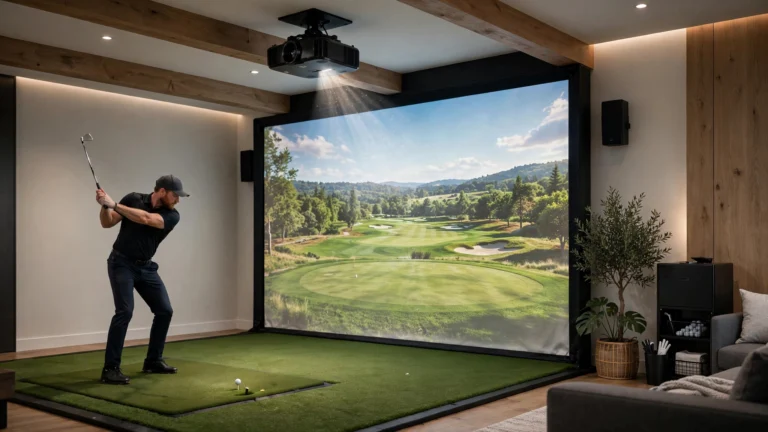
Short throw is the defining installation feature. With a throw ratio of 0.69–0.83, the TK710STi produces a 100-inch image from roughly five to six feet, so it can sit on a coffee table in front of the seating rather than on a shelf behind it.
The 1.2x optical zoom is unusually helpful at this throw class. It lets you fine-tune image size from a fixed position instead of shuffling the projector forwards and backwards by centimetres, and it preserves picture quality in a way digital resizing cannot.
| Screen Size (16:9) | Throw Distance (approx.) | In Metres (approx.) |
|---|---|---|
| 80 inches | 4.0–4.8 ft | 1.22–1.47 m |
| 100 inches | 5.0–6.0 ft | 1.53–1.84 m |
| 120 inches | 6.0–7.2 ft | 1.84–2.21 m |
| 150 inches | 7.5–9.0 ft | 2.29–2.76 m |
These distances are calculated from the published throw ratio range, so treat them as planning figures and confirm your exact placement with the zoom range in your room. If you are still deciding on screen size and seating distance, our guide on how to choose a projector for home theatre walks through the room-first decisions.
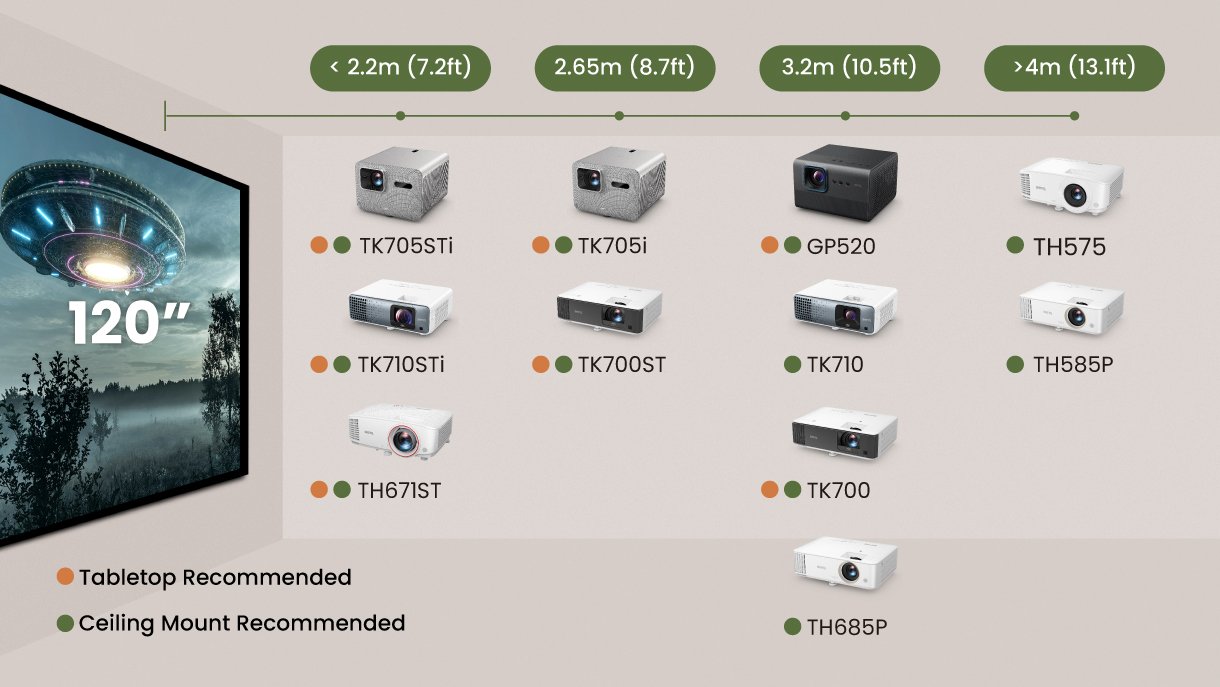
The 102.5% projection offset means the image sits slightly above the lens centreline in tabletop use, which suits coffee-table placement. Ceiling mounting inverts that relationship, and BenQ supports table, shelf and ceiling positions for this model.
Alignment help comes from 3D keystone correction: vertical ±30°, horizontal ±30° and rotation ±30°. That range forgives a projector that cannot sit perfectly square to the screen, which is common when furniture decides placement.
Keystone still carries the usual honest caveat. It corrects geometry digitally, so heavy correction costs some sharpness and usable resolution, and the best picture always comes from positioning the projector as squarely as the room allows first.
Screen pairing is straightforward at this brightness. A matte white screen of around gain 1.0 suits a light-controlled room, while a grey or ambient-light-rejecting surface can help in a brighter living room, provided the viewing angles in your seating layout stay within that screen type’s comfortable range.
Who Should Buy the BenQ TK710STi — and Who Should Skip It
Buy the BenQ TK710STi if…
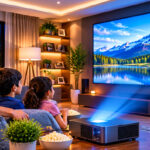
You game in a living room or smaller media space and want a 100-inch picture without a long throw distance. It suits console players who will use the 1080p/120Hz mode, PC players who can feed 1080p/240Hz, and households mixing games, sport and films on one screen.
It also suits buyers who want laser ownership benefits — quick start, stable brightness and no lamp changes — without moving into dedicated cinema-room territory. The included Android TV dongle makes it a complete system for streaming households from day one.
Skip it if…
You are building a dark, dedicated theatre where wider colour gamut and higher native contrast matter more than throw flexibility. A longer-throw cinema model will serve that room better, however impressive this one’s gaming figures are.
Skip it, too, if your seating sits far from the screen wall and a coffee-table projector would block walkways or viewing lines. And when not to choose it at all: if you mainly watch standard television at modest sizes in a bright room, a large television remains the simpler, brighter tool for that job.
Short-throw gaming is a competitive corner — our guide to the best short-throw gaming projectors compares the leading options side by side.
Alternatives
BenQ TK710
The standard-throw sibling in the same family, sharing the laser source, 4K picture, and low-lag gaming focus but needing more distance from the screen. Choose it if your room is longer and a coffee-table position does not suit your layout.
BenQ TK700STi
The earlier short-throw gaming model in this line, using a lamp light source rather than laser. It keeps the compact throw and gaming emphasis, while the TK710STi counters with laser life, stable brightness over time, and updated game modes.
Optoma UHD38x
A bright 4K gaming projector built around a lamp light source and a conventional throw distance. It competes directly on gaming responsiveness, while the BenQ offers the shorter throw and laser ownership advantages for smaller rooms.
Frequently Asked Questions
Is the BenQ TK710STi native 4K?
It displays a full 4K UHD 3840 × 2160 picture using pixel shifting on its DLP chip, addressing all 8.3 million pixels of a 4K image. The chip itself is not a native 4K mirror array, but the picture on screen carries genuine 4K detail rather than an upscaled HD image.
How far away does the TK710STi need to be for a 100-inch screen?
Roughly five to six feet, based on its 0.69–0.83 throw ratio and 1.2x zoom range. That short distance lets it sit on a coffee table in front of your seating, which is the main installation advantage of this model over standard-throw projectors.
What is the input lag on the BenQ TK710STi?
The rated figures are 4.2ms at 1080p/240Hz, 8.3ms at 1080p/120Hz and 16.7ms at 4K/60Hz. Console players will mostly use the 120Hz and 60Hz figures, while the 240Hz mode suits a gaming PC feeding a 1080p high-refresh signal.
Does the TK710STi need a separate streaming device?
No. Android TV is included through the QS02 dongle in the box, covering the major streaming services and casting, subject to regional app availability. You can still use the second HDMI input for a console, a disc player or your own preferred streamer.
How long does the laser light source last?
The laser is rated for 20,000 hours, which covers many years of daily viewing without a lamp replacement. Laser output also holds its brightness more steadily over that life than a traditional lamp, so the picture changes less as the hours accumulate.
Can the TK710STi send Dolby Atmos to a soundbar?
Yes. One of its two HDMI 2.0b inputs supports eARC, which passes full-quality audio, including Dolby Atmos, through a single cable to a compatible soundbar or AV receiver. That is a worthwhile upgrade path, because the built-in speaker is only 5W.
Bottom Line
The BenQ TK710STi makes a clear, well-judged case: short throw for real rooms, laser brightness for real living rooms, and input lag figures that treat gaming as a headline feature rather than an afterthought. Its limits — Rec.709 colour, a small built-in speaker and no lens shift — are visible and manageable rather than hidden.
For gamers and mixed-use households with a modest distance to the screen wall, few projectors combine these particular strengths as coherently. If that description matches your room, the TK710STi belongs at the top of your shortlist.