Best Projector for Golf Simulator 2026 — Top 10 Picks for Indoor Golf
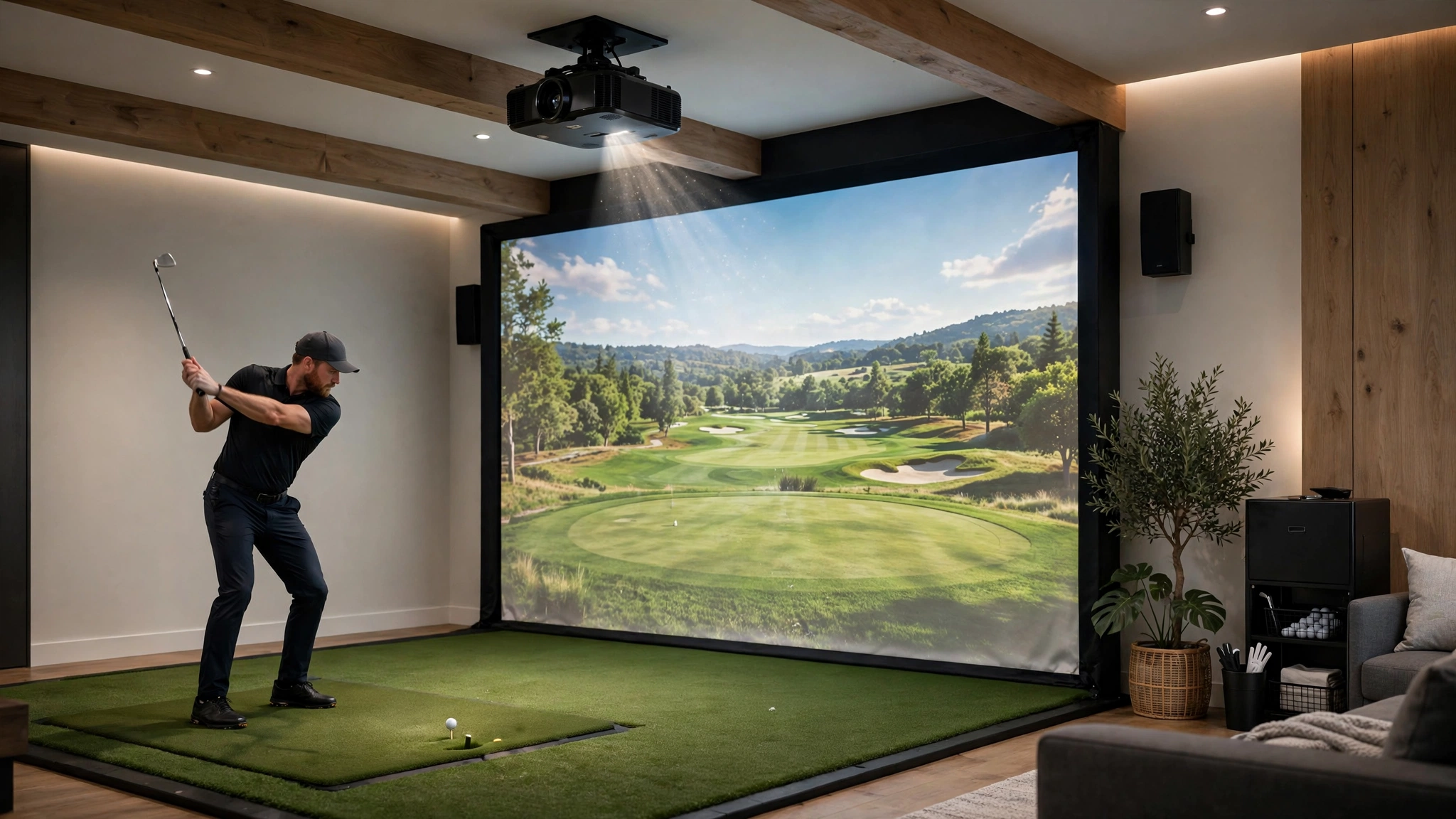
A golf simulator is one of the most punishing environments for a projector: you’re driving a real ball at a screen feet away, standing directly between the projector and the image. Choose wrong, and you’ll watch your own shadow on every backswing — or duck a ball headed for your electronics.
That’s why throw ratio is the most important spec here. A short-throw projector sits 4–9 feet from a 10-foot-wide screen, mounted above and behind the hitting zone—out of your shadow and the ball’s path. A standard-throw unit needs 12–18 feet for the same image, putting it right where you’re swinging a driver.
Brightness comes second. Impact screens are thick woven fabric that absorbs far more light than a wall, and garage setups rarely go fully dark — 3,000 lumens is the realistic floor, 4,000+ looks punchy with lights on. Our best short-throw projector guide covers the throw math in more detail.
Input lag matters more than you might think: your launch monitor’s data plus display lag equals the delay between impact and the ball flight on screen. Under 30ms is the target; under 17ms feels instant. Several picks below also appear on our best projectors for gaming list for exactly this reason.
Top 10 Projectors for Golf Simulators in 2026 — Comparison Table
| Product | Throw Ratio | Brightness | Resolution | Best For | Buy |
|---|---|---|---|---|---|
| BenQ TH671ST | 0.69–0.83 | 3,000 ANSI lm | 1080p | Best overall | Buy from Amazon |
| Optoma GT1080HDR | 0.50 | 3,800 lm | 1080p | Best budget pick | Buy from Amazon |
| BenQ TK700STi | 0.9–1.08 | 3,200 ANSI lm | 4K UHD | Best 4K short throw | Buy from Amazon |
| Optoma GT1090HDR | 0.50 | 4,200 lm | 1080p | Best laser upgrade | Buy from Amazon |
| ViewSonic PX703HD | 1.13–1.47 | 3,500 ANSI lm | 1080p | Budget 1080p, big rooms | Buy from Amazon |
| BenQ LU935ST | 0.81–0.89 | 5,500 ANSI lm | WUXGA | Brightest laser pick | Buy from Amazon |
| Optoma ZH406ST | 0.50 | 4,200 lm | 1080p | Best for tight spaces | Buy from Amazon |
| BenQ TH690ST | 0.9–1.08 | 2,300 ANSI lm | 4K UHD | Best 4K low lag | Buy from Amazon |
| LG HU715QW | 0.22 | 2,500 ANSI lm | 4K UHD | Best ultra short throw | Buy from Amazon |
| BenQ LK936ST | 0.81–0.89 | 5,100 ANSI lm | 4K UHD | Best premium 4K laser | Buy from Amazon |
Best Projector for Golf Simulator in 2026 — Detailed Reviews
1. BenQ TH671ST — Best Overall for Golf Simulators
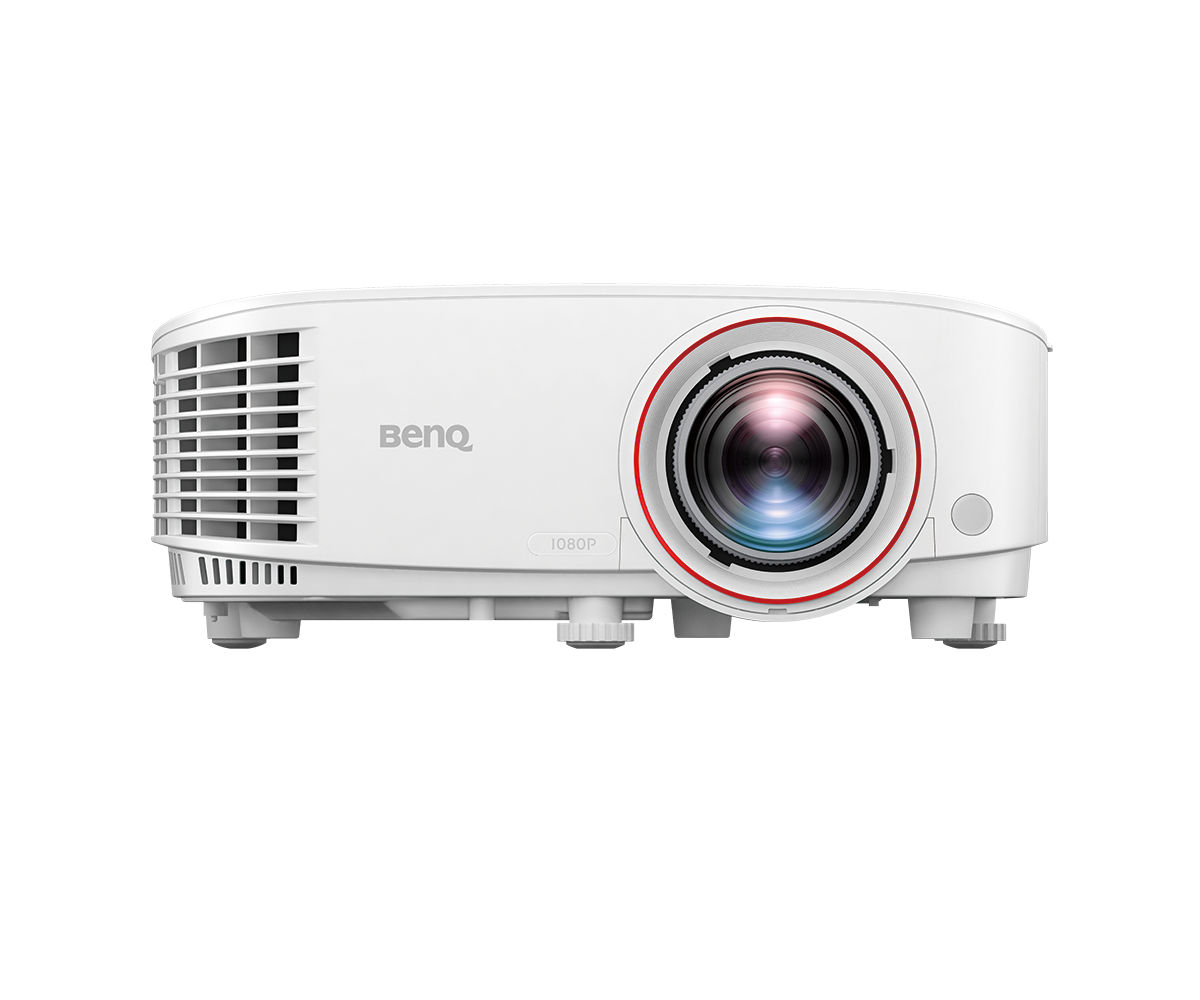
The default recommendation in golf sim forums for good reason: 0.69–0.83 throw ratio mounts 7–8 feet from a 10-foot screen — above and behind the hitting mat. 3,000 ANSI lumens means no practicing in the dark; 16.4ms lag means ball flight tracks your swing. 92% Rec.709 coverage renders fairways a natural green, not the neon tint of cheaper units.
The honest trade-off is the lamp — heavy use (15 hrs/week) means a new bulb every 18–24 months. If you’d rather never think about bulbs, the laser picks below are worth the premium. But for the money, nothing touches the TH671ST as a first golf sim projector. Confirm throw distances for your enclosure on BenQ’s TH671ST page.
✓ Pros
- Purpose-built short throw — 100″ image from just 4.9 feet
- 16.4ms input lag keeps sim software feeling responsive
- 3,000 ANSI lumens handles garage ambient light well
- 1.2x zoom and vertical keystone make alignment forgiving
✗ Cons
- Lamp-based — budget for a replacement bulb every few years of heavy sim use
- 1080p only; no 4K option if your sim software renders higher
- Fan noise is noticeable in quiet rooms at full brightness
2. Optoma GT1080HDR — Best Budget Short Throw
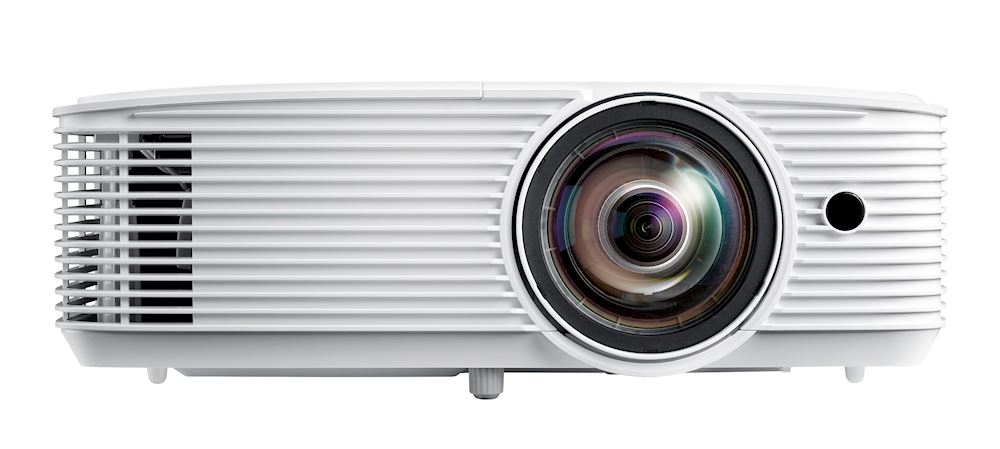
In a tight space — a single garage bay or spare bedroom — the 0.5 throw ratio is transformative: a 120″ image from about 4.5 feet, mountable almost directly above the hitting area with zero shadow risk. The catch is the fixed lens — no zoom to fine-tune image size, so measure your throw distance before mounting (math in the buyer’s guide below).
The 8.4ms input lag at 1080p/120Hz is genuinely elite, faster than projectors triple the price — the rendered ball flight feels wired to your club. At 3,800 lumens, it also out-muscles the TH671ST in bright rooms. The sacrifice is flexibility: no zoom, and out-of-the-box color runs punchy rather than accurate (fixable in settings). See the full throw chart on Optoma’s official GT1080HDR page.
✓ Pros
- Extreme 0.5 throw ratio — huge image from just a few feet away
- 8.4ms input lag is among the fastest at any price
- 3,800 lumens is excellent for the money
- HDR10 support improves contrast on sim course renders
✗ Cons
- Fixed lens — no zoom, so placement must be exact
- Lamp-based light source
- Speakers are an afterthought (irrelevant for sims, but worth noting)
3. BenQ TK700STi — Best 4K Short Throw
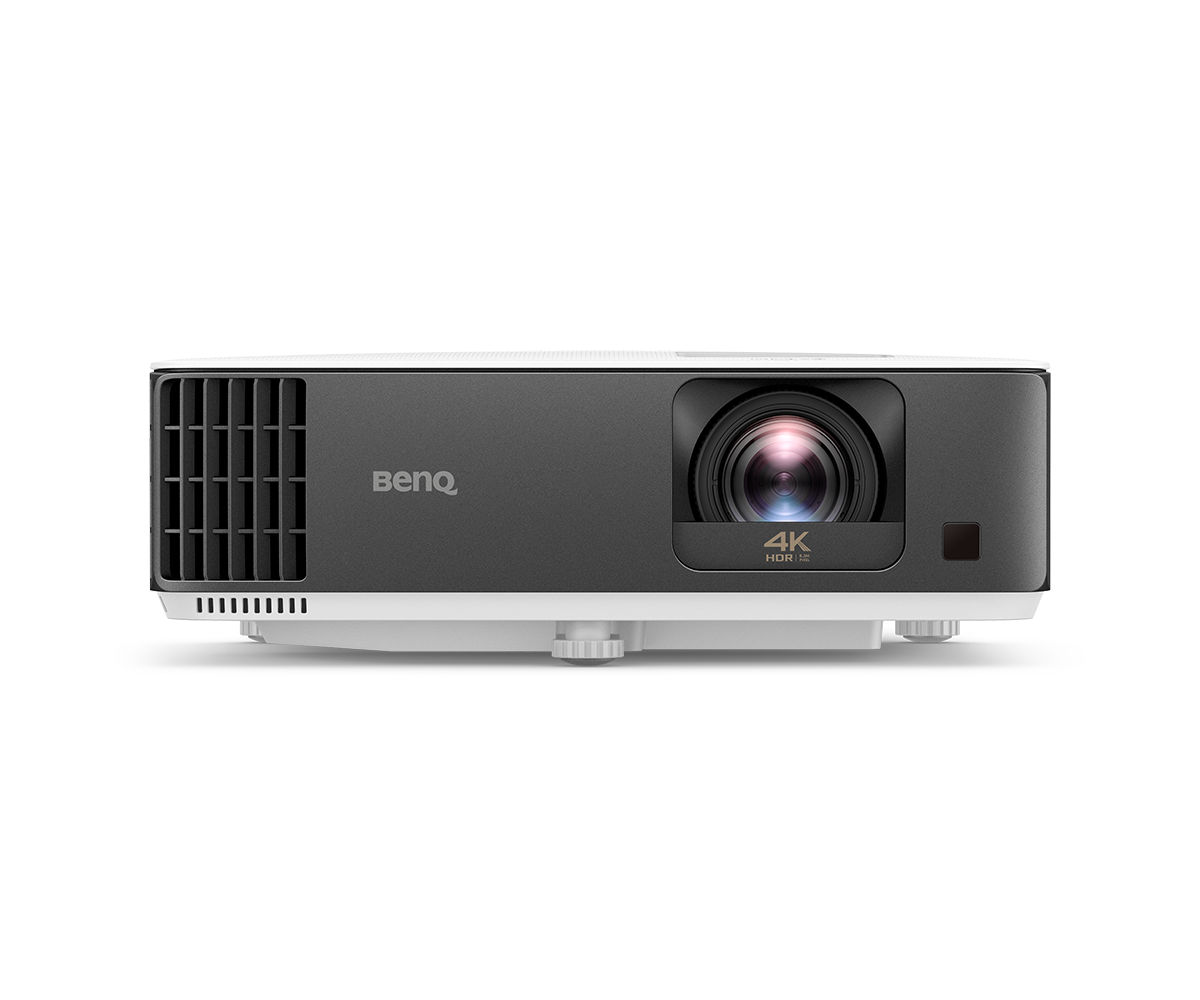
On a 10-foot screen from 8–10 feet, the 4K jump is visible — fairway textures, tree lines, UI text all cleaner. It matters if your software supports it (TGC 2019, GSPro do; many launch monitor bundles still output 1080p).
Plan around the 0.9–1.08 throw ratio: ~9–11 feet for a 10-foot image, pushing the mount back. Fine in a deep garage, awkward in a shallow room. If space allows, this is the sweet spot of 4K sharpness, low lag, and sane cost. More options in our best 4K projectors under $2000 roundup.
✓ Pros
- True 4K resolution makes course detail razor-sharp
- 16ms input lag even at 4K/60Hz — rare at this price
- 3,200 ANSI lumens with good HDR tone mapping
- Built-in Android TV for streaming between sessions
✗ Cons
- 0.9 throw ratio needs more room than the 0.5 options — check your space
- Most sim software still renders at 1080p, so 4K is partially future-proofing
- Android TV interface can feel sluggish
4. Optoma GT1090HDR — Best Laser Upgrade Pick
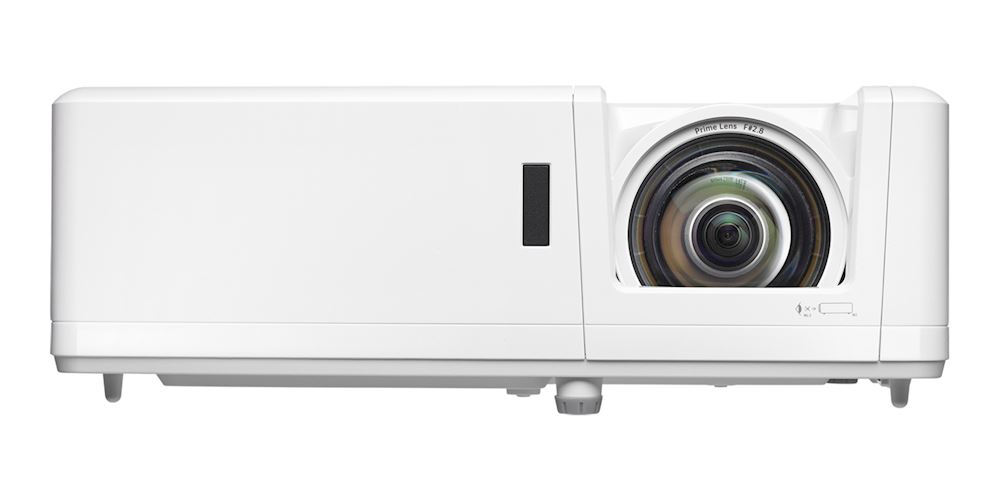
Same 0.5 throw and chassis as the GT1080HDR, but the laser delivers 4,200 lumens, 30,000-hour life (roughly 28 years at 20 hrs/week), and instant strike — no warm-up. Lasers also hold brightness far longer than lamps, so month eighteen looks like month one. For daily use, the premium pays for itself in bulbs and hassle within a couple of years.
✓ Pros
- Same 0.5 short throw as the GT1080HDR with laser longevity
- 4,200 lumens — one of the brightest 1080p options here
- 30,000-hour laser means effectively zero maintenance
- Instant on/off — no lamp warm-up before a session
✗ Cons
- Costs notably more than the lamp-based GT1080HDR
- Still 1080p — no 4K
- Fixed lens, same placement precision required
5. ViewSonic PX703HD — Best Budget 1080p Pick
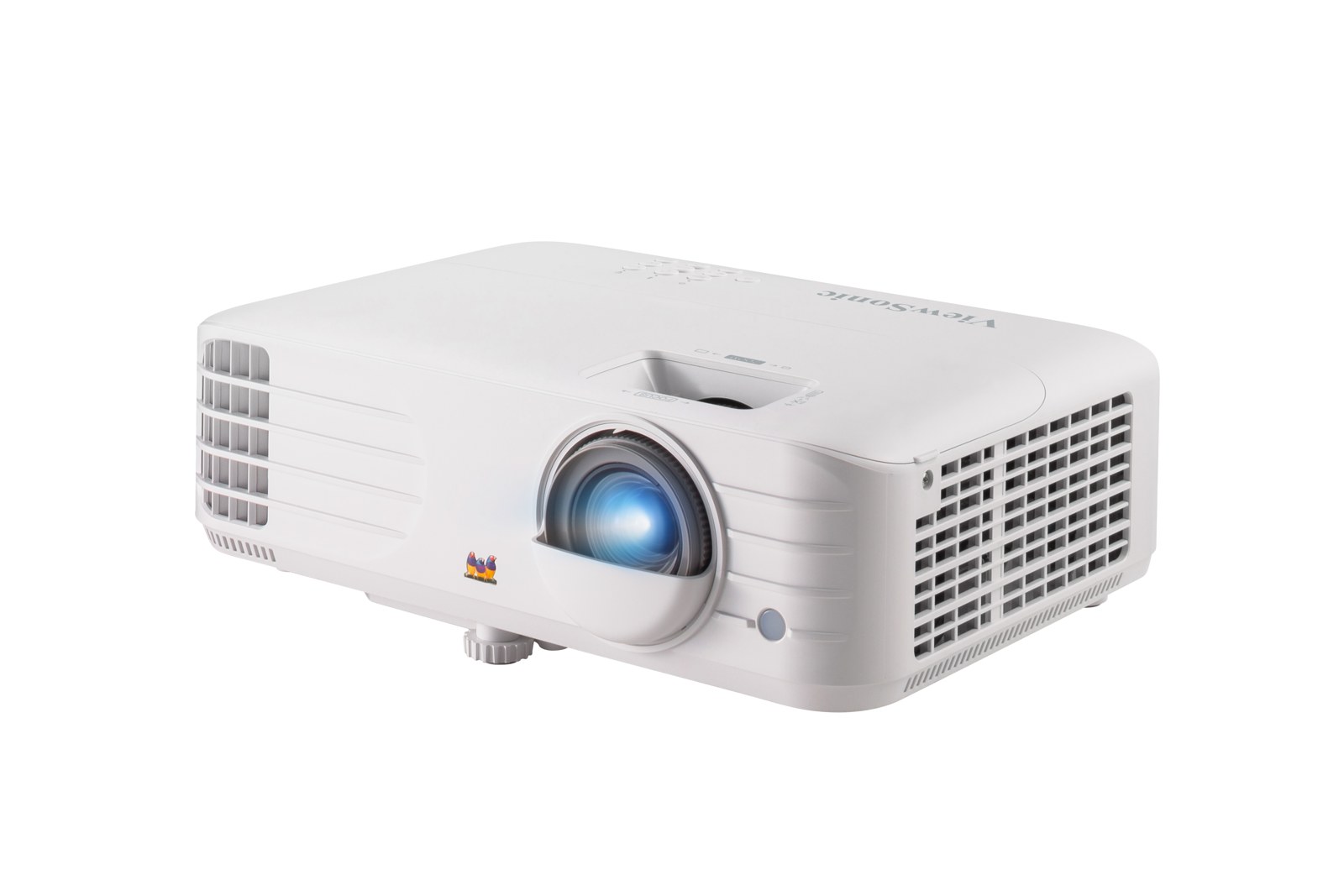
The ViewSonic PX703HD is the budget pick for golfers with room to spare. Its 3,500 ANSI lumens is the brightest 1080p picture in this price class, and the lamp is cheap to run and replace. The catch is throw distance: this is NOT a short-throw projector — throw ratio 1.13–1.47 means about 8.2 feet for a 100-inch image and 12 feet for 150 inches. In a standard 15–18 ft deep sim room with a ceiling mount behind the hitter, that works fine. In a tight garage bay under 12 feet deep, it doesn’t — pick a true short throw instead.
Setup is forgiving: 1.3x optical zoom, ±40° vertical keystone, and ±5% digital lens shift let you dial the image onto the screen without moving the mount. Dual HDMI takes the launch-monitor PC and a streaming stick; the 10W speaker covers audio for casual sessions (a soundbar is still better for movie nights).
✓ Pros
- 3,500 ANSI lumens — the brightest budget 1080p pick here
- Cheap lamp with 20,000-hour SuperEco life keeps running costs low
- 1.3x zoom, ±40° keystone, and ±5% digital lens shift make setup forgiving
- Dual HDMI for launch-monitor PC + streaming stick
✗ Cons
- NOT short throw — needs ~8 ft for 100″, ~12 ft for 150″
- 1080p only; no 4K
- Lamp (not laser) — brightness fades over time
- Input lag is fine for golf sims, but competitive gamers should look at the TK700STi
6. BenQ LU935ST — Best High-Brightness Laser Short Throw
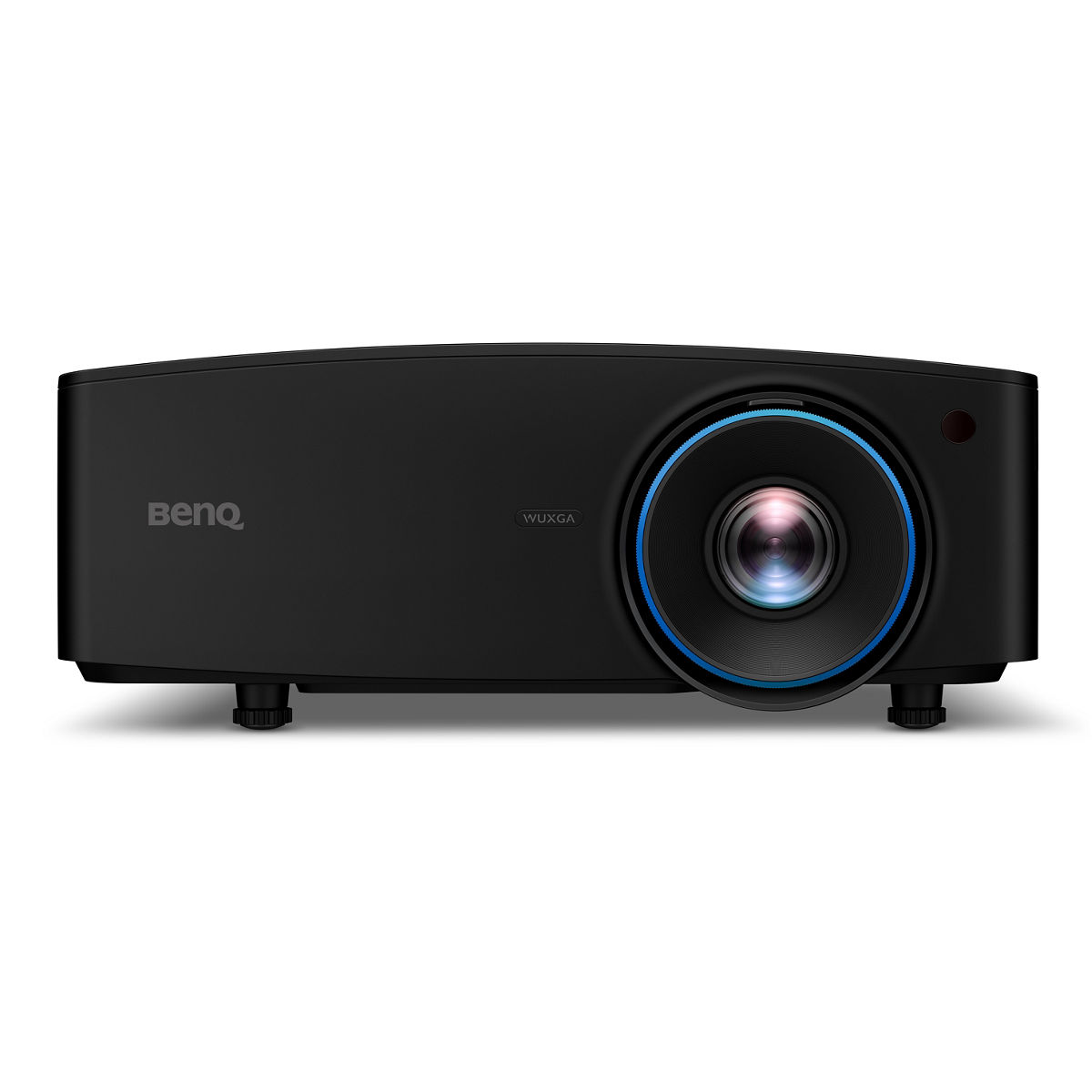
For bright spaces — garage windows, sunrooms, commercial bays — 5,500 ANSI lumens keeps the image punchy with lights on, and the 0.81–0.89 lens still mounts at normal ceiling heights. WUXGA’s extra 120 vertical pixels suit simulator images, and ±60% vertical lens shift makes this the most forgiving install here. Overkill for dark basements; the answer for bright rooms and commercial studios.
✓ Pros
- 5,500 ANSI lumens — usable with significant ambient light
- Laser engine rated for 20,000 hours of consistent output
- Generous lens shift makes ceiling mounting far easier
- WUXGA’s extra vertical pixels suit 16:10 sim enclosures
✗ Cons
- Installation-projector pricing — a serious investment
- Larger and heavier than the portable picks
- No built-in smart features; it’s a pure installation unit
7. Optoma ZH406ST — Best Laser for Tight Spaces
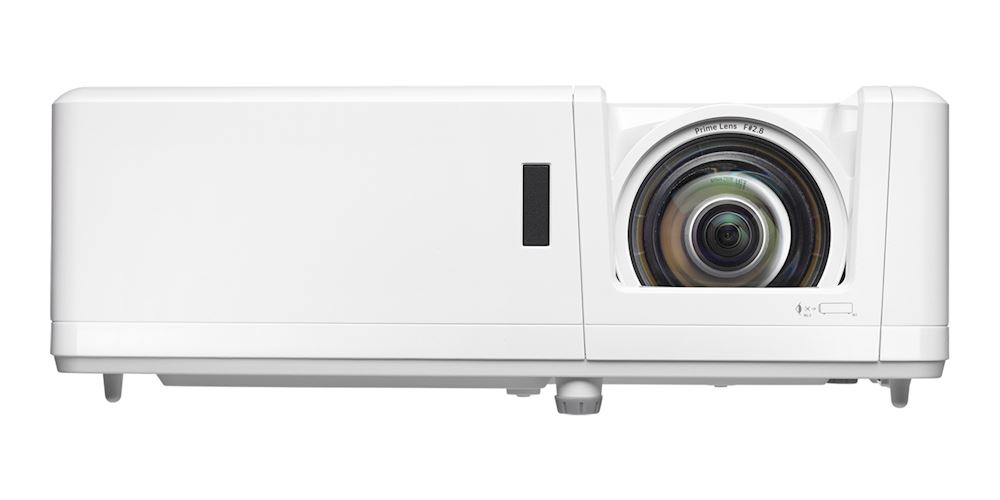
Buy this for DuraCore’s dust sealing — genuinely relevant where garage dust is a fact of life. IP6X seals the optical engine against dust ingress, the top killer of projectors in workshop-adjacent spaces. Otherwise a known quantity: 4,200 lumens, 0.5 throw, 1080p with HDR10, plus 4K input compatibility so your PC needs no resolution juggling. For a set-and-forget garage sim, laser longevity plus dust sealing is hard to beat.
✓ Pros
- 0.5 throw ratio plus laser — the compact-installation sweet spot
- 4,200 lumens with 30,000-hour laser life
- Accepts 4K input (downscales to 1080p) for future-proof connectivity
- IP6X dust resistance — meaningful in garage environments
✗ Cons
- Fixed 0.5 lens with no optical zoom
- No lens shift — mount position must be precise
- Business-projector aesthetics; not the prettiest box
8. BenQ TH690ST — Best 4K Projector with Low Input Lag
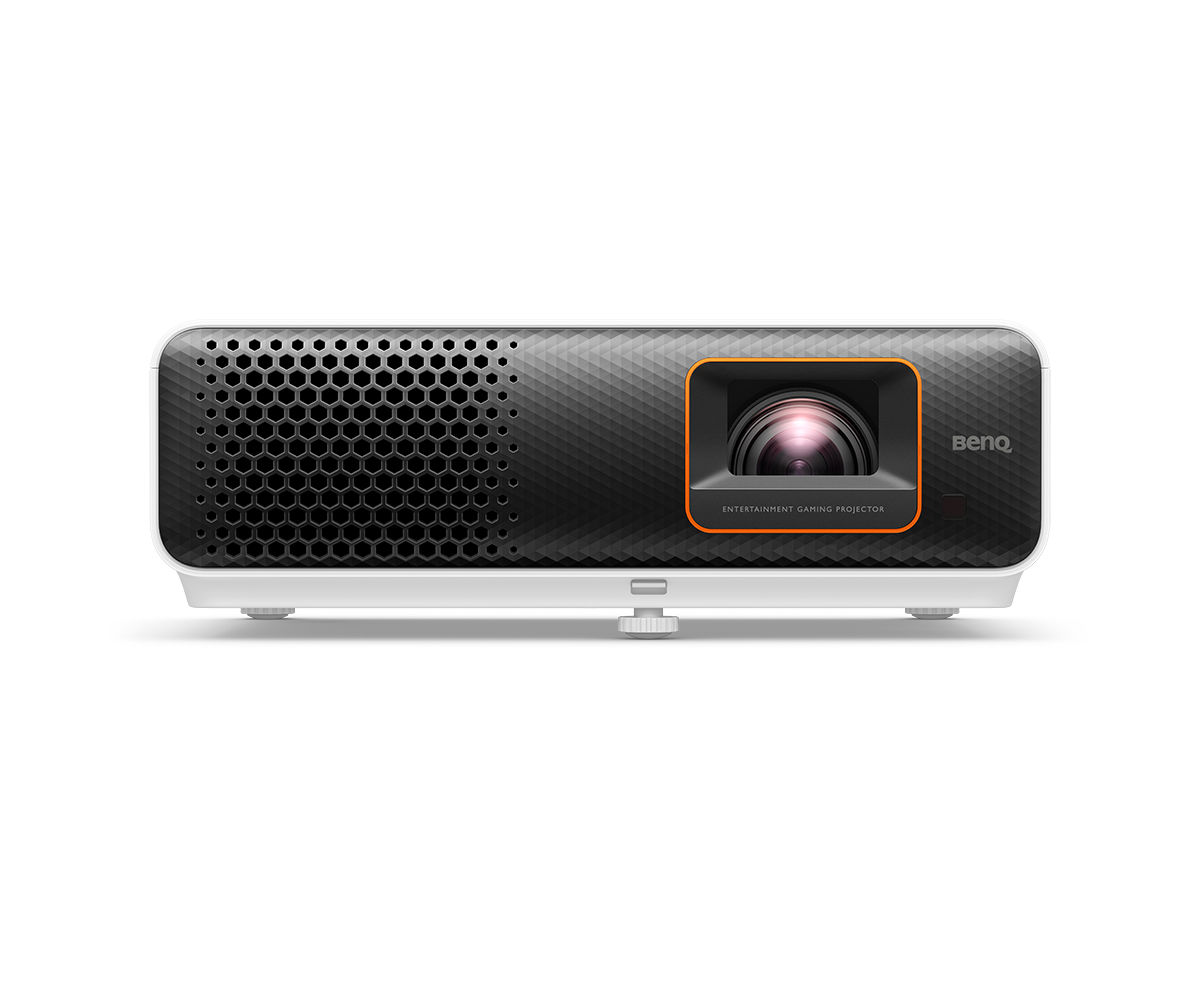
A specialist for buyers who want 4K sharpness AND the fastest response: 8.3ms input lag at 1080p/120Hz matching the GT1080HDR, but alongside a 4K DMD. Most users will run sim software at 1080p/120Hz for the lag benefit and switch to 4K/60Hz for flyovers — the projector handles both without complaint.
The honest caveat is brightness. At 2,300 ANSI lumens, this wants a light-controlled room — a windowless basement or a night-only garage. If that describes your setup, image quality per dollar is outstanding. If you’re fighting daylight, take a laser pick instead. The enthusiast’s choice, not the all-rounder’s.
✓ Pros
- 4K resolution with genuinely elite 8.3ms input lag
- Excellent for sim software that renders at high resolution
- Good HDR tone mapping for a lamp projector
- Quieter than most in its brightness class
✗ Cons
- 2,300 ANSI lumens is the dimmest on this list — needs a dark room
- 0.9 throw ratio demands more depth than the 0.5 options
- Lamp-based
9. LG HU715QW — Best Ultra Short Throw 4K
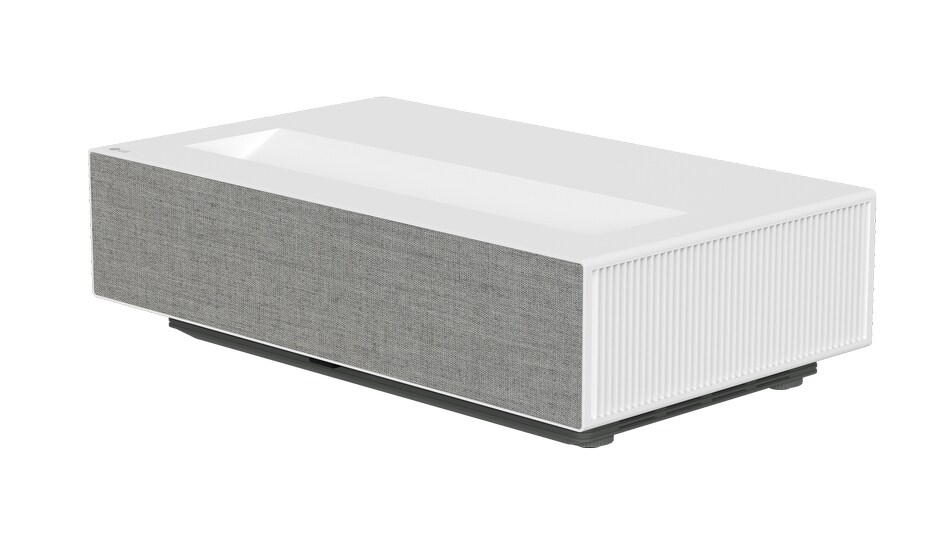
UST solves the simulator mounting problem by eliminating it: the HU715QW sits on a low console inches from the impact screen, projecting upward steeply. No ceiling mount, no throw math, and physically no way for your body or club to cross the light path. For renters or anyone who won’t drill into a ceiling, that’s decisive.
The trade-offs are real. UST is alignment-sensitive — a millimeter of console tilt becomes inches of geometry error at the top of a 10-foot screen. And 2,500 ANSI lumens wants dim surroundings. But the RGB triple-laser color is gorgeous, and as a dual-purpose unit (sim by day, theater by night) it’s the most living-room-friendly pick here.
✓ Pros
- 0.22 UST ratio — sits inches from the screen, zero shadow risk
- 4K with excellent color from the RGB laser engine
- Completely silent-install friendly — no ceiling mount needed
- webOS makes it a full smart TV replacement between sessions
✗ Cons
- 2,500 ANSI lumens needs controlled lighting
- UST placement is finicky — the console must be perfectly level
- Premium pricing for the convenience
10. BenQ LK936ST — Best Premium 4K Laser for Simulators
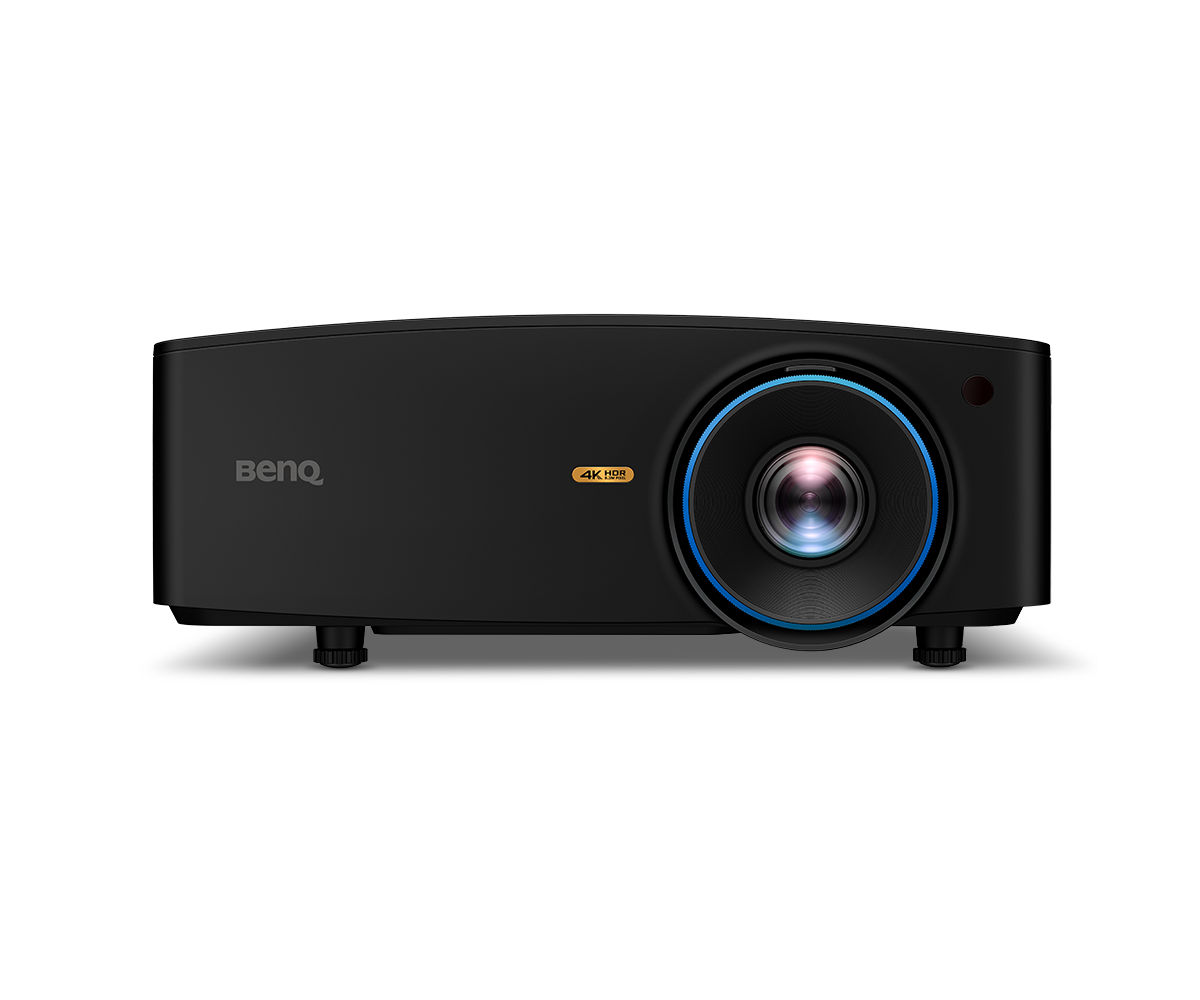
The only projector here with a dedicated Golf picture mode — tuned greens, reduced purple fringing, accurate tones for inset cameras. It signals intent: designed for simulators, not adapted to them.
Everything else is flagship-grade: 5,100 ANSI lumens from the BlueCore laser, true 4K, and installation flexibility (lens shift, 360° mounting, HDBaseT for long runs) the portable picks can’t touch. The honest knock is input lag — 33.4ms at 1080p/60Hz is fine for sim software but not class-leading; Fast Mode at 4K/60Hz brings it to 16.7ms. If budget is no object, this is the definitive simulator projector.
✓ Pros
- The only projector here with a dedicated Golf picture mode
- 5,100 ANSI lumens of 4K laser brightness
- Short throw (0.81–0.89) with big ±60% vertical lens shift
- Sealed IP5X optical engine shrugs off garage dust
✗ Cons
- Flagship pricing — the most expensive pick on this list
- 33.4ms input lag at 1080p/60Hz (16.7ms only in 4K Fast Mode)
- Large chassis needs a sturdy ceiling mount
Best Golf Simulator Projector 2026 – Buyer’s Guide
Throw Ratio Math for Your Enclosure
Throw ratio is simple division: throw distance ÷ image width. A 0.5-ratio projector 5 feet from the screen makes a 10-foot-wide image. Work backwards: screen width × throw ratio = mounting distance.
Example: a 12-foot screen with the BenQ TH671ST (0.69–0.83) needs the lens 8.3–10 feet from the screen — ceiling-mounted just behind the hitting mat, which sits 8–10 feet out anyway. That’s the geometry that makes short throw work: the projector lives in dead space above the golfer, never in the swing path.
Impact Screen Considerations
White impact screens reflect the most light but show wrinkles; gray improves perceived contrast at the cost of brightness. Either way, impact fabric absorbs far more light than a wall — budget ~30% more lumens than the same image on a painted surface. On a 10-foot screen viewed from 9 feet, 1080p pixels are nearly invisible; at 14 feet wide, 4K earns its keep. Match the projector to the screen.
Mounting: Above and Behind the Hitter
Standard practice: ceiling mount above and slightly behind the hitting area — typically 9–11 feet from the screen for a 0.7–0.9 throw ratio. Balls travel toward the screen, not backward, so the projector stays safe and above club height. Use a mount with fine pitch/roll adjustment; a degree of tilt shows as keystone distortion on a 10-foot image. For UST models like the LG HU715QW, skip the ceiling — a low, perfectly level console 6–12 inches from the screen base works, with a small barrier against topped balls. If you’re also ceiling-mounting the screen itself, see our guide on how to hang a projector screen from the ceiling.
Brightness vs. Room Light: Be Honest With Yourself
Windowless basement: 2,500+ ANSI lumens is plenty. Garage with one window: 3,000–4,000. Real daylight: 5,000+ or blackout curtains. Eco modes cut brightness by 20–30%, so buy headroom, not the minimum. If you’re unsure what your room needs, see how many lumens you need for a projector.
Aspect Ratio: 16:9 vs. 16:10 vs. 4:3
Most sim software (TGC, GSPro, E6) targets 16:9, matching every projector here. But many enclosures run near-square — a 10×10 ft bay, say — where a 16:10 projector like the BenQ LU935ST (WUXGA) fills more height without letterboxing. Pillarboxing a 16:9 image into 4:3 wastes pixels and lumens on black bars, so match aspect to your enclosure.
Frequently Asked Questions
What throw ratio do I need for a golf simulator?
1.0 or less for most home enclosures. Short throw (0.5–0.8) mounts above and behind the hitting mat — out of your shadow and the ball’s path. Standard throw (1.2+) usually lands the projector in the swing zone.
How many lumens do I need for a golf simulator?
3,000 ANSI lumens minimum for a dark room; 4,000+ with any ambient light. Impact screens eat light, so err on the bright. Lasers hold brightness far longer than lamps, which dim from day one.
Does input lag matter for golf simulators?
Yes — your launch monitor already adds delay, so a slow projector compounds it. Under 30ms keeps ball flight feeling connected to your swing; under 17ms feels instant. The GT1080HDR (8.4ms) and TH690ST (8.3ms) are the fastest here.
Should I get 4K or is 1080p enough for a sim?
Up to ~12 feet wide viewed from 9+ feet, 1080p looks excellent and most sim software still renders at 1080p. 4K is visibly sharper on bigger screens and future-proofs the build — but needs more GPU power and costs more. If your PC can drive it, 4K is the better long-term pick.
Can I use a regular home theater projector for a golf simulator?
You can, but long throw ratios (12–18 feet for a 10-foot image) put the mount in the hitting zone. In a deep room, mount as far back as possible with careful keystone correction. For a dedicated build, a short-throw model from this list saves real headaches.
Conclusion
For most home builds, the BenQ TH671ST remains the smartest buy — short throw, bright enough, fast enough, proven in thousands of installations. Budget builders: the Optoma GT1080HDR‘s 0.5 throw and 8.4ms lag embarrass projectors triple its price. Going laser? The GT1090HDR and ZH406ST are the value plays; the BenQ LK936ST is the no-compromise flagship with its dedicated Golf mode.
Do the throw-ratio math before buying, mount above and behind the hitting zone, and buy more lumens than you think you need. Get those three right and the projector disappears — leaving just you and the course.