Best Projector Screen for Conference Room Presentations 2026 – Top 5 Reviews
A conference room screen has one job a home theater screen doesn’t: it has to stay readable with every light in the room switched on. Slides, spreadsheets, and shared documents are mostly white backgrounds with small black text, and that is exactly what washes out first on the wrong surface.
Our top pick as the best projector screen for conference room presentations for most meeting rooms is the Elite Screens ezCinema Tab-Tension CineGrey 4D. Its ceiling light-rejecting material, tensioned flat surface, and floor-standing design solve the three problems that ruin presentations: glare, wavy text, and complicated installation.
This guide is written for office managers, IT buyers, and anyone asked to “sort out the meeting room” without a facilities team. Every pick here was shortlisted for lights-on readability first, and for cinema-style performance second.
We built the shortlist by comparing manufacturer specifications side by side: screen material and gain, viewing angle, available sizes and aspect ratios, mounting style, and setup time.
The site is research-based, so the recommendations below come from published specifications and documented design trade-offs, not from hands-on testing claims.
Below you will find a quick comparison table, a buyer’s guide that explains what actually matters in a meeting room, and then the five screens ranked. If your room seats people along the sides of a long table, pay special attention to the viewing angle notes, because that is where cheap screens quietly fail.
Best Projector Screen for Conference Room Presentations 2026: Quick Comparison
| Product | Type | Screen sizes | Best for | Buy |
|---|---|---|---|---|
| Elite Screens ezCinema Tab-Tension CineGrey 4D | Floor pull-up, tab-tensioned ALR | 113–123 in (16:9) | Bright rooms and lights-on slides | Buy from Amazon |
| Da-Lite Cosmoelectrol Da-mat Screen | Motorized, ceiling or wall mounted | 92 in and up (16:9, 16:10, 4:3) | Permanent boardroom installs | Buy from Amazon |
| Elite Screens ezCinema 2 | Floor pull-up, scissor-backed | 70–120 in (16:9, 16:10, 4:3) | Shared rooms and quick setup | Buy from Amazon |
| NIERBO Tripod Projector Screen | Tripod stand | 60 in (4:3) | Presenters who move between rooms | Buy from Amazon |
| PERLESMITH Tripod Projector Screen | Tripod stand | 100 in (4:3 or 16:9) | Small meeting rooms and huddle spaces | Buy from Amazon |
Best Conference Room Projector Screen for Presentations 2026 Reviews
1. Elite Screens ezCinema Tab-Tension CineGrey 4D — Best Overall for Conference Rooms
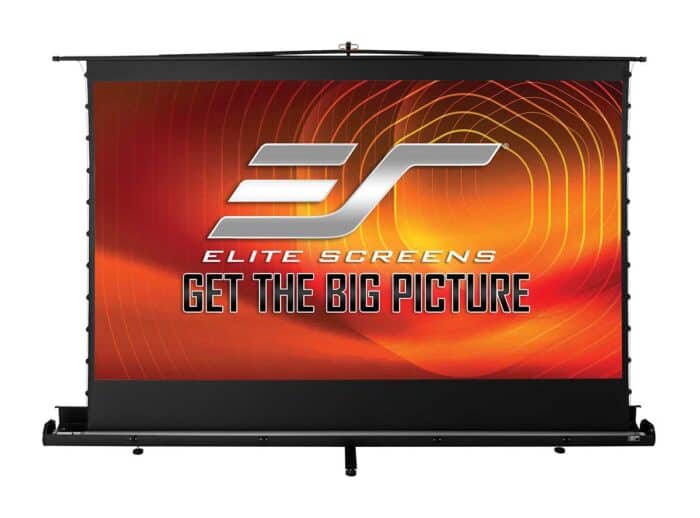 The ezCinema Tab-Tension CineGrey 4D is the rare portable screen that behaves like a permanent one. It stands on the floor in a slim case, pulls up on a telescoping support, and presents a tab-tensioned surface that stays flat under the kind of content conference rooms actually show.
The headline feature is the CineGrey 4D material, a ceiling and ambient light-rejecting surface rated by Elite Screens to reject up to 63 percent of ambient light. In practice, that is the difference between a spreadsheet you can read from the back row and one that fades into the ceiling lights.
Because the material is angular reflective, it works with standard long-throw projectors and rewards a sensible setup. Place the projector so its light hits the screen at a similar angle to the audience’s line of sight, and the image holds its contrast even in a bright room.
The tensioning system is the second reason this screen tops the list. Straight spreadsheet borders stay straight, and small fonts stay crisp from edge to edge. For a meeting room screen that has to earn its place every single day, that flatness is worth more than raw size.
It is also ISF certified for color accuracy and rated for 4K and 8K content, so the same screen handles a client video call as comfortably as a quarterly spreadsheet review. When the meeting ends, it retracts into its case and can be carried to another room in the included bag.
Key Specifications
- Type: Manual floor pull-up, free-standing, tab-tensioned
- Material: CineGrey 4D ceiling/ambient light rejecting (CLR/ALR), angular reflective
- Gain: 1.1
- Viewing angle: 70 degrees
- Ambient light rejection: up to 63 percent, per the manufacturer
- Sizes: 113 to 123 inches diagonal, 16:9 aspect ratio
- Projector compatibility: standard (long) throw only; minimum throw distance of 1.5 times the image width
- Certifications: ISF certified; 4K/8K Ultra HD and Active 3D ready; GREENGUARD and GREENGUARD GOLD certified material
- Setup: telescoping support rod; carrying bag included
- Warranty: 2-year manufacturer warranty
✓ Pros
- Ceiling light rejection keeps slides and text readable with the room lights on
- Tab-tensioned surface stays genuinely flat, so spreadsheet lines and small fonts stay sharp
- Floor-standing design needs no drilling, wiring, or installer
- Large 113 to 123 inch sizes suit proper boardrooms, not just huddle spaces
- Retracts into its case and moves between rooms in the included carrying bag
✗ Cons
- 70-degree viewing angle is narrower than matte white, so extreme side seats see a dimmer image
- Not compatible with ultra-short-throw or short-throw projectors
- Only available in 16:9, so there is no 16:10 option for data-heavy rooms
- Costs more than a basic pull-up screen because of the ALR material and tensioning system
When NOT to choose this one: skip it if your projector is an ultra-short-throw model, or if your table is very wide and several viewers sit at sharp side angles.
2. Da-Lite Cosmoelectrol Da-mat Screen — Best Installed Motorized Option
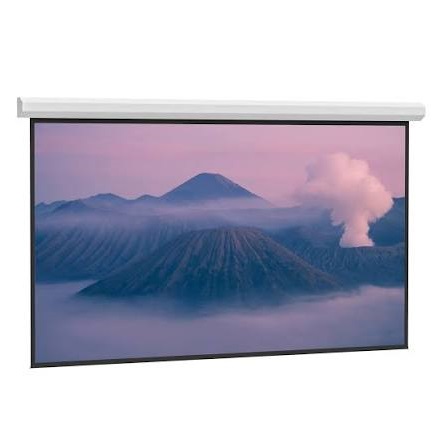 The Da-Lite Cosmopolitan Electrol series is the traditional answer for a boardroom that is finished being improvised. It mounts permanently to the wall or ceiling, lowers at the touch of a switch or remote, and turns “set up the room” into a ten-second task.
The Da-Mat surface is a matte white vinyl with a unity gain of 1.0 and a smoother finish than standard matte white. That smoothness, plus a wide 120-degree viewing cone, makes it a strong match for long tables where half the audience views the screen at an angle.
Because this is a made-to-spec product line rather than a single fixed model, you can order the format your room actually needs. The Cosmopolitan Electrol range covers 4:3, 16:9, and 16:10, and the Da-Mat surface is seamless at heights up to 16 feet, so even very large boardrooms and training rooms are covered.
Flatness is handled two ways. Standard models rely on the weighted bar and the vinyl’s own stability, while the Tensioned Cosmopolitan versions add a tensioning system that holds the surface flat for text-critical work, along with a standard 12 inches of black drop to position the image at viewing height.
The trade-off is commitment. This is a hardwired, installed product that belongs in a room with a fixed purpose, and it performs best where light is at least partly controlled with blinds or dimmers. For a flagship meeting room, that is exactly the right trade to make.
Key Specifications
- Type: Motorized (electric) screen, ceiling or wall mounted
- Surface: Da-Mat matte white vinyl, smoother than standard matte white
- Gain: 1.0 (unity gain)
- Viewing cone: 120 degrees (60-degree half-gain angle)
- Formats: 4:3, 16:9, and 16:10; wide range of sizes, with seamless Da-Mat surfaces up to 16 feet high
- Versions: standard and Tensioned (tensioned models include 12 inches of standard black drop)
- Case: single-piece steel case on sizes up to 12 feet wide
- Motor: 120V in-the-roller motor, with control options available across the range
- Installation: permanent install; professional installation recommended
✓ Pros
- Wide 120-degree viewing cone keeps side seats bright and even
- Available in 16:10 as well as 16:9 and 4:3, so it can match business laptops exactly
- Tensioned versions hold the surface flat for spreadsheets and documents
- Motorized operation removes setup from the meeting routine completely
- Scales to very large rooms that portable screens cannot serve
✗ Cons
- Matte white Da-Mat has no ambient light rejection, so bright rooms need blinds or dimmers
- Permanent, hardwired installation adds cost and scheduling before the first meeting
- It can never move rooms, so it only pays off in a dedicated space
- Ordering is specification-led, which takes more planning than buying a portable screen
When NOT to choose this one: skip it if the room is rented short-term, if several rooms must share one screen, or if the room has uncontrolled daylight you cannot shade.
3. Elite Screens ezCinema 2 — Best Portable Pull-Up
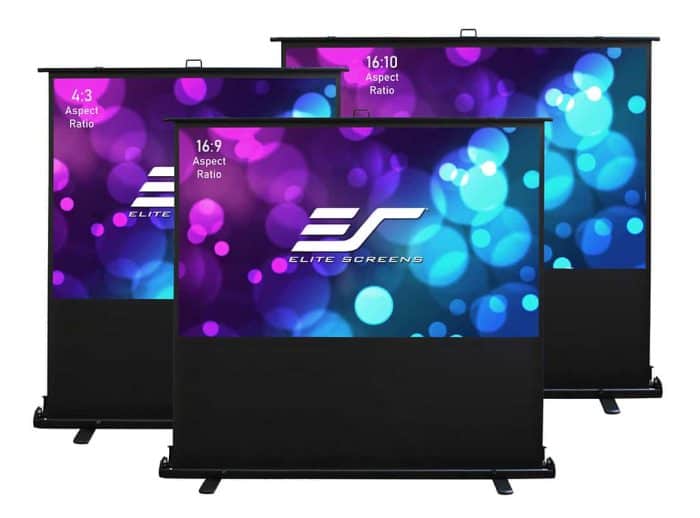 The ezCinema 2 is the screen to buy when the meeting room is really three rooms, a training space, and the occasional all-hands in the cafeteria. Its case sits on the floor, and a scissor-backed mechanism lets the screen pull up smoothly to full height in one motion.
That scissor mechanism is the practical difference over cheaper pull-ups. It holds the screen upright without a separate support pole to assemble, and it retracts just as easily, so a presenter alone can have the room ready in a couple of minutes.
The MaxWhite 2 material is a matte white surface with 1.1 gain and a full 180-degree viewing angle. Nobody at the table gets a bad seat, and the black backing stops light leaking through from windows behind the screen.
Size choice is the other strength. The range covers 70, 84, 95, and 107 inches in 16:9, a 110-inch 16:10 model that suits data-heavy presentations, and 4:3 models up to 120 inches for older setups. Few portable business presentation screens offer a native 16:10 option at all.
The limits are the usual matte white ones. There is no light rejection, so in a bright room you will lean on the projector’s brightness and whatever blinds you have. For rooms with reasonable light control, though, this is the most flexible screen in the roundup.
Key Specifications
- Type: Manual floor pull-up, free-standing, scissor-backed mechanism
- Material: MaxWhite 2 matte white with black backing
- Gain: 1.1
- Viewing angle: 180 degrees
- Sizes: 70, 84, 95, and 107 inches in 16:9; 110 inches in 16:10; 52, 84, and 120 inches in 4:3
- Projector compatibility: standard throw; not compatible with ultra-short-throw or short-throw projectors
- Certifications: ISF certified; 4K/8K Ultra HD and HDR ready
- Setup: folding handle, rotating base feet, lightweight aluminum case, carrying bag included
- Warranty: 2-year manufacturer warranty
✓ Pros
- Scissor-backed design deploys and retracts in one smooth motion, with no loose parts
- Full 180-degree viewing angle means every seat at the table gets an even image
- Rare 16:10 size option matches business laptops without scaling
- Broad size range covers huddle rooms through to training spaces
- Aluminum case and carrying bag make it genuinely easy to move and store
✗ Cons
- Matte white surface has no ambient light rejection for very bright rooms
- Non-tensioned material can develop gentle waves over years of rolling
- Not compatible with ultra-short-throw or short-throw projectors
- The case is long, so check your storage cupboard and car before choosing the biggest sizes
When NOT to choose this one: skip it if your room has strong overhead light or unshaded windows and nobody can dim them, or if your projector is a short-throw model.
4. NIERBO Tripod Projector Screen — Best for Multi-Room Portability
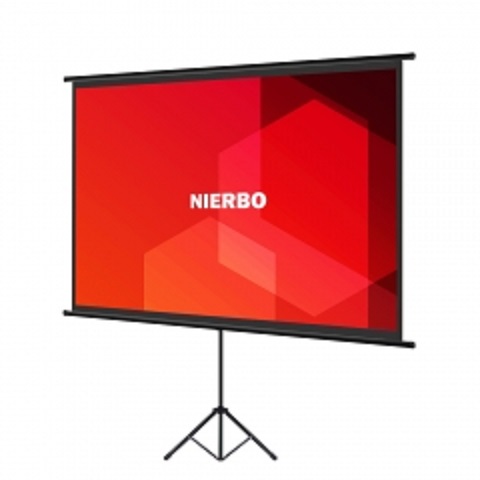 Some presenters do not have a meeting room; they have a diary full of other people’s rooms. The NIERBO tripod screen is built for them: a matte white screen on a telescopic tripod that folds down, travels light, and stands wherever the meeting happens to be.
NIERBO’s own tripod model pairs a wrinkle-resistant white fiberglass surface with a brand-rated 1.5 gain. That higher gain is useful in borrowed rooms, where you cannot control the lighting and a brighter-feeling image helps slides survive.
The stand telescopes up to 200 centimeters at full extension, so the image can be raised above a table and the heads in front of it. The whole kit is light: the brand lists the screen at about 1.2 kilograms and the tripod at about 0.7 kilograms for its tripod model, which is why it suits trainers and sales staff who carry their kit.
The black backing keeps the surface opaque, so a bright window behind the screen does not bleed through. NIERBO also packages the screen to resist creasing, which matters for a product that will be folded, carried, and reopened constantly.
Set expectations correctly, and it is a good tool. A tripod screen in this class is a presenter’s companion rather than a boardroom fixture: the listed tripod model is a 60-inch 4:3 screen, so confirm the size and format on the listing against your room before you commit.
Key Specifications
- Type: Tripod stand screen, height-adjustable telescopic stand
- Material: Matte white fiberglass, wrinkle-resistant, black backing for opacity
- Gain: 1.5 (brand rating for its tripod screen)
- Size and format: 60 inches, 4:3 (brand-listed tripod model)
- Stand: telescopes up to 200 cm; folds down for transport
- Weight: approximately 1.2 kg screen and 0.7 kg tripod, per the manufacturer
- Use: front projection, indoor and outdoor use
✓ Pros
- Extremely light and compact, so one person can carry and set it up anywhere
- Higher 1.5 gain helps slides stay punchy in rooms with uncontrolled light
- Telescopic stand raises the image above tables and seated heads
- Wrinkle-resistant surface and crease-conscious packaging suit constant travel
- Works in any room with floor space, no mounting or power needed
✗ Cons
- The brand-listed tripod model is small at 60 inches, which limits it to small groups
- 4:3 format letterboxes modern 16:9 laptops with black bars
- A tripod footprint needs floor space and can be knocked in busy rooms
- Non-tensioned fabric will never be as flat as a tensioned screen for fine text
When NOT to choose this one: skip it if your group is larger than about eight people, if most content is 16:9 video, or if the screen will live permanently in one boardroom.
5. PERLESMITH Tripod Projector Screen — Best for Small Meeting Rooms
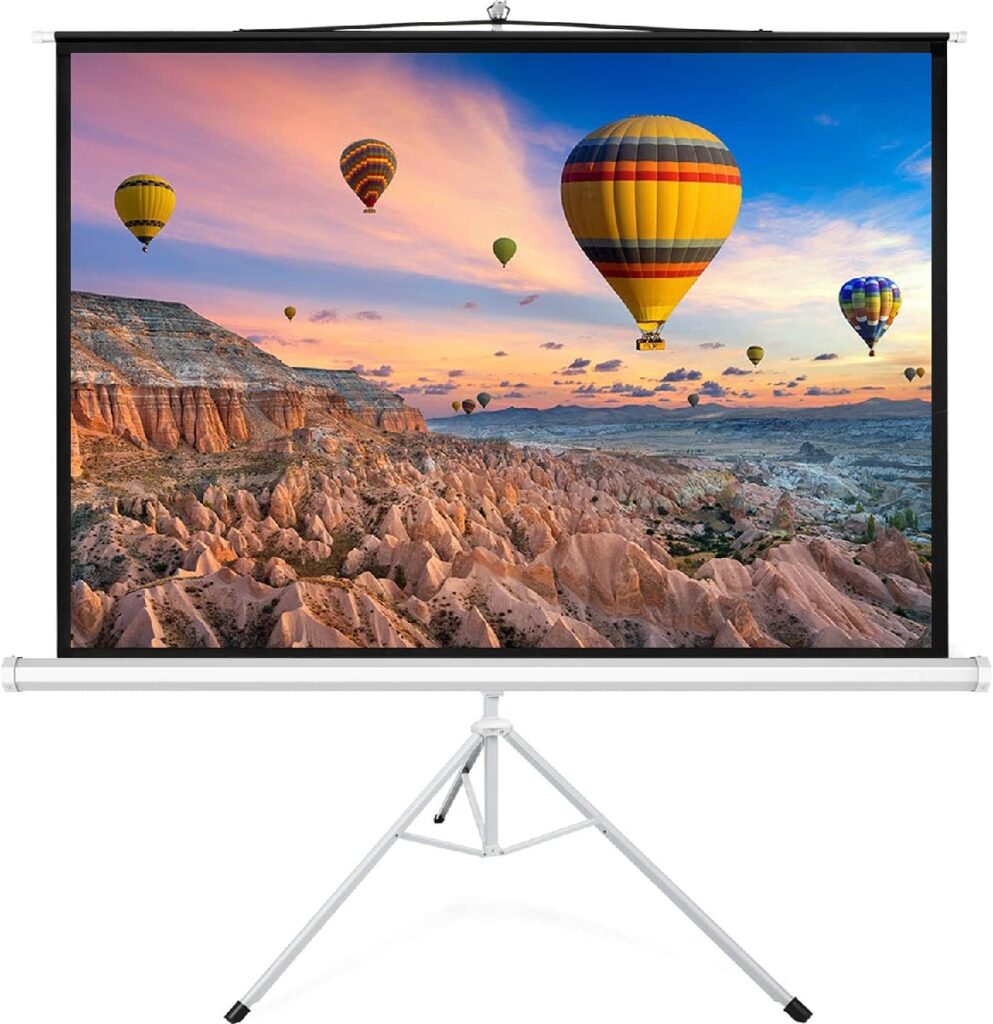 The PERLESMITH tripod screen is the straightforward answer for a small meeting room that has a blank wall problem and no budget line for installation. It stands on its own tripod, pulls up by hand, and gives a proper 100-inch image in rooms where a portable screen is the only realistic option.
The matte white surface is rated at 1.0 gain with a 160-degree viewing angle in the brand’s 4:3 specification, which translates to an even image for a small group gathered around a table.
PERLESMITH also sells the 100-inch tripod format in 16:9, so match the version to your laptop before ordering.
Height adjustment is handled by an auto-locking mechanism on the back handle. You pull the screen to the height the room needs; it locks, and it stays there, which quietly solves the problem of low ceilings and tall tables.
The screen also detaches from the tripod, so storage and moves are simple: screen in a cupboard, stand folded beside it. For a small office, that kind of easy storage is often the difference between a screen that gets used and one that gets left in a corner.
It is not a flatness champion, and it will not fight bright sunlight the way an ALR surface can. But as a meeting room screen for groups of four to eight people, it covers the fundamentals without installation, wiring, or drama.
Key Specifications
- Type: Tripod stand screen, manual pull-up, detachable from the stand
- Material: Matte white, wrinkle-free finish
- Gain: 1.0
- Viewing angle: 160 degrees
- Size and format: 100 inches; 4:3 version has a 78.7 by 59.0-inch viewing area, and a 16:9 version is also sold
- Height adjustment: auto-locking mechanism with a wide range of height settings
- Compatibility: works with most LED, LCD, and DLP projectors
- Use: front projection, indoor and outdoor use
✓ Pros
- Full 100-inch image at a tripod screen’s simplicity and cost level
- Auto-locking height adjustment adapts to low ceilings and different tables
- Wide 160-degree viewing angle suits a small group around a table
- Screen detaches from the tripod for compact storage
- No installation, wiring, or landlord permission required
✗ Cons
- At 100 inches, it is too big for the smallest huddle rooms and tight offices
- Non-tensioned surface can show slight waves that soften fine spreadsheet text
- Tripod legs take floor space and need care in high-traffic rooms
- No ambient light rejection, so bright rooms still depend on the projector’s output
When NOT to choose this one: skip it if your room cannot spare the tripod footprint, if your meetings regularly exceed ten people, or if fine text must stay razor sharp in bright light.
Best Projector Screen for Conference Room Presentations 2026 – Buyer’s Guide
How to Choose A Projector Screen for A Conference Room
A meeting room screen is a working tool, not a piece of cinema equipment. The right choice depends on your light, your seating layout, and the kind of content your team actually shares.
Start with the light in the room
Most conference rooms run with the lights fully on, because people take notes, read printed handouts, and join video calls. Overhead lighting is the single biggest enemy of a projected image, and it is why a standard white screen can look fine for video yet fail badly for slides.
An ambient light rejecting (ALR) surface, especially a ceiling light rejecting one, is designed to bounce the projector’s light back toward the audience while absorbing or deflecting light coming from above.
If your room has windows along one side or downlights you cannot dim, an ALR boardroom screen is the upgrade that makes the biggest visible difference.
If your room has good blinds and dimmable lights, a quality matte white surface is still a sensible, lower-maintenance choice. Matte white spreads light evenly in every direction, which also helps the people sitting at wide angles.
Match the screen size to the room and the back row
The reference point is not the wall; it is the farthest chair. For detailed content such as spreadsheets and documents, a common planning rule is that the farthest viewer should sit no more than about six times the image height away from the screen.
Work backward from that rule. Measure from the screen wall to the last seat, divide by six, and you have the minimum image height the room needs. A screen that is slightly too big is a minor inconvenience; a screen that is too small makes body text unreadable and quietly kills every meeting held in that room.
Ceiling height matters too, particularly with floor-standing screens that rise from a case at skirting level. If you want the full method, including viewing-distance tables for different content types, work through our guide to choosing the right screen size for your room before you order.
Pick the aspect ratio your content actually uses
Most modern laptops output 16:9 or 16:10, and the difference matters more than people expect. A 16:10 business presentation screen matches many business laptops pixel for pixel, so slides fill the surface without black bars or scaling.
Choose 16:9 if the room doubles for video calls, recorded webinars, and client-facing video. Choose 16:10 if the room is mainly a working space for documents, dashboards, and data. A 4:3 screen only makes sense if your organization still runs legacy presentation equipment.
Whichever ratio you choose, set the projector to match it and leave it there. A screen and projector that agree on shape will always look sharper than a mismatched pair that rescales every slide.
Gain and viewing angle: protect the side seats
Gain describes how much light the surface reflects compared with a plain white reference. A gain around 1.0 to 1.1 suits most meeting rooms, because it keeps brightness even across a wide seating area.
Viewing angle is the specification that decides whether the people at the far ends of the table can read the screen. ALR materials trade some viewing angle for their light rejection, often around 70 degrees, while matte white surfaces can reach 120 to 180 degrees.
For a long boardroom table, check both numbers together. A bright center image is worthless if the two seats nearest the screen see a dim, washed-out corner of the slide.
Flatness matters when the content is text
A slight wave in a screen is invisible during a movie and painfully obvious under a spreadsheet. Curved or rippled areas bend straight lines, blur cell borders, and make columns of figures look soft even when the projector is perfectly focused.
Tab-tensioning pulls the material flat from the sides and keeps it that way, which is why tensioned screens dominate rooms where text is the main content. Non-tensioned pull-up and tripod screens can develop gentle waves over time, especially if they are rolled and stored often.
If your meetings are video-heavy, minor ripples are a fair trade for portability. If your meetings are document-heavy, flatness should be near the top of your checklist.
Installed or portable? Decide how the room is used
A dedicated boardroom deserves an installed screen. A motorized model disappears into its case at the touch of a button, stays perfectly positioned, and removes setup from the meeting routine entirely. If you go the installed route, plan the mount and the power supply before you order, and read up on how to hang a projector screen from the ceiling so brackets, joists, and drop length are settled in advance.
Shared spaces are different. If the same screen has to serve three rooms, a floor pull-up or tripod model earns its keep, because nobody needs permission, tools, or a ladder to deploy it.
Small huddle rooms sit in between: the screen is only half the setup, and pairing a right-sized surface with a compact projector keeps the table clear. Our notes on using a mini projector for office presentations walk through that smaller-room setup in detail.
Setup time: respect the five-minute rule
A screen that takes fifteen minutes to assemble will eventually stop being used, and the room will drift back to a laptop passed around the table. Every screen in this roundup can be ready before a typical meeting starts, but the gap between “unbox and pull up” and “book the installer” is real.
Think about who sets the room up. If it is a rotating cast of presenters rather than one facilities person, favor the design with the fewest steps: case on the floor, pull up, present.
Frequently Asked Questions
What size projector screen does a conference room need?
Work from the back row, not the wall. For text-heavy content, the farthest viewer should sit within about six times the image height. In most meeting rooms, that points to 100 to 123 inches diagonal; smaller huddle rooms can work at 70 to 84 inches.
Is an ALR screen worth it for a meeting room with the lights on?
Yes, if the lights genuinely stay on and cannot be dimmed. A ceiling light-rejecting surface like CineGrey 4D absorbs much of the overhead light that washes out slides, so text keeps its contrast. If your room has good blinds and dimmers, a quality matte white screen is usually enough.
Should I choose 16:9 or 16:10 for presentations?
Match your laptops. Many business laptops output 16:10, and a 16:10 screen shows slides full-frame with no scaling or black bars. If the room is used mainly for video calls and recorded content, 16:9 is the safer match.
Can a portable screen work as a permanent conference room screen?
It can, and floor pull-up models are designed for exactly that double duty. Just know that a non-tensioned portable may develop slight waves over time, which softens fine text. If the screen will never move, an installed or tensioned model is the better long-term buy.
How much gain do I need in a bright meeting room?
For most rooms, 1.0 to 1.1 gain is the sweet spot because it keeps brightness even across the seating. Higher gain can help a dim projector in uncontrolled light, but it narrows the useful viewing angle, so check that side seats still get a readable image.
Do I need a tab-tensioned screen for spreadsheets and documents?
It helps more than most buyers expect. Tensioning holds the surface flat, and flatness is what keeps grid lines straight and small fonts crisp. For video-led rooms, it is a nice extra; for document-led rooms, it is close to essential.
Bottom Line
The best projector screen for conference room presentations is the one that keeps text readable in your room’s actual light, from your room’s worst seat. For most offices, that screen is the Elite Screens ezCinema Tab-Tension CineGrey 4D: its light-rejecting material handles bright rooms, its tensioned surface keeps spreadsheets sharp, and it needs no installation.
Choose the Da-Lite Cosmopolitan Electrol instead if you are fitting out a permanent boardroom and want a motorized screen that disappears between meetings. Choose the Elite Screens ezCinema 2 if several rooms will share one screen, and reach for the NIERBO or PERLESMITH tripod models when portability and simplicity matter more than size or absolute flatness.
Whichever route you take, decide the size from the back row, match the aspect ratio to your laptops, and check the viewing angle against your table. Get those three right, and any of these five screens will make meetings noticeably easier to follow.