Epson EpiqVision LS800 Review (2026) — UST Laser Projector
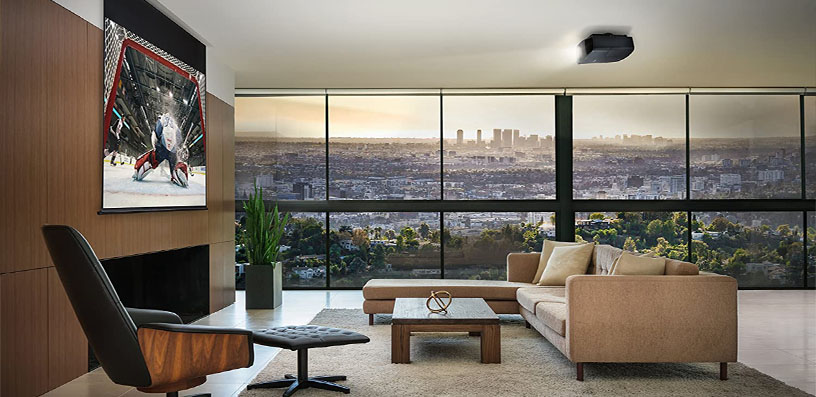
Most ultra short throw projectors ask you to meet them halfway: close the curtains, dim the lights, and accept a washed-out picture. The Epson EpiqVision Ultra LS800 takes the opposite approach.
It is a laser TV built for rooms that stay bright, pairing a 4,000-lumen 3-chip 3LCD light engine with the shortest throw ratio in its class, a Yamaha sound system, and gaming input lag low enough for competitive play.
Epson EpiqVision LS800 Review: A Big Living-Room Picture Without a Mount
This Epson LS800 review is based on verified specifications published by Epson and on measured data from independent labs. It is a research-based review, and every measured figure below is attributed to its source.
The LS800 is aimed at living-room viewers who want a 100- to 150-inch picture without a ceiling mount, sports fans who watch with the lights on, and console gamers who refuse the sluggish response of most laser TVs.
The short verdict: for bright-room viewing and gaming, few UST projectors are as capable. For dark-room purists who prioritise calibration controls, Dolby Vision and the deepest blacks, there are compromises to understand first. Both sides are covered below.
Epson EpiqVision LS800: Key Specifications
- Display technology: 3-chip 3LCD, 0.62-inch panels
- Resolution: 4K PRO-UHD (pixel-shifted 1920 × 1080, doubled on screen)
- Brightness: 4,000 lumens colour and white (ISO 21118 / IDMS rated)
- Contrast: up to 2,500,000:1 dynamic; native contrast listed at 1,800:1 in Epson’s European data
- Light source: laser diode array, rated up to 20,000 hours
- Throw ratio: 0.16:1 (0.16–0.40 range with digital zoom)
- Screen size: 80 to 150 inches (16:9)
- Lens: F1.8, 2.3 mm focal length, manual focus
- HDR: HDR10 and HLG, full 10-bit processing, 16-step HDR adjustment
- Audio: Yamaha 2.1-channel, 20 W total (2 × 5 W full-range + 10 W subwoofer)
- Smart platform: Android TV with Chromecast built-in and Google Assistant
- Inputs: 3 × HDMI 2.0 (HDMI 2 with ARC, HDMI 3 dedicated game port), optical S/PDIF out, 3.5 mm out, 3 × USB-A, Wi-Fi 5, Bluetooth 5.0
- Input lag: under 20 ms claimed; 12.3 ms measured at 1080p/120 Hz
- Fan noise: 32 dB rated in Normal mode, 19 dB in ECO
- Dimensions / weight: 27.4 × 6.2 × 13.4 inches (W × H × D); 27.6 lb
- Finishes: black or white
✓ Pros
- Measured brightness meets the 4,000-lumen claim — among the brightest UST projectors
- Shortest throw in its class (0.16:1): a 100-inch image with the rear just 3.9 inches from the screen
- Excellent gaming lag on HDMI 3: 12.3 ms at 1080p/120 Hz, about 21 ms at 4K/60 Hz
- Yamaha 2.1 audio is a real step above typical built-in projector sound
- 3-chip 3LCD: equal colour and white brightness, zero rainbow artefacts
- Laser light source rated to 20,000 hours; no lamps to buy
- Sleek, shallow cabinet in black or white that fits standard TV furniture
✗ Cons
- No native Netflix app, and no Ethernet port
- No Dolby Vision and no eARC for lossless Atmos passthrough
- Native contrast is modest; dark scenes in a blacked-out room show greyish blacks
- Fan noise is clearly audible at the high laser settings bright rooms need
- No calibration controls (no CMS or white-balance gain/bias) for enthusiasts
- 4K PRO-UHD is pixel-shifted 1080p — softer than full-4K rivals up close
- Screen not included; an ALR screen is effectively a required extra
- No 3D support, no 4K/120 Hz, VRR or ALLM
Design & Build
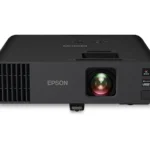
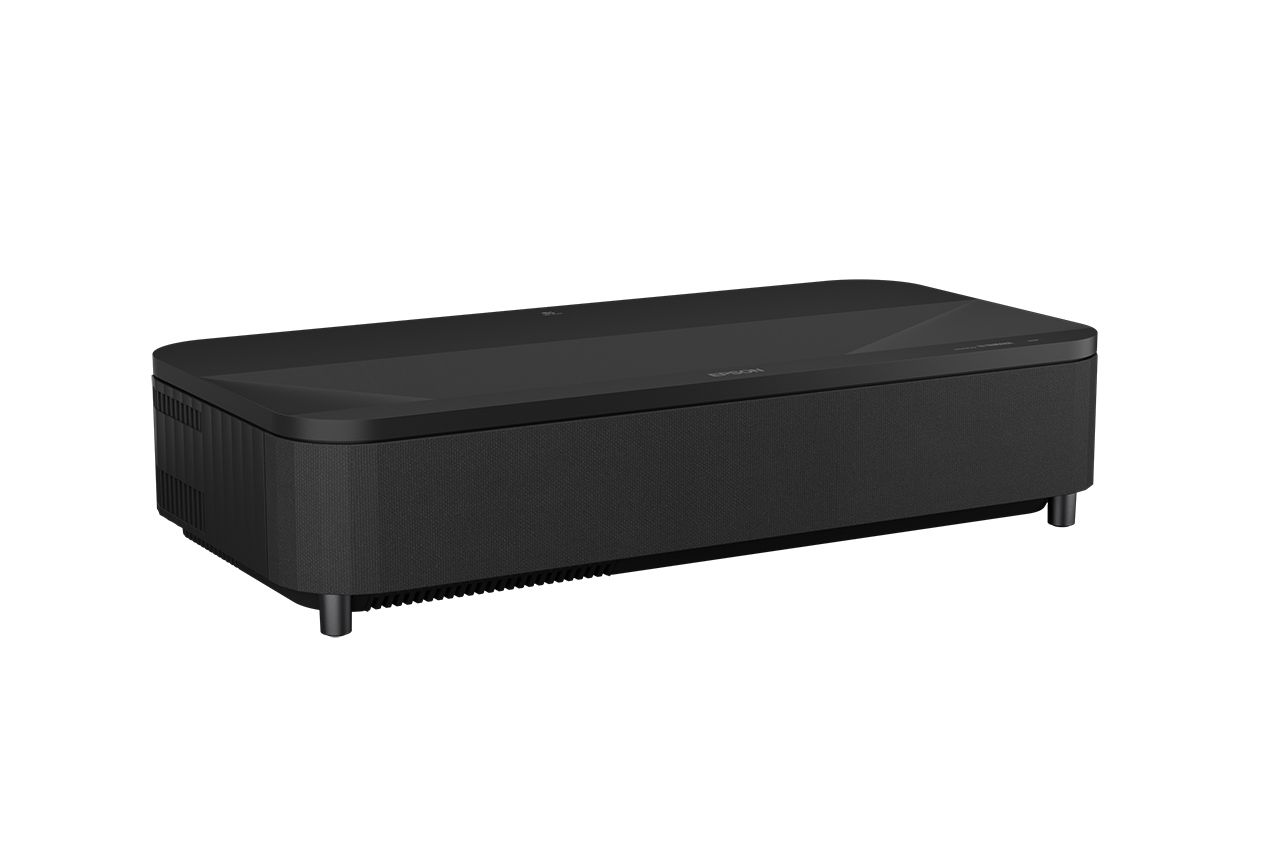
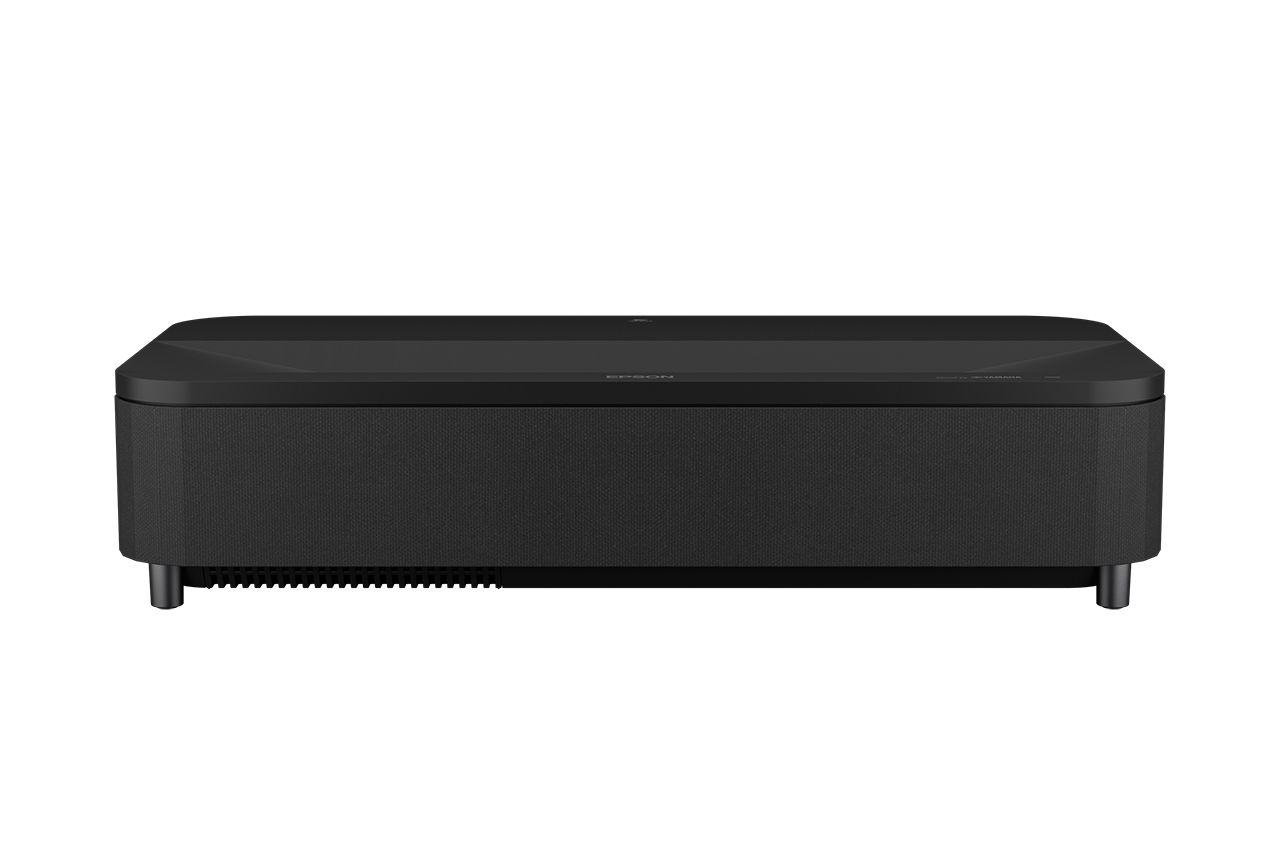
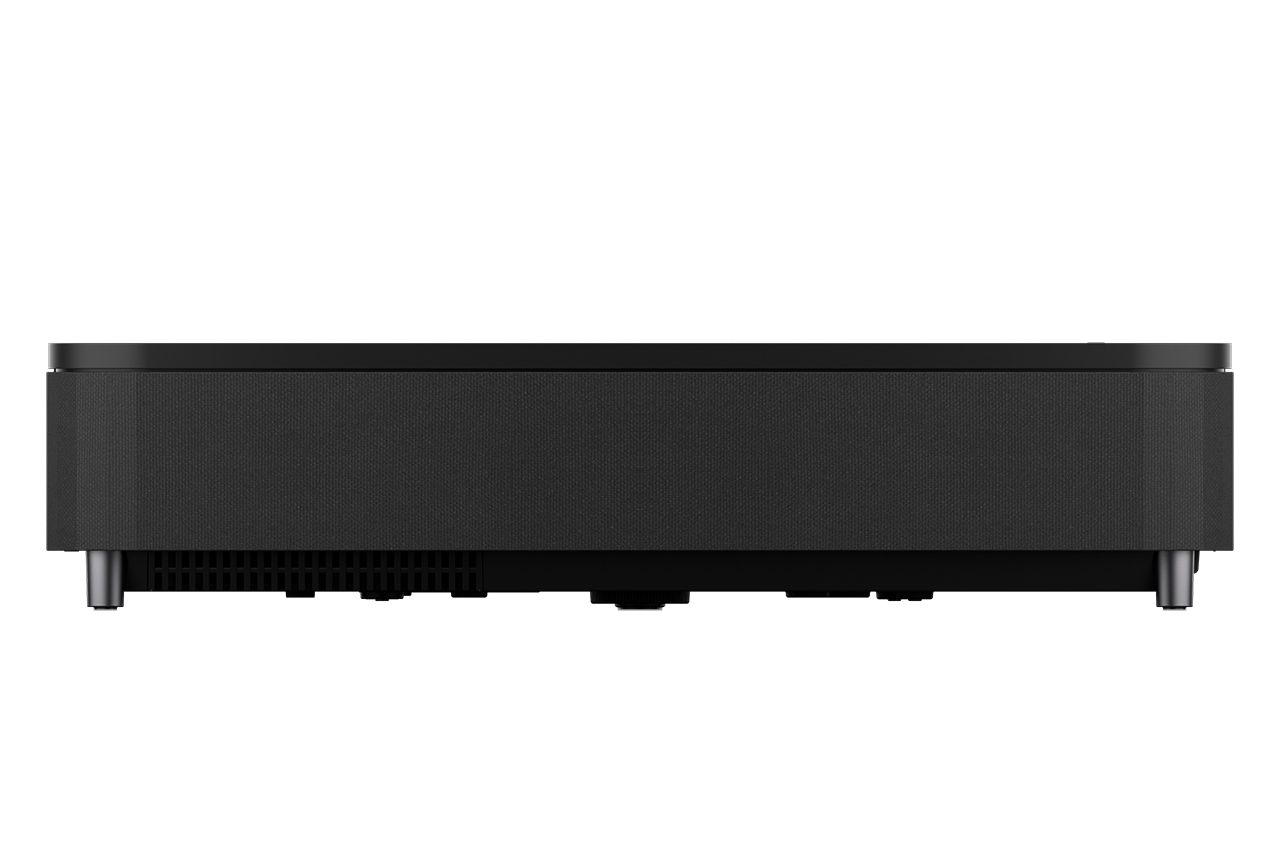
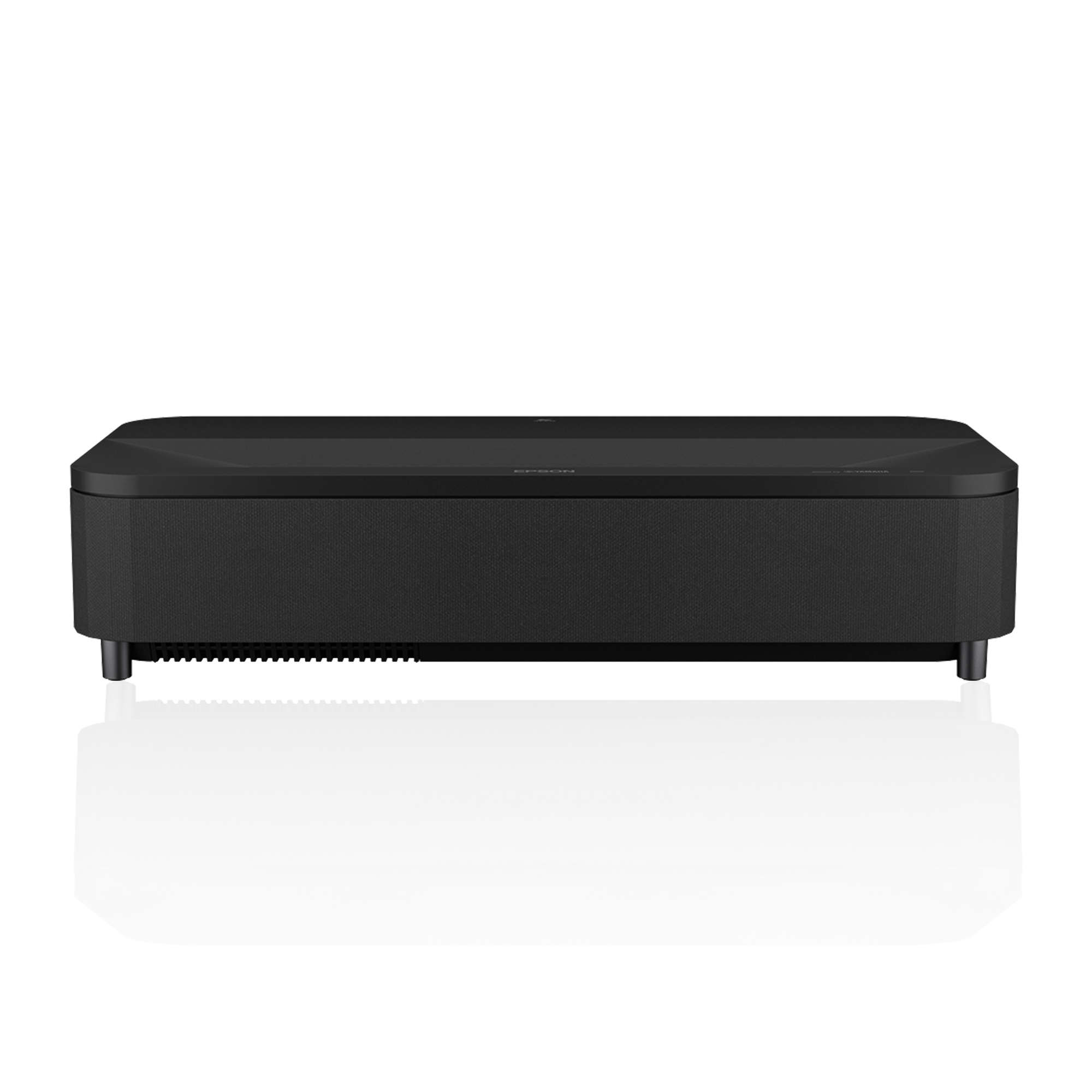
The LS800 looks nothing like its predecessor. The LS500’s protruding lens hood is gone, replaced by a wide, low, soundbar-like chassis with softly rounded corners and a fabric front grille.
At 27.4 inches wide, it is broader than most UST rivals, for an engineering reason: Epson mounts the laser light source at a right angle to the lens, keeping the cabinet shallow — just 13.4 inches deep — so the unit hugs the wall instead of pushing your console into the room.
The lens is recessed into the top surface near the wall side, protected from dust and knocks.
Build quality is solid rather than luxurious: a matte plastic shell, a neat grille that hides the Yamaha speakers and a pop-out air-filter tray, and adjustable feet for levelling. All connections live behind a removable side panel, alongside a manual focus lever with a firm, precise action.
Two ownership details many reviews skip: there is no autofocus — you dial focus in by hand, ideally using the corners of Epson’s test pattern — and the air filter needs vacuuming roughly every three months, with an on-screen warning if dust starts raising internal temperatures.
A proximity sensor dims the laser if a child or pet gets too close to the beam, a genuinely useful touch on a device that sits at toddler height.
The compact Bluetooth remote is not backlit, but it earns praise for a dedicated laser-brightness rocker and a one-press button that jumps straight to the gaming input.
Epson EpiqVision LS800: Features
The 0.16:1 Throw — and the Placement Table Most Reviews Skip
The LS800’s headline trick is its 0.16:1 throw ratio, the shortest of any laser TV in its class.
Placement is measured from the rear of the unit to the screen, and the image sits at a fixed vertical offset above the projector, so both numbers matter when choosing a console and screen height. Epson’s own placement data for a 16:9 image is:
| Screen size | Rear of projector to screen | Front of projector to screen | Image bottom above top of projector | Image top above top of projector |
|---|---|---|---|---|
| 100 inches | 3.9 in | 17.3 in | 5.9 in | 54.9 in |
| 120 inches | 6.8 in | 20.2 in | 7.5 in | 66.3 in |
| 150 inches | 11.2 in | 24.6 in | 9.9 in | 83.4 in |
The practical takeaway: a standard TV credenza is deep enough for a 100- or 120-inch setup, which is not true of most rivals needing several extra inches of clearance.
But there is no lens shift, so the screen’s vertical position is dictated by the offset column above — measure console height plus offset before mounting anything. If placement is new to you, our guide to the best short throw projectors explains throw ratio and offset in plain terms.
Alignment help comes from four-corner and multi-point correction, a digital zoom (1.0–2.5), and the Epson Setting Assistant phone app, which photographs a projected grid and squares the picture automatically.
Screen Pairing: an ALR Screen Is Effectively Mandatory
The LS800 is sold without a screen, and it only delivers its TV-replacement promise on the right one.
A UST image strikes the surface at an extreme angle, so a plain wall or standard matte screen scatters ceiling light into your eyes and flattens contrast.
Epson’s answer is its SilverFlex Ultra ambient light rejecting (ALR) screens in 100- and 120-inch sizes — lenticular, sawtooth surfaces with 0.8 gain and a 178-degree viewing angle that reject overhead light while accepting the steep projection angle. Third-party UST ALR screens cover the 150-inch size Epson does not sell.
Wall projection is possible — Epson includes wall-colour compensation — but expect visible texture, hot-spotting and grey blacks in daylight. Treat an ALR screen as part of the product, not an accessory.
4K PRO-UHD and 3LCD: What You Gain, What You Give Up
Epson’s 4K PRO-UHD is pixel shifting, not native 4K. Three 1080p LCD chips are shifted to double the on-screen pixel count to roughly half of a full UHD signal, backed by 10-bit processing and Super Resolution detail enhancement.
From a normal sofa distance, the result is convincingly sharp with good 4K content, but visibly a touch softer than full-4K DLP rivals, especially with 1080p sources.
In exchange, the 3-chip design delivers equal colour and white brightness, and total immunity to the rainbow artefacts some viewers see on single-chip DLP projectors. Full specifications are listed on Epson’s official LS800 product page.
Laser Light Source and Everyday Features
The laser array is rated for up to 20,000 hours with no lamps to replace, switches on almost instantly, and holds its brightness far better than a lamp.
An Adaptive Light Output sensor can adjust output with room lighting, working from a baseline set with the remote’s brightness rocker — effectively three laser power levels (Normal, Medium, ECO) trading brightness against fan noise and black level.
Frame interpolation (Off, Low, Normal, High) smooths sports and camera pans; Low adds a little polish to 24-frame film without an obvious soap-opera effect.
Epson EpiqVision LS800: Performance in Bright and Dark Rooms
Brightness is the LS800’s defining strength, and unusually, the measurements back the marketing. It measured 4,084 ANSI lumens in Dynamic mode at full laser power, just over the rating, and weasured 4,194 ANSI lumens in the same mode.
If you are unsure what those numbers mean for your room, our explainer on how many lumens you need for a projector puts them in context.
In practice, this UST keeps movies watchable under strong overhead lighting on an ALR screen, and in typical evening lighting it produces a punchy, TV-like picture for sports and news — exactly the use case it was designed for, and why it anchors many setups as the best projector for a living room that cannot be darkened.
Contrast is where honesty is required. The 2,500,000:1 figure is a dynamic number achieved with laser dimming; Epson’s own European data lists native contrast at 1,800:1.
On mixed content — a white spaceship against black space, for example — contrast looks genuinely impressive, gamma tracks close to 2.2, and shadow detail is good. On very dark scenes, blacks lift to dark grey in a way a dedicated theatre projector would not allow.
Colour volume is respectable for a single-laser design: Calman analysis measured 137.4% of BT.709 and 92.6% of DCI-P3, though reds cannot match triple-laser saturation.
Out-of-the-box accuracy is good rather than great — errors of 5–10 Delta E in most modes, around 4.5 average in Cinema — and Epson omits the white-balance and CMS calibration controls found on its own home theatre models, so a calibrator cannot fully correct it.
HDR handling is competent but dated: HDR10 and HLG are supported with a 16-step HDR brightness slider, but there is no Dolby Vision, and the slider is buried deep in the menus with no remote shortcut; it defaults to its near-brightest setting (2), and pushing it higher dims the image quickly.
Fan noise is the other real cost of the brightness.
Epson rates the LS800 at 32 dB (Normal), 27 dB (Medium) and 19 dB (ECO), but real-world measurements three feet in front of the unit read higher: 37.9 dBA in Normal, 32.7 dBA in Medium and 30.3 dBA in ECO, rising further with High Altitude mode.
Below one-third laser power, it is whisper-quiet; at the two-thirds-plus settings bright rooms need, the low-pitched fan is plainly audible under quiet dialogue — though there is no coil whine.
Epson EpiqVision LS800: Picture Modes
The LS800 offers four picture modes, and choosing correctly matters more than usual because brightness, colour accuracy and fan noise all move together. Measured outputs at full (Normal) laser power were: Dynamic 4,084, Vivid 2,165, Cinema 2,030 and Natural 1,981 ANSI lumens.
Dropping the laser slider to Medium cuts output by roughly 35%, and ECO by roughly 70%, whatever the mode — your real working brightness is mode plus laser setting combined.
Dynamic
The maximum-brightness mode, and the one that hits the 4,000-lumen claim. It carries a strong green cast to get there, visible on skin tones and whites. Reserve Dynamic for emergencies — a sun-flooded room, a daytime event — or content where punch outweighs accuracy. It also drives the fan at its loudest.
Vivid
The bright-room workhorse. Vivid leans blue in its white balance and lifts shadow detail so the image cuts through ambient light, backed by more aggressive contrast and gamma processing.
With a small colour-temperature tweak to warm it up, this is the mode most owners will live in for sports, news and daytime streaming.
Cinema
The most accurate mode out of the box, with a default colour temperature close to the 6500K reference and the most natural skin tones. Cinema has slightly more punch than Natural and is the right choice for films in a darkened room.
Small errors remain — foliage can run a little oversaturated — but nothing that pulls a normal viewer out of the movie.
Natural
The flattest, least processed presentation: similar accuracy to Cinema with a touch less contrast enhancement. Epson positions Natural as the mode to select when making your own colour adjustments. In a dark room at Medium laser power, Natural and Cinema are the quietest, deepest-black ways to watch this projector.
Audio: The Yamaha 2.1 System
Sound is where the LS800 most clearly improves on its predecessor.
Yamaha designed a 2.1-channel system built into the front of the chassis: two 5 W full-range drivers angled outward from the front corners and a 10 W ported bass unit firing forward, 20 W in total, processed by Yamaha’s AudioEngine DSP with FR-Port technology to widen the soundstage and firm up the low end.
Sound modes include an Audiophile 2.1 Virtual Surround setting, plus bass boost and auto loudness options.
Judged against other built-in projector audio, it is genuinely good. It is one of the best-sounding built-in systems on a UST projector, and the consistent theme across reviews is clear, forward dialogue, respectable musical fidelity, and enough volume for an average room without distortion.
Judged against a real soundbar or separates system, the limits are physics: a 2.25-inch bass driver cannot deliver true low-frequency impact for action films. For everyday TV, sports and casual film nights, many owners will never plug anything else in.
When you do upgrade, the LS800 offers HDMI ARC, optical out, a 3.5 mm output and Bluetooth — but the ARC port is not eARC, so lossless Dolby Atmos bitstreams cannot pass through it. The projector can also work in reverse as a Bluetooth speaker for your phone.
Smart Features & OS
Android TV is built into the projector itself — unlike the LS500, there is no streaming dongle eating an HDMI port. You get the Google Play Store, Chromecast built-in, and Google Assistant voice search from a microphone in the remote. Prime Video, Disney+, YouTube, Hulu, and most other major services are present and stream in 4K HDR.
The well-documented gap is Netflix: the LS800’s Android TV build is not certified for the Netflix app, so the service is not available natively — a common failing among Android projectors, but a frustrating one at this level.
The realistic fix, recommended by almost every reviewer, is an external streaming stick or box, which also sidesteps the platform’s quirks: two separate menu systems (Android’s and Epson’s) are confusing, and on the HDMI 3 gaming input the menu buttons stop working until you jump back to the Android home screen.
Connectivity is Wi-Fi 5 and Bluetooth 5.0 only — there is no Ethernet port, a notable omission if your Wi-Fi is congested.
Gaming Performance and Input Lag
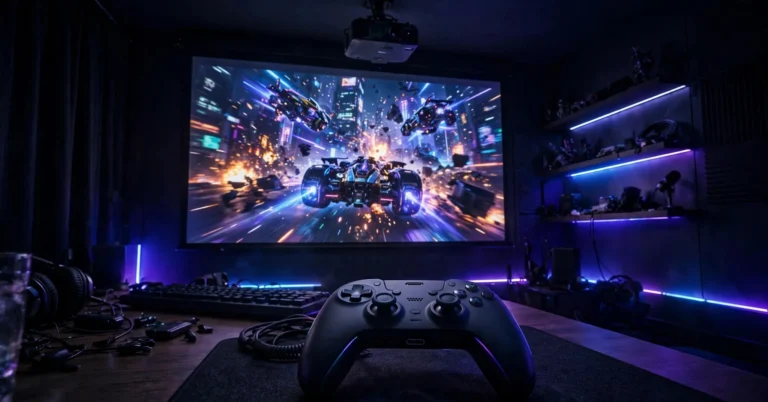
Gaming is a genuine LS800 strength, provided you use the right input. HDMI 3 is a dedicated game port that bypasses the Android TV layer.
Measured it with a Leo Bodnar 4K lag meter at 21.0 ms for 4K/60 Hz, 22.1 ms for 1080p/60 Hz, and an excellent 12.3 ms for 1080p/120 Hz — close to dedicated gaming projectors and fast enough for competitive play on a screen up to 150 inches.
Two warnings matter. First, the other HDMI inputs measured between 101 and 113 ms — plug a console into the wrong port and the LS800 feels hopeless, so HDMI 3 is non-negotiable for gaming.
Second, the HDMI 2.0 inputs cap the feature set: no 4K/120 Hz, no variable refresh rate, no auto low-latency switching. You choose between 4K at 60 Hz for visual richness or 1080p at 120 Hz for maximum responsiveness. Within those limits, this is one of the quickest laser TVs available.
Who Should Buy / Who Should Skip
Buy the LS800 if…
your viewing happens in a normal living room with daylight and lamps; if you watch a lot of sports and everyday TV and want it to feel like a giant television; if you game on console and want low lag without giving up screen size; or if your media console is shallow and other UST projectors will not fit.
Skip it if…
you are building a dedicated, light-controlled theatre and care most about deep blacks, wide-gamut HDR colour and calibration accuracy; if Dolby Vision and eARC Atmos are must-haves; if you are sensitive to fan noise during quiet films; or if you sit close enough that pixel-shifted versus full 4K will bother you.
Alternatives to Consider
Hisense PX3-Pro
The enthusiast’s counterpoint: a triple-laser DLP with Dolby Vision, HDR10+, a much wider colour gamut and strong measured contrast. It cannot match the Epson’s raw brightness or its immunity to rainbow artefacts.
Samsung The Premiere 9
The design-led option, with triple-laser colour, a polished smart TV platform and multiroom audio integration. Its input lag is considerably higher than the LS800’s, making it a weaker gaming choice.
ViewSonic movie Theater
A triple-laser favourite for dark-room movie viewing, with Dolby Vision and outstanding colour and contrast for films. Everyday bright-room punch and gaming responsiveness are where the Epson fights back.
BenQ V7050i
A single-laser DLP alternative with full 4K resolution, proper calibration controls, and 1080p 3D support. It offers roughly half of Epson’s brightness, so it suits dimmer rooms better.
Frequently Asked Questions
Does the Epson LS800 need an ALR screen?
Effectively, yes, for the results it is known for. A UST image hits the surface at a steep angle, and a bare wall or ordinary screen scatters ceiling light and kills contrast.
A lenticular ambient light rejecting screen — Epson’s SilverFlex Ultra (100 or 120 inches) or a third-party UST ALR screen — rejects that overhead light and is the biggest picture-quality upgrade you can give this projector.
Is the Epson LS800 native 4K?
No. It uses three native 1080p LCD chips with 4K PRO-UHD pixel shifting to double the on-screen pixel count, reaching about half the pixel count of a full UHD signal. From a normal viewing distance, it looks convincingly sharp with 4K content, but full-4K DLP projectors resolve finer detail, particularly up close.
How far from the wall does the LS800 need to be for a 120-inch image?
Just 6.8 inches from the rear of the projector to the screen (the front sits 20.2 inches out). The image bottom lands 7.5 inches above the top of the projector. For 100 inches, the rear distance is 3.9 inches; for 150 inches, 11.2 inches.
Does the LS800 have Netflix?
Not natively. Its Android TV build lacks Netflix certification, so the app is unavailable in the Play Store on the projector. Workarounds are casting from a laptop browser via Chromecast built-in, or — the option most reviewers recommend — an external streaming stick or box, which also gives a more reliable HDR experience in some apps.
Is the LS800 good for gaming?
Yes, on the right input. The dedicated HDMI 3 game port measured 21.0 ms at 4K/60 Hz and 12.3 ms at 1080p/120 Hz, which is fast for a laser TV. The other HDMI inputs measured over 100 ms, so consoles must go into HDMI 3. There is no 4K/120 Hz, VRR or ALLM support.
How loud is the LS800’s fan?
Epson rates it at 32 dB in Normal mode and 19 dB in ECO. Independent real-world measurements three feet in front of the unit were higher at full power — about 37.9 dBA in Normal, roughly 32.7 dBA in Medium and 30.3 dBA in ECO. At low laser settings, it is very quiet; at bright-room settings, you will hear it during quiet scenes.
Bottom Line
The Epson EpiqVision Ultra LS800 is not trying to be the best projector for a blacked-out theatre, and judged that way it loses points on native contrast, colour calibration and missing formats like Dolby Vision.
Judged on what it actually is — a laser TV for real living rooms — it is one of the most convincing products in its category.
Its brightness is real and independently verified, its 0.16:1 lens fits furniture that defeats every rival, its Yamaha audio removes the need for a soundbar on day one, and its gaming lag embarrasses most of the UST field.
Buy it with an ALR screen, plug consoles into HDMI 3, run an external streamer for Netflix, and keep the laser at Medium when the room allows. Do those four things and the LS800 delivers the big, bright, everyday picture it promises.