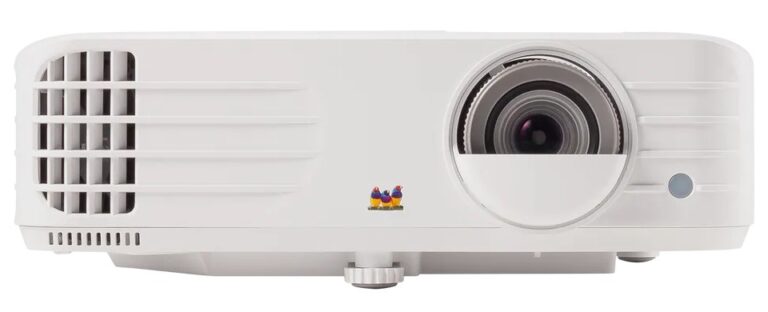
Optoma UHD38x Review 2026 — Best 4K Gaming Projector
Most home projectors ask you to choose: brightness for a living room with the lamps on, or speed for gaming, or sharpness for films.
This Optoma UHD38x review looks at a lamp-based DLP projector that tries to cover all three jobs at once. It pairs a 4K UHD picture with a high 4,000-lumen rating and an Enhanced Gaming mode that reaches 4.2ms input lag.
The UHD38x sits in Optoma‘s home entertainment range as a standard-throw machine for mixed use. Films, live sport and console or PC gaming are all on its brief, rather than one specialised role. That breadth is its appeal, and also where honest expectations matter most.
Optoma UHD38x Review: The Verdict in Brief
Based on its verified official specifications, the UHD38x is a strong fit for buyers who watch and play in rooms that never go fully dark. Its brightness, low lag at 1080p, and straightforward two-HDMI setup make everyday big-screen use easy.
The trade-offs are equally clear: it is a lamp projector with lamp running costs, it has no built-in streaming platform, and its fastest gaming numbers apply at 1080p rather than 4K.
Optoma UHD38x: Key Specifications
- Display technology: DLP
- Resolution: UHD 3840 x 2160 (4K, 8.3 million on-screen pixels)
- Brightness: 4,000 lumens
- Contrast ratio: 1,000,000:1
- Light source: 240W lamp
- Lamp life: 4,000 hours (Bright), 10,000 hours (Eco), 15,000 hours (Dynamic)
- Throw ratio: 1.5:1 to 1.66:1
- Zoom: 1.1x manual zoom, focal length 15.84mm to 17.42mm
- Screen size: 33 inches to 300 inches
- Keystone correction: ±40 degrees horizontal and vertical, plus four-corner correction
- Noise level: 26dB typical, 28dB maximum
- Input lag: 4.2ms in Enhanced Gaming at 1080p/240Hz; around 16.7ms class at 4K/60
- Refresh rate: Up to 240Hz at 1080p
- HDR: HDR10 and HLG compatible
- 3D: Full 3D compatible
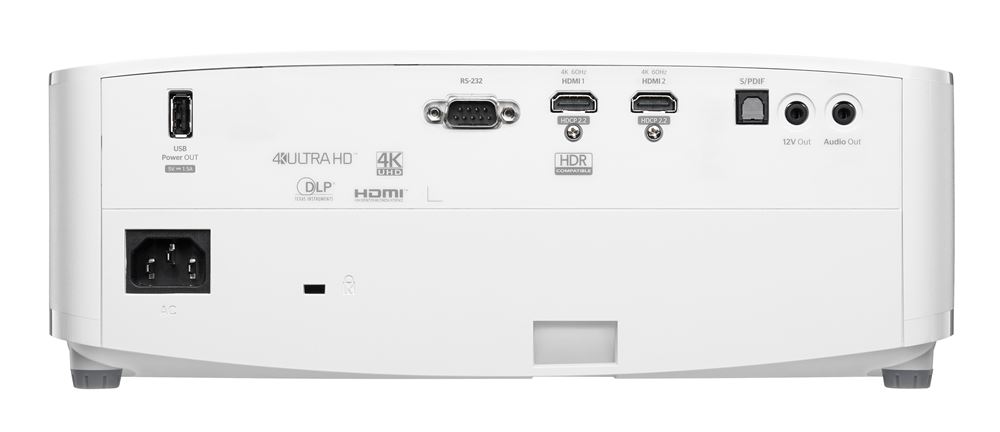
- Connections: 2 x HDMI 2.0, USB-A power output
- Speaker: Built-in 10W speaker
- Colour: Rec.709 colour gamut reproduction, colour management system, ISF day and night modes
- Dimensions: 315 x 270 x 118mm
- Weight: 3.98kg
✓ Pros
- 4,000 lumens suits lights-on viewing in ordinary living rooms
- 4.2ms input lag at 1080p/240Hz in Enhanced Gaming mode
- True 4K UHD resolution with HDR10 and HLG support
- Full 3D support, still rare on newer projectors
- Quiet on paper at 26dB typical noise level
- Two HDMI 2.0 inputs plus USB power for a streaming dongle
- Four-corner correction and ±40-degree keystone help awkward placements
✗ Cons
- Lamp light source means eventual replacement and fading brightness over time
- No built-in streaming platform — an external source is required
- Fastest 4.2ms lag applies at 1080p, not at 4K
- Modest 1.1x zoom and no lens shift limit placement flexibility
- Single 10W speaker is convenience audio, not home cinema sound
- Standard throw needs a mid-room or ceiling position for large images
Design & Build
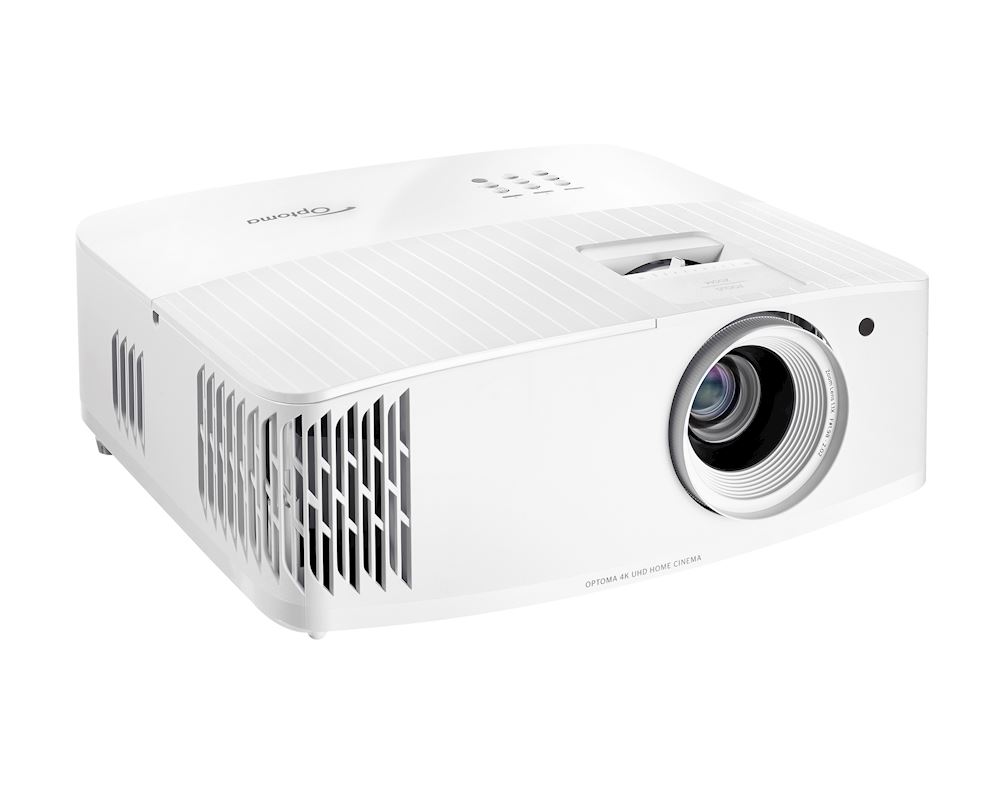
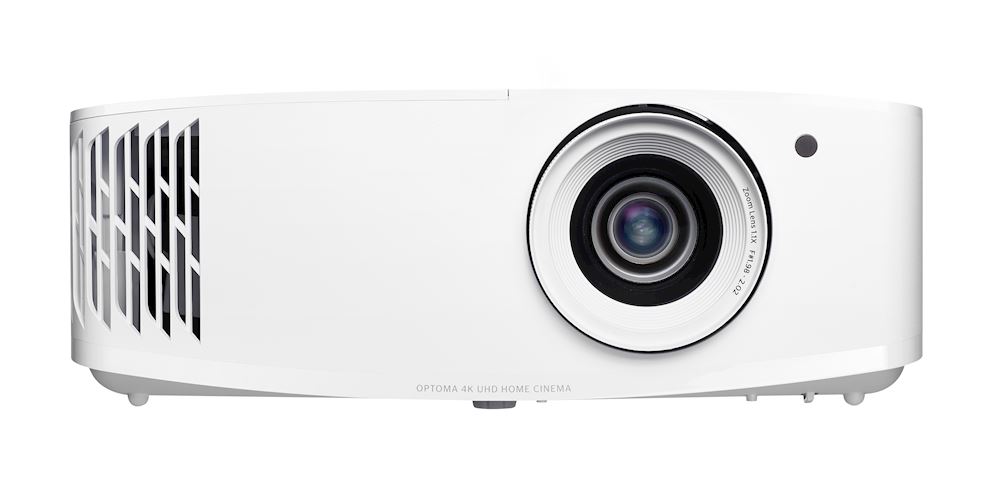
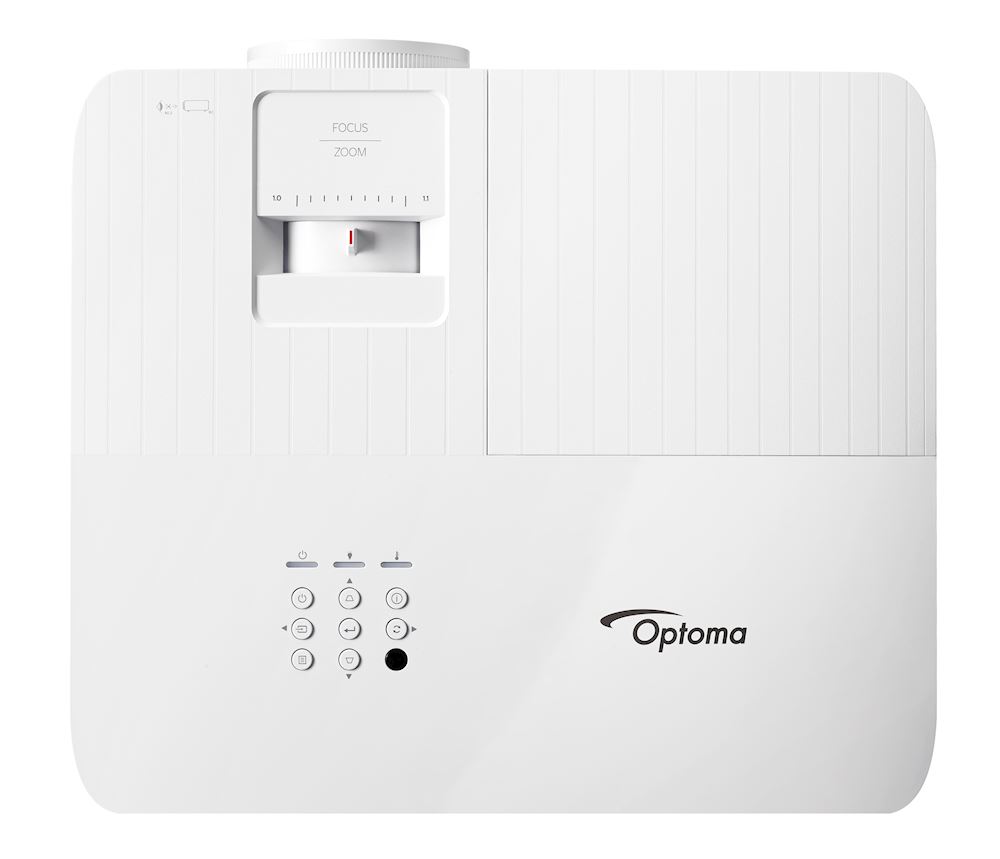
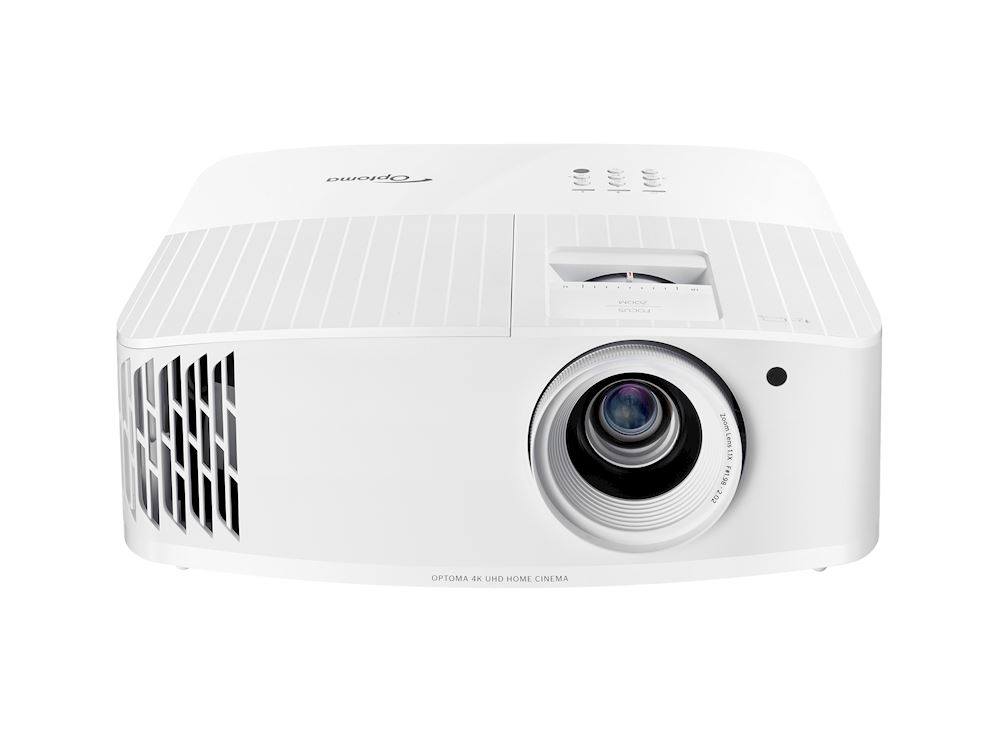
The UHD38x follows a familiar home projector shape: a wide, low box with a front lens, top controls and a clean, light-coloured finish. At 315 x 270 x 118mm and 3.98kg, it is sized for a ceiling mount, a shelf or a media unit rather than a pocket or a backpack. It feels like a fixture for one room, not a portable you carry between houses.
That size brings practical benefits. There is room for a proper connection panel, a larger cooling path and a built-in 10W speaker. The official noise figures — 26dB typical and 28dB maximum — are low for a bright lamp projector, which matters when the unit sits near seating rather than in a separate projection booth.
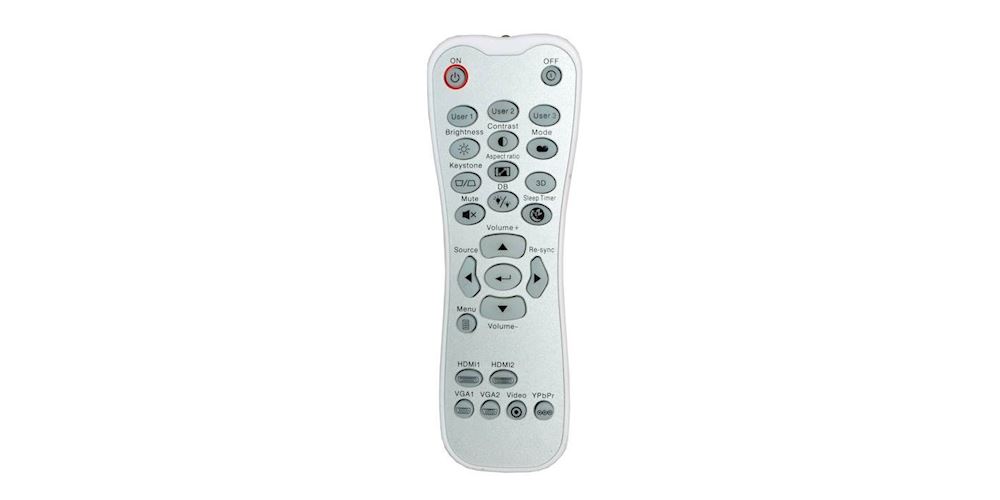
The remote is backlit, a small detail that earns its keep in a darkened room. Buttons light up with subtle white LEDs, so changing input or picture mode does not mean reaching for a phone torch. It is the sort of everyday usability point that specification headlines ignore.
Build expectations should stay realistic. This is a mainstream home projector, so the focus is function over premium materials.
Ventilation needs clear space around the body, and a lamp design runs warm by nature. Leave airflow room on a shelf and avoid enclosing it in a tight cabinet.
Placement weight matters too. At just under 4kg, the UHD38x is light enough for one person to fit on a ceiling mount without drama, yet heavy enough to sit stable on a shelf without sliding when cables are connected.
The footprint is roughly that of a large games console, so most existing projector shelves and mounts sized for home models will accommodate it without modification.
Picture Modes
Picture mode choice matters more on a bright lamp projector than almost any other setting. Each mode trades light output against colour accuracy, and the UHD38x gives you the tools to manage that trade deliberately, including a colour management system and ISF day and night modes that a calibrator can lock in.
Cinema and Film Viewing
For films after dark, choose the most colour-focused mode and let the lamp work below its maximum. The UHD38x reproduces the Rec.709 colour gamut, the standard for HD and much streamed content, so colours should look as intended rather than exaggerated. In a dark room, you do not need all 4,000 lumens, and easing off extends lamp life too.
Bright and Vivid Modes for Lights-On Use
Brighter modes push saturation and light output for sport, daytime television and family viewing with lamps on. Colours become punchier and less strictly accurate, which suits a football match far better than a moody drama. This is where the headline brightness earns its place.
Game Mode and Enhanced Gaming
Game mode favours contrast and colour within normal processing. Enhanced Gaming goes further, cutting input lag to as little as 4.2ms at 1080p/240Hz, with some settings disabled while it is active.
Treat Enhanced Gaming as a dedicated playing setup rather than your everyday film mode — the Gaming section below covers the numbers in full.
HDR, ISF and Wall Colour Adjustment
The projector accepts HDR10 and HLG signals and applies its own tone mapping to fit its brightness and contrast range. ISF modes let you save separate calibrated day and night settings, which is genuinely useful in a room that changes character after sunset.
If you project onto a tinted wall rather than a screen, wall colour adjustment offers six surface options, from light yellow to grey, to correct the cast.
Features & Smart Platform
Honesty first: the UHD38x has no built-in streaming operating system. There are no native apps on the projector itself, so films and series come from a connected source — a games console, Blu-ray player, laptop, set-top box or an HDMI streaming dongle.
The USB-A port can power such a dongle, which keeps the setup tidy with one less mains adaptor.
For many buyers, that is a fair trade rather than a flaw. External streamers are easy to upgrade, tend to stay supported for longer, and leave the projector to do the job it is best at: making a large, bright picture.
If you want apps inside the projector with nothing attached, this is not that product, and the Who Should Skip section returns to the point.
Two HDMI 2.0 inputs cover the common combinations: a console plus a streamer, or a Blu-ray player plus a laptop. Full 3D support is also present, which has quietly disappeared from many newer models. Owners with a 3D Blu-ray collection still have a modern 4K machine that can play it.
Everyday features round out the list sensibly. The projector accepts 24p sources so films play at their native frame rate, four-corner correction helps square the image on uneven walls, and the integrated speaker covers casual viewing without extra kit. None of this is glamorous, but together it makes the UHD38x easy to live with.
Performance
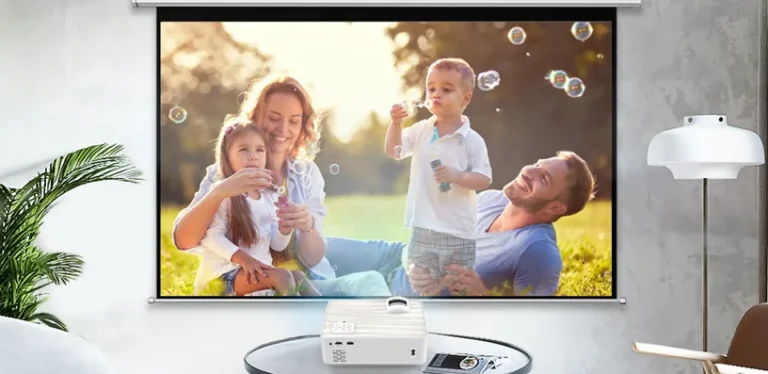
Start with brightness, because it defines this projector. A 4,000-lumen rating is high for a home model and is aimed squarely at rooms with ambient light. On a 100- to 120-inch screen, it should hold a watchable, colourful image with curtains open on a dull day or lamps on in the evening, provided no direct sunlight falls on the screen.
If you are matching brightness to your own room, our guide to how many lumens you need for a projector explains the ranges by room type.
The short version is that the UHD38x sits at the bright end of home use. In a fully dark cinema room, that output is more than necessary, and lower lamp modes will usually give a better-balanced picture.
Sharpness is the second headline. The DLP system projects 8.3 million pixels for a true 4K UHD image, four times the detail of Full HD.
Textures, faces, and fine patterns in 4K streams and discs hold up at large sizes, and you can sit closer to a big screen before the picture softens. On smaller screens or from long seating distances, the gap over a good 1080p projector narrows.
Contrast is quoted at 1,000,000:1, a dynamic-style figure that describes the range between the brightest and darkest extremes rather than what a mixed scene shows at once. In practice, expect lively contrast in sport, games and bright drama, with dark film scenes limited by the lamp and room light.
A grey or ambient-light-rejecting screen can help perceived black levels in a living room, as our guide to how to choose a projector for home theatre explains when weighing up screen pairing.
Colour performance is built around Rec.709 accuracy with a management system for fine adjustments. That suits the projector’s mixed brief: natural skin tones for films, saturated colour available for animation and games when you choose a brighter mode.
HDR10 material gains extra highlight and shadow separation within the projector’s limits, while HLG covers compatible broadcast content.
Sound From the Built-In Speaker
The 10W integrated speaker deserves its own honest paragraph, because many owners will rely on it daily. It is voiced for clarity, so commentary, dialogue, and news presentation come through cleanly at normal living-room distances.
Music and film effects sound thinner, with limited bass weight, which is a physical limit of a small cabinet rather than a tuning failure.
For film nights, plan on external sound. A soundbar or separate speakers connected through your source device or amplifier will transform action scenes in a way no projector speaker can match.
For daytime sport, children’s programmes and casual viewing, the built-in speaker removes friction entirely — switch on and watch, with no extra kit to power up.
Motion handling benefits from the DLP design and the high refresh capability at 1080p. Live sport stays clear, and games feel fluid, while 24p film playback avoids forced conversion.
The built-in speaker is best described as capable convenience sound: clear dialogue for news, sport and casual series, but without the weight or separation a soundbar or separate speakers bring to films.
Gaming
Gaming is where the UHD38x makes its boldest claim, and the numbers need careful reading. Enhanced Gaming reduces input lag to as little as 4.2ms, but that figure belongs to 1080p at 240Hz from a PC that can feed it.
It is a genuinely low figure for a projector and suits fast shooters, racing games and fighting titles where response decides rounds.
At 4K/60, lag sits in the 16.7ms class — still responsive enough for the great majority of console gaming, including action and sports titles. Single-player adventures, open-world games and most multiplayer play feel comfortable at that level.
Only players chasing the fastest possible PC setup need to drop to the 1080p mode, and doing so trades resolution for refresh rate and response.
The 240Hz refresh rate at 1080p also smooths motion visibly. Fast pans stay cleaner, targets are easier to track, and ghosting is reduced compared with a standard 60Hz display.
You need a PC graphics setup that can actually deliver high frame rates to benefit, because the projector cannot invent frames your source does not send.
Console players should note the split in behaviour between resolutions. Modern consoles output 4K for menus and most titles, so you will spend much of your time in the 16.7ms class, which feels responsive in practice.
Switching a console to a 1080p high-refresh output, where the game supports it, unlocks the smoother mode for competitive titles while keeping 4K for cinematic ones.
Two HDMI 2.0 inputs mean a console and a PC can stay connected without cable swapping. Enhanced Gaming disables some image settings while active, which is normal for low-lag modes, so expect to set up a separate gaming configuration rather than reusing your film settings. Switch it on for play, switch back for films, and the projector covers both jobs cleanly.
Setup & Throw
The UHD38x is a standard-throw projector with a throw ratio of 1.5:1 to 1.66:1 and a modest 1.1x manual zoom. In plain terms, it needs to sit a fair distance from the screen — typically on a ceiling mount or a rear shelf in a mid-sized room.
There is no lens shift, so position the body carefully and use the zoom for final sizing rather than relying on correction.
Screen sizes run from 33 inches up to 300 inches, though room light and brightness make 100 to 150 inches the realistic sweet spot for most homes. The throw table below uses the official ratio range, so you can check your room before committing to a screen size.
| Screen size (16:9 diagonal) | Throw distance range |
|---|---|
| 80 inches | 2.66m to 2.94m |
| 100 inches | 3.32m to 3.68m |
| 120 inches | 3.99m to 4.41m |
| 150 inches | 4.98m to 5.51m |
Keystone correction of ±40 degrees in both directions, plus four-corner adjustment, can rescue an off-centre placement. Use it sparingly, because digital correction discards pixels and softens the image slightly. A straight, centred projector with the lens level to the screen always gives the sharpest result.
Screen pairing deserves a moment in any setup plan. A plain matte white screen with a gain around 1.0 is the safe default for mixed rooms, preserving colour accuracy and wide viewing angles.
In a room with stubborn ambient light, a grey screen deepens perceived blacks at a small cost to peak brightness — a trade this projector can afford, given its high lumen rating. Avoid high-gain screens unless your seating is narrow, because they narrow the viewing cone and can hotspot with a bright lamp.
Lamp life shapes long-term planning. The official figures are 4,000 hours in Bright mode, 10,000 hours in Eco and 15,000 hours in Dynamic mode.
Running in Eco for dark-room films stretches the interval between lamp changes considerably, and our guide to how long projector bulbs last explains how mode choice and cooling habits affect real-world life. Budget for at least one replacement lamp over a long ownership period.
Who Should Buy the Optoma UHD38x — and Who Should Skip It
Buy the Optoma UHD38x if…
Your viewing room doubles as a living room and never goes fully dark. It suits families mixing sport, television and films, gamers who want a genuinely fast 1080p/240Hz mode alongside 4K console play, and owners with 3D collections who still want a current machine.
Buyers happy to add a streaming dongle get a bright, flexible, easy setup in return.
Skip it if…
You want streaming apps built into the projector with nothing attached — there is no smart platform here. Skip it if you dislike lamp replacements and would rather pay more upfront for a laser light source.
Skip it if your room is too short for a standard throw, if you need lens shift for an awkward mount, or if deep black levels in a dedicated dark cinema room matter more than brightness and speed.
One honesty note on when not to choose it: if your gaming is exclusively 4K console play and you never use high-refresh PC modes, the headline 4.2ms figure will never apply to you. The projector remains capable at 4K/60, but you would be paying for a speciality you do not use.
It belongs to a competitive field — our guide to the best 4K gaming projectors under $2000 compares the leading options in this class side by side.
Alternatives
ViewSonic PX701-4K
A 4K DLP gaming projector with high-refresh 1080p support and low input lag, aimed at a similar mixed living-room role. Worth comparing closely on brightness and gaming figures if fast play is your priority.
BenQ TK700
A 4K DLP model built around gaming, with dedicated game modes and low lag at 4K/60. A natural cross-shop for console players who want strong 4K response in a compact standard-throw body.
Epson Home Cinema 3800
A 3LCD 4K-enhanced projector with lens shift and flexible placement that DLP models rarely match. Choose it if installation flexibility and freedom from rainbow-effect concerns matter more than the fastest gaming figures.
Frequently Asked Questions
What is the input lag of the Optoma UHD38x?
In Enhanced Gaming mode, it reaches 4.2ms at 1080p/240Hz. At 4K/60, lag sits in the 16.7ms class, which remains comfortable for most console gaming. The fastest figure requires a PC source feeding a high-refresh 1080p signal.
Does the Optoma UHD38x have Netflix built in?
No. There is no built-in streaming platform, so you connect an external source such as a console, Blu-ray player, laptop, or HDMI streaming dongle. The USB-A port can power a dongle, keeping the setup neat.
How long does the lamp last in the Optoma UHD38x?
Official figures are 4,000 hours in Bright mode, 10,000 hours in Eco, and 15,000 hours in Dynamic mode. Using Eco for dark-room viewing stretches the interval, and the 240W lamp is a replaceable part when brightness eventually fades.
How far away should the Optoma UHD38x be for a 120-inch screen?
With its 1.5:1 to 1.66:1 throw ratio, a 120-inch 16:9 image needs roughly 3.99m to 4.41m of throw distance. A 100-inch image needs about 3.32m to 3.68m. Measure your room before choosing a screen size.
Can the Optoma UHD38x be used in a bright living room?
Yes, within sensible limits. Its 4,000-lumen rating is designed for lights-on viewing of sport, television, and games. Direct sunlight on the screen will still wash out any projector, so control the light hitting the screen itself.
Does the Optoma UHD38x support 3D and HDR?
Yes to both. It is fully 3D compatible for 3D Blu-ray content and accepts HDR10 and HLG high dynamic range signals. HDR playback still depends on a suitable source device and content.
Bottom Line
The Optoma UHD38x is a bright, fast, and refreshingly straightforward 4K projector for rooms that refuse to go dark.
Its 4,000 lumens, 4.2ms Enhanced Gaming mode, and honest two-input simplicity make it an easy recommendation for mixed family viewing and play. Accept the lamp, add your own streamer, and it delivers exactly the big, lively picture its specifications promise.