Best Projector for Artists 2026 — Top 5 Picks for Tracing & Murals
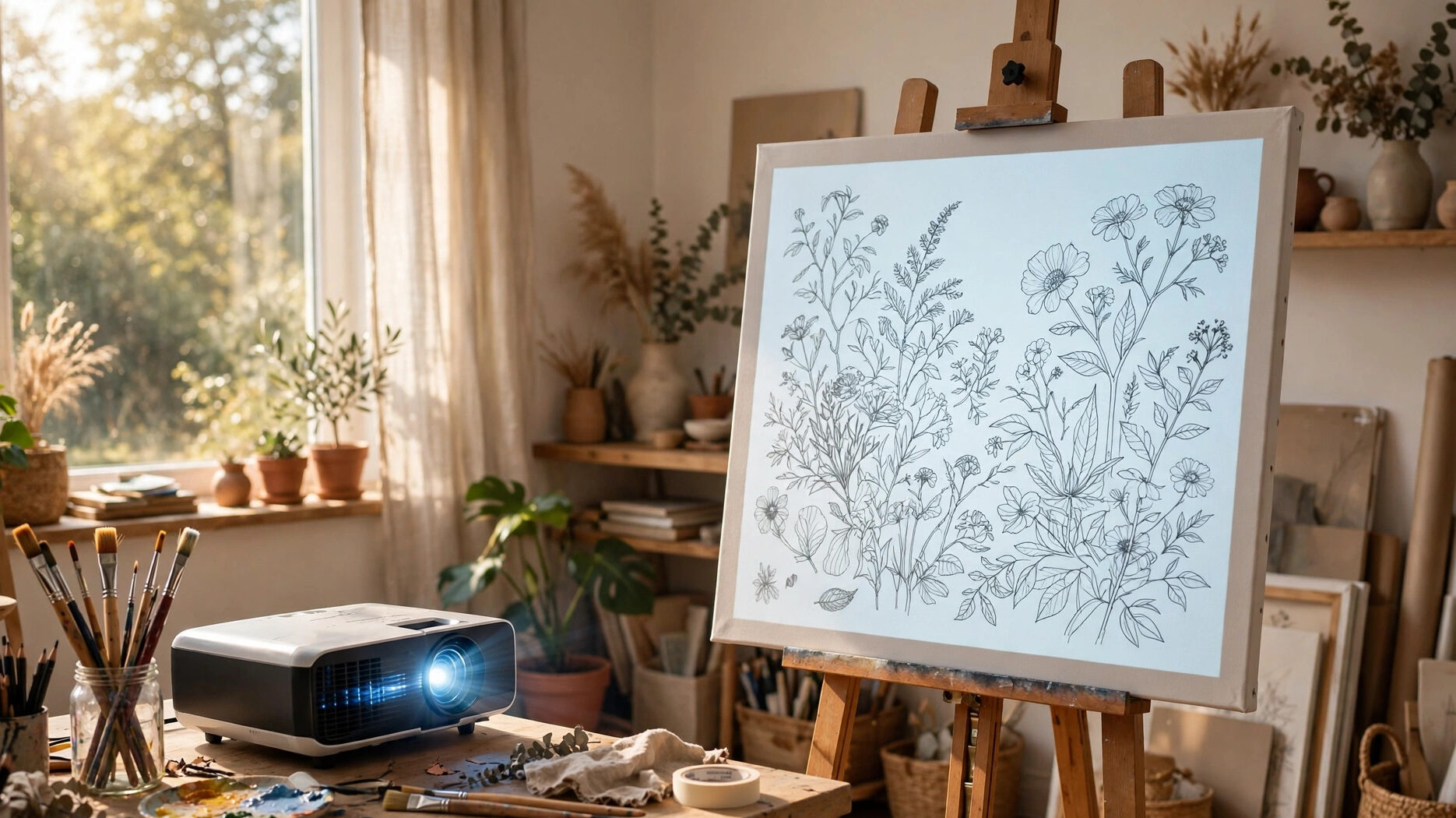
An art projector has one job: get your drawing onto the surface, in proportion, fast. What used to take a full day of grid-drawing and measuring now takes an hour of projecting and tracing. But “art projector” covers two genuinely different machines, and buying the wrong type is the costliest beginner mistake in this category.
An opaque projector shines light onto a physical sketch or photo sitting inside it and throws the enlarged image on your wall or canvas. No computer, no files, no setup — but it demands a dark room and only enlarges what you can physically fit inside it.
A digital projector beams an image from your phone, tablet, or laptop, so it works in a dimmed room, scales any file to any size, and usually brings built-in grids and drawing apps. It costs more and needs a file to work from.
So the honest starting point is this: pick your type first, then your model. Tracing physical sketches with no tech fuss? Opaque. Tracing phone photos, scaling murals, projecting onto canvas in a lit studio? Digital.
Every pick on this best projector for artists list is ranked by what actually decides a trace: brightness in a real room (not a dark showroom), throw distance for small studios, built-in grids or drawing tools, and honest resolution — because a blurry projected line is worse than no projector at all.
Best Artists Projectors 2026 — Comparison Table
| Projector | Type | Resolution | Brightness | Best For | Buy |
|---|---|---|---|---|---|
| Artograph Inspire 1200 | Digital LED | 1080p Full HD | 1,200 lumens (650 on battery) | Best overall digital art projector | Buy from Amazon |
| Artograph LED Tracer | Opaque | Optical (no digital resolution) | 5,000 lumens | Best opaque — no computer needed | Buy from Amazon |
| Caydo P3 | Digital LED | 1080p Full HD | 400 ANSI lumens | Best drawing app for fine detail | Buy from Amazon |
| Artograph Flare 500 | Digital LED (pico) | 720p (4K input) | 400 LED lumens | Best portable — battery for on-location work | Buy from Amazon |
| ViewSonic LS550WH | Digital LED (short throw) | WXGA (1280×800) | 2,000 ANSI lumens | Best for bright, window-lit studios | Buy from Amazon |
How We Picked These
An art projector has five jobs, in this order:
Job one: match the machine to the method. Opaque projectors enlarge physical originals up to about 5×5 inches — perfect for sketchbooks and printed photos, useless for phone images. Digital projectors need a file but handle anything from a phone photo to a Photoshop comp. We picked across both types because artists genuinely split down this line, and the wrong type is money wasted.
Job two: survive your room’s light. Tracing happens in studios, classrooms, and living rooms — rarely in darkness. Opaque projectors need a genuinely dark room; there is no way around the physics. Digital picks are ranked by honest brightness: the Inspire 1200’s 1,200 lumens handles a dimmed room; the LS550WH’s 2,000 ANSI lumens handles a window-lit studio.
We state ANSI lumens where published and LED lumens where the manufacturer only gives those — and we say which is which, because the industry’s lumen games are worst in this category.
Job three: fit a small studio. Artists work close to their surface. A standard-throw projector in a 10-foot studio means your body blocks the image every time you reach for the canvas. Short throw ratios (1.2:1 and below) let the projector sit close — or behind you — so you can trace without casting a shadow. Three of our five picks are short-throw for exactly this reason.
Job four: grids and drawing tools that save real time. Built-in perspective grids, 3×3 tracing grids, and drawing apps (rotate, zoom, sketch-ify) are not gimmicks — they replace the manual grid method that eats hours. We weighted these heavily: the Inspire 1200’s 32 grids and the Caydo P3’s drawing app are the reason those picks rank where they do.
Job five: sharp enough lines to trace. For tracing, edge sharpness beats raw resolution — but resolution still matters for fine detail work like lettering and portraiture. Native 1080p is the sweet spot; 720p is acceptable for murals and large work where you stand back; anything below that smears fine lines. Every digital pick here meets at least 720p native.
Best Projector for Artists 2026 — Detailed Reviews
1. Artograph Inspire 1200 — Best Overall Digital Art Projector
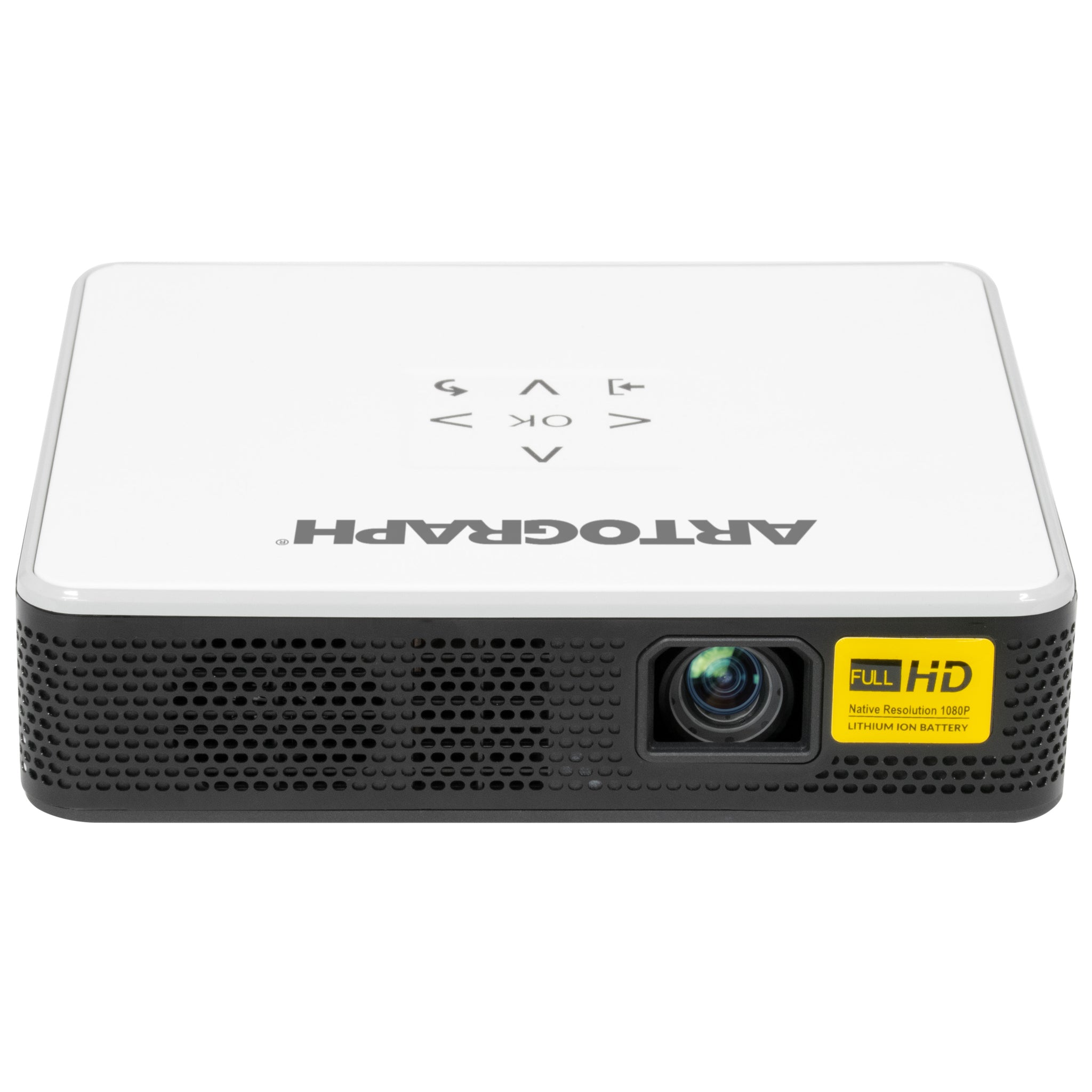
The Inspire 1200 is the projector we would hand to an artist sight unseen, because it is the only pick built from the ground up for art instead of adapted from home theater. Native 1080p resolution, 1,200 lumens on AC power (650 on battery), a 1.2:1 short throw ratio, and — the reason it wins — 32 built-in grid overlays with automatic focus and vertical keystone correction.
Project your image, or a grid, or your image with a grid, and start tracing. The throw ratio puts a 16-inch image at just 19 inches of distance, so it works on a desktop easel as well as a wall.
What separates it from generic portable projectors is the artist-first detail. The electric focus and auto keystone mean you spend minutes setting up, not half an hour.
The 30,000-hour LED light source means no bulb costs, ever. USB-C, HDMI, USB, and TransFlash cover every way an artist gets a file onto a screen, and it accepts up to 4K input. At around 3 pounds with tripod mounting, it moves from studio to classroom to workshop without complaint.
The honest caveats: 1,200 lumens is a dimmed-room number, not a sunny-studio number — if your studio has big windows and you will not darken them, the ViewSonic below is the honest pick. The contrast ratio (2,000:1) is modest, so very subtle pencil-shading reference images can look flatter than on the original. And like every digital art projector, it needs a file — if your workflow starts and ends with a physical sketchbook, the opaque Tracer below is simpler and cheaper.
✓ Pros
- Purpose-built for artists — grids, short throw, and tracing workflow out of the box
- 32 built-in grid overlays — replaces hours of manual grid drawing
- True 1080p — sharp enough for fine detail and lettering
- Battery option (650 lumens) — works away from an outlet
✗ Cons
- 1,200 lumens needs a dimmed room — not for sunlit studios
- Modest 2,000:1 contrast — subtle shading can look flat
- Needs a digital file — physical-only artists should get the opaque pick
2. Artograph LED Tracer — Best Opaque Projector (No Computer Needed)
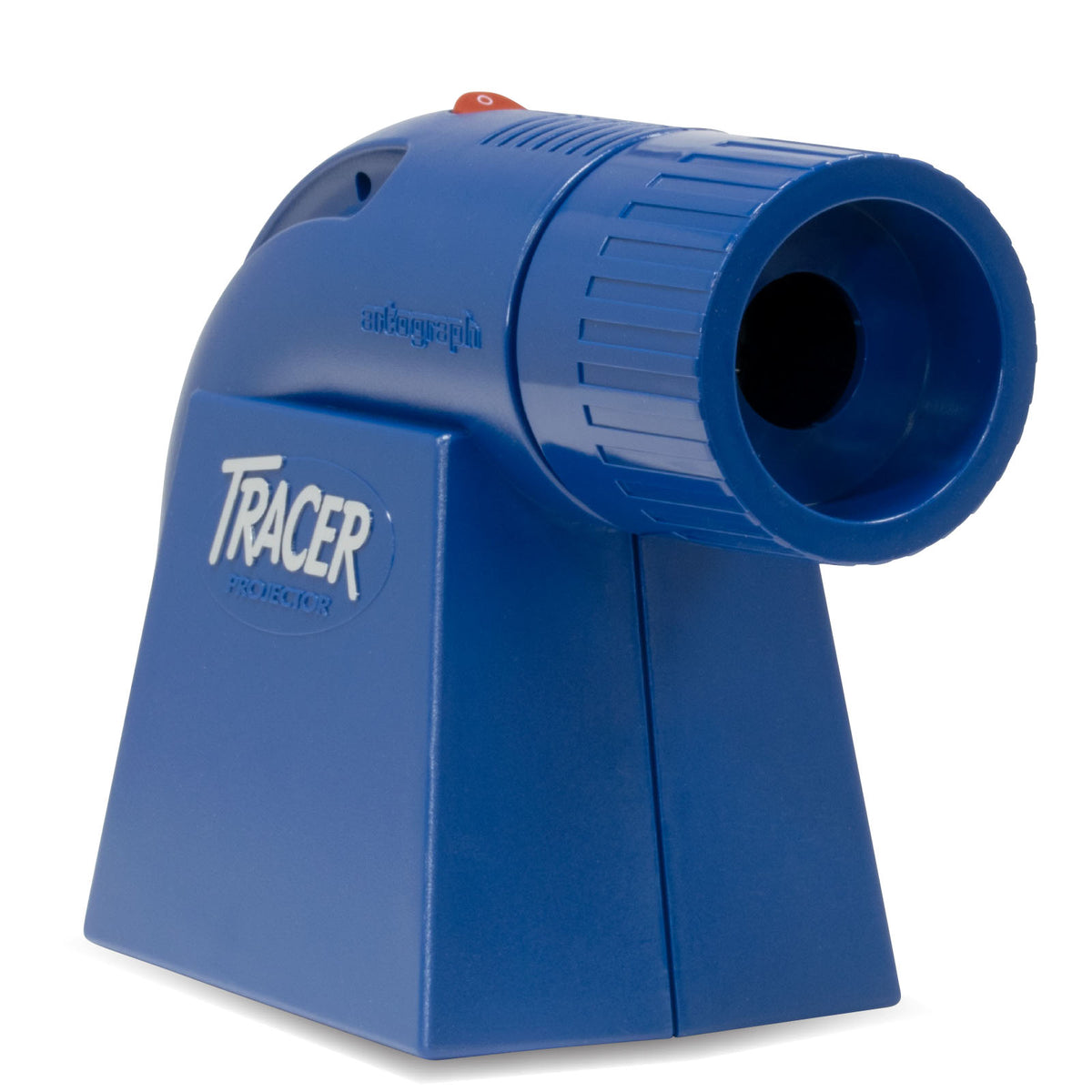
The LED Tracer is Artograph‘s bestseller for a reason: it does one thing with zero friction. Place a sketch, photo, or pattern (up to 5×5 inches) inside, and it projects it 2 to 14 times larger onto any wall or canvas through a 200mm optical glass lens. No computer, no files, no Wi-Fi passwords, no app updates.
For the artist whose reference lives on paper — sketchbooks, printed photos, quilt patterns, sign layouts — this is the fastest path from idea to traced outline.
The LED version matters: it is rated 8 times brighter than the original Tracer at 5,000 lumens, runs cool (the old bulb models doubled as space heaters), and the LED is rated 10,000 hours. Operation is genuinely simple — no setup, just place and trace — which is why it dominates classrooms and workshops. At around 3 pounds, it is portable enough to carry to a mural site.
The honest caveats, stated plainly because they decide the purchase: an opaque projector needs a dark room, full stop — ambient light kills the image faster than on any digital projector. The 5×5-inch copy area means large originals must be worked in sections. And there is no digital input at all — if your reference is on your phone, this projector cannot help you. Buy it for physical originals; buy digital for everything else.
✓ Pros
- Zero learning curve — place the original, trace, done
- No computer, files, or Wi-Fi needed — works anywhere with an outlet
- 5,000 lumens LED — 8x brighter than the original, runs cool
- Cheapest real entry into art projection
✗ Cons
- Needs a genuinely dark room — ambient light ruins the image
- 5×5-inch copy area — large originals must be done in sections
- Physical originals only — cannot project from a phone or laptop
3. Caydo P3 — Best Drawing App for Fine Detail
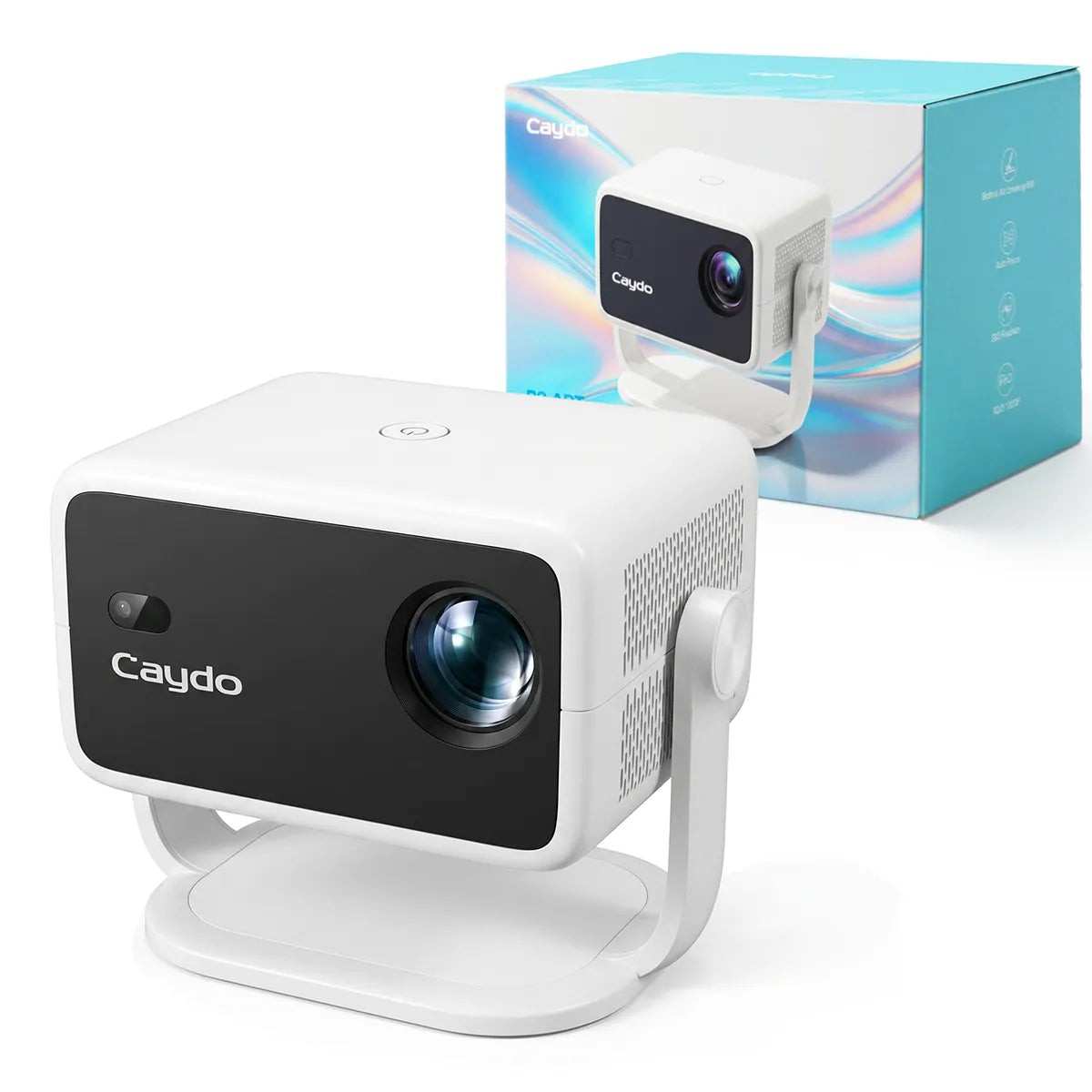
The Caydo P3 is the pick for artists who want the projector to do more than display — its exclusive drawing app is the standout feature in this entire roundup. Native 1080p resolution, 400 ANSI lumens, and an app with 0–200% zoom, 360° rotation, 3×3 grids, and four artistic modes (Gridify, Sketchify, Comicize, Monochromize) that convert a photo into a traceable drawing on the fly. Upload via QR code or USB; no internet required once the image is loaded — a thoughtful touch for workshops with bad Wi-Fi.
The hardware backs up the software. Autofocus locks in under 3 seconds, keystone correction is automatic, and the 360° rotatable base projects onto walls, easels, and ceilings without a separate stand (a standard tripod thread is there if you want height).
WiFi 6 and Bluetooth 5.4 are current-gen, the 30,000-hour LED needs no maintenance, and 400 ANSI lumens is an honest, measured figure — bright enough for a lit indoor room at canvas scale.
The honest caveats: 400 ANSI lumens will not fight a sunlit studio — this is a dimmed-to-moderate room projector, and mural-scale work wants the brighter picks. Bluetooth handles audio only, not video streaming, so screen mirroring goes over Wi-Fi. And Caydo is a craft brand, not an AV institution — support and long-term firmware updates are thinner than Artograph’s or ViewSonic’s. For fine detail work in a controlled room, though, the app alone justifies it.
✓ Pros
- Best-in-class drawing app — converts photos to traceable art on the fly
- Honest 400 ANSI lumens — works in a lit indoor room at canvas scale
- 360° base + tripod thread — no stand needed for walls, easels, or ceilings
- QR/USB transfer — no internet dependency in the workshop
✗ Cons
- Not for sunlit studios or large murals — brightness has limits
- Bluetooth is audio-only — video mirroring needs Wi-Fi
- Craft brand, not AV brand — thinner long-term support than Artograph/ViewSonic
4. Artograph Flare 500 — Best Portable (Battery for On-Location Work)
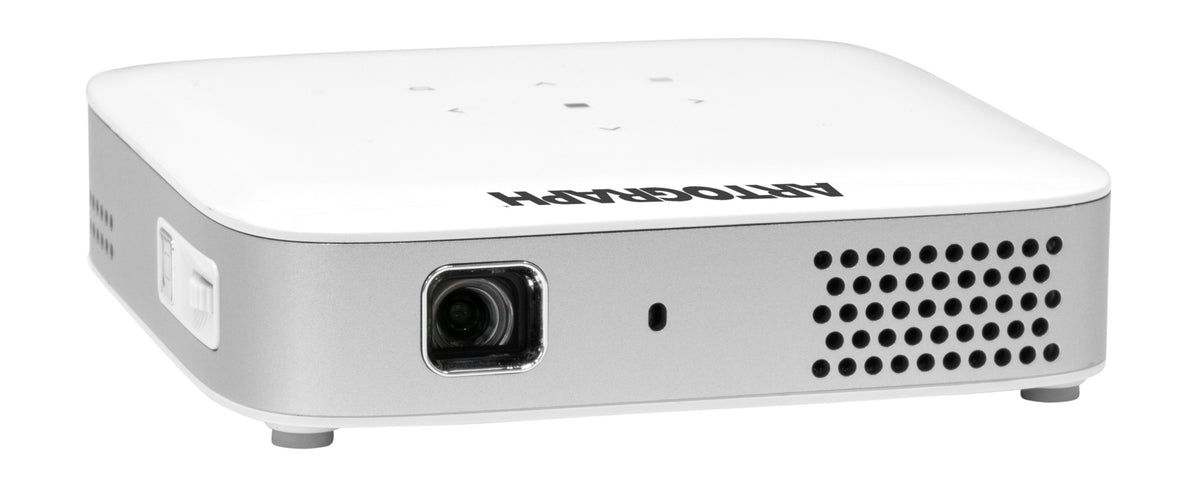
The Flare 500 is the projector you throw in a bag: 0.9 pounds, a 2-hour integrated battery, and 36 built-in grid patterns (12 unique grids in 3 colors). For muralists working on location, teachers moving between classrooms, or artists who trace at workshops, cutting the power cord is the whole point — and this is the only pick here that does it while keeping artist-specific tools.
The grid system is the real feature: project your image, or a grid, or your image with a grid overlaid, in black, white, or green to suit light and dark surfaces. Wireless screen sharing from any mobile device, Bluetooth and Wi-Fi, USB-C and HDMI inputs, auto vertical keystone with manual horizontal/vertical adjustment, and a universal tripod mount round out a genuinely portable package. The 30,000-hour LED and included carry case complete the travel-friendly picture.
The honest caveats: native resolution is 720p (it accepts 4K input, but the panel is 1280×720) — fine for murals and large work viewed at a distance, not for fine portrait detail. 400 LED lumens needs a dimmed room; outdoors or in bright studios it struggles. And focus is manual, so every repositioning means a trip to the lens. Buy it for portability and grids; buy the Inspire 1200 if you stay in one studio and want 1080p.
✓ Pros
- 0.9 lbs + 2-hour battery — the only truly cordless pick here
- 36 grids in 3 colors — grids visible on light and dark surfaces
- Wireless phone screen sharing — trace straight from your camera roll
- Carry case included — built for travel
✗ Cons
- 720p native — not for fine detail or portraiture
- 400 lumens needs a dimmed room — struggles in bright studios
- Manual focus — refocus by hand every time you move it
5. ViewSonic LS550WH — Best for Bright, Window-Lit Studios
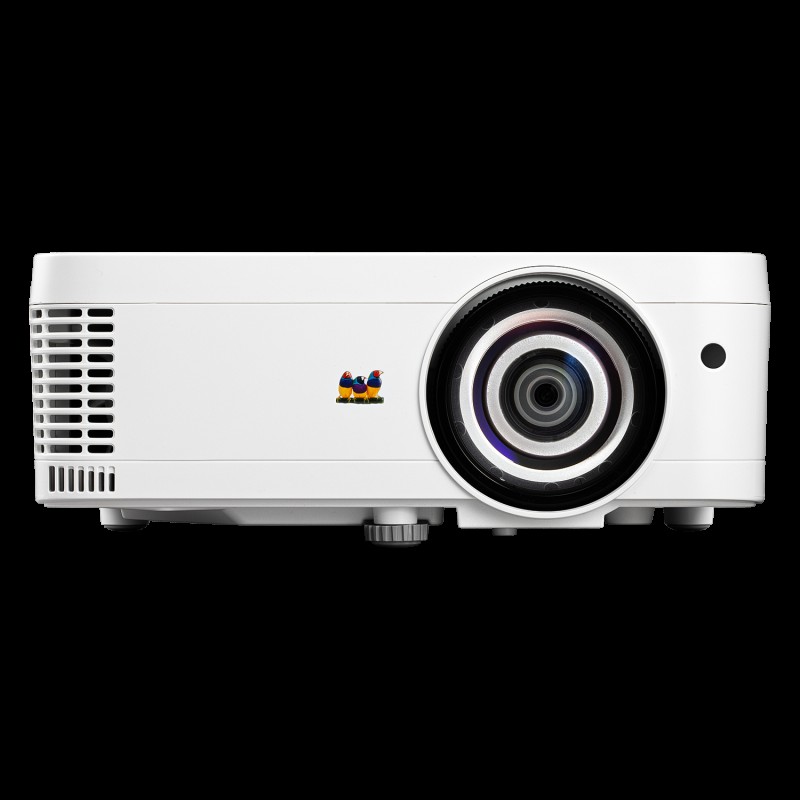
Every other pick on this list assumes you can dim the room. The LS550WH is for the artist who cannot or will not: a north-facing studio with big windows, a classroom with the lights on, a workshop that doubles as a retail space. At 2,000 ANSI lumens (3,000 LED lumens), it is roughly twice as bright as any other pick here, and brightness is the only spec that beats ambient light.
It is also the only serious short-throw on the list: a 0.49 throw ratio fills a 100-inch image from about 3.5 feet away, so it sits on the table beside you instead of across the room — no shadow-casting while you trace. The LED light source is rated 30,000 hours, the sealed optical engine resists dust (chalk pastel dust is real), 125% Rec.709 coverage keeps colors honest for color-matching work, and it runs quietly at 26–30 dB.
The honest caveats: WXGA (1280×800) resolution is a step below 1080p — acceptable for murals and large work, less ideal for fine lettering. There are no built-in art grids or drawing apps; you will supply grids from your laptop or phone. And it is a business/education projector in looks and menus — no artist-friendly industrial design here. But when the room will not go dark, lumens beat features, and nothing else on this list comes close.
✓ Pros
- 2,000 ANSI lumens — the only pick that beats a bright studio
- 0.49 short throw — 100 inches from 3.5 feet, no shadow while tracing
- 125% Rec.709 — honest color for color-matching work
- 30,000-hour sealed LED — dust-proof and maintenance-free
✗ Cons
- WXGA, not 1080p — softer fine detail than the 1080p picks
- No built-in grids or drawing app — supply your own from a device
- Business-styled — no artist-friendly design or workflow features
Best Art Projector Buying Guide 2026
1. Opaque vs digital: pick your type before your model
This is the decision that matters most. Choose opaque (Artograph LED Tracer) if your references live on paper — sketchbooks, printed photos, patterns — and you want zero tech between you and the trace.
Choose digital (everything else here) if your references live on a phone, tablet, or computer, or if you work in anything brighter than a dark room.
The opaque projector is cheaper and simpler; the digital projector is brighter, more flexible, and works in dimmed light. No model does both jobs well — do not try to make one cover the other.
2. Brightness: match lumens to your room’s honesty
Be honest about your room. A dedicated dark studio? Any pick here works, including the opaque Tracer. A dimmed living room or classroom? The 400–1,200 lumen digital picks (Caydo P3, Flare 500, Inspire 1200) are comfortable.
A window-lit studio you will not darken? Only the LS550WH’s 2,000 ANSI lumens gets there. One critical rule: compare ANSI lumens to ANSI lumens. “LED lumens” run roughly 2–3x higher than the equivalent ANSI figure — a 400-LED-lumen projector is not brighter than a 400-ANSI-lumen one.
For the full explainer, see How Many Lumens Do I Need for a Projector?
3. Throw distance: small studios need short throw
Measure your studio: the distance from where the projector will sit to your canvas or wall. In a 10–12 foot room, a standard-throw projector forces you to place it behind you — and then your body blocks the image every time you lean in to trace.
Short-throw picks (Inspire 1200, Flare 500 at 1.2:1; LS550WH at 0.49:1) sit close to the surface, beside or in front of you, so tracing never casts a shadow. If your studio is a spare bedroom, short throw is not a luxury — it is the difference between a projector you use and one you shelve.
4. Grids and drawing apps: the features that actually save time
The manual grid method — drawing a grid on your reference and a proportional grid on the canvas — is accurate and brutally slow. Built-in grids (Inspire 1200’s 32, Flare 500’s 36 in three colors) project the grid for you, in a color visible against your surface.
Drawing apps (Caydo P3) go further: rotate, zoom, and convert photos into sketch-style line art on the fly. If you trace weekly, these features pay for the projector within a month of saved hours. If you trace twice a year, they are nice but not decisive.
5. Resolution and color: what tracing actually needs
For tracing, edge sharpness matters more than pixel count — but the two correlate. Native 1080p (Inspire 1200, Caydo P3) renders fine lines and lettering cleanly. 720p (Flare 500) is fine for murals and large work viewed at arm’s length or more.
For color work — matching paint to a projected reference — look at color coverage (the LS550WH’s 125% Rec.709) rather than contrast ratios, which manufacturers inflate freely. And project onto a test patch first: textured canvas scatters light and softens every projector equally, so always focus on the actual surface you will trace.
Frequently Asked Questions
Can I use a regular home projector for tracing art?
Yes, with caveats. Any projector that throws a sharp image can work for tracing, but art-specific models add the features that save time: built-in grids, short throw for small studios, and drawing apps. A generic home projector in a small studio will usually force you to place it behind you (hello, shadows) and give you no grids. If you already own a bright short-throw projector, try it before buying an art-specific model.
Opaque or digital projector — which is better for beginners?
Opaque, if your references are physical and you can darken the room — it is cheaper, and there is nothing to learn. Digital, if your references are on your phone or you work in a lit room. Most beginners who start with physical sketches eventually want digital for the flexibility; most who start digital never go back. When in doubt, digital (the Inspire 1200) is the safer long-term buy.
How dark does the room need to be?
Opaque projectors need a genuinely dark room — close the curtains, turn off the lights. Digital art projectors in the 400–1,200 lumen range need a dimmed room: curtains drawn, no direct sun on the surface. The 2,000-ANSI-lumen ViewSonic LS550WH is the only pick here that works in a normally lit studio. As a rule: if you can comfortably read a book in the room, an opaque projector will struggle; if you need sunglasses, every projector will.
What resolution do I need for tracing?
Native 1080p for fine detail work — portraits, lettering, illustration. 720p is acceptable for murals, large canvas work, and anything viewed from several feet away. Below 720p, projected lines smear and fine detail is lost. Note that “supports 4K” on a 720p projector (like the Flare 500) means it accepts a 4K signal — the projected image is still 720p.
Can I project onto canvas or textured walls?
Yes — artists do it constantly — but know the trade-offs. Texture scatters light, which softens the image and lowers effective contrast; always focus on the actual surface, not a test wall. Very dark surfaces absorb too much light (use the white or green grid colors on the Flare 500, or switch to a lighter ground). For murals on rough exterior walls, brightness matters more than resolution — that is the LS550WH’s territory.
The Bottom Line
For most artists, the Artograph Inspire 1200 is the right answer: purpose-built for tracing, true 1080p, 32 grids, and short throw — it removes the most friction from the drawing-to-surface workflow. If your references live on paper and you want zero tech, the Artograph LED Tracer is the honest budget pick.
If a drawing app and fine detail are the priority, the Caydo P3 earns its place. If you work on location, the battery-powered Artograph Flare 500 goes where outlets do not. And if your studio has windows you will not cover, stop reading and get the ViewSonic LS550WH — lumens beat features when the room will not go dark.
If brightness math is new to you, start with How Many Lumens Do I Need for a Projector? and compare the studio-brightness logic against Best Daylight Projector 2026 — the same ambient-light rules apply, with tracing-specific constraints.