XGIMI Horizon Pro Review 2026 — Top 4K Smart Projector
Most projector buying mistakes happen before switch-on. People compare headline lumens measured to different standards, assume every Android TV projector runs every streaming app, and only discover the gaming lag figure after the console is connected.
This XGIMI Horizon Pro review clears up exactly those three traps — because the Horizon Pro is a genuinely good 4K smart projector surrounded by confusing numbers since launch.
XGIMI Horizon Pro Review: Still Worth Buying in 2026?
The Horizon Pro was XGIMI’s first 4K model and, for a while, its flagship.
A 0.47-inch DLP chip with XPR pixel-shifting puts a 3840 × 2160 image on the wall, an LED light source never needs a lamp change, and Android TV 10.0, Chromecast and dual Harman Kardon speakers are built in.
Intelligent Screen Adaptation — auto focus, auto keystone, alignment, and obstacle avoidance — sets up in minutes. Who is it for in 2026?
Movie and sports viewers with a light-controlled room who value painless setup over a permanent installation, and who are happy adding a small streaming stick for one particular app. It is not for bright daytime viewing, deep-black purists, or competitive gamers.
The short verdict: detail, automation, and sound remain impressive, but buy with your eyes open about brightness, HDR, and Netflix.
Start with our guide on how to choose a projector for home theater, then come back for the details.
XGIMI Horizon Pro: Key Specifications
- Model: XGIMI Horizon Pro (XK03H)
- Display: DLP, 0.47-inch DMD with XPR pixel-shifting; 3840 × 2160 (4K UHD), accepts up to 4096 × 2160
- Light source: LED — 25,000 hours in launch specifications; XGIMI’s current page footnotes cite up to 30,000 hours theoretical
- Brightness: 1,500 ISO lumens (current official rating); originally marketed at 2,200 ANSI lumens — see measured figures under Performance
- HDR: HDR10 and HLG; no Dolby Vision
- Lens: Fixed 1.2:1 throw ratio, no optical zoom or lens shift; digital zoom available
- Image size: 30–300 inches; XGIMI recommends 60–150 inches
- Setup: Auto focus, auto keystone (horizontal and vertical), auto screen alignment, obstacle avoidance, auto brightness
- Smart platform: Android TV 10.0, Google Play Store, Google Assistant, Chromecast built-in; 2GB RAM, 32GB storage
- Audio: 2 × 8W Harman Kardon; Dolby Digital / Digital Plus, DTS-HD, DTS Studio Sound
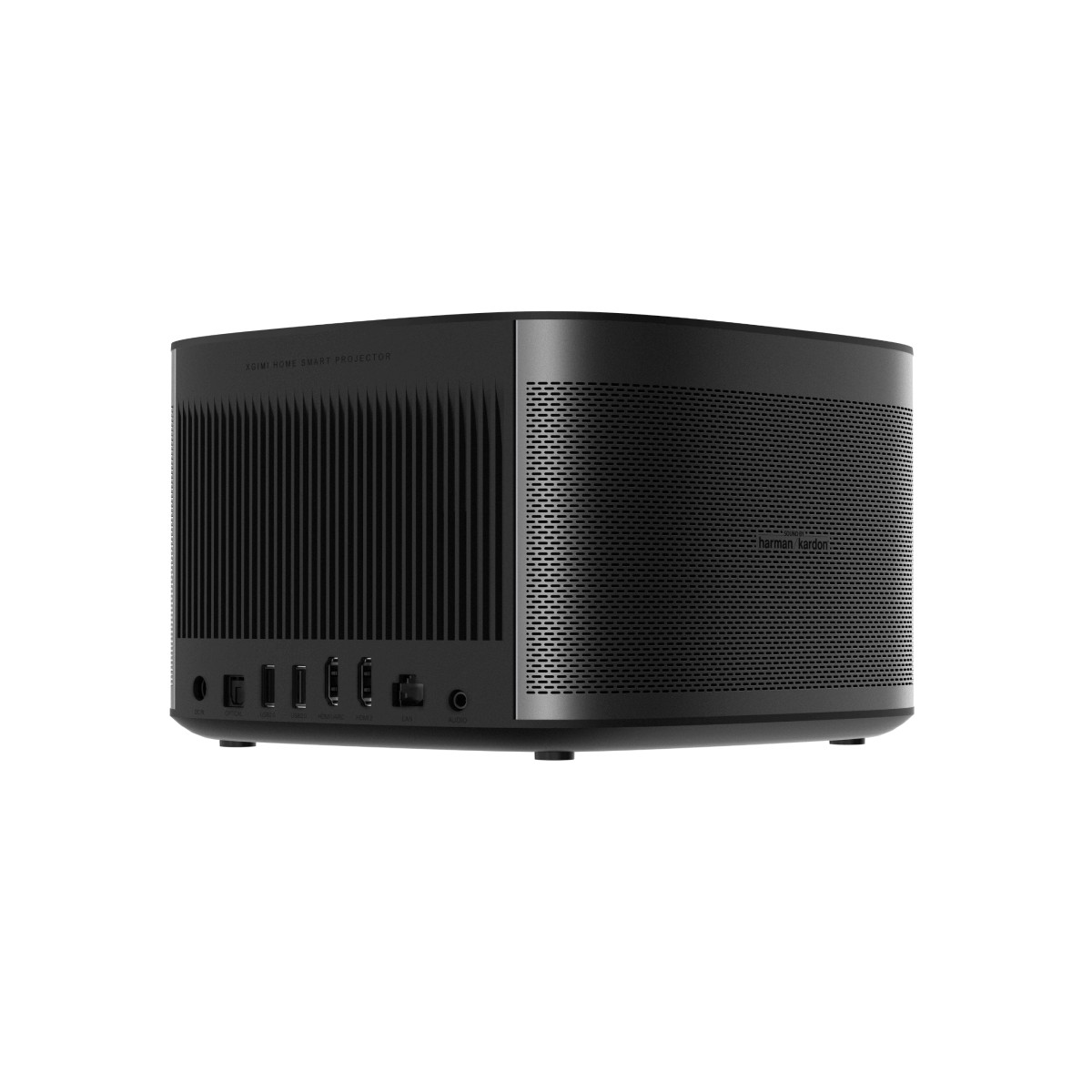
- Ports: 2 × HDMI 2.0 (one eARC), 2 × USB 2.0, Ethernet, optical out, 3.5mm out, DC in
- Wireless: Dual-band Wi-Fi, Bluetooth 5.0
- Noise: Rated under 30dB at 1 metre
- Size and weight: 8.19 × 8.58 × 5.35 inches; 6.4 lb (approx. 2.9kg), plus external power brick
- Power: Under 200W
✓ Pros
- Sharp, detailed 4K image with accurate, reliable autofocus
- Setup automation that genuinely works — auto keystone, screen alignment, obstacle avoidance
- Effectively inaudible fan at normal seating distances in independent measurement
- Excellent built-in audio for a projector, with clear dialogue
- Very good brightness uniformity (86.6 percent measured), no hot spots
- LED source: instant on, no lamp replacements, long rated life
- Generous connectivity, including Ethernet, optical out, and eARC
- Compact and well built at 6.4 lb; easy to move between rooms
✗ Cons
- Usable brightness far below the original headline claim — roughly 1,131–1,199 ANSI lumens measured
- Not Netflix certified; no official Netflix app on the built-in platform
- Mediocre contrast and raised blacks; HDR adds little over SDR; no Dolby Vision
- Every mode runs blue out of the box; best results need manual white-balance work in Custom mode
- 34.6ms lag only in Game mode, 118.1ms elsewhere; no high-refresh gaming
- Fixed lens, no optical zoom or lens shift; non-adjustable feet
- Android TV 10.0 feels dated in 2026; remote not backlit
The brightness story changed over this model’s life, and Performance untangles it. And with no lens shift or optical zoom, where you place the box is where the image goes — automatic correction is digital, which always costs a little brightness and sharpness.
XGIMI Horizon Pro: Design & Build
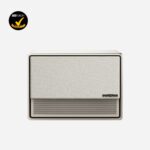
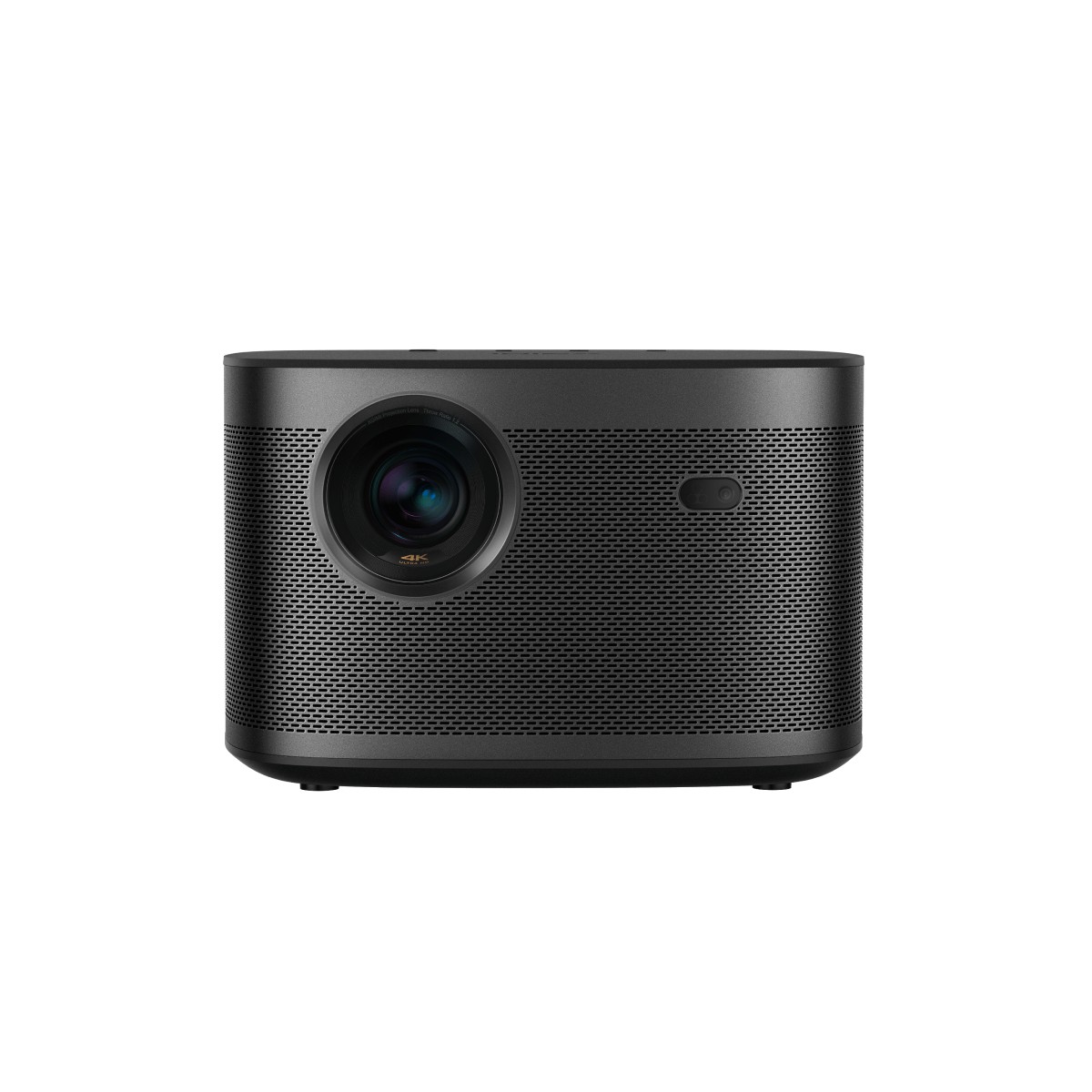
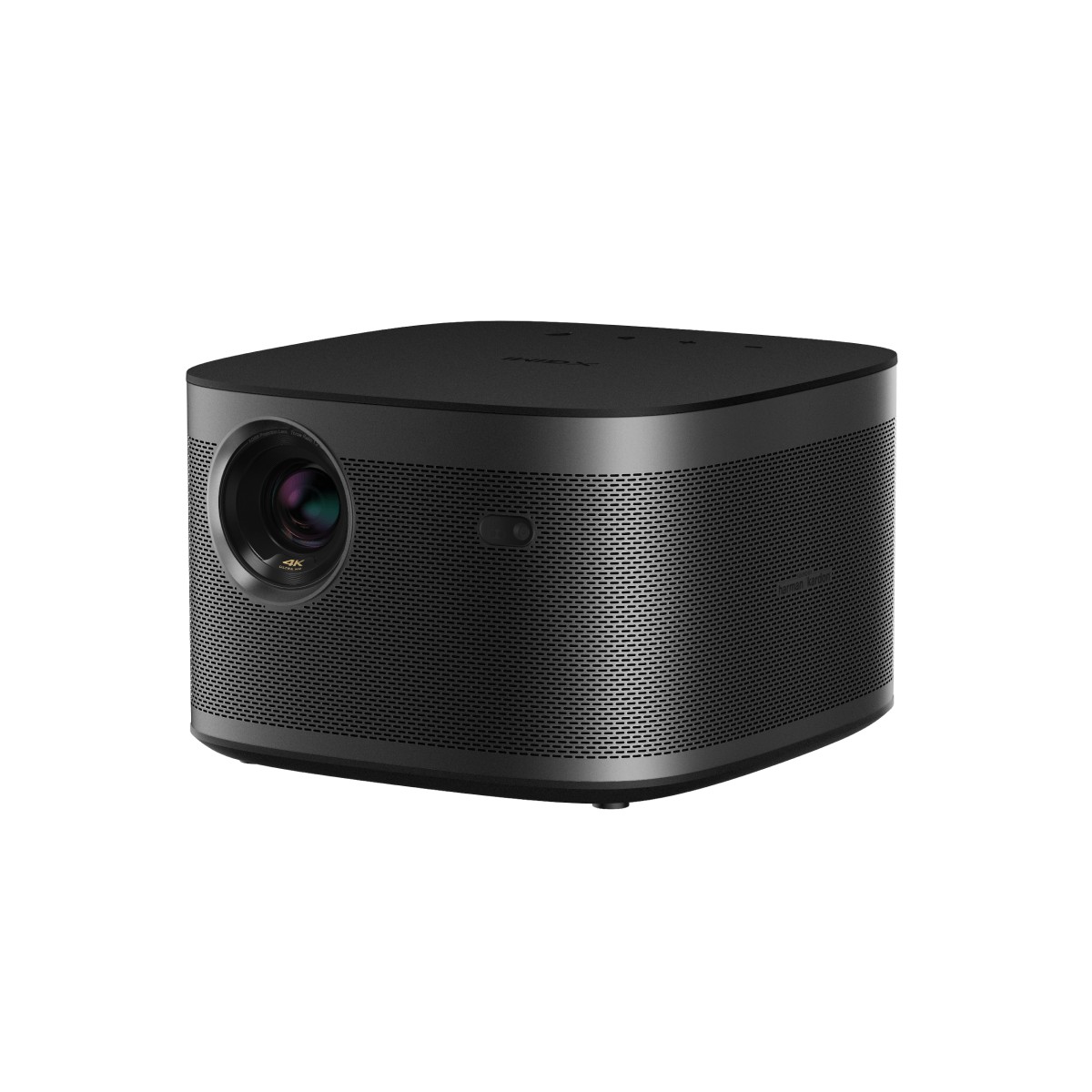
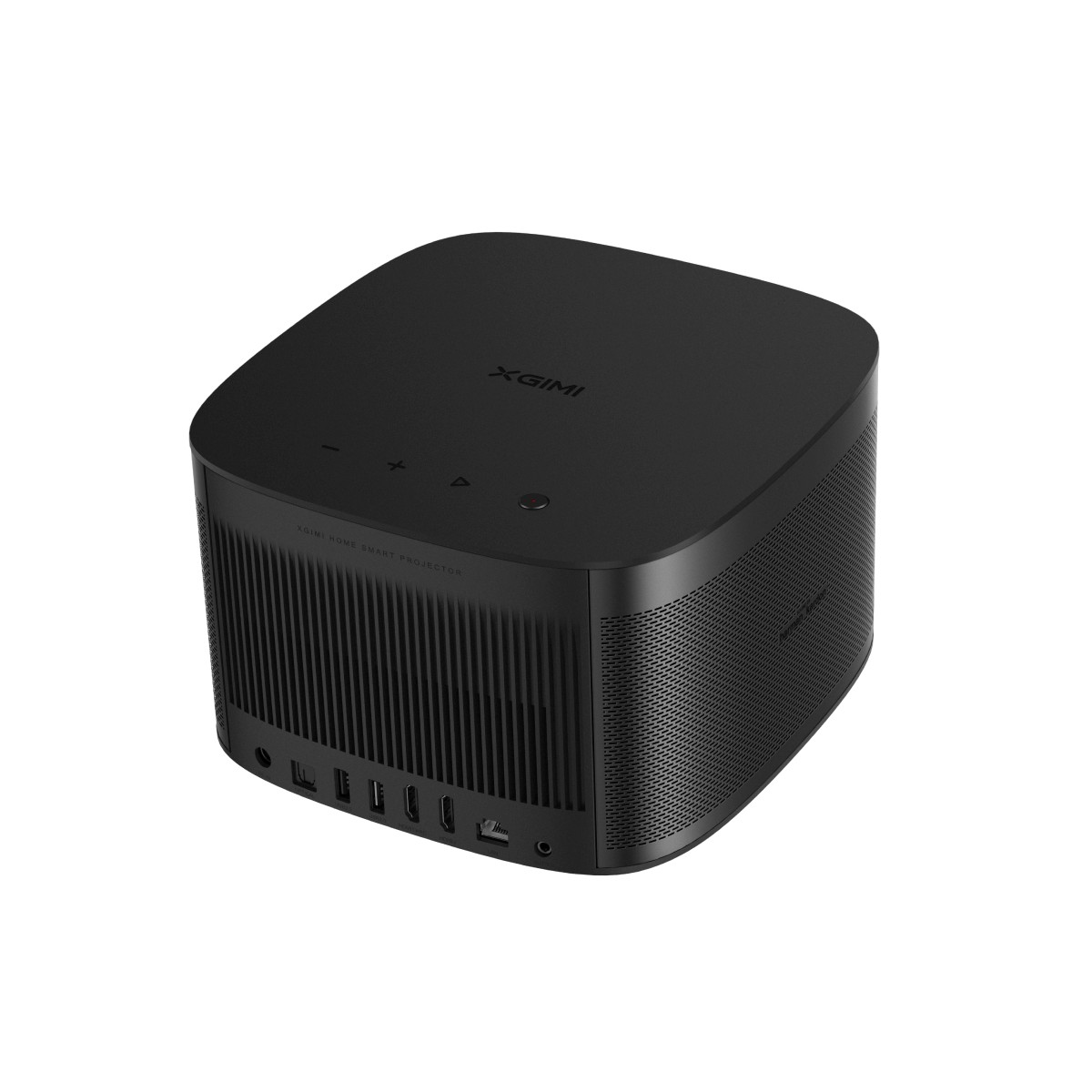
The Horizon Pro follows XGIMI’s H-series shape: a squat, rounded cube wrapped in perforated metal, finished in black — the quickest way to tell it from the light-grey 1080p Horizon, which otherwise looks almost identical. The perforations double as a speaker grille and ventilation.
Build quality is a genuine strength: dense chassis, no creak or flex, and at 6.4 lb it is light enough to carry between rooms yet heavy enough to sit still.
The compromises are small but real. The feet are not adjustable, so an uneven surface means shimming the unit or reaching for keystone correction; a flat spot, or the tripod mount on the underside, is the sensible start.
Ceiling mounting is possible, but the external power brick needs a home of its own. On top sit just four controls — power, play, volume up and down — which makes the Bluetooth remote essential rather than optional.
It is slim, with a dedicated auto-focus button and Google Assistant voice button, but it is not backlit — a real annoyance in a dark movie room — and early units shipped without its AAA batteries.
The lens sits off-centre, beside the sensor window for the focus and alignment camera, with a passive radiator beneath it.
Cooling exhausts at the rear, and XGIMI rates noise at under 30dB at one metre — a claim independent measurement broadly supports, as Performance shows.
XGIMI Horizon Pro: Features
Intelligent Screen Adaptation (ISA)
Auto focus runs at startup and on demand, and in testing it was accurate enough that manual adjustment never improved on it.
Auto keystone squares the image at an angle; auto screen alignment finds a screen’s edges — best with a white screen and black border — and fits the picture inside; obstacle avoidance detects frames, switches or plants and rescales around them.
These tools are excellent when used sensibly, but every degree of digital correction throws away pixels and light, so place the projector as square as you can and let automation handle the last few percent.
One warning: the setting that re-runs keystone whenever the projector moves is oversensitive — a bumped coffee table triggers it — so most households switch it off.
Image Engine, HDR and Motion
XGIMI’s X-VUE 2.0 engine handles processing, with HDR10 and HLG but no Dolby Vision — a gap that matters more in 2026, as premium streaming increasingly leads with it.
MEMC motion compensation smooths pans and ball movement for sport, but on film it creates the soap-opera effect, so keep it off or low for movies. The projector is also 3D-capable with DLP-Link glasses — enabled via firmware after launch, so update any unit before judging it.
Connectivity and Ports
Two HDMI 2.0 ports — one with eARC for a soundbar or AV receiver — cover a console and a streamer or Blu-ray player without cable swapping.
Two USB 2.0 ports play media from drives, Ethernet gives wired streaming stability, and optical and 3.5mm outputs cover older sound systems and headphones. Dual-band Wi-Fi and Bluetooth 5.0 cover wireless duties. There is no USB-C video input, so laptop users need an HDMI adapter.
Speed and Everyday Usability
From standby, XGIMI’s lab figures put startup at about six seconds — it behaves like a TV you point at a wall. The LED source reaches full brightness instantly and is rated for tens of thousands of hours.
XGIMI Horizon Pro: Performance
The Brightness Confusion, Untangled: 2,200 vs 1,500 vs Measured
Most Horizon Pro coverage gets this wrong, so let us be precise. At launch, XGIMI marketed 2,200 ANSI lumens. The current official page rates the same projector at 1,500 ISO lumens.
Those are different standards, so the numbers were never directly comparable — and neither matches what an independent lab measured in the modes you would actually watch. It’s measured at roughly 1,131 to 1,199 ANSI lumens across the normal brightness settings in Movie mode.
The brightest configuration, Performance brightness mode, reached 1,521 ANSI lumens but shifts the image noticeably green, making it unsuitable for serious viewing. Plan around roughly 1,100–1,200 usable ANSI lumens. Uniformity measured a very good 86.6 percent.
What does that mean in a real room?
On a 100-inch matte white screen in a dark or well-curtained room, the picture is bright, punchy, and satisfying. In daylight, it washes out, blacks turn grey, and Performance mode’s green cast is worse than the problem.
Stay near the recommended 60–150 inch range and control the light, and it performs as a good LED home projector should.
If your room cannot be darkened, no mode fixes that — read our explainer on how many lumens you need for a projector before assuming a brighter-sounding rival behaves differently, because its standard may differ too.
Sharpness, Colour and Contrast
XPR pixel-shifting delivers a genuine 4K impression — hair, fabric and skin texture render cleanly, autofocus keeps the image crisp edge to edge, and 1080p upscales tidily. Old standard-definition material is less forgiving: transfer noise shows, and noise reduction, available only in Custom mode, helps only partly.
Colour out of the box is the weakness to fix on day one. We found every mode runs noticeably blue, pushing white above the 6500K target and turning magenta purplish; even the closest factory combination, Custom with warm colour temperature, sat near 7,000K.
Custom’s RGB white-balance sliders do work — the reviewer reached 6500K with them, after which skin tones looked natural — but there is no full colour management system, so a few colours stay slightly oversaturated.
Contrast is the honest ceiling: black levels sit high, dark greys lose separation, shadow detail flattens, and dynamic contrast (Local Contrast) at medium helps only a little. Drama, documentary and sport viewers will rarely be bothered; dark-thriller devotees will notice constantly.
HDR Tone-Mapping: What Actually Happens
The Horizon Pro accepts HDR10 and HLG, but there is no dedicated HDR picture mode and no HDR-specific adjustment — your SDR settings carry over.
In practice, SDR and HDR versions of the same scene differ little: highlights gain minimal pop, because roughly 1,150 usable lumens and modest native contrast leave tone-mapping almost no headroom.
Bright, colourful HDR still looks attractive, but demanding scenes — flames against a dark cave — look flatter than on stronger HDR displays. Treat HDR here as compatibility, not a headline benefit.
Fan Noise
XGIMI rates under 30dB at one metre. In a room with a 30dB noise floor, it could not register the projector above that floor at three feet; only at one foot behind the unit, by the exhaust, did the meter read 34dB. In any normal seat, the fan is effectively inaudible over content — claim and measurement happily agree.
Throw Distance Table
With a fixed 1.2:1 throw ratio, placement maths is simple and non-negotiable — no optical zoom rescues a misjudged room. Lens-to-screen distances for a 16:9 image:
| Screen size (diagonal) | Throw distance (approx.) |
|---|---|
| 60 inches | 5.2 ft / 1.60 m |
| 80 inches | 7.0 ft / 2.13 m |
| 100 inches | 8.7 ft / 2.66 m |
| 120 inches | 10.5 ft / 3.18 m |
| 150 inches | 13.1 ft / 3.99 m |
Measure first — shrinking the image with digital zoom wastes brightness.
XGIMI Horizon Pro: Picture Modes
Five picture modes — Movie, Football, Office, Game and Custom — are shared between SDR and HDR, layered under five brightness settings: Standard, Bright, Eye Protection, Performance and Custom. The names hide sharp trade-offs.
Movie Mode
The default for films and series, and the only preset allowing adjustment of dynamic contrast, HDR, and motion compensation. Use it for a quick setup — but it runs blue like every mode, so graduate to Custom once you are ready to adjust white balance.
Football Mode
The sports preset, tuned for fast motion with HDR switching available and little else adjustable. Its measured brightness matches Movie mode, so its value is motion handling and a punchier presentation for live broadcasts, not extra light.
Pair it with MEMC for live sport; if studio segments look artificial, that is interpolation at work.
Office Mode
The presentation preset — and measurably the dimmest, at roughly 834–885 ANSI lumens in normal brightness settings. That trade suits slides and documents in a lit room, but makes Office the wrong choice for video even in an office. Switch back for anything else.
Game Mode
Game mode exists for one reason: it cuts input lag from an unusable 118.1ms to 34.6ms at 1080p/60Hz. Nothing in it is adjustable, so accept its out-of-the-box colour, blue tint included, as the price of responsiveness.
Custom Mode
The mode serious owners should live in. Custom unlocks brightness, contrast, sharpness, saturation, noise reduction and colour temperature, including the RGB sliders that fix the factory blue push and reach an accurate 6500K.
It is the only mode with noise reduction, and it loses no brightness doing any of this — measured output matches Movie mode almost exactly. Set it up once, carefully, and the picture improves more than any other single change can achieve.
The Brightness Settings, Briefly
Standard, Bright, Eye Protection and Custom brightness all land within about 68 ANSI lumens of each other in Movie mode — roughly 1,131 to 1,199 — so choose on comfort. Performance is the outlier at 1,521 ANSI lumens with a strong green shift: an emergency option for a daytime sports final, perhaps, and best left alone otherwise.
Audio
Built-in projector speakers are usually a box-ticking exercise; these are not. The dual 8W Harman Kardon system — side-firing speakers with a passive radiator under the lens — supports Dolby and DTS decoding, including DTS Studio Sound modes for Movies, Music and Sports.
In independent testing, the sound was clear and upper-mid forward, which flatters dialogue, and it reaches satisfying volume in a mid-sized room without strain.
Set expectations correctly, though: there is presence rather than bass weight, and the midrange emphasis can fatigue at sustained high volume — where Music mode, which relaxes that push, is often better.
For casual viewing, most owners will plug nothing else in; for movie nights, eARC, optical and 3.5mm outputs make adding a soundbar painless — the biggest audio upgrade available.
Smart Features & OS
Android TV 10.0 is a familiar foundation: Play Store, Google Assistant voice search and Chromecast built-in, generally smooth on 2GB of RAM with only occasional sluggishness.
YouTube, Prime Video, Disney+ and other major services are available through the Play Store — which brings us to the omission that dominates every honest discussion of this projector.
The Netflix Problem
The Horizon Pro is not Netflix certified. The official app is unavailable through the Play Store, and the workarounds are all compromises: a phone-style sideloaded app that fights the remote, casting that can freeze video while audio continues, or launcher tricks that break on update.
The clean fix is an external streaming stick on an HDMI port, which also brings a newer, faster platform. Budget the stick in, and the weakness shrinks from deal-breaker to annoyance.
Android TV 10.0 is also several generations old in 2026, trailing Google TV on current models in interface and updates — another reason the streamer route suits this projector.
Gaming
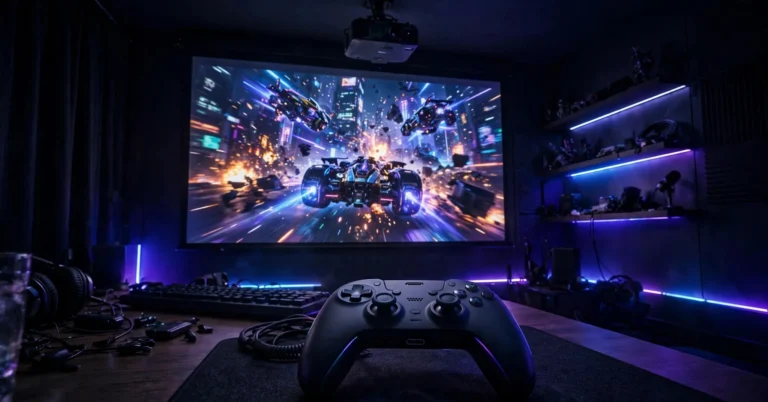
Gaming here is a tale of two numbers. In Game picture mode, the Leo Bodnar tester measured 34.6ms at 1080p/60Hz. In every other mode, the same test returned 118.1ms — so high that even casual games feel disconnected. Game mode is mandatory before you play.
At 34.6ms, single-player adventures, platformers, sports games and casual racing are perfectly enjoyable — the huge image compensates, and the lag sits below what most players consciously notice. Competitive shooter and fighting-game players face a genuine handicap against low-lag monitors and should look elsewhere.
HDMI 2.0 caps consoles at 4K/60Hz; there is no 120Hz gaming mode, and any keystone setup should be done before switching into Game mode, whose controls are locked. If gaming is your priority, our guide to the best projectors for gaming explains lag thresholds in more depth.
Who Should Buy / Who Should Skip
Buy It If…
You watch films, series and sport mainly in the evening or behind curtains, at roughly 80–120 inches. You want a projector a non-technical household can set up in minutes and move between rooms, and you value good built-in sound because no soundbar is planned.
And you accept two small jobs: adding a streaming stick, which removes the Netflix problem in one stroke, and ten minutes in Custom mode correcting colour temperature. For that buyer, the Pro still makes sense in 2026 — particularly used or discounted, now that newer models sit above it.
Skip It If…
Your room cannot be darkened, because roughly 1,150 usable lumens cannot fight daylight and Performance mode’s green tint is no rescue. Your diet is dark, contrast-heavy film and grey-looking blacks bother you. Netflix is your main service, and you refuse, on principle, to add a streamer to a smart projector.
You play competitive online shooters, where 34.6ms is a real disadvantage. Or your layout needs the projector far off-axis — without optical zoom or lens shift, flexibility comes only from digital correction, paid for in picture quality.
Alternatives to Consider
XGIMI Horizon Ultra.
The step-up successor: its dual-light laser-LED engine is brighter, rated at 2,300 ISO lumens, and it adds Dolby Vision and more placement flexibility — addressing three of the Pro’s biggest weaknesses at once. Start here if ambient light or Dolby Vision matters.
XGIMI Horizon (1080p)
The near-identical sibling — same design, platform, automation, and speakers, but Full HD instead of 4K. At smaller sizes or longer distances, the resolution gap narrows, so if it costs meaningfully less, it is the value play.
BenQ TK700
A different philosophy: a lamp-based 4K gaming projector rated at 3,200 ANSI lumens with lag around 16ms and 1080p/120Hz support, but no smart platform and no meaningful built-in audio.
Keen gamers and bright-room viewers should cross-shop it, accepting lamp replacements and bringing their own streamer and speakers.
XGIMI TITAN Noir – Newer Horizon Generations
Current models move to laser light sources, Google TV, proper Netflix certification on flagship lines, Dolby Vision and, in the latest series, optical zoom and lens shift — a map of where the Pro has aged.
If a Horizon Pro is only available at launch-era pricing, compare these first.
Frequently Asked Questions
Can the XGIMI Horizon Pro play Netflix?
Not through an official app — it is not Netflix certified, so the app is unavailable from its Play Store, and sideload or casting workarounds are unreliable. An external streaming stick on HDMI plays Netflix normally.
Is the Horizon Pro really 2,200 lumens?
That was the original ANSI marketing figure. The current official rating is 1,500 ISO lumens, a different standard, and roughly 1,131–1,199 ANSI lumens were measured in the modes people actually watch — 1,521 only in a green-tinted Performance mode. Plan around the measured figures.
How far away should it be for a 100-inch screen?
About 8.7 feet (2.66 metres) from lens to screen, from the fixed 1.2:1 throw ratio. Allow roughly 7 feet for 80 inches, 10.5 feet for 120 inches, and 13.1 feet for 150 inches. No optical zoom, so measure first.
Is the XGIMI Horizon Pro good for gaming?
For casual and single-player gaming, yes: Game mode measures 34.6ms at 1080p/60Hz. Every other mode measures 118.1ms, so Game mode is mandatory; competitive shooter players should look elsewhere, and there is no 120Hz support.
Does it need a screen, or is a wall enough?
A smooth, light-coloured wall works — the alignment features are designed for it. A matte white screen still gives cleaner borders and better perceived contrast — the upgrade to make once the projector has a permanent home.
Is it still worth buying in 2026?
At the right price, yes: the 4K detail, automation, quiet fan and Harman Kardon audio have aged well, and a streamer fixes the Netflix gap. At launch-era pricing, no — newer XGIMI models add Dolby Vision, Netflix certification, brightness and Google TV.
Bottom Line
The Horizon Pro is a lesson in reading past the headline.
Judged by launch marketing, it promises more than it delivers; judged by verified specs and measured data, it is a well-built, quiet, genuinely sharp 4K projector with the best setup automation of its generation, unusually good built-in sound, and a clear list of limits — roughly 1,150 usable ANSI lumens, modest contrast, HDR that adds little, a Netflix-shaped hole in its app store, and gaming that works in only one picture mode.
All of those limits are manageable for the right household: darken the room, add a streaming stick, spend ten minutes in Custom mode, and switch to Game mode before you play.
Do those four things and this XGIMI Horizon Pro review’s verdict is a confident yes for that buyer, at a price reflecting the model’s age. Everyone else — bright rooms, dark-film purists, Netflix-only households, competitive gamers — should choose an alternative instead.